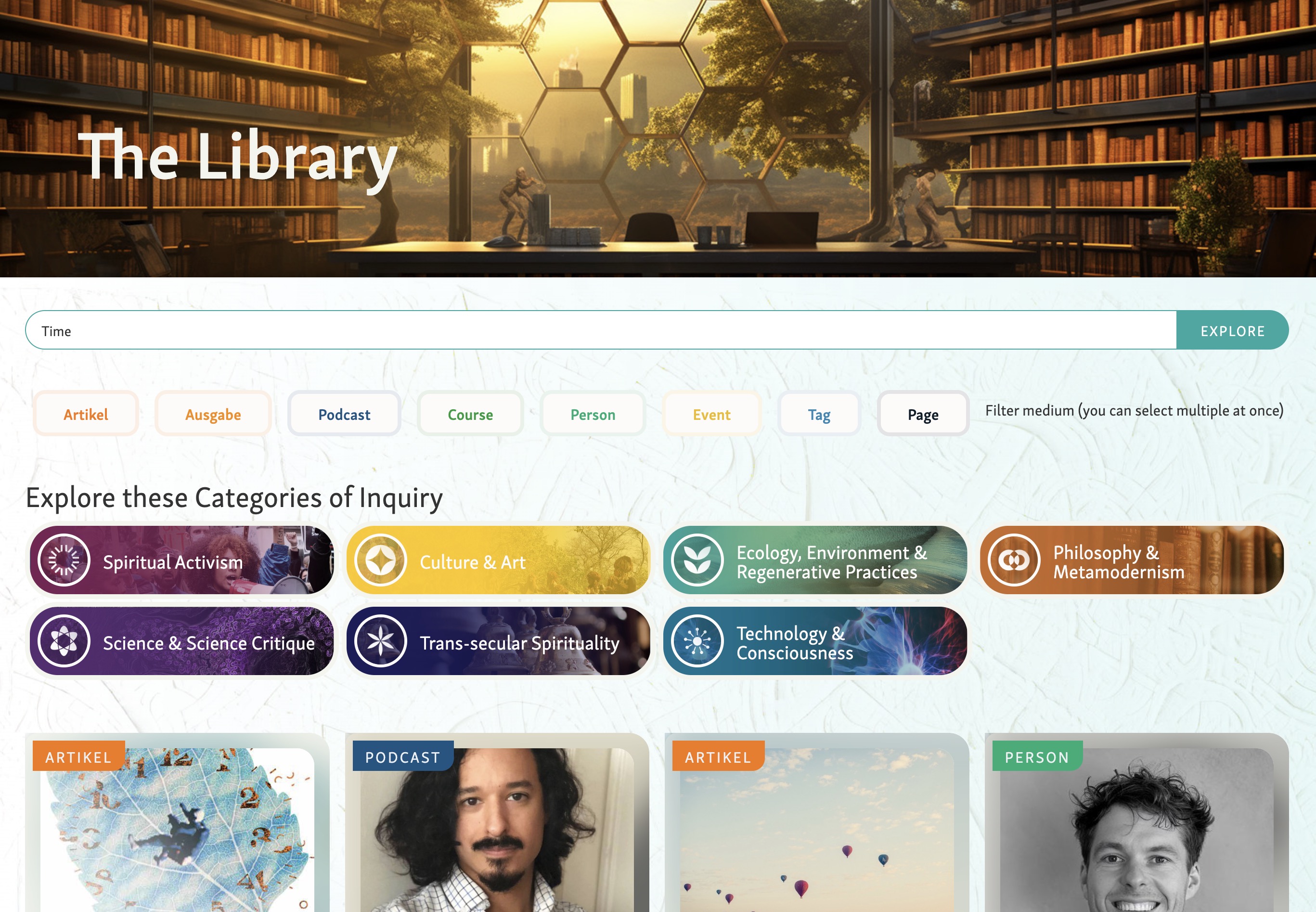


James Redenbaugh introduced Ivan Gonzalez to the Holomovement ecosystem, a network of organizations dedicated to consciousness studies, collaboration, and global transformation (03:17). The Holomovement brings together diverse communities including scientists, artists, meditation teachers, and cultural contributors through events, podcasts, and educational programs. Their flagship Wave event moves to Portugal for the next gathering, following a successful event in Asheville where James presented on technology and consciousness (03:41).
The organization emphasizes intergenerational dialogue, bridging older practitioners with time and resources with younger participants bringing fresh energy and perspectives. Maro serves as director, with founders Emanuel and Laura transitioning from their previous nonprofit Greenheart and the Global Purpose Movement (04:42). Partner organizations include Evolutionary Leaders, featuring notable figures like Bruce Lipton and Ken Wilbur, though their website requires significant modernization (06:36).
The core challenge James outlined is maintaining the palpable sense of connection and possibility that exists at in-person Wave events throughout the year when participants return home (09:41). The LMS and app ecosystem aims to recreate this "field of synchronicity" digitally, making visible the connections and transformations that happen within the community. The system must balance the inspired, sacred frequency of the movement with grounded, practical functionality that facilitates real collaboration and learning.
James emphasized that this isn't about static content delivery but creating interactive, touchable experiences that facilitate ongoing connections between members (16:45). The design philosophy prioritizes seeing people, enabling discovery, and creating opportunities for meaningful collaboration outside conference settings.
[technology="Online Learning Platforms"]
[technology="Custom Membership System"]
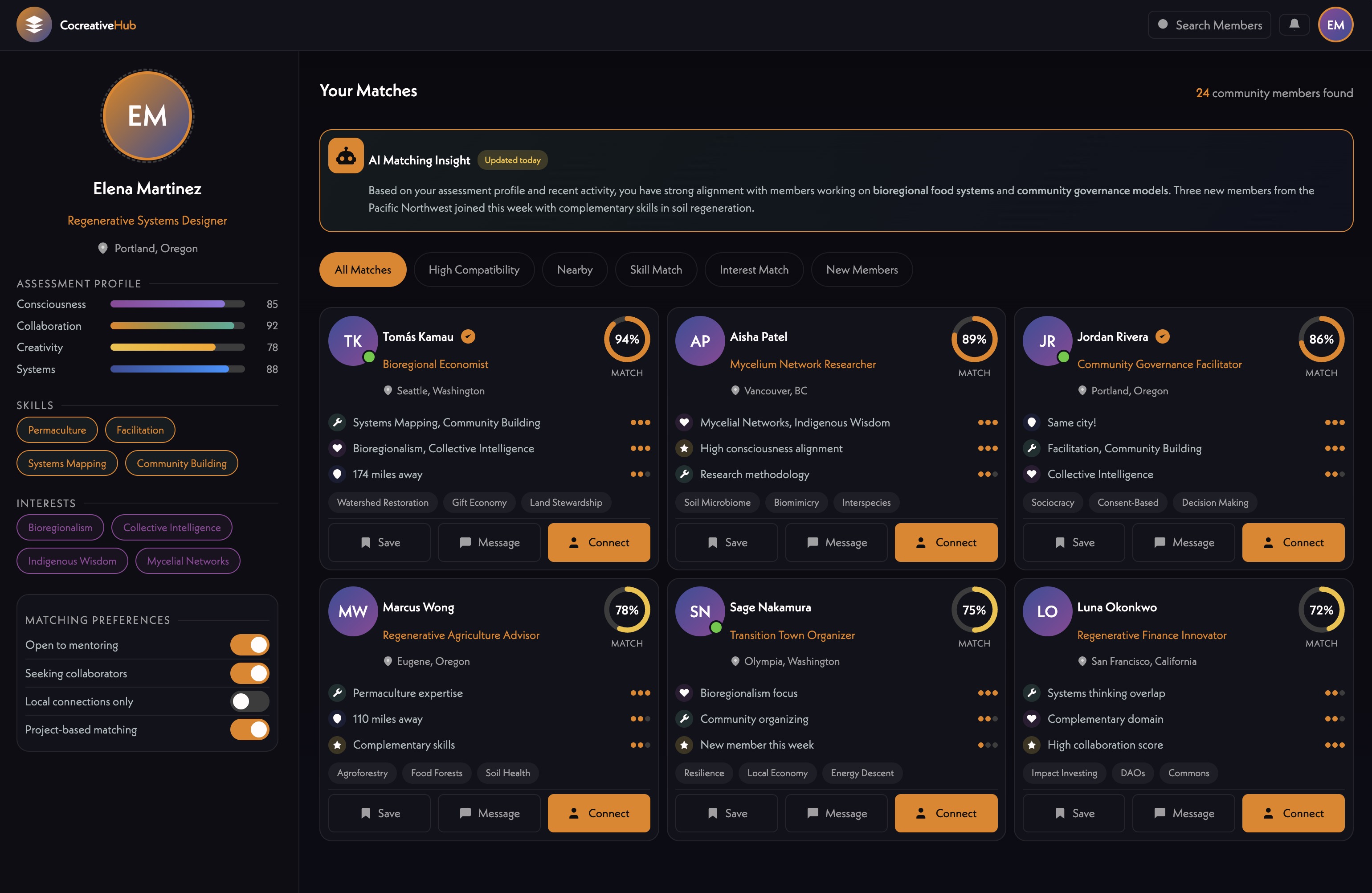
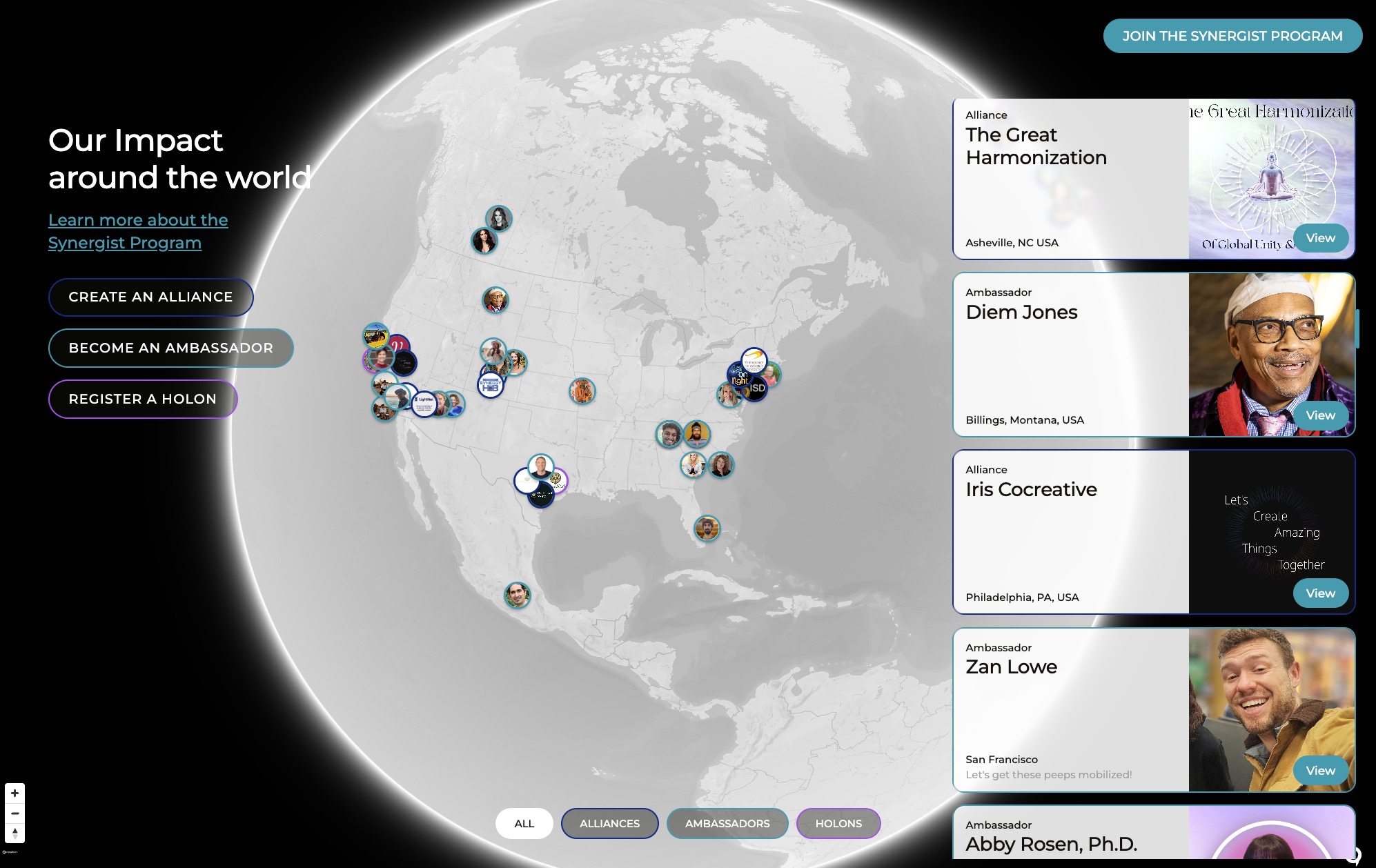
James demonstrated the current synergist directory on the Holomovement website, which displays member profiles on an interactive map without requiring login (11:09). Members complete a form that triggers an automated assessment using n8n [tag="n8n"] and Claude AI [tag="claude"], which analyzes their responses about purpose, projects, and ancestral wisdom influences.
The system generates personalized feedback and recommends connections to other synergists based on compatibility, facilitating introductions via email without exposing addresses (13:42). It also suggests relevant podcast episodes members can listen to directly. This no-login approach removes barriers to participation while still enabling intelligent matching and communication.
[technology="Intelligent Matching Algorithms"]
[technology="Assessment Systems"]
[technology="Communication Automations"]
The team will use Supabase [tag="supabase"] as the primary database instead of Airtable [tag="airtable"], even though Airtable is currently used extensively on the website with Whalesync [tag="whalesync"] for instant synchronization with Webflow [tag="webflow"] (20:19). This decision prioritizes scalability, fluid data operations, and built-in authentication capabilities that Supabase provides. Lesson content may still sync with Airtable for easier bulk editing, but user data and membership information will live in Supabase.
Stripe [tag="stripe"] checkout will handle payments for both one-time course purchases and subscription memberships (28:50). The system must sync membership status between Stripe and Supabase so that when subscriptions lapse, access is automatically revoked. Multiple products may connect to the same membership tier, and bundled offerings may grant multiple memberships from a single purchase.
For email communications, the team discussed moving from Gmail [tag="gmail"] to ActiveCampaign [tag="activecampaign"] for newsletter and automation capabilities, replacing the client's current Constant Contact setup (18:55). Ivan shared his approach using ChatGPT playbooks with the Atlas browser for high-volume email management in Gmail.
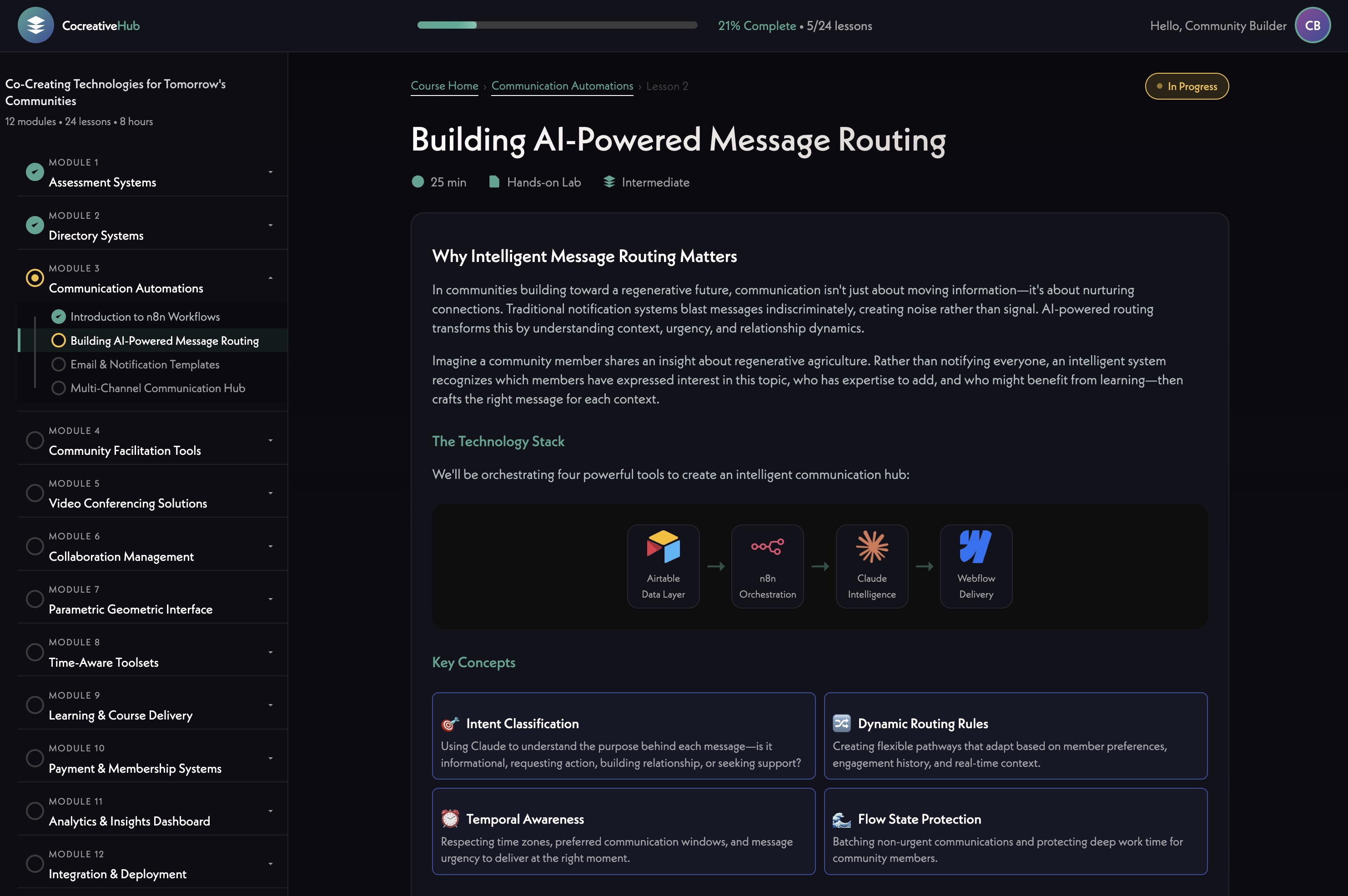
James showcased the MAST framework he's been implementing as the foundation for the LMS template (25:36). This component-based system includes intelligent features like automatic color and class naming, built-in light/dark mode, and extensive utility classes. He added custom scripts that automatically update the style guide when variables change, eliminating repetitive manual updates across projects.
The framework's slot functionality enables sophisticated component reuse while allowing clients to drag, drop, and customize layouts using Webflow's [tag="webflow"] builder (27:48). While MAST takes components to an extreme, James plans a balanced approach, using components strategically rather than for every element. This template will be duplicated not only for Holomovement but as a foundation for future client projects.
The LMS will organize content hierarchically with courses containing modules, which contain lessons (28:50). Lessons may be renamed to "sessions" or "experiences" and could include multiple content types. An access level field will enable flexible permissions, allowing some introductory content to be freely accessible while restricting premium material to paid members.
The system will track user progress by monitoring lesson completion and scroll depth, currently stored in cookies but moving to Supabase for persistence and admin visibility (39:25). This data enables both user progress tracking and administrative insights into engagement patterns. Automation workflows using n8n [tag="n8n"] can analyze user responses to assessment questions and generate personalized communications based on their engagement and interests (16:45).
James emphasized avoiding limitations of existing platforms like MemberStack and Outseta, which the team has used previously. Building a custom solution prevents vendor lock-in and enables the innovation required for the unique learning experiences they want to create (31:19).
James initiated a knowledge base on GitHub [tag="github"] organized into Development, Design, Operations, and Platform categories (32:50). The structure includes sections for the 12 core technologies IRIS offers, with initial focus on online learning platforms, membership systems, communication automation, and assessment systems.
The documentation uses markdown files with metadata, initially organized in folders but likely shifting to a single folder with manifest-driven hierarchy to avoid duplication (37:55). Some documents will be public and appear as blog posts, while others serve internal reference. James stressed the importance of documenting not just what was built but why, enabling future developers to understand architectural decisions and evolve the system.
He also built a script registry tool to track external scripts used across websites, currently requiring manual JSON updates but eventually planned for automation (40:37).
The team agreed to begin with an authentication spike, implementing Supabase [tag="supabase"] login functionality on the MAST template in the IRIS Webflow [tag="webflow"] workspace (24:39). This initial work will establish the foundation for user profiles, password management, and session handling that the entire membership system depends on.
James will duplicate the MAST template as a starting point and provide Ivan access to the necessary tools (46:31). Ivan confirmed his Webflow account exists and will need access to Supabase, with n8n [tag="n8n"], GitHub [tag="github"], and Airtable [tag="airtable"] access provided as needed during development. Using an extra client account will allow Ivan to work in the IRIS workspace despite potential occasional conflicts with the German-based client who shares the account.
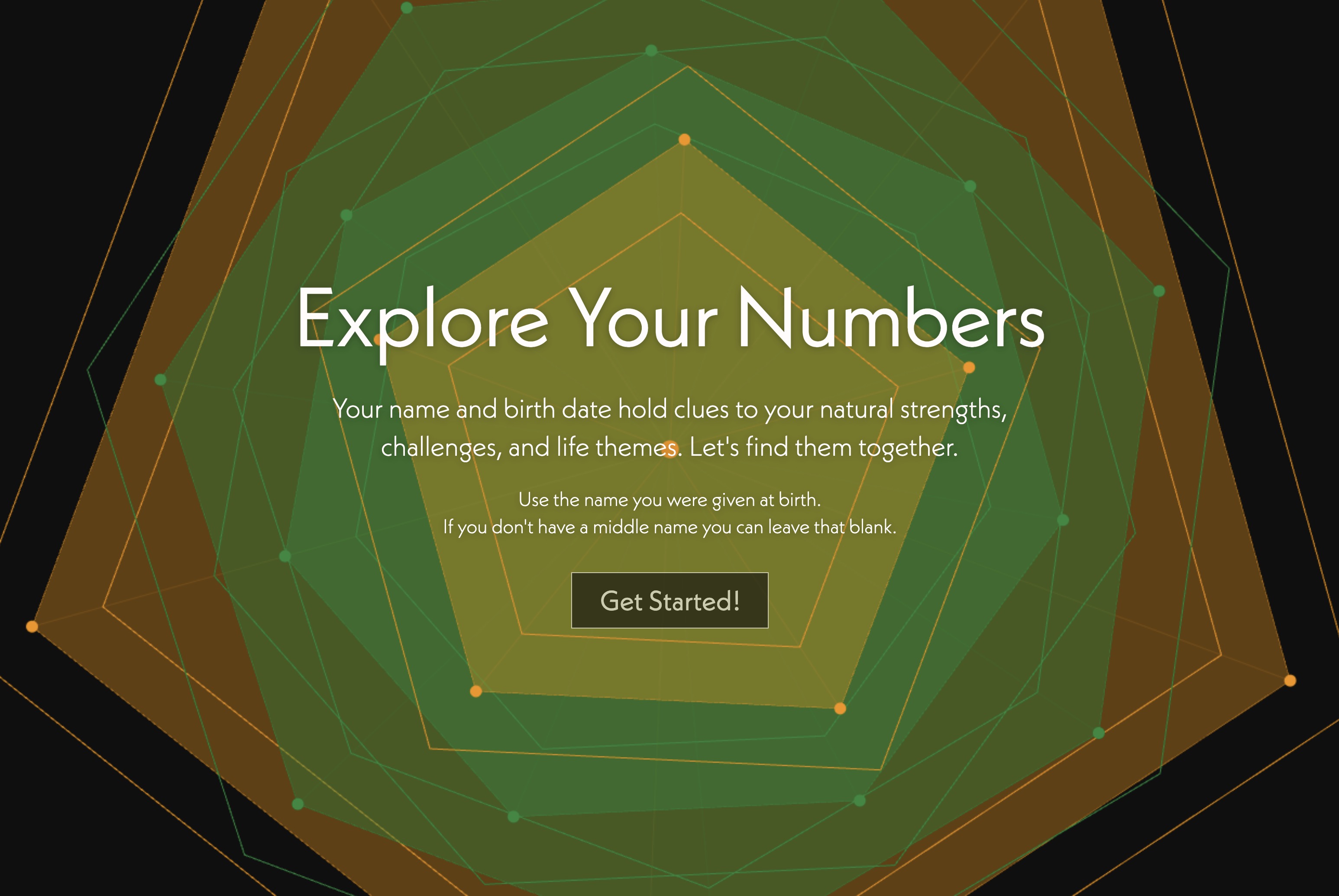
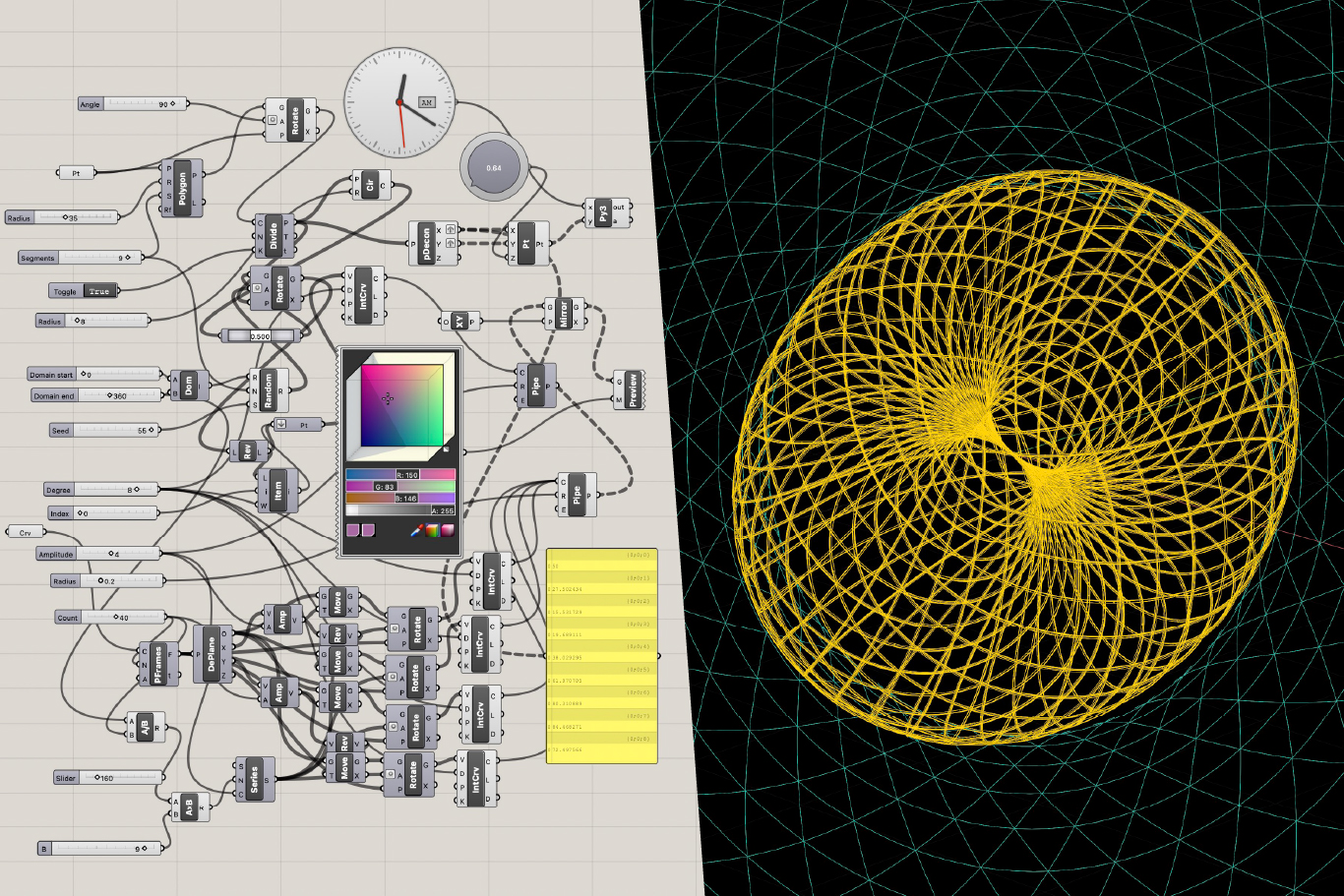
James briefly showcased personal projects in the IRIS lab environment, including a numerology app and a laser shooter game built with Claude [tag="claude"], demonstrating the experimental, playful approach to learning new technologies (42:11). The lab page serves as an index for the knowledge base and includes the simple LMS demo showing lesson tracking and completion functionality.
James Redenbaugh
Ivan Gonzalez
James Redenbaugh introduced Ivan Gonzalez to the Holomovement ecosystem, a network of organizations dedicated to consciousness studies, collaboration, and global transformation (03:17). The Holomovement brings together diverse communities including scientists, artists, meditation teachers, and cultural contributors through events, podcasts, and educational programs. Their flagship Wave event moves to Portugal for the next gathering, following a successful event in Asheville where James presented on technology and consciousness (03:41).
The organization emphasizes intergenerational dialogue, bridging older practitioners with time and resources with younger participants bringing fresh energy and perspectives. Maro serves as director, with founders Emanuel and Laura transitioning from their previous nonprofit Greenheart and the Global Purpose Movement (04:42). Partner organizations include Evolutionary Leaders, featuring notable figures like Bruce Lipton and Ken Wilbur, though their website requires significant modernization (06:36).
The core challenge James outlined is maintaining the palpable sense of connection and possibility that exists at in-person Wave events throughout the year when participants return home (09:41). The LMS and app ecosystem aims to recreate this "field of synchronicity" digitally, making visible the connections and transformations that happen within the community. The system must balance the inspired, sacred frequency of the movement with grounded, practical functionality that facilitates real collaboration and learning.
James emphasized that this isn't about static content delivery but creating interactive, touchable experiences that facilitate ongoing connections between members (16:45). The design philosophy prioritizes seeing people, enabling discovery, and creating opportunities for meaningful collaboration outside conference settings.
[technology="Online Learning Platforms"]
[technology="Custom Membership System"]
James demonstrated the current synergist directory on the Holomovement website, which displays member profiles on an interactive map without requiring login (11:09). Members complete a form that triggers an automated assessment using n8n [tag="n8n"] and Claude AI [tag="claude"], which analyzes their responses about purpose, projects, and ancestral wisdom influences.
The system generates personalized feedback and recommends connections to other synergists based on compatibility, facilitating introductions via email without exposing addresses (13:42). It also suggests relevant podcast episodes members can listen to directly. This no-login approach removes barriers to participation while still enabling intelligent matching and communication.
[technology="Intelligent Matching Algorithms"]
[technology="Assessment Systems"]
[technology="Communication Automations"]
The team will use Supabase [tag="supabase"] as the primary database instead of Airtable [tag="airtable"], even though Airtable is currently used extensively on the website with Whalesync [tag="whalesync"] for instant synchronization with Webflow [tag="webflow"] (20:19). This decision prioritizes scalability, fluid data operations, and built-in authentication capabilities that Supabase provides. Lesson content may still sync with Airtable for easier bulk editing, but user data and membership information will live in Supabase.
Stripe [tag="stripe"] checkout will handle payments for both one-time course purchases and subscription memberships (28:50). The system must sync membership status between Stripe and Supabase so that when subscriptions lapse, access is automatically revoked. Multiple products may connect to the same membership tier, and bundled offerings may grant multiple memberships from a single purchase.
For email communications, the team discussed moving from Gmail [tag="gmail"] to ActiveCampaign [tag="activecampaign"] for newsletter and automation capabilities, replacing the client's current Constant Contact setup (18:55). Ivan shared his approach using ChatGPT playbooks with the Atlas browser for high-volume email management in Gmail.
James showcased the MAST framework he's been implementing as the foundation for the LMS template (25:36). This component-based system includes intelligent features like automatic color and class naming, built-in light/dark mode, and extensive utility classes. He added custom scripts that automatically update the style guide when variables change, eliminating repetitive manual updates across projects.
The framework's slot functionality enables sophisticated component reuse while allowing clients to drag, drop, and customize layouts using Webflow's [tag="webflow"] builder (27:48). While MAST takes components to an extreme, James plans a balanced approach, using components strategically rather than for every element. This template will be duplicated not only for Holomovement but as a foundation for future client projects.
The LMS will organize content hierarchically with courses containing modules, which contain lessons (28:50). Lessons may be renamed to "sessions" or "experiences" and could include multiple content types. An access level field will enable flexible permissions, allowing some introductory content to be freely accessible while restricting premium material to paid members.
The system will track user progress by monitoring lesson completion and scroll depth, currently stored in cookies but moving to Supabase for persistence and admin visibility (39:25). This data enables both user progress tracking and administrative insights into engagement patterns. Automation workflows using n8n [tag="n8n"] can analyze user responses to assessment questions and generate personalized communications based on their engagement and interests (16:45).
James emphasized avoiding limitations of existing platforms like MemberStack and Outseta, which the team has used previously. Building a custom solution prevents vendor lock-in and enables the innovation required for the unique learning experiences they want to create (31:19).
James initiated a knowledge base on GitHub [tag="github"] organized into Development, Design, Operations, and Platform categories (32:50). The structure includes sections for the 12 core technologies IRIS offers, with initial focus on online learning platforms, membership systems, communication automation, and assessment systems.
The documentation uses markdown files with metadata, initially organized in folders but likely shifting to a single folder with manifest-driven hierarchy to avoid duplication (37:55). Some documents will be public and appear as blog posts, while others serve internal reference. James stressed the importance of documenting not just what was built but why, enabling future developers to understand architectural decisions and evolve the system.
He also built a script registry tool to track external scripts used across websites, currently requiring manual JSON updates but eventually planned for automation (40:37).
The team agreed to begin with an authentication spike, implementing Supabase [tag="supabase"] login functionality on the MAST template in the IRIS Webflow [tag="webflow"] workspace (24:39). This initial work will establish the foundation for user profiles, password management, and session handling that the entire membership system depends on.
James will duplicate the MAST template as a starting point and provide Ivan access to the necessary tools (46:31). Ivan confirmed his Webflow account exists and will need access to Supabase, with n8n [tag="n8n"], GitHub [tag="github"], and Airtable [tag="airtable"] access provided as needed during development. Using an extra client account will allow Ivan to work in the IRIS workspace despite potential occasional conflicts with the German-based client who shares the account.
James briefly showcased personal projects in the IRIS lab environment, including a numerology app and a laser shooter game built with Claude [tag="claude"], demonstrating the experimental, playful approach to learning new technologies (42:11). The lab page serves as an index for the knowledge base and includes the simple LMS demo showing lesson tracking and completion functionality.
James Redenbaugh
Ivan Gonzalez
Begin authentication spike with Supabase integration on MAST template
January 10, 2026
Implement Supabase login functionality on MAST template in IRIS Webflow workspace. Establish foundation for user profiles, password management, and session handling that entire membership system depends on. This is the initial development work to validate approach and establish core authentication architecture.
Provide Ivan access to Webflow account using extra client account
January 3, 2026
Grant Ivan access to IRIS Webflow workspace using the extra client account slot. This account is occasionally used by German-based client but will work for Ivan's primary development work. Confirmed Ivan has existing Webflow account that needs workspace access.
Create Supabase account and grant Ivan access
January 3, 2026
Set up Supabase project for Holomovement and provide Ivan with necessary access credentials. This is required before authentication spike can begin.
Provide Ivan access to n8n, GitHub, and Airtable as needed
January 10, 2026
Grant Ivan access to n8n workflows, GitHub repositories, and Airtable bases as development progresses. Access will be provided based on what's needed for specific tasks rather than all upfront.
Duplicate MAST template and prepare as starting point for LMS development
January 3, 2026
Create duplicate of MAST framework template in IRIS workspace as foundation for Holomovement LMS. This template includes component-based architecture, automatic color/class naming, light/dark mode, slot functionality, and custom scripts for style guide management. Will serve as starting point for both Holomovement and future client projects.
Report any blockers encountered during initial setup and development
January 10, 2026
Communicate any technical blockers, access issues, or questions that arise during authentication spike and initial LMS development. Ensure smooth coordination between Ivan and James during onboarding and early development phases.
Review knowledge base structure and contribute documentation as work progresses
February 1, 2026
Familiarize with GitHub knowledge base organization (Development, Design, Operations, Platform categories). Contribute documentation for technical decisions, implementation details, and learnings during LMS development. Focus on documenting why architectural choices were made, not just what was built.
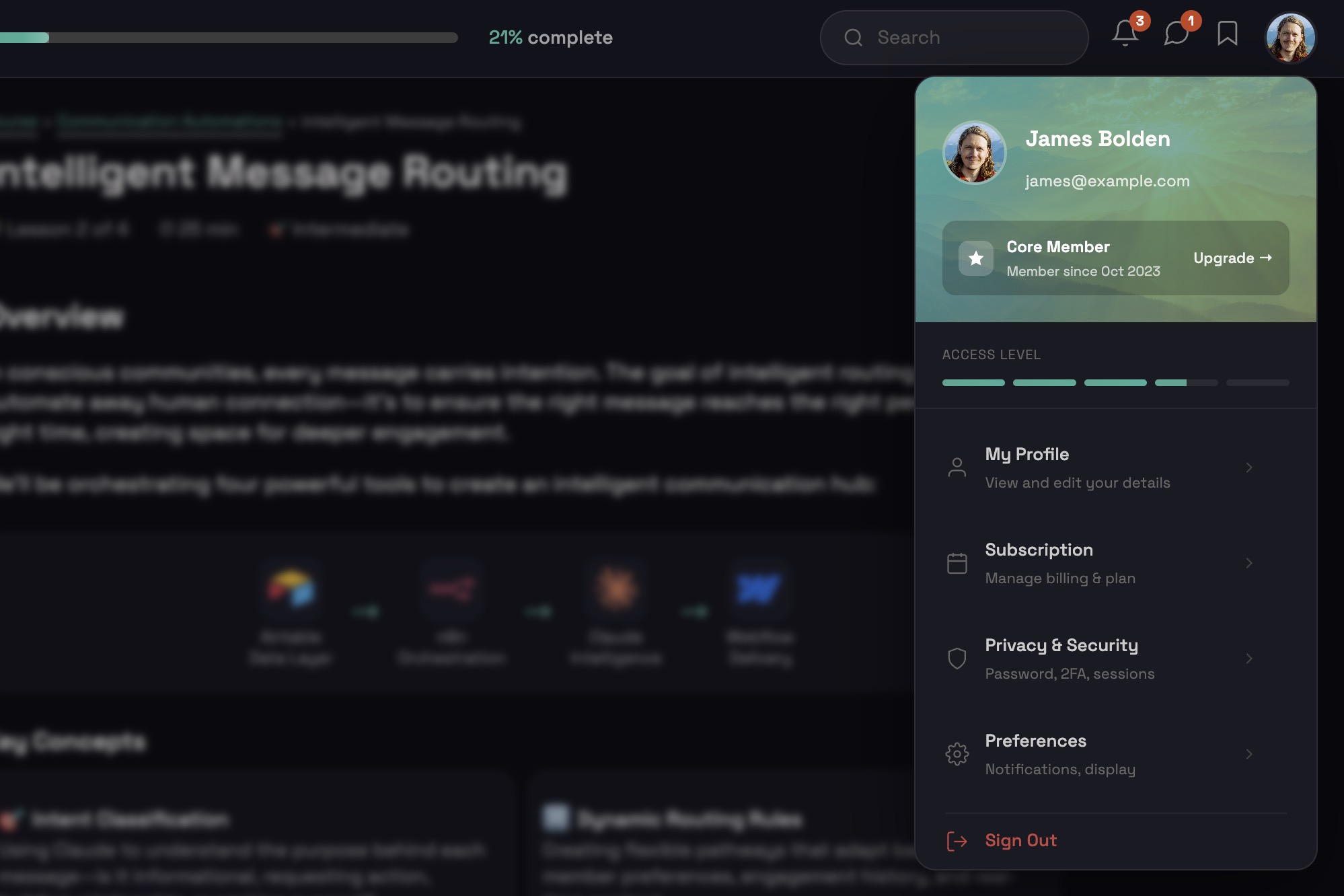
Custom membership system architecture for user authentication, progress tracking, and database management using Supabase for backend. Requirements include real database for user progress (not cookies), journal entry capture, API triggers for membership status and course purchases, and progress tracking across sessions. Decision made to build custom solution on Supabase rather than Member Stack. Includes Stripe integration for subscription management and automatic access revocation when subscriptions lapse. Multiple products may connect to same membership tier with bundled offerings granting multiple memberships from single purchase. Part of Phase One development with $16K-$29K budget. Requires hiring Supabase specialist for implementation. Timeline aligned with LMS development for February 10th launch. Authentication spike will establish foundation with Supabase login functionality on MAST template, implementing user profiles, password management, and session handling. System will sync membership status between Stripe and Supabase for automated access control. Backend successfully operational with membership login and content gating complete using Supabase and Stripe. Profile editing integration in progress to connect with directory system. Backend approximately 90% complete with primary goal to deliver working version on Holomovement site for team testing this week allowing account creation, login, and profile data editing. Front end minimal at this stage consisting mainly of login pages until profile pages developed. Profile creation flow now implemented as linear step-by-step process requiring profile completion before directory access. Sign-up flow includes friendly nudges for empty bios when hitting next, optional social profiles with language like 'you can always come back later' to reduce drop-off, loading screen during profile generation with engaging copy like 'making connections', AI-generated banner images based on user bios, and light/dark mode toggle inheriting system settings by default. System enforces profile completion to ensure data quality and prevent half-finished accounts cluttering database. Dark backgrounds use deep teal rather than pure black, light mode avoids stark white to maintain Holomovement brand feel. Simplified pill-style member modal implemented with collapsed/expanded states showing two lines by default, expanding on hover to reveal icons for messages, Holons, and light/dark mode toggle. Notifications aggregate into single indicator on Holon icon with changing number rather than multiple dots. Three profile image preview styles (circle, square, doorway/vertical) included in signup flow to ensure photos work across all use cases. In-app messaging system now live using custom-built architecture with no per-message cost, styled similar to iMessage with unread message counts, conversation threading, and future group chat capability. Email notifications handled via Resend - free up to 3,000 emails/month, then $20/month for up to 50,000. Holon management flow improved with clear delegation model between members and admins using invitation system rather than automatic adds. Location automation uses lightweight AI call to convert entered location into coordinates for near real-time map updates. Saving bug affecting profile updates, feedback, and location syncing identified and resolved during meeting. Community consent flow being added as pop-up on first messaging use with scrollable community agreements and required checkboxes covering non-partisanship, anti-spam, entity usage rules, and conduct standards. GDPR compliance considerations noted with Webflow plugin available for data erasure rights and cookie consent. Pay What You Want contribution system now under active development with slider UI allowing users to select suggested range ($15-$20/month) with secondary scholarship tier option for lower amounts. Two-screen approach framed as gift rather than discount with wave-based slider visual showing increasing amplitude. System includes familiar Stripe checkout supporting Link, Amazon Pay, and other methods. PayPal integration planned for better international accessibility. Working wave-amplitude slider prototype built with predefined moments shifting wavelength visually, translatable directly into payment UX. Prototype ready for core team testing within next couple days with front-end UI included. Thursday core team meeting target for showcase. Modal menu interface introduced featuring compact notification/settings control with light mode toggle - described as small detail that meaningfully elevates experience. Three developers now working on Webflow implementation: Sean (Ohio, senior), Siam (Pakistan, junior), with Ivan handling less bandwidth due to outside client work. Profile creation, editing, and regeneration flows confirmed working as of 03-31 meeting. Profile creation link added directly to member modal enabling re-run of full onboarding flow. Core team onboarding structured as daily feature drip starting with profile creation. 03-31 crash test revealed critical blocking issues preventing core team demo: n8n automation pipeline failing to complete profile data processing reliably, social links not saving due to LinkedIn field dependency, AI-generated cover image and tagline entering loop state without completing, JSON input error halting holon creation mid-flow, logout bug on holon detail page, light mode broadly non-functional requiring toggle to be hidden entirely, profile content fields not populating after form submission. Team consensus: crash test failed, reconvening following day to retest after critical fixes. Zero tolerance for processes locking up or halting before core team demo - visual imperfections acceptable but no mid-flow stoppage permitted. Hubcast partnership introduces potential single sign-on integration explored with developer Emilio Lopez enabling seamless profile creation handshake between broadcast access and Holomovement App reducing friction for new users discovering platform via livestream. Profile creation becomes the access ticket for global broadcast viewers immediately placing them inside ecosystem where they discover collaboration features. System now functional and operational with core team beginning onboarding process (meeting 05-04). Post-Wave deployment successful with members actively using platform. Critical gaps identified in 06-16 meeting: users cannot delete accounts (GDPR violation with European user base), users cannot remove themselves from Holons, stewards cannot remove members, automatic member addition on Holon creation needs approval workflow, privacy controls needed for Holon visibility, homepage globe displays names/locations without explicit opt-in requiring visibility toggle, cookie consent banner required for European compliance, Stripe webhook test-mode errors surfacing. Account deletion and member management now top cleanup priorities.
Assessment system with AI-powered engagement features feeding automation workflows. Data from assessments, clicking patterns, lesson completion, and call attendance triggers personalized communication including immediate tailored emails, weekly progress updates, connection recommendations based on profile matching, and proactive check-in offers when engagement drops. Guatemala-specific assessment page created requiring customized copy. Current synergist directory demonstrates existing assessment capabilities: members complete form triggering automated n8n and Claude AI analysis of responses about purpose, projects, and ancestral wisdom influences. System generates personalized feedback and recommends connections to other synergists based on compatibility, facilitating introductions via email without exposing addresses. Also suggests relevant podcast episodes. No-login approach removes participation barriers while enabling intelligent matching and communication. Strategic shift to progressive engagement model: members start with basic five-minute profile setup (name, website, purpose statement, location), then complete more detailed assessments later. Each completed assessment adds elements to profile and unlocks new features. Gamification includes AI-generated icons, tarot card archetypes, or numerology graphics appearing on profiles as users complete different assessments. Incremental assessment launch strategy releasing new assessments every week or ten days leading to Wave event, using Ripple gatherings and Miracle Club to promote participation. Partnership opportunities with experts for themed assessments (Don Beck for Spiral Dynamics, Vedic astrologer for astrology, iOS Zone of Genius team for their assessment). Critical reassessment of assessment strategy prioritizing basic intake form capturing most important factors: development level, experience, life stage, purpose, and current needs as primary assessment for matching foundation. Systems like Gene Keys and numerology recognized as requiring belief in astrology/numerology to feel relevant, limiting universal applicability. Focus shifting to actionable, practical data enabling computational matching based on clear criteria rather than archetypal personality typing. When matching collaborators, users need to understand skills, experience, current needs, and project involvement rather than personality scores. AI-driven matching requires developmental stage, experience level, project involvement, and specific needs to avoid misaligned matches like pairing serial entrepreneurs with college freshmen. Meeting confirmed approach of using simple 1-to-10 scale assessments for numerical scoring and spider graphs but deferring complex compatibility scores for MVP. AI interpretation via Claude for free-text fields and nuanced alignment, direct computation for explicit matches like shared affiliations or complementary skill requests. Michael coordinating with Emmanuel on potential assessment questions to gauge user alignment. Team now planning 5-6 domain assessment (5 makes pentagram shape, 6 makes star shape) using simple multiple choice format outputting 1-10 scores per metric with spider graph visualization (37:24). Demonstrated working client assessment as reference - multi-screen flow with logic-based classification, no agentic analysis required. Key design principles: spectrum-based framing rather than qualitative scoring ('does this sound like you or not?' vs 'how good are you at this?'), questions should feel neutral and interesting to avoid test-taking bias (MMPI/Myers-Briggs problem of answering how you want to appear), completable in 10 minutes or less, more candidate questions per domain than needed for culling weak ones (40:52, 48:29). Mariko advocated for including at least one fun gift-like assessment (e.g. numerology mandala tool) people would do for the experience that enriches profile organically without feeling like data extraction (41:56). James floated longer-term vision of garden of assessments users can choose from with power to decide which assessments inform matching - astrological/numerological inputs become opt-in rather than default. New numerology mandala tool demonstrated building visual in real time as user types, team expressed integration interest (43:44). Michael Shaun starting shared document immediately with candidate domain names and draft questions for team review, holding internal review with Hera before broader socialization (40:52, 52:43). Working prototype built with five-domain assessment featuring slider-based positioning system across spectrums (22:37). Five domains: Holonic Worldview (separative/analytic to holistic/integrative), Purpose Orientation (exploring/emergent to directed/activated), Pro-Social Stance (deep one-on-one to community-wide/systemic), Collaborative Capacity (independent to collective), Time Horizon (near-term to long-arc/generational). Results render as nine-pointed spider graph and bar chart. Slider format keeps assessment accessible without overwhelming users (25:36). Community-level visualization capability floated - overlaying 100 profiles to reveal collective orientation of holons or comparing holons against each other (29:17). Next development step: adding archetype outputs (e.g., 'super connector') with brief descriptive text for each result profile. Assessment data feeds optionally into matching algorithm with users able to decide matching criteria when requesting analysis, though some default criteria apply automatically (36:00). Prototype ready for Holomovement team Thursday meeting demo (40:46). 03-31 meeting revealed spider graph assessment essentially unreadable without tutorial - 19 items across overlapping axes makes results incomprehensible (10:54). Team verdict: spider graph is good eye candy but doesn't deliver snapshot value. Simplified one-question assessment with triangulation output confirmed as right path forward, not using spider graph format (14:58). Working prototype committed for following day. Michael Shaun flagged standing to-do: writing one-page descriptive blurbs for each assessment area so AI can return robust grounded responses to user queries - Google Doc format for now (57:04). Mariko testing showed assessment accurate and trustworthy, validating credibility needed for matching layer to work for new users. Assessment confirms what users intuitively know about existing relationships, building trust for recommendations with unknown people (46:52). Beyond individual matching, assessments help working groups understand collective makeup - team strengths, shadows, support needs, leadership roles. Positions tools as ongoing collaboration infrastructure rather than just onboarding features (51:14). New triangular assessment visualization mentioned in meeting at 57:00 as co-designed by James. Assessment now functional with improved output format and ready for core team onboarding (meeting 05-04).
Migration from Gmail and Constant Contact to ActiveCampaign for newsletter and automation capabilities. Replaces client's current Constant Contact setup with more robust automation platform. Includes evaluation of ChatGPT playbooks with Atlas browser approach for high-volume email management as alternative or complement to ActiveCampaign. Integration with LMS and membership system for triggered communications based on user behavior and engagement.
Custom learning management system (LMS) development on Webflow enabling self-paced courses, video content, progress tracking, quizzes, and certifications. Strategic decision to build custom LMS rather than using Boldly or Thinkific to support live-to-evergreen content workflow and global product sales. System requirements include real database for user progress (not cookies), journal entry capture, API triggers for membership status and course purchases, and progress tracking across sessions. Decision made to build on Supabase backend rather than Member Stack for authentication and data management. Phase One budget $16K-$29K with commitment to higher end. Development timeline six weeks: weeks one-two for Supabase foundation and user dashboard connected to Webflow CMS, week three for Stripe integration and membership access control, weeks four-five for testing and email integrations, polish and testing complete by January 25th for February 10th launch. Three-tier collection structure: courses, modules, lessons. Content authoring process uses detailed scripts functioning as recipes specifying exact interactivity types (checkbox, multiple choice), interaction flows, and content sequencing aligning activities with content flow rather than separate homework sections. Format supports live-to-evergreen workflow ensuring technical structure supports global sales rather than just live delivery. Team using themselves as first test group to validate system with real-world use cases before broader deployment. Authentication spike establishes foundation with Supabase login functionality on MAST template implementing user profiles, password management, and session handling. Backend successfully operational with membership login and content gating complete. Profile editing integration in progress to connect with directory system. LMS moved back to active priority to support Choose Love course launch with Boldly course content as test videos for validation before committing to Choose Love timeline. Development continuing at reduced pace while directory system remains primary focus.
00:00:00
Ivan: Sunny day here in London in a little while.
00:00:01
James Redenbaugh: This meeting is being recorded.
00:00:04
Ivan: I spent a bit of time outside, so I'm happy I did that before it gets dark.
00:00:11
James Redenbaugh: Nice. Yeah. The days are slowly getting. Getting longer again.
00:00:19
Ivan: Yep, Slowly.
00:00:22
James Redenbaugh: Slow and steady. How are you? I'm pretty good. I only have a bit of time today, but I don't think we need to take too much time anyway. Okay, cool. I've got to do the website. Annoying, but that's all right. I'm going to use this new framework I've been working on. Nice. So digging into that, but yeah, let's. Let's dive into the Holomovement project. Questions about this off the bat, about what we're going to build or the client or any of that.
00:01:17
Ivan: Maybe it'd be cool to hear a little bit about holo movement.
00:01:20
James Redenbaugh: Mm, great. So share the screen. Here. They are. A unifying worldview for consciousness. Collaboration to transform the world. Basically, the Hub movement is a network of different organizations. They should have, like a partners thing somewhere. I'm going to talk to them about that because it's. It's really a network of. Of networks. There's different groups and different people that are all interested in making the world a better place through collaboration and connection and, You know, consciousness studies and practices and intergenerational dialogues and things like that. So they have. They have a podcast, they have meetings, they're starting this course. But the big event is their wave event. And I just realized that I. I should edit this video here to not start with Asheville, because that was last summer's event and the one that's coming up is in Portugal. You should consider coming. I think I'll go.
00:03:17
Ivan: Oh, that's cool. Oh, yeah, I wouldn't mind if I said to Portugal. That sounds nice.
00:03:22
James Redenbaugh: Yeah. It's in your neck of the woods.
00:03:25
Ivan: Cash case is nice as well. I've been there before.
00:03:28
James Redenbaugh: Yeah. And I went last year in Asheville. It's really fun. I gave a talk there on technology and consciousness.
00:03:39
Ivan: Cool.
00:03:41
James Redenbaugh: And was actually a really fun and special event. There's a. There was a big diversity of people from different backgrounds doing different things, young and old. A lot of, like, cultural stuff, music and. And art, a lot of scientific stuff. There were, you know, astronauts and lecturers and meditation teachers and yoga people. And it just brings lots of really interesting folks together. And there's very much a. What I can only describe as a field of synchronicity around the event, where you're walking around and, you know, the person you run into on the street is the, is the person you're meant to have a conversation with now. And everybody just kind of surrendered into that and it's, it's really beautiful.
00:04:42
Ivan: Sounds very synchronous.
00:04:46
James Redenbaugh: And their, their director, Maro, she's passing by right there. She's wonderful. She's been their director for the last couple years and she's done really amazing work to, to bring a lot more perspectives and voices into the mix. Emanuel is the founder. Emanuel and Laura, they ran a big nonprofit called greenheart for a long time in Chicago. And they for years had something called the Global Purpose Movement going on, which was kind of a conference series and a smaller scale thing. And it's kind of evolved into this Holomovement and they really want it to be bigger than them. So they're, they're very fun to work with. They're very open to collaboration and new ideas. They recognize that there's a large contingency of older folks that have been kind of, you know, practicing these kind of things for a long time and are sometimes stuck in their ways, but have like time and resource. And then there's younger folks coming in that want to, you know, do things in their own way and have no energy. And they're kind of bridging the gap between that and making space for, for dialogue and emergence.
00:06:33
Ivan: That's very cool. Very cool. They're so open to that.
00:06:36
James Redenbaugh: Yeah. I'm showing evolutionary leaders here because this is relevant. They're kind of. They're definitely a partner organization here. They have a very outdated website. I think we're probably going to redo this website in the next couple of years.
00:06:57
Ivan: Yeah, it needs.
00:06:58
James Redenbaugh: It needs it bad. I did not do this. Thank God.
00:07:02
Ivan: It's like, welcome back to the 2000s.
00:07:05
James Redenbaugh: Yeah. But it's a really special group of people. Like some of these guys are really serious, like Bruce Lipton and Ken Wilbur. They've invited me to join them, which is exciting.
00:07:24
Ivan: Oh, that's cool.
00:07:27
James Redenbaugh: And I'm going to recommend that they iron is to make a new website. But it's this kind of gives you a sense of the network behind the Holomovement. A lot of these people will be, you know, at the events and are involved in different ways. And it's so it's always like a combination of positive intentions and inspired, inspired thoughts about how to make the world a better place, how to come together in new ways, how to help people co awaken to the collective nature of consciousness and the interconnectedness of life. And of course, the, the shadow side of that can be an ungroundedness or a disconnection from reality or, you know, a difficulty actually getting anything done. And so in what we make for them, I want to. I want it to kind of resonate at the frequency that they're resonating at. I want it to feel inspired and sacred, but also at the same time grounded and practical and tangible. So, you know, what we're going to be building for them over the next year. And the LMS is a big part of that, has a lot to do with just making. Making real the. And making visible the connections and the transformation that happens in this field with these people. Because when we're at the event, when we're at a wave event and everybody's here and you're walking around, it's. It's so obvious and palpable. It's like, oh, we could do this. You know, like, I. At the last event, I met people that I'm now working with, I'm now partnering with, have now hired me to do different things. And it's like, oh, I can. I can learn these things, I can team up in these ways. We can make stuff happen, and then we all get home. And, you know, I've managed to maintain those relationships because I'm now practiced after dozens of such conferences. But there's always the challenge of, like, how do we maintain those connections? How do we keep that fire burning? And how do we create opportunities for new experiences outside of a conference setting for people to learn, to find new ideas and to connect and to team up? And so we want to kind of create that field in the. In the app and in the learning. So seeing people is going to be really important. I'll share my screen again. Already on the website, we have this, what we're calling a synergist directory. You can fill out a form and you end up on this map.
00:11:08
Ivan: That's cool.
00:11:09
James Redenbaugh: Yeah. And you can see these different profiles and zoom in here and read things. The next version of that will have some more poignant questions. Let me see if I can find the questionnaire I made.
00:11:41
Ivan: Was that John Hopkins, the musician?
00:11:46
James Redenbaugh: I'm not sure.
00:11:48
Ivan: It might have been. That's cool.
00:11:50
James Redenbaugh: Likely. So here, you know, I just made this form with Claude's help, I can upload a photo, you know, put in my email and some basic questions. But then it's going to ask me questions about, like, my. My purpose and what I'm doing and what kind of projects am I stewarding and what ancient or ancestral wisdom guides my work. And let me. In earlier version of this, See which one of these. Actually there was some spam on this, so. Let me find a non span one of these. I need to put in some better spam filtering. Okay. So when the user fills out this form, they're automatically emailed this assessment that I have an NIDA automation generate using a cloud agent and it identifies these different areas and then gives a little assessment. So like your purpose and calling ushering humanity's next iteration, you're drawn to Holloman by a deep desire to usher humanity into its next iteration of evolutionary potential. And so it kind of feeds back to what you answer, but frames it in a new way and adds some context. And there's some more information about the Holomovement built in. And then this is the cool part, will recommend connections to other synergists in the network. So it says, oh, it's something's out of sync here, but imagine that it's saying something helpful about Alyssa Turner here. And I can request a connection with Alyssa and if I click that it will send us both an email with context about, you know, here, you know, this person would like to connect with you, you can respond to the email, but they don't get your email address and so on and so forth. And if it's, there's different kinds of profile, if it's, you know, an alliance, I can just go visit their website or I can email person that's a part of this organization. It'll also recommend podcast episodes that I can go into and just listen right here. And what's cool about this is it doesn't require any membership, there's no login, people don't need to, you know, all they have to have done is fill out a form and then there's nothing to log into. And we can still facilitate these connections. But you can imagine with, with a login we can do the same kind of thing but in an environment that's a little more immediate. So we can give assessment results right there on the website and recommend connections and see what's there. And I'm giving this just to kind of share some context. This first iteration of the LMS won't have many membership features. We, we won't be doing messaging on the site, have forums yet, but we will want to see people who's in there. And we do want to give people an opportunity to interact with the course material. So. Lessons aren't just static content, they're, they're interactive kind of touchable experiences. And then we can build in automations with N8N to intelligently program fields such that if I answer a question on an assessment with a lesson, it will store my answer. But we can also run that answer through a process to analyze my answer and then store another value based on that. So then we can build in communication assessment. So I'm like 20% of the way through a course. We could have a system that sees my answers to those questions and then composes an email based on those answers so it can say hey, I see you. You know, you're really engaged in this course or you answered this on this question about purpose or your profile shows that you're very interested in these topics. Here are some recommendations based on that. And again, for this initial version we don't have to have all of that worked out. We're gonna keep playing with this stuff over the next few months, but we want to keep that in mind that we're very much designing the system to do things like that, not just deliver static content.
00:18:28
Ivan: Context is facilitating connections between members of the network in kind of normal ways.
00:18:35
James Redenbaugh: Exactly.
00:18:36
Ivan: That synchronicity from the in person events alive and amplifying it even.
00:18:42
James Redenbaugh: Yeah, yeah. And so I'm sure you guys are doing similar things with the. I forget the name of the course.
00:18:53
Ivan: That you're the art of accomplishment.
00:18:55
James Redenbaugh: And yeah, I was poking around there and what are you using for email communication on that, by the way?
00:19:05
Ivan: We were just using Gmail. We were trying a few tools like Spark and I think they've tried Superhuman before but none of them seem to meet our needs for a variety of reasons. But in the end what I was using is kind of just like a quite in depth Chat GPT playbook.
00:19:30
James Redenbaugh: Which.
00:19:30
Ivan: I was using alongside like the Atlas browser, the Chat GPT browser so that I could just kind of like answer kind of high volume emails on Gmail on the Gmail kind of UI itself.
00:19:47
James Redenbaugh: Yeah, I, I just downloaded Atlas but I haven't installed it yet.
00:19:53
Ivan: Yeah, I'm really, I'm really enjoying it. I haven't tried many of the other AI browsers but just like, like, I don't know, I just. The lack of copying and pasting and that context is just like readily available wherever you are is pretty powerful. I'm enjoying that.
00:20:19
James Redenbaugh: I think we will Gmail with Nadan. I think we're going to integrate ActiveCampaign because they have some big newsletter lists. They've been using constant Contact, which I hate personally, but it's fine. But that's kind of besides the point. The scope that we want to focus on is connecting the interfaces we're building in webflow with the database in Supabase. And. We want to use Supabase instead of Airtable, even though we use Airtable for lots of things on the website already. And we'll probably sync lesson content with airtable and I love using Airtable with webflow because we use Whale Sync to sync them instantaneously and it's really mass edits and, you know, look at the whole database and jump right into things instead of, you know, one by one looking at a CMS item in. In webflow. But we want things to be more fluid and we want more capacity to. Scale and, and we need to do things like Auth. So I think Supabase is going to be the way to go. And like I outlined in the, in that prototype, I think just going to bring that up for my own. Reference. If I could find that. What did I call that?
00:22:41
Ivan: I have to link to it.
00:22:42
James Redenbaugh: If you. This. There we go. I found it. Okay, I need to update some things in here, but. Yeah, basically. Supabase, I know pretty little about it. I only have a little bit of experience with Firebase, but I've seen a lot of. Documentation around using the, the Auth. The Auth is really a big hurdle in this whole system, enabling people to log in and have their profile. And this is just a mockup over here. There's no significance, you know, and sign out and change their password. And I know Supabase has some of that capability built in, but I haven't yet figured out how to, how to make that work. I think that that would be a good place for us to start, is just getting a simple login working on a, on a webflow site and, you know, just doing free profile creation to start.
00:24:39
Ivan: So it's kind of like a spike on. On like Auth with webflow using Supabase.
00:24:45
James Redenbaugh: Yeah, yeah. And so I. Even though we're going to be building this into the Holomovement website, I want to start on a template site in our webflow account. So something like this that I've been working on that has the masked framework built into it and this way we can, we can figure a lot of things out on this and then duplicate it not only for Holomovement, but also for other clients.
00:25:33
Ivan: Makes sense.
00:25:36
James Redenbaugh: And so I've been working on this template that we can use for, for this project and other projects in the future. Mast is really cool. I've been digging more into it since we talked yesterday and I kind of really love it.
00:25:56
Ivan: What's new since yesterday.
00:25:58
James Redenbaugh: Well, I built this whole thing out, right? I tailored, I tailored it to work with our stuff. Hey, why aren't the. Why isn't my script working anymore? Oh, I think I just didn't publish it on GitHub. But I added a script to intelligently name the colors and the classes and even add font descriptions in here so that when we duplicate these things and change the. The settings for a new project, it automatically updates the style guide so we don't have to do that a million times. And even if I change a variable in the system, it'll. It'll update here. And so yeah, I've added these utility classes for different things I think we'll often use. There's light and dark mode, which is really nice built into it, and then there's all of these. It's very component based, which I was a little resistant to at first because I tend to just use components for like modals and navigation and, and things like that. But I'm realizing that you can do a lot more with components now with the slot functionality and it enables us to hand things off to clients and then they can use the builder to really create their own layouts and drag things around.
00:27:48
Ivan: That's cool.
00:27:48
James Redenbaugh: And do all kinds of funky stuff. So mass kind of takes it to the extreme. I don't think we want to do everything with components like, like they sometimes do, but I do want to use them as much as we can. This is kind of an aside. Basically we can, we can duplicate this, start playing around with the lms. We can use the CMS to create a lesson hierarchy. I'll probably be working on that. So we'll have an index of courses and then within. For now there'll be one course and within courses we'll have modules and then within modules we'll have lessons. We'll probably call lessons something like sessions or experiences or there might be multiple types of those things. But we want the membership system to protect that content, to make sure it's only visible to members. However, we might have some free material such that there'll be a field in these lessons to say access level. So maybe the first couple lessons are free. You can jump in and see what's going on there. Or maybe you have a free membership, you sign up and you can access those things and then the paid membership has access to those other things. And then down the road, when we have multiple courses, of course people will, you know, just have access to the course that they're signed up for. That they've paid for. And we're just going to use a simple stripe checkout to let people either buy a course or do a membership. So we'll have different products connected to different memberships and we might have multiple products connected to the same membership. So. So, you know, a one off price or a subscription. And we might have multiple memberships connected to a single product if we bundle things. So that should be pretty straightforward to figure out. We'll just use stripe checkout for now, not do anything too fancy with that. But we're going to need to set up a connection between those things so that if I stop paying for my membership, I lose access to the course. So something will change in Supabase when that subscription ends in stripe. Yeah, so that's kind of a high level of it. That was a lot of information. Hopefully most of it is straightforward.
00:30:51
Ivan: Yeah, I'd also had like a. Well, I got ChatGPT to summarize the link that you sent me with all the information and so a lot of that sounded familiar.
00:31:02
James Redenbaugh: Yeah. Awesome.
00:31:04
Ivan: And then starting out with like auth into a mass template, that seems like a pretty clear path to start.
00:31:19
James Redenbaugh: Great. There are, in webflow, there's two things we've used in the past to create memberships. One's called Member Stack and one is called Outseta. And they work pretty well, they're pretty plug and play, but, you know, and so in a way we're kind of reinventing the wheel because these services already do that. But I don't want our clients to be tied to those platforms. And we're always wanting to do things that those platforms don't do. And so it's worth figuring this out now so that we can have our own membership solution.
00:32:06
Ivan: Yeah, it sounds like you want to innovate a lot on how to deliver these learning experiences and that this is what will allow you to do that.
00:32:15
James Redenbaugh: Yeah, exactly. And so we want to be thinking about what, you know, what do we want this system to do not only for Holomovement, but also for many future clients. And so I want to document as much as possible. We already talked about that. But I can give you access to the knowledge base that I just started so as we go along, we can create documents in there to keep records of what, you know, what are we building, how does the system work, what have we done? We don't need to go overboard, you know, you know, this line of code does this thing. But just so that a year from now when we're evolving the membership system, we can, you Know, bring somebody else in and they can read that and see, okay, here's why we did that. Here's what tools are using, here's where the things are stored. And so that is on GitHub. I'm sure you are familiar. You just get, you're a developer. I'm pretty new to GitHub. I've avoided it most of my career.
00:33:41
Ivan: I mean, I'm pretty surprised about how far you can get without GitHub.
00:33:47
James Redenbaugh: I know, right?
00:33:47
Ivan: Stuff you've shown me. Yeah, like maybe I've been wasting my time in there.
00:33:54
James Redenbaugh: I'm, you know, I'll show you my, my profile real quick because I'm like, what, why haven't I been in here before? Basically, yeah, basically like five weeks ago.
00:34:14
Ivan: Strong, strong December.
00:34:17
James Redenbaugh: I used it, you know, once last April. And then I'm like, and I'll give you access to our repo and you'll probably be like, what is, what is going on in here? Because it's, I'm sure, extremely disorganized and I'm sure I'm doing things that I shouldn't do, but I'm just having a ball building stuff with Claude and pushing it with, with GitHub pages and. Yeah, and having a blast. And so you'll see the, the knowledge based is organized into these different categories. Development, design, operations, platform. I'm going to build in somehow a connection to different clients so that we'll be able to see. Nothing's here yet. But see what, what projects are we actually working on right from here, right now, that's all in webflow. There's some of the documents I'll make public and they just become blog posts, but they can also be helpful articles in Knowledge Base. And we have a structure here without the documents yet. So I've thought through like, what kinds of things do we want to include in this? And over time we'll add things, but it's mostly empty right now. So as we go along, I think we'll mostly be in development and we might want to add a category for the Supabase or whatever. And maybe that should go in here. Or actually there's a whole domain for the platform and there's the 12 core technologies. And these correspond to these items that I showed you over here with the online learning platform, the membership system, the communication, automation, etc. And so we're focusing on these basically these four first for the Holomovement. And so I think that we do want to organize our records into those categories as much as possible. Unless we're doing things that apply to the whole system, so. Like class naming. I thought we were going to use Lumos, but I'll put it something about MAST in here. But if we're building the membership system, I think that we should add that down here. And I should also make a document in here about how to update the knowledge base and add files to it. And you can look at that and tell me if that makes sense or if it's. Or if there's a better way to do it. Super open to that.
00:37:55
Ivan: Okay, cool. Imagine this is markdown files.
00:37:59
James Redenbaugh: It's markdown files, but you got to put them. You put them in a folder. Oh yeah.
00:38:05
Ivan: And then metadata above.
00:38:08
James Redenbaugh: Yeah, there's metadata in the file. And then you got to go into the manifest and add them in here to have them show up.
00:38:17
Ivan: Okay.
00:38:17
James Redenbaugh: In the hierarchy. But I'm thinking, I don't know, what do you. What do you think would make more sense? Right now everything is in folders and subfolders and I'm thinking maybe all the markdown files should just be in one folder and then we just use the manifest to organize them into the structure.
00:38:39
Ivan: I guess that makes sense. Like, why double up like the organization if you can just have it in one place?
00:38:46
James Redenbaugh: Exactly. And then when we link to things, it can just go to. Go to the thing itself instead of like right now it's like slash, block, slash, operation structure. Yeah. So yeah, that's that. I know I'm sharing a lot at once, but it's. It's in the recording. One other thing, the index for the knowledge base is this lab page, which is going to evolve over time. We can add whatever to this that might be helpful. There's a simple version of the LMS demo linked here that I put just to share with clients that the basics of this. One thing about the demo that we already have that I like is it I can mark things as complete, but it will also register if I've scrolled to the bottom of a page. So these become yellow. If I've just kind of looked at the content and that could be helpful. And right now that information is stored in cookies on the site. So if I come back to this, it'll keep that. But in the, in the final version, we want to store that information in Supabase so that it doesn't get destroyed. And then also so that we can see on a high level who's done what lessons, how far, how are they engaging with the content, things like that.
00:40:29
Ivan: So the admin can see as well. As the user.
00:40:31
James Redenbaugh: Yeah, exactly.
00:40:33
Ivan: Makes sense.
00:40:37
James Redenbaugh: The password for everything on here right now is just Iris 2026. I built this little script registry to keep track of scripts that we're using on different websites.
00:40:56
Ivan: Yep.
00:40:58
James Redenbaugh: And so it's just a little tool to add the URL that we're using and then I just. You put in the script reference that we're using there and then it will automatically add it in here. But right now it's no, it's not actually connected to GitHub in any smart way. It just creates this JSON file and then I copy this and put it into GitHub. So. I think for now, when we're adding scripts to the template pages, just let me know and I'll update this and then copy it in. Otherwise, you know, your. Your JSON file will be different from mine and we might overwrite each other. Okay, cool. Yeah. Eventually we'll connect it with something, but for now it just works like that and it has a dark mode thing. Thanks.
00:42:13
Ivan: Love that, mate.
00:42:18
James Redenbaugh: And yeah, test out my numerology app. If you haven't yet. It works surprisingly well. It's pretty cool. And also play Laser Iris. It's actually pretty fun.
00:42:43
Ivan: Yeah, that's very cool. Is this clone code as well?
00:42:47
James Redenbaugh: Yeah, yeah.
00:42:48
Ivan: So cool.
00:42:50
James Redenbaugh: And it gets pretty crazy in laser levels. In later levels it becomes like a real. A real shit show. I have test mode on here, so we can just jump into. Oh, that didn't work. Jump to a later level. There we go.
00:43:19
Ivan: I'm glad you've got better weaponry in later levels.
00:43:23
James Redenbaugh: Oh yeah. You can reposition things. I forget the controls. Got the flares. Shoots. Shoot missiles. Oh. Anyway, that's that very important. Yes.
00:43:52
Ivan: So I. On my mind is what do I need access to to get started?
00:43:58
James Redenbaugh: Great question. Do you have a web flow.
00:44:06
Ivan: I must do like account.
00:44:09
James Redenbaugh: Yeah.
00:44:12
Ivan: Let me see.
00:44:22
James Redenbaugh: Yeah.
00:44:23
Ivan: Is just my email address. Ian Gonzalez, Rocketmail.com.
00:44:29
James Redenbaugh: Okay. I think that. But it's probably just a free account.
00:44:35
Ivan: Yes.
00:44:39
James Redenbaugh: I think that I'll actually. So I can give freelancers access to our workspace that you need a freelancer or agency account. But I have an extra account that one client uses sometimes. And so I think you can just use that. That account. You might get kicked out once in a while because they're. They're on your time zone in Germany, but that should be fine. And that's how you can access the. The web flow. The other thing you would need is Supabase. I haven't created an account there yet, so I'll make one and get you access to that and. We'll see what else you need. If you need N8N GitHub, Airtable, I'll get you access to those things as well. Cool.
00:45:55
Ivan: Thank you. I imagine to start webflow and Supabase will be enough.
00:46:06
James Redenbaugh: Cool.
00:46:07
Ivan: But yeah, I'll let you know if I run into any blockers.
00:46:11
James Redenbaugh: Mm, great.
00:46:15
Ivan: Cool.
00:46:16
James Redenbaugh: Okey dokey.
00:46:18
Ivan: And so within your webflow there will be that template. The mast template.
00:46:26
James Redenbaugh: Yes.
00:46:27
Ivan: Okay. And I'll duplicate it, I imagine.
00:46:33
James Redenbaugh: Yeah, I can duplicate it and we can start. Start in there.
00:46:39
Ivan: Okay, great.
00:46:43
James Redenbaugh: Okey dokey. Cool. Yeah.
00:46:50
Ivan: Thank you for all that. I'm looking forward to getting started. Getting my hands dirty.
00:46:57
James Redenbaugh: Yeah, wonderful. Me too. Well, well, thank you so much, Yvonne. I will be in touch and talk to you very soon. Have a happy new year. Great.
00:47:11
Ivan: You too. And hope. Hope you have a nice day.
00:47:16
James Redenbaugh: Thank you. Take care. Bye, James. Ciao.







.svg%20(1).png)


.png)