



The team gathered for a focused review of the Holomovement app ahead of inviting the broader core team in for testing. The overarching goal is to have all basic functions ready to go within the week, with a first tier of external users joining around the week of the 6th (52:06). Michael Shaun Conaway framed the priority clearly: thorough internal testing now, a full UI/UX review in April, and everything polished for real use by the beginning of May.
James Redenbaugh confirmed that profile creation, profile editing, and recreation flows are all working. Active work during the call was focused on the Holon page — specifically getting the wheel of faces rendering in an arc, surfacing domain icons correctly, and improving the My Holons view to match the rest of the UI (04:14).
[technology="Community Facilitation Tools"]
Several UX issues and enhancement ideas were surfaced during live testing:
[technology="Intelligent Matching Algorithms"]
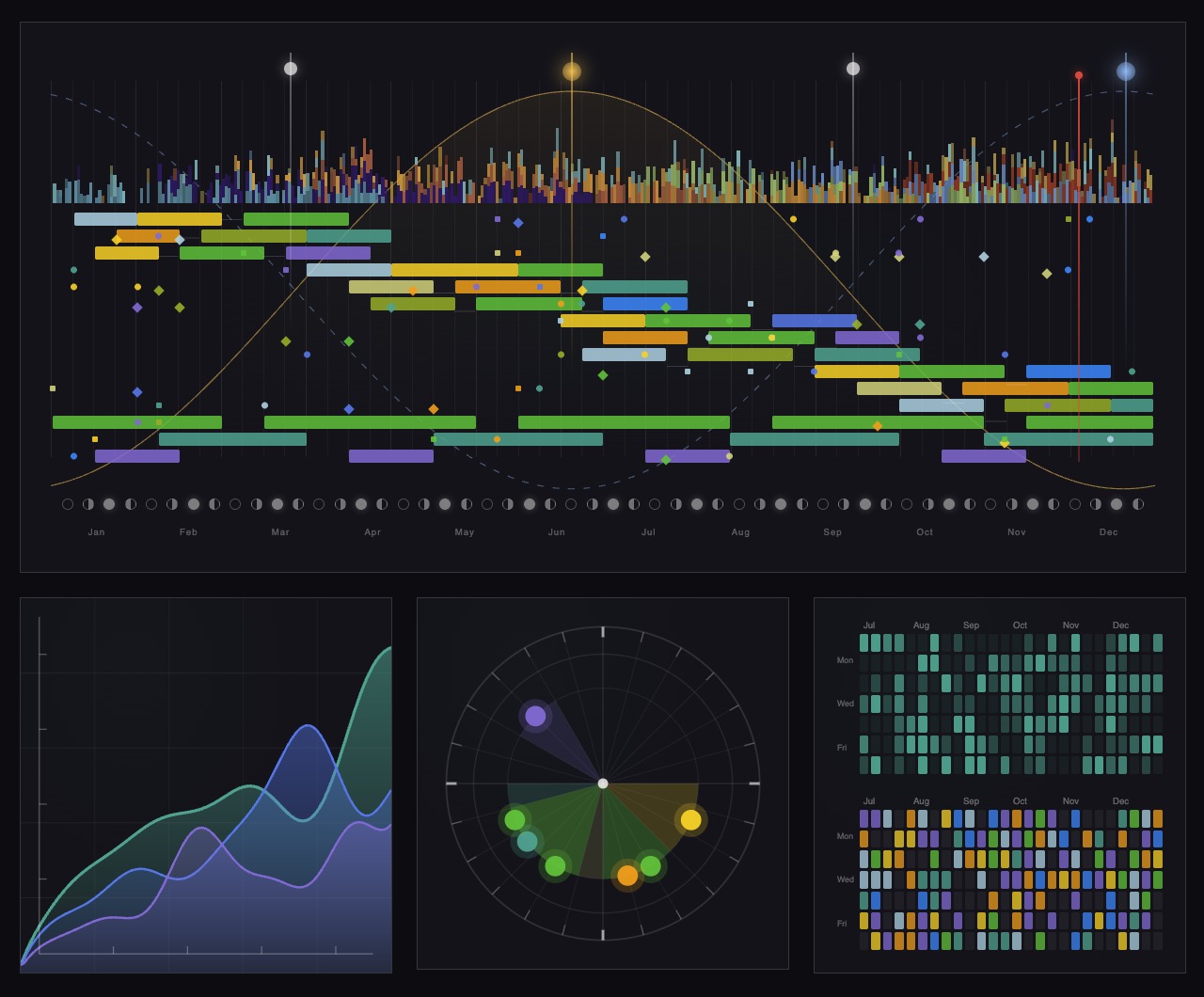
Michael Shaun Conaway walked through the current multi-axis spider graph assessment and flagged that it's essentially unreadable without a tutorial (10:54). With 19 items across overlapping axes (purple and green representing opposite poles), even a well-intentioned user would have no idea what their result means. The verdict: the spider graph is great eye candy but doesn't deliver snapshot value.
James confirmed the simplified one-question assessment with a triangulation output is the right path forward and won't use this spider graph format at all. He committed to having a working prototype ready the following day for the team to test (14:58). Michael also flagged a standing to-do: writing one-page descriptive blurbs for each assessment area so the AI can return more robust, grounded responses to user queries. A Google Doc will serve as the working format for now (57:04).
[technology="Assessment Systems"]
A few specific profile-level UX items came up during live review:
Rather than flooding the core team with everything at once, Mariko Pitts proposed a structured daily drip: invite team members to test one feature per day, starting with profile creation (16:11). The rationale is both pedagogical and diagnostic — if someone can't create a profile on their own, that's critical signal. No hand-holding; they need to be able to do it themselves.
The sequence:
Hera will draft and send the initial profile creation email and coordinate follow-up to make sure everyone actually tests within the day (32:53).
The team worked through a nuanced approach to cleaning up existing test accounts:
Michael Shaun Conaway shared detailed feedback on the homepage animation sequence in Slack and walked through the key notes on the call:
#042025 (45:35)Michael noted this is live on the website and flagged it as a priority to get cleaned up quickly (51:06). James will notify Michael when it's ready for another review pass.
[technology="Parametric Geometric Interfaces"]
James outlined the architecture for the upcoming matching system (01:01:36). Rather than agentic AI matching, the initial version will rely on tag-based alignment scoring:
This is the same data infrastructure that will power the matching grid view already designed in Figma — the grid showing your matched profiles above the full Living Network view. Sean is actively working on this now (01:00:56). The assessment data will also feed into this system, making the new single-question assessment a dependency for full matchmaking.
[technology="Directory Systems"]
Michael Shaun Conaway shared his vision for the upcoming Monday wave event: participants should leave the activation day already inside at least one Holon (58:30). The app becomes the vessel for their onward journey — not just a demo, but a live tool they're entering together.
Mariko Pitts asked James to be ready to lead presentations on the app at the event, establishing him as the lead developer and primary technical voice (59:29). James confirmed he's up for it. The team also discussed producing a one-to-two minute intro video of the ecosystem to play during the event (01:00:07). In May, once the wave has happened and things settle, the team will begin scoping features for a June release.
---
James Redenbaugh
#042025, restore animation circle elements, add gap between scroll phrases, auto-scroll, mobile type sizing, icon-only logo, updated CTA button (44:35)Hera Rose
Mariko Pitts
Michael Shaun Conaway
The team gathered for a focused review of the Holomovement app ahead of inviting the broader core team in for testing. The overarching goal is to have all basic functions ready to go within the week, with a first tier of external users joining around the week of the 6th (52:06). Michael Shaun Conaway framed the priority clearly: thorough internal testing now, a full UI/UX review in April, and everything polished for real use by the beginning of May.
James Redenbaugh confirmed that profile creation, profile editing, and recreation flows are all working. Active work during the call was focused on the Holon page — specifically getting the wheel of faces rendering in an arc, surfacing domain icons correctly, and improving the My Holons view to match the rest of the UI (04:14).
[technology="Community Facilitation Tools"]
Several UX issues and enhancement ideas were surfaced during live testing:
[technology="Intelligent Matching Algorithms"]
Michael Shaun Conaway walked through the current multi-axis spider graph assessment and flagged that it's essentially unreadable without a tutorial (10:54). With 19 items across overlapping axes (purple and green representing opposite poles), even a well-intentioned user would have no idea what their result means. The verdict: the spider graph is great eye candy but doesn't deliver snapshot value.
James confirmed the simplified one-question assessment with a triangulation output is the right path forward and won't use this spider graph format at all. He committed to having a working prototype ready the following day for the team to test (14:58). Michael also flagged a standing to-do: writing one-page descriptive blurbs for each assessment area so the AI can return more robust, grounded responses to user queries. A Google Doc will serve as the working format for now (57:04).
[technology="Assessment Systems"]
A few specific profile-level UX items came up during live review:
Rather than flooding the core team with everything at once, Mariko Pitts proposed a structured daily drip: invite team members to test one feature per day, starting with profile creation (16:11). The rationale is both pedagogical and diagnostic — if someone can't create a profile on their own, that's critical signal. No hand-holding; they need to be able to do it themselves.
The sequence:
Hera will draft and send the initial profile creation email and coordinate follow-up to make sure everyone actually tests within the day (32:53).
The team worked through a nuanced approach to cleaning up existing test accounts:
Michael Shaun Conaway shared detailed feedback on the homepage animation sequence in Slack and walked through the key notes on the call:
#042025 (45:35)Michael noted this is live on the website and flagged it as a priority to get cleaned up quickly (51:06). James will notify Michael when it's ready for another review pass.
[technology="Parametric Geometric Interfaces"]
James outlined the architecture for the upcoming matching system (01:01:36). Rather than agentic AI matching, the initial version will rely on tag-based alignment scoring:
This is the same data infrastructure that will power the matching grid view already designed in Figma — the grid showing your matched profiles above the full Living Network view. Sean is actively working on this now (01:00:56). The assessment data will also feed into this system, making the new single-question assessment a dependency for full matchmaking.
[technology="Directory Systems"]
Michael Shaun Conaway shared his vision for the upcoming Monday wave event: participants should leave the activation day already inside at least one Holon (58:30). The app becomes the vessel for their onward journey — not just a demo, but a live tool they're entering together.
Mariko Pitts asked James to be ready to lead presentations on the app at the event, establishing him as the lead developer and primary technical voice (59:29). James confirmed he's up for it. The team also discussed producing a one-to-two minute intro video of the ecosystem to play during the event (01:00:07). In May, once the wave has happened and things settle, the team will begin scoping features for a June release.
---
James Redenbaugh
#042025, restore animation circle elements, add gap between scroll phrases, auto-scroll, mobile type sizing, icon-only logo, updated CTA button (44:35)Hera Rose
Mariko Pitts
Michael Shaun Conaway
Finish Holon page updates including arc of faces, domain icons, and image fixes
Complete Holon page updates: arc of faces rendering correctly, domain icons surfacing properly, My Holons view matching rest of UI. Due end of day per action item at 05:03.
Add empty-state message and full Holon grid to My Holons tab for new members with no Holon memberships
Add Mission field and Gifts/Needs fields to Holon creation and profile
Add Mission field and Gifts/Needs fields to Holon profiles. Needs field could serve as compelling reason for someone to request joining (e.g., 'we need a graphic designer'). Discussed at 18:40.
Enable Holon join request feature replacing 'coming soon' placeholder
Currently clicking Join shows 'coming soon.' James confirmed this is easy to activate. Discussed at 19:47.
Activate tooltip on profile location map showing location name on hover or click
Map snippet on profiles is a nice touch but hovering or clicking does nothing. Should show tooltip with actual location name. Discussed at 23:11.
Disable link navigation while profile edit mode is active to prevent losing unsaved changes
Clicking any icon while in edit mode navigates away and loses unsaved changes. James will disable links while edit mode is active. Discussed at 27:08.
Make profile image edit icon more visually prominent on light backgrounds
Profile image edit icon is hard to spot on light backgrounds. James will make it more prominent. Discussed at 30:58.
Add rollover tooltip to banner image regeneration icon explaining 'replace your banner' functionality
Banner image regeneration flow powered by Claude takes updated profile content into account. Add rollover tooltip saying 'replace your banner' so users understand what the icon does. Discussed at 32:25.
Strikethrough completed items on shared testing list so Hera knows what has been resolved
James to mark completed items on shared testing list so Hera can track resolution status. Action item at 30:25.
Build working prototype of simplified one-question assessment with triangulation output
Current multi-axis spider graph assessment is unreadable without tutorial. Simplified one-question assessment with triangulation output is the right path forward. James committed to having working prototype ready the following day. Discussed at 14:58.
Implement homepage background color update to #042025 to match app green
Homepage background color should match the app's green: #042025. Michael Shaun specified at 45:35.
Restore concentric circle and Holomovement logo animation elements to homepage animation sequence
Original website had additional concentric circle and Holomovement logo elements layered into the animation. These should be reintroduced to add visual depth and design coherence. Discussed at 46:35.
Add gap and pause between scroll phrases in homepage animation sequence for cleaner reveal
Currently two lines of type appear simultaneously during scroll. Should be a gap/pause between them for cleaner reveal. James will add spacing between phrases. Discussed at 47:57.
Implement auto-scroll on homepage so users who don't scroll manually experience full animation sequence
Users who don't scroll manually should still experience full sequence. Automatic slow scroll should cycle through all phrases and transition to full homepage. Critical for people who land and don't interact. Discussed at 49:23.
Update homepage hero end-state to show 'A Living Ecosystem for Conscious Impact' replacing current phrase with tiles visible underneath
'A Living Ecosystem for Conscious Impact' should replace the hero phrase in the same position, transitioning cleanly with tiles visible underneath, and longer subtitle copy removed. Discussed at 48:15.
Fix homepage mobile type sizing which is currently far too large
Type is far too large on mobile and needs to scale down significantly. Ivan is already working on the page and James will build on that. Discussed at 51:09.
Replace full wordmark with icon-only logo on homepage hero section
Team agreed to use just the icon/symbol rather than the full wordmark on homepage since the name is already clear from context. Discussed at 51:48.
Update homepage primary CTA button copy to 'Join the App' or 'Launch the App' replacing 'Join the Synergist'
The primary and only button on homepage should say something like 'Join the App' or 'Launch the App' — not 'Join the Synergist'. Discussed at 53:38.
Implement dynamic map as hero element on homepage with member card preview on click leading to login for non-members
New dynamic map James built should be the hero element of the homepage. Card preview on click leads to login/profile creation for non-members. Discussed at 52:57.
Notify Michael Shaun when homepage updates are ready for another review pass
James to notify Michael Shaun when homepage is ready for another review pass after implementing all the feedback from the call.
Coordinate with Ivan on homepage development and build on his existing progress
Ivan is already working on the homepage mobile. James to coordinate and build on Ivan's progress. Discussed at 51:16.
Add option in profile edit flow for users to re-run full profile creation onboarding process
Users should be able to re-run full profile creation process without starting from scratch. Previously answered items won't be overwritten unless explicitly changed. Profile creation link added to member modal during call. Discussed at 39:12.
Remove all test accounts and test Holons before team-wide invite goes out
All test Holons and duplicate test accounts need to be removed before team-wide invite goes out. Discussed at 06:47.
Prepare to lead app presentation and walkthrough at the upcoming Wave event
James to lead app presentation and walkthrough at the upcoming Wave event. Mariko asked James to be ready to present, establishing him as lead developer and primary technical voice. James confirmed he's up for it. Discussed at 01:00:06.
Conduct full fresh-account testing pass of the app and log all issues found
Hera to do a full fresh-account testing pass of the app after the call and log any issues found. Discussed at 15:15.
Draft and send profile creation email to core team with one clear action — create your profile today
Hera to draft and send profile creation email to core team today with one clear action only. No hand-holding — they need to be able to do it themselves. Discussed at 32:53.
Coordinate daily feature testing drip with core team and track completion each day
Structured daily drip: invite team members to test one feature per day starting with profile creation. Sequence: Day 1 profiles, Day 2 assessment prototype, following days Holons/map/matching. Track completion each day. Discussed at 16:11.
Ask team members to identify which accounts to keep and which to delete and compile list for James
Team members who used real email and put real effort into profiles keep accounts; those using backup/test emails asked to note which to keep and which to delete. Hera to compile list for James. Discussed at 41:52.
Send urgent message to WhatsApp group and email asking team to back up any thoughtful profile content before account cleanup window
Mariko to send urgent heads-up asking anyone with thoughtful answers in their current profile to copy them out before the wipe window. Discussed at 35:44.
Complete own profile update using profile creation flow and report any issues to James
Mariko to complete her own profile update using profile creation flow after the call and report any issues to James. Discussed at 43:08.
Coordinate logistics and staging for James's app presentation at the Wave event
Mariko to coordinate logistics and staging for James's app presentation at the Wave event. Discussed at 59:29.
Review homepage once James signals it is ready for another pass after implementing feedback
Michael Shaun to review homepage once James signals it's ready for another review pass after implementing all the homepage feedback. Referenced in action items section.
Send through notes and priorities for next week's call if unable to attend from Lisbon
Michael Shaun may be in Lisbon and unable to attend next week's call. Should send through notes and priorities if he cannot make it. Discussed at 57:22.
Add helper text clarifying dual summary boxes on profiles created outside full onboarding flow
Duplicate summary boxes appear on older profiles created outside full onboarding flow. Top box is AI-generated from onboarding answers, bottom is editable. Helper text needed to clarify this distinction for users. Discussed in profile page details section.
Implement tag-based alignment scoring system comparing every profile against every other for matching
Initial matching version relies on tag-based alignment scoring. Each profile generates seeking tags, offering tags, domain tags, and focus area tags through onboarding. Periodic function compares every profile against every other producing alignment score based on complementary seeking/offering tags and overlapping domains. Directory view displays highest-alignment profiles larger and to the left. Discussed at 01:01:36.
Produce one-to-two minute intro video of the Holomovement ecosystem to play at the Wave event
Team discussed producing a one-to-two minute intro video of the ecosystem to play during the Wave event. Discussed at 01:00:07.
Display 'Purpose' label at center of Holon arc for Holons with few members
The center of the arc/circle for Holons with few members will display the word 'Purpose'. Discussed at 18:01.
Strategic enhancement of directory system integrating with membership capabilities to enable member profile management, progressive assessment completion, and intelligent matching. Members can log in and edit their profiles directly with information stored in Supabase for flexible content management. Progressive engagement model starts with basic five-minute setup (name, website, purpose statement, location), then enables detailed assessments later. Each completed assessment adds profile elements and unlocks features including AI-generated visual representations (icons, tarot archetypes, numerology graphics). Integration with Claude AI enables sophisticated queries like 'who should I collaborate with on this project?' or 'who can provide funding?' across network assessment data. Advanced features include weekly emotional mapping interface with six-axis emotional space (excitement, nervousness, grief, etc.) aggregating into community climate visualizations. Reimagined map interface using flat Earth projection with layered filtering showing member locations, funding flows, collaborative connections, project relationships. Multiple view modes from simplified default to complex multi-layered 'Arcturian' views. Integration with Engine for Good grant program where applications link to member profiles, creating incentive structure for profile completion. Team pivoted to prioritize directory system over LMS development. Player card approach focuses on game-like profiles emphasizing what someone is doing (project/mission) and what help they need for AI-powered matching. System summarizes lengthy inputs into concise scannable formats. MVP launch target February 15 with login capability, profile editing, and integrated assessments. Beta testing program follows to identify next priority features. Critical development discussion revealed MapBox visualization provides initial visual interest but limited practical value beyond local connections - intelligent matching algorithms represent the true 'killer app' rather than map visualization. Profile data strategy shifting from personality assessments to actionable information: developmental stage, experience level, current project involvement, specific skills, and active needs. Visual consistency issues identified with user-uploaded images requiring standardization. Question emerged whether Holons function as independent entities or collections of individual members, requiring data architecture decisions. Simplified terminology 'members and groups' proposed over 'Holons' for newcomer clarity. Basic intake form planned capturing development level, experience, life stage, purpose, and current needs as primary assessment for matching foundation. Player card UI concept introduced featuring icons to symbolize key information, AI-generated summaries to condense lengthy responses, and achievement badges displaying completed courses, assessments, and accomplishments. Design iteration process planned where team scans test cards to validate information hierarchy. Sandbox database creation for core team to fill out profiles and review each other's player cards as real-world test. Prototype development progressing with profile creation, editing, viewing, and password resets functional in Supabase. Munia developing first draft UI designs. Team agreed to reduce text density, create more visual/scannable interfaces. Multiple views prototyped: alliance view, profile editing, directory search (list and map-based), member profiles, holon profiles. Core intake fields defined: name, date of birth, email, phone/SMS/WhatsApp, location, purpose/mission, gifts and requests, alliance affiliations, short bio (150 words max), photo. Matching deferred from numerical compatibility scores to simpler connection signals: complementary skills, matching needs/offers, alliance overlap, geographic proximity, shared purpose domains. AI interpretation via Claude for free-text fields, direct computation for explicit matches. App functionality to be hosted on separate subdomain (app.holomovement.net) with member-specific navigation, syncing public profile data to main site member globe. End of February target for core team interactive prototype. 3D globe navigation now live with lightweight custom rendering approach using continent outlines without full Mapbox tile loading for smooth performance (05:52). Globe features toggle for flat view, hover-activated profile cards, connection lines between members and holons. People appear as yellow dots, holons as teal hexagons algorithmically placed at center of members (01:22). Profile creation flow implemented as linear step-by-step process requiring profile completion before directory access (09:38). Photos strongly encouraged with friendly nudges if skipped, social profiles optional. AI-generated banner images based on user bios producing resonant results (15:47). Light/dark mode toggle available inheriting system settings by default (16:39). Dark backgrounds using deep teal rather than pure black, light mode avoiding stark white to maintain Holomovement brand feel (14:35). Vertical player cards chosen for directory view over horizontal layouts for gamified engaging presentation (37:52). Team seeding platform this week with core team members completing profiles Monday/Tuesday, creating holons Wednesday, reviewing experience Thursday core call (43:53). Polish focus prioritized over new features with delivery target Monday February 17 (41:20). New bento-style profile layout introduced with rounded corners, centered tagline, framed profile image, and subtle background color differentiation between sections (14:21). Rich text field with optional image upload added to represent projects or organizations more expressively beyond plain text (32:10). Testimonials system (potentially rebranded as 'Send Some Love' or 'Share the Love') enables mutual endorsements with reciprocal vouching mechanics (34:54). Field feature replacing 'wall' concept allows users to post updates and collaborative content with pinning capability (39:43). Long-term vision includes drag-and-drop section ordering for personalized profile storytelling. Assessment display framework showing sliders across domains added as visible badges on profiles. Seeking/Offering keywords auto-distilled from freeform text using AI summarization to aid readability and matching. On-demand match experience triggered by 'Match Me' button generates side-by-side comparison modal with numerical score (1-100, shown on hover), loading animation, and meaningful dimensions including complementary skills, needs/offers alignment, shared alliances, overlapping domains (26:00, 19:02). Match score and comparison view designed as sticky gamified feature incentivizing profile completion (24:35). Domain categories refined: 'Economics and New Systems' → 'Economics and Collaborative Commerce', 'Governance and Social Change' split into 'Collaborative Governance' and separate social change, 'Spiritual Activism and Inner Development' → 'Spirituality and Consciousness', additions include Ethics and Philosophy, Science, Leadership and Facilitation as 12th domain, potential Psychology embedded in community/relationships (43:00-48:22). Onboarding copy and tooltip language prioritized for clarity on unfamiliar terms with short hover descriptions (one sentence max). Implementation timeline: 7-10 day dev window for new design style, Field feature, preliminary matching functionality followed by internal testing with core four, then broader core team rollout (41:07, 40:08). First impressions prioritized with cautious rollout protocol to ensure solid initial experience. Messaging icon refined from email-style button to message icon to better reflect in-platform nature (13:29). Notifications aggregate into single indicator on Holon icon with changing number rather than multiple dots. Three profile image preview styles (circle, square, doorway/vertical) included in signup flow to ensure photos work across all use cases (07:44). In-app messaging system now live using custom-built architecture with no per-message cost, styled similar to iMessage with unread message counts, conversation threading, and future group chat capability (09:37). Email notifications handled via Resend - free up to 3,000 emails/month, then $20/month for up to 50,000 (23:56). Holon management flow improved with clear delegation model between members and admins using invitation system rather than automatic adds (04:08). Location automation uses lightweight AI call to convert entered location into coordinates for near real-time map updates (26:27). Saving bug affecting profile updates, feedback, and location syncing identified and resolved during meeting (26:27). Community consent flow being added as pop-up on first messaging use with scrollable community agreements and required checkboxes covering non-partisanship, anti-spam, entity usage rules, and conduct standards (18:00). GDPR compliance considerations noted with Webflow plugin available for data erasure rights and cookie consent (17:46). Pay What You Want contribution system now under active development with slider UI allowing users to select suggested range ($15-$20/month) with secondary scholarship tier option for lower amounts. Two-screen approach framed as gift rather than discount with wave-based slider visual showing increasing amplitude. System includes familiar Stripe checkout supporting Link, Amazon Pay, and other methods. PayPal integration planned for better international accessibility (18:35, 19:30). Working wave-amplitude slider prototype built with predefined moments shifting wavelength visually, translatable directly into payment UX (19:47). Prototype ready for core team testing within next couple days with front-end UI included (53:10). Thursday core team meeting target for showcase (54:22). Modal menu interface introduced featuring compact notification/settings control with light mode toggle - described as small detail that meaningfully elevates experience (38:05). Three developers now working on Webflow implementation: Sean (Ohio, senior), Siam (Pakistan, junior), with Ivan handling less bandwidth due to outside client work (34:00). Profile creation, editing, and regeneration flows confirmed working (04:14). Holon page active development with wheel of faces arc rendering, domain icons, and My Holons view improvements (04:14). Empty state for My Holons will show helpful message plus grid of all existing Holons to orient new users (21:50). Profile edit mode link navigation disabled to prevent losing unsaved changes (27:08). Profile image edit icon made more prominent (30:58). Banner image regeneration icon will get rollover tooltip explaining 'replace your banner' functionality (32:25). Skills rating feature demoed allowing users to rate themselves with visual bar indicators (44:04). Location map tooltip added showing actual location name on hover (23:11). Profile creation link added directly to member modal enabling logged-in users to re-run full onboarding flow (42:31). Test accounts and Holons being cleaned up before team-wide invite (06:47). Core team onboarding structured as daily feature drip: Day 1 profile creation, Day 2 assessment prototype, following days Holons/map/matching features one at a time (16:11). Homepage updates in progress including background color correction, animation circle restoration, scroll sequence improvements, auto-scroll implementation, mobile type scaling, icon-only logo, and updated CTA button (44:35). Dynamic map will become hero element of homepage with card preview leading to login/profile creation for non-members (52:57). Tag-based matchmaking architecture outlined: profiles generate seeking/offering/domain/focus tags, periodic comparison produces alignment scores, directory displays highest-alignment profiles larger and left-aligned (01:01:36). Sean actively working on matching grid view implementation (01:00:56). Wave event preparation targeting participants leaving activation day already inside at least one Holon using app as live tool (58:30). James confirmed ready to lead app presentations at wave event. One-to-two minute intro video of ecosystem planned for wave event (01:00:07). Platform designed as coordination layer - not an organization but a medium, connective tissue, energetic petri dish for collaboration to grow (20:30). Wave serves as on-ramp for Saturday-Monday - people get on the spaceship, then continue exploring projects, holons, and neighbors in platform Tuesday onward. 'We come together and create these big bonfires. We want ways to keep these campfires burning through the year' (55:30). Post-Wave system successfully operational with Portugal map section densely populated showing honeycomb patterns around Lisbon and Spain hubs. Meeting 06-16 identified map zoom scaling issue (13:53) - member dots need to proportionally shrink as users zoom in to maintain functionality at high-density locations. Profile image tooltip needed under editing icons since users don't know how to change pictures. Homepage globe visibility toggle required since names and locations display without explicit opt-in. Profile tab renamed from 'About' to 'Info' and repositioned as first tab for better UX.
Custom membership system architecture for user authentication, progress tracking, and database management using Supabase for backend. Requirements include real database for user progress (not cookies), journal entry capture, API triggers for membership status and course purchases, and progress tracking across sessions. Decision made to build custom solution on Supabase rather than Member Stack. Includes Stripe integration for subscription management and automatic access revocation when subscriptions lapse. Multiple products may connect to same membership tier with bundled offerings granting multiple memberships from single purchase. Part of Phase One development with $16K-$29K budget. Requires hiring Supabase specialist for implementation. Timeline aligned with LMS development for February 10th launch. Authentication spike will establish foundation with Supabase login functionality on MAST template, implementing user profiles, password management, and session handling. System will sync membership status between Stripe and Supabase for automated access control. Backend successfully operational with membership login and content gating complete using Supabase and Stripe. Profile editing integration in progress to connect with directory system. Backend approximately 90% complete with primary goal to deliver working version on Holomovement site for team testing this week allowing account creation, login, and profile data editing. Front end minimal at this stage consisting mainly of login pages until profile pages developed. Profile creation flow now implemented as linear step-by-step process requiring profile completion before directory access. Sign-up flow includes friendly nudges for empty bios when hitting next, optional social profiles with language like 'you can always come back later' to reduce drop-off, loading screen during profile generation with engaging copy like 'making connections', AI-generated banner images based on user bios, and light/dark mode toggle inheriting system settings by default. System enforces profile completion to ensure data quality and prevent half-finished accounts cluttering database. Dark backgrounds use deep teal rather than pure black, light mode avoids stark white to maintain Holomovement brand feel. Simplified pill-style member modal implemented with collapsed/expanded states showing two lines by default, expanding on hover to reveal icons for messages, Holons, and light/dark mode toggle. Notifications aggregate into single indicator on Holon icon with changing number rather than multiple dots. Three profile image preview styles (circle, square, doorway/vertical) included in signup flow to ensure photos work across all use cases. In-app messaging system now live using custom-built architecture with no per-message cost, styled similar to iMessage with unread message counts, conversation threading, and future group chat capability. Email notifications handled via Resend - free up to 3,000 emails/month, then $20/month for up to 50,000. Holon management flow improved with clear delegation model between members and admins using invitation system rather than automatic adds. Location automation uses lightweight AI call to convert entered location into coordinates for near real-time map updates. Saving bug affecting profile updates, feedback, and location syncing identified and resolved during meeting. Community consent flow being added as pop-up on first messaging use with scrollable community agreements and required checkboxes covering non-partisanship, anti-spam, entity usage rules, and conduct standards. GDPR compliance considerations noted with Webflow plugin available for data erasure rights and cookie consent. Pay What You Want contribution system now under active development with slider UI allowing users to select suggested range ($15-$20/month) with secondary scholarship tier option for lower amounts. Two-screen approach framed as gift rather than discount with wave-based slider visual showing increasing amplitude. System includes familiar Stripe checkout supporting Link, Amazon Pay, and other methods. PayPal integration planned for better international accessibility. Working wave-amplitude slider prototype built with predefined moments shifting wavelength visually, translatable directly into payment UX. Prototype ready for core team testing within next couple days with front-end UI included. Thursday core team meeting target for showcase. Modal menu interface introduced featuring compact notification/settings control with light mode toggle - described as small detail that meaningfully elevates experience. Three developers now working on Webflow implementation: Sean (Ohio, senior), Siam (Pakistan, junior), with Ivan handling less bandwidth due to outside client work. Profile creation, editing, and regeneration flows confirmed working as of 03-31 meeting. Profile creation link added directly to member modal enabling re-run of full onboarding flow. Core team onboarding structured as daily feature drip starting with profile creation. 03-31 crash test revealed critical blocking issues preventing core team demo: n8n automation pipeline failing to complete profile data processing reliably, social links not saving due to LinkedIn field dependency, AI-generated cover image and tagline entering loop state without completing, JSON input error halting holon creation mid-flow, logout bug on holon detail page, light mode broadly non-functional requiring toggle to be hidden entirely, profile content fields not populating after form submission. Team consensus: crash test failed, reconvening following day to retest after critical fixes. Zero tolerance for processes locking up or halting before core team demo - visual imperfections acceptable but no mid-flow stoppage permitted. Hubcast partnership introduces potential single sign-on integration explored with developer Emilio Lopez enabling seamless profile creation handshake between broadcast access and Holomovement App reducing friction for new users discovering platform via livestream. Profile creation becomes the access ticket for global broadcast viewers immediately placing them inside ecosystem where they discover collaboration features. System now functional and operational with core team beginning onboarding process (meeting 05-04). Post-Wave deployment successful with members actively using platform. Critical gaps identified in 06-16 meeting: users cannot delete accounts (GDPR violation with European user base), users cannot remove themselves from Holons, stewards cannot remove members, automatic member addition on Holon creation needs approval workflow, privacy controls needed for Holon visibility, homepage globe displays names/locations without explicit opt-in requiring visibility toggle, cookie consent banner required for European compliance, Stripe webhook test-mode errors surfacing. Account deletion and member management now top cleanup priorities.
Assessment system with AI-powered engagement features feeding automation workflows. Data from assessments, clicking patterns, lesson completion, and call attendance triggers personalized communication including immediate tailored emails, weekly progress updates, connection recommendations based on profile matching, and proactive check-in offers when engagement drops. Guatemala-specific assessment page created requiring customized copy. Current synergist directory demonstrates existing assessment capabilities: members complete form triggering automated n8n and Claude AI analysis of responses about purpose, projects, and ancestral wisdom influences. System generates personalized feedback and recommends connections to other synergists based on compatibility, facilitating introductions via email without exposing addresses. Also suggests relevant podcast episodes. No-login approach removes participation barriers while enabling intelligent matching and communication. Strategic shift to progressive engagement model: members start with basic five-minute profile setup (name, website, purpose statement, location), then complete more detailed assessments later. Each completed assessment adds elements to profile and unlocks new features. Gamification includes AI-generated icons, tarot card archetypes, or numerology graphics appearing on profiles as users complete different assessments. Incremental assessment launch strategy releasing new assessments every week or ten days leading to Wave event, using Ripple gatherings and Miracle Club to promote participation. Partnership opportunities with experts for themed assessments (Don Beck for Spiral Dynamics, Vedic astrologer for astrology, iOS Zone of Genius team for their assessment). Critical reassessment of assessment strategy prioritizing basic intake form capturing most important factors: development level, experience, life stage, purpose, and current needs as primary assessment for matching foundation. Systems like Gene Keys and numerology recognized as requiring belief in astrology/numerology to feel relevant, limiting universal applicability. Focus shifting to actionable, practical data enabling computational matching based on clear criteria rather than archetypal personality typing. When matching collaborators, users need to understand skills, experience, current needs, and project involvement rather than personality scores. AI-driven matching requires developmental stage, experience level, project involvement, and specific needs to avoid misaligned matches like pairing serial entrepreneurs with college freshmen. Meeting confirmed approach of using simple 1-to-10 scale assessments for numerical scoring and spider graphs but deferring complex compatibility scores for MVP. AI interpretation via Claude for free-text fields and nuanced alignment, direct computation for explicit matches like shared affiliations or complementary skill requests. Michael coordinating with Emmanuel on potential assessment questions to gauge user alignment. Team now planning 5-6 domain assessment (5 makes pentagram shape, 6 makes star shape) using simple multiple choice format outputting 1-10 scores per metric with spider graph visualization (37:24). Demonstrated working client assessment as reference - multi-screen flow with logic-based classification, no agentic analysis required. Key design principles: spectrum-based framing rather than qualitative scoring ('does this sound like you or not?' vs 'how good are you at this?'), questions should feel neutral and interesting to avoid test-taking bias (MMPI/Myers-Briggs problem of answering how you want to appear), completable in 10 minutes or less, more candidate questions per domain than needed for culling weak ones (40:52, 48:29). Mariko advocated for including at least one fun gift-like assessment (e.g. numerology mandala tool) people would do for the experience that enriches profile organically without feeling like data extraction (41:56). James floated longer-term vision of garden of assessments users can choose from with power to decide which assessments inform matching - astrological/numerological inputs become opt-in rather than default. New numerology mandala tool demonstrated building visual in real time as user types, team expressed integration interest (43:44). Michael Shaun starting shared document immediately with candidate domain names and draft questions for team review, holding internal review with Hera before broader socialization (40:52, 52:43). Working prototype built with five-domain assessment featuring slider-based positioning system across spectrums (22:37). Five domains: Holonic Worldview (separative/analytic to holistic/integrative), Purpose Orientation (exploring/emergent to directed/activated), Pro-Social Stance (deep one-on-one to community-wide/systemic), Collaborative Capacity (independent to collective), Time Horizon (near-term to long-arc/generational). Results render as nine-pointed spider graph and bar chart. Slider format keeps assessment accessible without overwhelming users (25:36). Community-level visualization capability floated - overlaying 100 profiles to reveal collective orientation of holons or comparing holons against each other (29:17). Next development step: adding archetype outputs (e.g., 'super connector') with brief descriptive text for each result profile. Assessment data feeds optionally into matching algorithm with users able to decide matching criteria when requesting analysis, though some default criteria apply automatically (36:00). Prototype ready for Holomovement team Thursday meeting demo (40:46). 03-31 meeting revealed spider graph assessment essentially unreadable without tutorial - 19 items across overlapping axes makes results incomprehensible (10:54). Team verdict: spider graph is good eye candy but doesn't deliver snapshot value. Simplified one-question assessment with triangulation output confirmed as right path forward, not using spider graph format (14:58). Working prototype committed for following day. Michael Shaun flagged standing to-do: writing one-page descriptive blurbs for each assessment area so AI can return robust grounded responses to user queries - Google Doc format for now (57:04). Mariko testing showed assessment accurate and trustworthy, validating credibility needed for matching layer to work for new users. Assessment confirms what users intuitively know about existing relationships, building trust for recommendations with unknown people (46:52). Beyond individual matching, assessments help working groups understand collective makeup - team strengths, shadows, support needs, leadership roles. Positions tools as ongoing collaboration infrastructure rather than just onboarding features (51:14). New triangular assessment visualization mentioned in meeting at 57:00 as co-designed by James. Assessment now functional with improved output format and ready for core team onboarding (meeting 05-04).
Design and implementation of dedicated Holon profile pages displaying group information, member roster, and group-specific content. Pages don't yet have dedicated design but will borrow heavily from individual profile page components with more centered layout - group image in middle, name on top, members displayed beneath (30:50). Dynamic circular member layout system already built: up to 13 members arranged symmetrically in single circle, 13+ members displayed in two concentric layers packing like molecule for scalability (34:41). Gold/yellow border on profile circles distinguishes admins within Holon - not size hierarchy, just color signal per Mariko suggestion. Alliances being deferred for now with focus remaining on individuals and groups as core experience before adding third layer. Holon pages must integrate with broader directory system, matching algorithms, and profile functionality. Implementation requires Webflow build, Supabase data integration, and custom JavaScript for dynamic member layouts. Pages serve as central hub for group coordination, visibility, and member recruitment. System supports three-administrator security model requiring multi-step creation process and invitation workflows. Holon profiles will appear as teal hexagons on globe visualization algorithmically placed at center of member clusters. Rich text field with optional image upload enables expressive project/organization representation beyond plain text. Field feature (replacing 'wall' concept) allows groups to post updates and collaborative content with pinning capability for important announcements. 03-31 meeting showed active work on Holon page including wheel of faces arc rendering, domain icons surfacing, and My Holons view improvements (04:14). Empty state for My Holons will show helpful message plus grid of all existing Holons to orient new users rather than dead end (21:50). Mission field and Gifts/Needs fields being added to Holon profiles - Needs field particularly compelling for recruitment showing specific openings like 'we need a graphic designer' (18:40). Center of arc/circle for small Holons will display word 'Purpose' (18:01). Join request flow currently shows 'coming soon' but easy to activate (19:47). Test Holons need removal before team-wide invite (06:47). 03-31 crash test identified message button on holon pages showing for all users when it should only show for members - non-members should see 'contact administrator' option instead (29:41). Logout bug occurring on holon detail page while working correctly from directory view (15:52).
Comprehensive redesign of About page focusing on clear value proposition and ecosystem messaging. Key objectives include answering 'What is Holomovement?' immediately in hero section for first-time visitors from ad campaigns with concise statement explaining Holomovement as global network of gatherings, initiatives, and collaborators. Replace 'Underview Effect' section with 'Holomovement Effect' content focused on collective higher frequency states, emotional scale awareness, and conscious choice. Underwater wave imagery relocated to Wave page where more appropriate. Animation development showing text transitions incorporating logo movement connected to scroll. Visual hierarchy improvements to balance Purpose Earth partnership integration without overwhelming Holomovement branding. Creation of partners CMS collection for logos displayed in random order to avoid hierarchical implications as partnerships grow. Refinement of copy emphasizing 'living ecosystem' or 'operating system' positioning rather than just 'movement,' making initiative more fundable and easier to understand. Ecosystem serves as infrastructure for emergence, supporting complex living systems fostering higher frequency states and radical collaboration. Ongoing iteration to make language as plain-spoken and inspiring as possible. Potential renaming of page from 'About' to 'Manifesto' to better reflect content nature. About page redesign complete with Iván and Melina finalizing design elements. Design reached 100% approval with development taking one to two days to implement on live site. Implementation complete and integrated. Partner logo normalization in progress with Hera working with Ivan to standardize sizing, invert colors where needed, make backgrounds transparent, and implement grid layout for clean intentional presentation (45:54, 46:20). Purpose Earth project slider section being added showcasing funded projects - four from 2025 and two from 2024 totaling around 572,000 people across 64 projects in 35 countries (52:11). Hera has assembled content and Jill has added photos and support details to collaborative document (51:39). Michael Shaun provided simple wireframe with horizontal slider and dot indicators which design team will elevate (49:01). Slider cards will be compact with pop-up or modal for deeper project detail (53:08). Engine for Good graphic needs recreation in current brand style by Munia (53:19). Slider format designed to be replicable for future microgrant showcases tied to Engine for Good waves (51:18). Homepage and About page animation work in progress requiring prioritization following style shift from dark teal to lighter white-world aesthetic. 03-31 meeting confirmed About page nearly complete with final implementation needed - James checking with Yvonne on status (53:29).
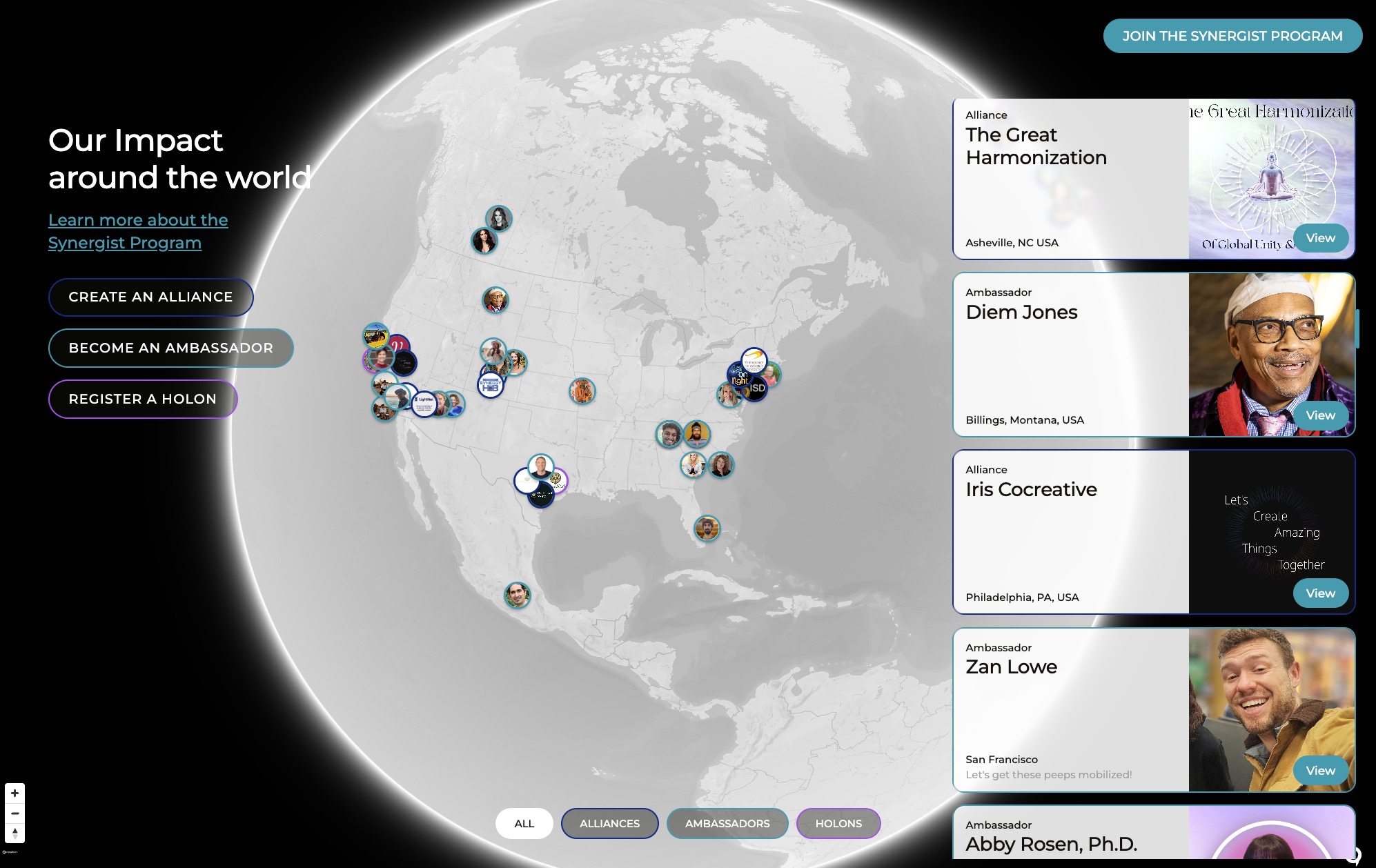
Custom 3D globe navigation system for member and holon visualization using lightweight rendering approach with continent outlines rather than full Mapbox tile loading for smooth performance. Globe features toggle between 3D and flat views, hover-activated profile cards showing member photos and information, and connection lines visualizing relationships between members and holons. Members appear as yellow dots, holons as teal hexagons with algorithmic placement at center of member clusters rather than geographic coordinates (01:22). System pulls real profile data dynamically with headshots appearing on hover (03:51). Dark mode enforced on map page since glowing member dots work best against dark backgrounds using deep teal rather than pure black (19:06, 14:35). Future enhancements include progressive zoom behavior borrowing from Google Maps patterns - at certain zoom depth globe transitions to list or directory view showing nearby members with potential matching integration (05:04). Architecture provides full control for implementing layered zoom experiences. Scaling considerations addressed including node resizing on zoom to prevent dense regions like U.S. East Coast from becoming unreadable (04:44). Photos appear only on hover to maintain clean graphical line-drawing aesthetic. System represents parametric approach to data visualization translating member relationships and geographic data into spatial interactive experience. Globe visualization provides initial visual interest but team recognizes intelligent matching algorithms represent true platform value beyond map display. Custom rendering approach gives platform distinctive visual identity while maintaining performance at scale. Connection axis visualization refined with subtle dividing line and potential arrowheads to make 'strong alignment / broader exploration' spectrum immediately readable at a glance (11:03). Logarithmic-style axis gives more visual space to closer connections. Color system expanded with distinct colors for Seeking and Offering states, and individual colors per domain tag (08:30). Highlight color flagged as slightly too dark for readability requiring palette revision. Newer version of globe interface now features animated lines rising over sky, wrap/unwrap hologram-like animation on globe itself, and nation borders being added for better member orientation (21:29). Team responded enthusiastically calling it 'a big hit' with strong positive reception. Design refinement notes: nation borders should be kept close to background color so continent outlines pop more strongly, transparency/see-through hologram effect on globe noted as striking and intentional. Prototype ready for core team testing within next couple days targeting Thursday showcase (53:10, 54:22). 03-31 crash test identified map rendering worse than previous version requiring revert to last stable state while addressing country vs continent line contrast issue (09:37). James working on making country border lines lighter while keeping continent outlines more prominent but encountering rendering quirk where national borders drawn twice (once per country) making them appear heavier than intended.
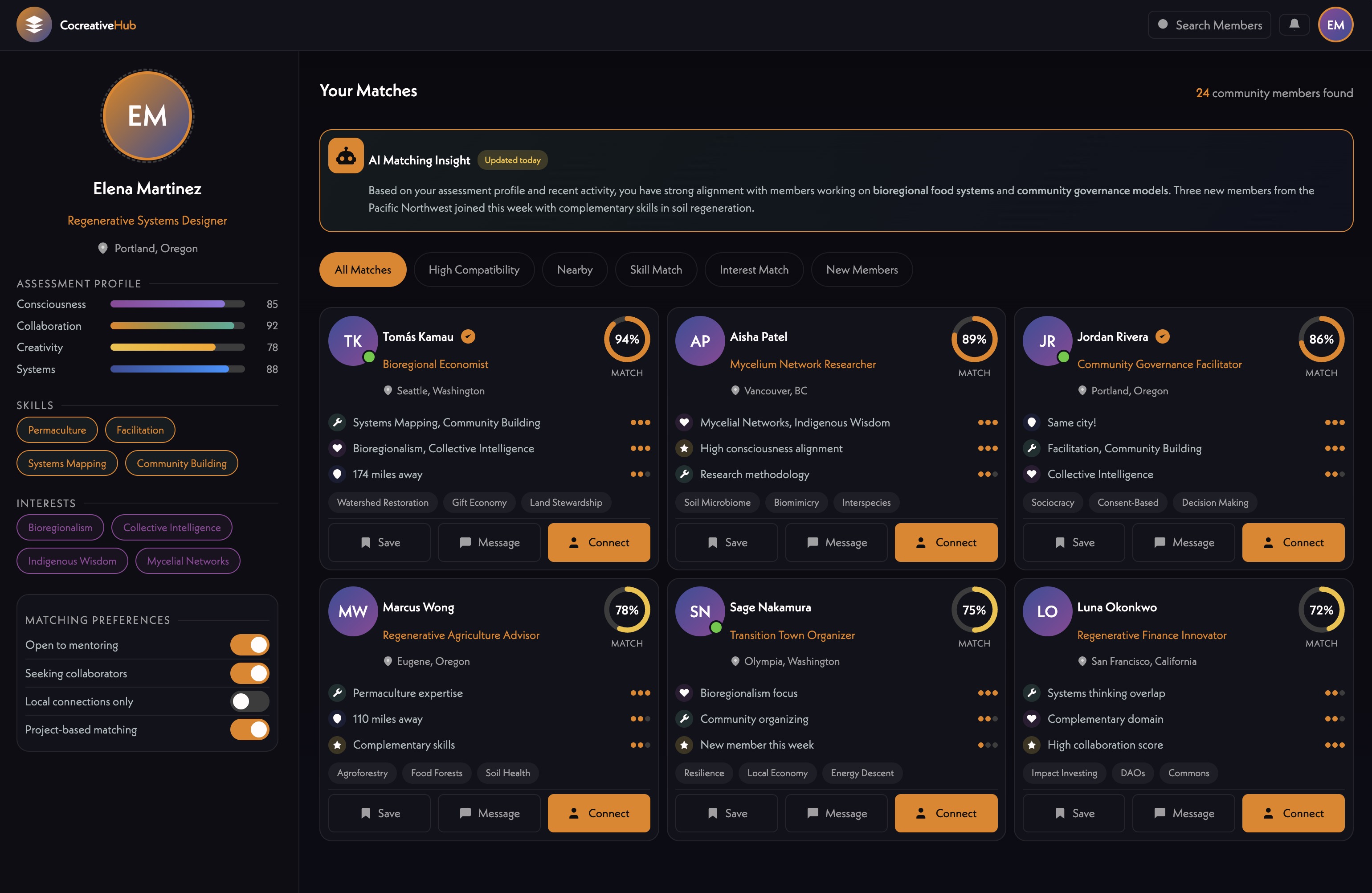
Intelligent matching feature triggered by 'Match Me' button on member cards or directory view generating dynamic side-by-side comparison between two members. System displays numerical compatibility score (1-100) shown on hover to avoid feeling like rating system, with loading/analysis animation making generation feel intentional and interesting (26:00). Match modal shows meaningful dimensions including complementary skills, needs/offers alignment, shared alliances, overlapping domains of interest, developmental stage, and geographic proximity - surfacing why people matched rather than just that they matched (19:02, 27:24). Implementation architecture: first layer distills each user's tags, domains, and seeking/offering data into simple numeric scores for lightweight computational matching. Users with closely matching numbers get high match score; divergent profiles get low score. This approach scales as user base grows without computational burden. Second layer uses Claude feeding each user's About Me and purpose responses alongside tag data into agentic prompt generating qualitative match analysis. Starting with top 25 numeric matches per person, Claude outputs readable explanation of why two people should connect. Results saved so matched users can share them - 'the HoloBot said we should connect, check this out' - without requiring other person to run own process (42:00). System designed as sticky gamified feature incentivizing profile completion - incomplete profiles result in lower matchability or 'unmatchable' status serving as playful motivator (24:35). Match generation happens on-demand rather than pre-computed to allow real-time incorporation of latest profile updates and assessment completions. Prioritizes actionable information over personality typing: what someone is working on, what help they need, what skills they offer, their experience level, and developmental stage. Avoids problematic mismatches like pairing serial entrepreneurs with college freshmen by incorporating context-aware filtering. Integration with assessment data enables queries across network like 'who should I collaborate with on this project?' or 'who can provide funding?' Technical architecture combines Supabase for profile data retrieval, Claude API for compatibility analysis, and custom JavaScript for interactive modal interface. Future enhancement could incorporate mutual matching where both parties express interest before facilitating introduction. System represents platform's 'killer app' - intelligent algorithmic connection-making that surfaces possibilities people would never discover through manual browsing alone. Current UI mockup under review with team feedback that original version felt more alive while newer version reads as sleeker but more corporate with less warmth and weaker visual hierarchy (27:13, 38:04). Key design feedback includes moving Reach Out and View Profile CTAs to bottom of card where users naturally scan (36:41), replacing tag-only displays with short generative sentences explaining connections in plain language with matched tags highlighted inline (33:42, 35:34), adding left-column recommended connection list for easy scanning (39:40), enabling match view trigger from profile pages via 'show me my connection' button for both recommendations and relationship deepening (42:01), and using yellow color more heavily to mark person-to-person connection territory (42:32). Match bars per domain could appear as visual shorthand but not primary read. Design approach references Strava's AI-written post-ride sentences that create more engagement than data dashboards (35:34) and Pattern app's astrology-based compatibility presentation (39:53). Matching feature approximately two weeks out with new design elements expected Monday (44:37, 45:13). 03-31 meeting detailed tag-based matchmaking architecture: profiles generate seeking/offering/domain/focus tags through onboarding, periodic function compares every profile against every other producing alignment score based on complementary tags and overlapping domains (01:01:36). Directory view displays highest-alignment profiles larger and left-aligned, decreasing by alignment rightward. Same data infrastructure powers matching grid view designed in Figma showing matched profiles above Living Network view. Sean actively working on implementation (01:00:56). Assessment data will feed into system making new assessment a dependency for full matchmaking. Meeting 05-04 confirmed working connections page with map-based and list-based views showing alignment scores, click-through to detailed comparison, and Connect button triggering n8n agentic analysis sending both profiles to Claude for domain-specific reports (00:10-00:22).
00:00:00
Mariko Pitts: Hey, everyone. Sorry about that. This meeting is being recorded. Oh, James, you're muted.
00:00:13
Hera: All right.
00:00:14
Mariko Pitts: Hey, hey, hey, hey, hey. Okay. So many things going on right now. All right.
00:00:20
Michael Shaun Conaway: Lots of active conversations today in this call.
00:00:23
Mariko Pitts: Oh, my gosh. Yes,.
00:00:26
Hera: I know.
00:00:27
Mariko Pitts: I just realized my note taker has been in like three other meetings at one point. Right. It just kept going. I was like, oh, this is all up summary. Oh, God.
00:00:36
Michael Shaun Conaway: You know, you're. You know you're having a rough day when your note taker says it. I quit.
00:00:40
Mariko Pitts: Yeah, I'm out. I'm out. And bowing out.
00:00:43
Michael Shaun Conaway: No more notes for you. You burned through all your tokens.
00:00:48
Mariko Pitts: It's. It's crazy. It's crazy. It's.
00:00:51
Hera: It's like. It's fascinating how they can all be in all in different places all at the same time. I didn't realize that until, like, got. I got double booked and like, I wasn't.
00:01:01
Mariko Pitts: Yeah, but that's multiple meetings at the same time. Yeah.
00:01:05
Michael Shaun Conaway: Hey, guys, we have a. We have some deadlines we would like to discuss today. And so really an update on where we are with the app would be great. What needs to be done left of the app? Can we share it on Thursdays again to our. And then there's. Then I have a. Just a little chunk of notes about the homepage that will take just a little bit of time to get through if nobody's read it, James. And if you have read it, then we can take that conversation session offline.
00:01:31
James Redenbaugh: Cool. Okay, great. Yeah. I just saw your text about the homepage just before we got on this call.
00:01:40
Michael Shaun Conaway: There's just a bunch of. Bunch of notes in Slack. I think they're pretty comprehensive, but there's some nuance in there. Just some subtleties that it seems like roughly it's blocked out, but there's some duplicate type and some layout stuff and things that will make it super cool really quickly. So we can touch base at the end of this call if you have time. So how do we do this, Harry? Do you want to go through your list and see if there's things still outstanding with James?
00:02:13
Hera: Okay, so it took me 44 seconds this time, so I love it. And I love the new animation as well. I'm so happy.
00:02:23
Michael Shaun Conaway: It's a new animation. The waiting animation.
00:02:25
Hera: The waiting animation. And they don't like. They don't go on like. Like a loop this time. So everything has been going well. I love the opening pop up. What else? So far? I'm checking. Everything seems good. I haven't checked the UI glitches in the list. But I'm looking at.
00:02:52
Mariko Pitts: See.
00:02:53
Hera: Yeah. So far I've. I'm waiting for. For your update as well James, on which ones you've worked on on the updated notes that I've. That I've added. But so far I was playing around with. With it today and it looked okay. Yeah, it felt okay.
00:03:11
Mariko Pitts: Let's see.
00:03:15
Hera: Yeah, I want. I. I'm curious James as well if you had any. If you have any comments from the updated. Updated changes from the list.
00:03:26
James Redenbaugh: Yeah, all the. I need to update the list. All the profile page stuff is working and the profile creation and the profile editing and recreation. Trying to find this doc again.
00:03:47
Hera: Oh, I could. I could share it here.
00:03:49
James Redenbaugh: Cool. What I'm working on right now is updates to the. The Holon page. I'm getting this wheel of faces working and improving the edit UI.
00:04:14
Mariko Pitts: And.
00:04:17
James Redenbaugh: We've also improved the My Holons page. So this matches the rest of the UI looks better and we have full control over. It does look better when we go to My Holons and I'm working on getting the faces to show up in an arc, but it's obviously getting stuck right now. But that's almost there. And then we want these domain icons to show up instead of just for some reason the images aren't coming through. So that's almost there. And then Holons are. Are ready to go.
00:05:03
Michael Shaun Conaway: Do we have. Are we going to. Are we targeting. Trying to get the updates on the. On the wall of the. The Holons for this disco or is that something that's going to be later?
00:05:13
James Redenbaugh: I think we should. I think, you know, we're almost there with it so I think we might as well because it's a nice. Nice to give people something to do besides create a profile.
00:05:26
Mariko Pitts: Yeah. Wait, what was the question? What did. What are we asking them to do.
00:05:32
Michael Shaun Conaway: Updates on the wall of your. Hold on.
00:05:34
Mariko Pitts: Okay.
00:05:35
Michael Shaun Conaway: We met, we decided on this. We move forward on this. We have an event coming here. Like just notes for people that want to track the progress over along.
00:05:41
Mariko Pitts: Yep, exactly. Okay. Did the map get updated to actually be clickable? What are the updates on that?
00:05:54
James Redenbaugh: I haven't done the separation of the points yet. Okay. Or the. I can make the whole cards clickable instead of just the view profile. I think that would be better but that'll be easy. And we talked about the separation of the points. Although they do look pretty cool when they overlap.
00:06:21
Mariko Pitts: Yeah.
00:06:21
Michael Shaun Conaway: Looks like until there's a hundred of them there.
00:06:23
Mariko Pitts: Yeah. Because I'm in That corner down at the bottom and I'm like, I can't even click on myself because yeah, if you look at that, me and Kat move over to the next one.
00:06:31
James Redenbaugh: You'll see Cat Stevens.
00:06:35
Michael Shaun Conaway: Put a. Put it to do to remove all the duplicate test counts before we announce this to everybody because there's about 20 test accounts in there and about four people as far as I can tell.
00:06:47
James Redenbaugh: Yeah, yeah, we can remove the test hold ons as well.
00:06:54
Michael Shaun Conaway: That's Hollands and test people.
00:07:02
James Redenbaugh: And then. Huh.
00:07:05
Hera: Yeah. Another thing that I. So it was working well earlier, but now when I was playing with it. So I'm currently in the My Holons tab. I've note earlier it was working. It was working well when I was. I think it was like 12 hours ago. But just now when I load it. So I basically. I'm basically clicking My Holons at the menu. I could see the Holons show up and then they disappear. So I'm gonna. I could, I could show you what my screen looks like.
00:07:37
Mariko Pitts: Oops.
00:07:38
James Redenbaugh: Yeah.
00:07:38
Mariko Pitts: Okay.
00:07:38
James Redenbaugh: I haven't tested this on Mac yet, so.
00:07:41
Hera: Oh, okay. Okay. Maybe it's.
00:07:43
James Redenbaugh: I just pushed this. Yeah.
00:07:45
Hera: Michael, Sean, are you able to replicate that experience? Are you using a Mac?
00:07:52
Michael Shaun Conaway: You asking me or James?
00:07:54
Hera: Okay, okay, so I'm. I'm going to share my screen so you know what I'm talking about. So. Okay, so I'll. I'll start at directory and then I'm going to click My Holons. So earlier it was. Okay, and then you see. Yeah, it. It loads and then it disappears. Did you see that? I could refresh it.
00:08:19
Mariko Pitts: Yeah, yeah, yeah.
00:08:22
Hera: That's how it's like so far. This only I'm like, I'm. I'm currently like going through it again after checking it today and like on Saturday. So far I didn't experience this the last time.
00:08:37
James Redenbaugh: Are you. Yeah, you. Wait, which. Which account are you logged in as?
00:08:45
Hera: I am. I'm logging in in my new account actually that I created just now. Well, you're not in anything from the old. Oh, okay. Okay. Okay.
00:08:57
Mariko Pitts: Hold on.
00:08:58
Hera: Oh my goodness.
00:08:59
Mariko Pitts: Okay, okay, okay, okay. I.
00:09:01
James Redenbaugh: Okay, I can add a note. I can add a note that shows up for people that don't have any Holons. You're not yet a part of any hole. So nothing is showing up here.
00:09:13
Hera: Yeah, let's see, let's see.
00:09:14
Mariko Pitts: Different accounts.
00:09:16
Hera: Oh my goodness. Thank you so much. I was like. I was so excited and I was so used to like having whole ones. When I click this and then I, I, I totally realized that it says my whole ons, not whole on, so. Okay, I stand corrected.
00:09:29
Mariko Pitts: All right, great. Moving on. Okay, I love it. What were you talking about? Were you still expressing some more stuff, James, before?
00:09:44
James Redenbaugh: Oh, yeah. I was going to say about the assessment. I think we should create a version of that that has the one question, and I'm just doing it in a way where we can keep this old version.
00:10:01
Mariko Pitts: I think the one question would be really good.
00:10:03
James Redenbaugh: I think.
00:10:03
Michael Shaun Conaway: Did you see my notes about the, about the, the end spider graph?
00:10:11
James Redenbaugh: Yeah.
00:10:13
Michael Shaun Conaway: Has everybody read that familiar what I'm, what I'm talking about right now? I'll share my screen and we can, we can just kind of review the, the issue. Where is the share screen button? They've been hiding buttons. They have, like, the record button is no longer in the bottom bar. So where is the share screen? Okay, I got it now. So here's the assessment I just did. I just redid it for, for the, the fun of it. The same duels. And then, and I get here and I, I have no idea what this means, but I literally, I look at, I look at my little squiggle in the middle there, and I, I just can't draw any conclusions from it.
00:10:54
Mariko Pitts: Yeah, it looks like something's wrong with you to me.
00:10:57
Michael Shaun Conaway: Yeah, well, because I chose, I chose Centrist because it was. I chose central centric Centrist.
00:11:04
Mariko Pitts: And it better, actually that you're kind of in, you know, it's almost like, oh, this is cool. Like, you're more in the center of everything in some way. But it does look like, Looks like.
00:11:14
Michael Shaun Conaway: I'm a, I'm an idiot and I didn't score well on anything. It looks like I'm a loser.
00:11:20
Mariko Pitts: Scored really well. Like, that's probably a really good score, except it looks up.
00:11:25
Michael Shaun Conaway: If it had scored the other way, then I had. I mean, I guess, I guess I would know. I guess I could. There's a lot of things on this wheel right now. There's one of it that seems like there's 30. No, 16, 18, 19. 19 Items that I'm supposed to kind of measure myself against it. Just even if I had the squiggle made any sense, I don't know what the radius means. I don't know what farther out versus closer end means. And then holistic exploring system focus. I think those are meant to be, like. Well, I don't know, actually. What are the purple ones? I kind of guess that the green one's the ones I answer questions on.
00:12:02
James Redenbaugh: Right well if you know that if you scroll down. Oh, you're just sharing a screen.
00:12:07
Michael Shaun Conaway: That's a screenshot. Yeah,.
00:12:10
James Redenbaugh: I can share.
00:12:11
Michael Shaun Conaway: I remember it shows me all of this that my actual scores from everything is below. Holonic worldview. So these are the major areas. Holonic worldview, pro social stance, time horizon, economic orientation. So. So I just don't, I don't. Purpose oriented tation. Am I self focused purpose, directed purpose, analytical purpose or does analytical go. Associational responsibility.
00:12:39
James Redenbaugh: So first of all it doesn't matter too much because the, the results of the single question output are going to be different. We're not going to have this spider graph for that.
00:12:56
Michael Shaun Conaway: Okay.
00:12:56
James Redenbaugh: Remember we have the, the triangulation but the, the labels are actually labeling the axes and so these are nine axes overlaid on each other. And so the purple is one side of the axis and the green is the other side of the axis.
00:13:14
Michael Shaun Conaway: Oh, so it's between distributed and hierarchical.
00:13:17
James Redenbaugh: Yeah.
00:13:18
Michael Shaun Conaway: So that's, that's really hard. I'd have to teach a seminar for people to understand that.
00:13:23
Hera: Yeah, we need to,.
00:13:26
Mariko Pitts: That's when you need to write up.
00:13:28
Michael Shaun Conaway: Yeah, we need these things to have kind of like snapshot value. Like I could just stare at and go oh, that's me. And so that's great. I mean I want to say this is great eye candy. I look at it like this is, this is super cool. And then I look at a little bit more and I'm like. And I have no idea what it means. I want it to be super cool and know what it means.
00:13:46
James Redenbaugh: Yeah, I think this would work better for a different kind of assessment that's more polar with less factors. Okay, great.
00:13:54
Michael Shaun Conaway: Done. So as soon as you get, as soon as you get that your next evolutionary step. Let's not wait days and days for that. As soon as you get something to share in the slack and we'll go check it out and try the new assessments.
00:14:07
Mariko Pitts: I just do the no assessment because I think that's really, is that the only thing that's really at this point lacking before we invite the team in the Holons.
00:14:17
Hera: James, what is.
00:14:19
Mariko Pitts: Oh yeah, the whole on page.
00:14:20
Hera: What do you think? Yeah, because when I just tested creating a hole on again and it's, it's slow, it's still loading. So it's been I think two minutes.
00:14:31
Mariko Pitts: Creation.
00:14:32
James Redenbaugh: Yeah, probably because I'm working on it right now.
00:14:35
Mariko Pitts: Okay.
00:14:36
Hera: Okay. Okay.
00:14:37
James Redenbaugh: It was working and I'm just making some quality of life updates to that today. So tonight the Holons should be totally ready to go.
00:14:50
Hera: Okay.
00:14:50
Mariko Pitts: And how long do you think for the new assessment for the one questioner thing and the triangle piece?
00:14:58
James Redenbaugh: I should be able to have a working prototype of that tomorrow that we can test out and then we can polish it up.
00:15:04
Mariko Pitts: Okay.
00:15:05
Hera: Oh, I'm thinking of sending this to the team start of day tomorrow. Do you think that's a. Can we do that? Can we fix. I'm gonna do another pass after this because I haven't done, like, a full pass from the new account. I only did it from my. The old one. Is that a good timeline, James?
00:15:27
James Redenbaugh: Yeah. Let me see if I can make it. Make how fast? I can make a new draft of the assessment. Hopefully it's easy.
00:15:33
Mariko Pitts: I mean, we could also invite them in to just create their profile and do that. Okay. I think that's important to just actually create the profile and then we'll say, okay, now go create your whole lawn or now go do the assessment. And that might be better than a ton of information on one email. They're not gonna do. Yeah. So we just give them clear steps like, go create your profile now. We can do that right now.
00:15:57
Michael Shaun Conaway: You should tell them. You should tell them where not to step unless they break their ankles.
00:16:00
Mariko Pitts: Yeah, exactly.
00:16:01
Michael Shaun Conaway: Go do this, but don't do this.
00:16:03
Mariko Pitts: Do this, you know, Exactly. And make sure you're. You're like, shows up on your map or something like that. But then other than that, like, we'll. Yeah.
00:16:11
Hera: Like, test one feature every day all together so we could get the feedback that we could get in this at the same day. Okay.
00:16:18
Mariko Pitts: I love that.
00:16:19
Hera: Okay.
00:16:19
Mariko Pitts: Okay, let's do that. Because there's a lot of features now, and I think, you know, we. To be very clear, I'm just thinking of Laura and certain people will be like, what? Where do I need to go? Just one thing at a time. Go in there and have them create their profile. And that's ready to go now. So why don't we just get an email out for that today and we can do that. Yeah, okay.
00:16:39
Hera: Okay. Okay.
00:16:41
Mariko Pitts: And just tell them we're doing a daily drip, we're working on some features together, and this feature we want you to do is profile. Just that. Yeah, go do that.
00:16:49
Hera: And that's really. And also, James, let me know what time is a good time to do it, because I know that it's better for us to do that when you're not in the back end. So let me know, James.
00:17:02
Mariko Pitts: Grid.
00:17:05
James Redenbaugh: Yeah, that's my tail. My new hat.
00:17:09
Mariko Pitts: Yeah, because.
00:17:10
Hera: Because I really love. I mean, I could, I, I could. I like testing by myself, but I also like testing together because like, for example, the one that we had, Michael, Sean last week, it was really good because we could see how like different types of computers or software, iOS versions respond and. Yeah, okay, I'm gonna do that today.
00:17:37
James Redenbaugh: Cool.
00:17:38
Hera: So profile creation.
00:17:42
James Redenbaugh: Quick UI question. I've been wondering what to put in the center of the circle here or the arc, if there's only a few members.
00:17:52
Mariko Pitts: Can we do the purpose? And we say purpose?
00:17:57
James Redenbaugh: Yeah, okay. That's what I. That's what I was gonna.
00:17:59
Mariko Pitts: Yeah, I think we decided on purpose. The purpose.
00:18:01
James Redenbaugh: Put purpose in there.
00:18:02
Mariko Pitts: Yeah, just put the purpose.
00:18:04
James Redenbaugh: Cool, cool, cool. And are there any other fields that we want to add to the Holon? I know we'll have the wall, but right now we have about. And then tags and domains and purposes. I guess about could be longer mission.
00:18:30
Mariko Pitts: What about there's purpose and then there's mission? We could do that. We have a mission. Do we have a mission? Question.
00:18:37
Michael Shaun Conaway: I don't think so.
00:18:38
James Redenbaugh: I could add one.
00:18:39
Mariko Pitts: And why don't we do that?
00:18:40
Michael Shaun Conaway: Didn't we have our gifts and our needs? We had that. We had those in the onboarding.
00:18:44
James Redenbaugh: Yeah, that's in the profile.
00:18:46
Michael Shaun Conaway: Not enough for the whole line. The whole line. Then the whole lines could have sections of what we. What, you know, what we have, what we need.
00:18:54
Mariko Pitts: Yeah.
00:18:56
James Redenbaugh: Okay.
00:18:57
Mariko Pitts: That can also help for people who like, if. If it's like a join the whole lawn. And if I see what we need is like someone that can help with, you know, graphic design. It's like, oh, I'm interested and I'm a graphic designer. It'd be fantastic to come and join you guys. You know, something like that.
00:19:12
Michael Shaun Conaway: Wait, wait, wait, wait. Harry didn't see any Holons. Shouldn't she see all the Holons even if she's not part of them?
00:19:19
James Redenbaugh: No, it's just.
00:19:22
Mariko Pitts: Different.
00:19:23
Michael Shaun Conaway: Okay, so my Hollands is different than the Holons on the map. Well, how do I. Or the directory. Can I. In the director? I can go to Hollands as well, Right, Exactly.
00:19:31
Mariko Pitts: You just click. Hold on.
00:19:33
Hera: Yeah.
00:19:34
Michael Shaun Conaway: And then. Is there a way to join a Holon or ask to join a Holon?
00:19:39
James Redenbaugh: Huh?
00:19:42
Michael Shaun Conaway: You just click, says join. And what happens when I click join?
00:19:47
James Redenbaugh: It says join. Request feature. Coming soon. I gotta turn that on. That's easy.
00:19:52
Mariko Pitts: All right, well, that's fine for now. That's fine for now.
00:19:54
Hera: I'm thinking.
00:19:55
Michael Shaun Conaway: So we will. We will look all over Hollands when You say go and then we'll announce that feature as a place for people to go to try to. To create our John Hoylans in a couple of days. Well, let's make sure that all those are working and as well that we remove any test hold ons before people get in there.
00:20:12
Mariko Pitts: Yeah.
00:20:12
James Redenbaugh: Cool.
00:20:13
Mariko Pitts: Okay.
00:20:13
Hera: Okay, quick question. I. Okay.
00:20:17
Michael Shaun Conaway: Yeah. Hero.
00:20:18
Hera: Okay.
00:20:19
James Redenbaugh: Yeah.
00:20:19
Hera: QX related question. So I'm like putting myself in the situation of somebody who is using this for the first time and just exploring. I'm thinking about like all our core team members when I go to again like this is like the only now that I experience it because I was just exploring it from. From the new profile. The. My hole on Stab feels like an incomplete. It's like it has like it's an experience that has so much potential but I all of a sudden it feels like it got cut off because there's nothing in there. So I'm wondering if there's a way that we could include in this experience. Like, like should be a.
00:21:01
Michael Shaun Conaway: Should be a make a whole. Is there a make a whole lot thing there? Is there, that's there already, right?
00:21:05
Hera: No, there's nothing currently. And then I think it's like you currently are not a member of any Holon. And then click here to view. Yeah. If you current hold ons within the. Yeah, it's like it's, it's, it's. It would be nice to know how many Holons are already here and like what they are. And then. Yeah. The goal is to get that person's curiosity fired up when they see this page. Because this page is so much, so much potential and I'm only seeing um. I mean when I'm in you, I'm only seeing nothing. I'm seeing nothing.
00:21:40
Michael Shaun Conaway: Maybe there should just be an area James, a little bit down underneath where your Holons that go that just. All the Holons show up again like they do on the map. Like you've clicked the map button.
00:21:50
James Redenbaugh: It could just be included there maybe like a big. Like a grid of all the Holons with simple cards. Yeah.
00:21:57
Hera: Yeah.
00:21:58
Michael Shaun Conaway: And because that way, that way it's. There's two ways to get to it.
00:22:02
James Redenbaugh: Yeah.
00:22:02
Hera: And then you know, you know that part that says Holons I manage and belong to. Maybe if the person is not a member of any. If that person is a new member, it just. It can say you're not a member of any hole you're currently not a member of any Holon. And then the below that like where Holons I manage instead of Holons I manage. It could just show all the whole lot, the current whole ons that are current existing Holons so that they get inspired to explore.
00:22:33
James Redenbaugh: Cool. Yeah. Yep.
00:22:35
Mariko Pitts: Yay.
00:22:36
Hera: Thanks, James.
00:22:37
Mariko Pitts: Oh, I like. One of the things I like on our profiles is. See, I like how you brought the. A snippet of the map for our location. But when you click on it or scroll over, it doesn't say anything, does it? I don't know if it did on mine.
00:22:54
James Redenbaugh: No, it doesn't.
00:22:55
Mariko Pitts: Probably better if it did something just.
00:22:58
Michael Shaun Conaway: Take you to the whole map again centered on that point. Is that hard to do?
00:23:04
Mariko Pitts: But then you're. Then it's about clicking on the profile anyway. So I think it should probably just hover the actual location.
00:23:11
Michael Shaun Conaway: Yeah. Just put the name.
00:23:12
Mariko Pitts: Yeah. Because I might have gotten to this profile from the map, honestly.
00:23:17
Hera: Right.
00:23:17
Mariko Pitts: Because I saw something, I'm like, oh, but if that map is going to be there for my location, it should actually say the location. If I scroll over it or something or just make it on there, it should automatically come on it or something. You know what I mean?
00:23:30
James Redenbaugh: Yeah. It's over here. Yeah. Let's make it a little tooltip up here. It's a little.
00:23:36
Mariko Pitts: Yeah. So maybe we put it underneath the map or something more clear that with that map, you know.
00:23:41
James Redenbaugh: Yeah.
00:23:41
Mariko Pitts: With that location piece. Yeah.
00:23:43
Hera: And then another thing, James, for, for Holons, I, I. Yeah. Right now I'm exploring my new, the, the new profile that I created. And then I also just finished creating a new Holon. So when my profile and click the new Holon that I created, it also just loads. So I just wanna, just wanna share that so that you could include that in the pipeline. But maybe it's going to get fixed when you. Because I know that you're working on the whole, the, the whole on updates today.
00:24:13
James Redenbaugh: Yeah. Yeah. Wait, so you're saying what loads where or does.
00:24:18
Hera: Oh, okay, I'm gonna show you. I'm okay.
00:24:20
Mariko Pitts: Okay. Okay. Oops. Okay,.
00:24:25
Hera: See, it basically just loads that. Okay, let me know. I'm gonna, I'm gonna do that again. I'm gonna go back to my profile. Okay. I'm gonna share my screen. Okay. So this is the new page that I created. And then I just. This, this Holon is the new Holon that I also just. Yeah. That I created just a couple of minutes ago. And then when I click it. Yeah, it just loads. And then it just shows this loading animation says join this Holon. But I'm a member probably, but I'm all. I'm. I'm. I created this Holon, basically, so it shouldn't be showing that, but probably it's like placeholders that are loading or something.
00:25:19
James Redenbaugh: I'm just seeing black.
00:25:21
Hera: Oh, okay. I'm not gonna use my.
00:25:24
James Redenbaugh: We're seeing the. The placeholders, the template that the script uses to make those cards. And when we're. I'm leaving those visible now because it makes editing easier.
00:25:34
Hera: Okay.
00:25:35
James Redenbaugh: When we publish everything, I'll have them off by default so users won't see them.
00:25:39
Hera: Okay, perfect. Are. Are you seeing. Are you seeing my screen now?
00:25:43
James Redenbaugh: No, it's just black.
00:25:44
Mariko Pitts: Oh my goodness.
00:25:45
Hera: Okay, okay.
00:25:46
Mariko Pitts: Okay.
00:25:46
Hera: I'm gonna take a video. I'm gonna send it.
00:25:47
James Redenbaugh: I can imagine. I. I know what you're talking about.
00:25:52
Michael Shaun Conaway: I'm gonna do a share because I'm also not able to update one of my profiles, which is kind of what we had the problem in these before. Oops. What? I share that one. That one is the. The profile. I'm gonna share a different profile. That's one of my two profiles. But I was trying to see if I could update the new one. Let's see if I can share the right one this time. Share that one? No. So this one has no text in it at all. This is the one we're having problems before. I don't know if we have to flush this one because there. It's problematic. But this. I'm not sure what this box is. It doesn't say what it is.
00:26:26
Mariko Pitts: That's. Oh yeah. That's your purpose.
00:26:29
Michael Shaun Conaway: That's what I thought.
00:26:30
Mariko Pitts: Oh no, I think it's just tell me who you are. That's the first question to tell me who you are. One.
00:26:34
James Redenbaugh: Yeah.
00:26:35
Michael Shaun Conaway: So that's this in there. Put that in there. And if I click on anything, it disappears. Let me see if that happens. If I click Save Active. Okay. I think it's stuck that way. Well, I noticed if I. If I pasted something here. Oh, what am I seeking? Did I get that going? Edit. If I put this here, but I click on that, it kicks me out. So those little icons do not save, do not pass go and they send you back to zero.
00:27:08
James Redenbaugh: Okay. Yeah. So I'll make it. So if you're editing it, prevent. It disables any links.
00:27:16
Mariko Pitts: It needs to be non clickable links when you're in edit mode. Yeah.
00:27:22
James Redenbaugh: Cool.
00:27:25
Michael Shaun Conaway: And why is there two boxes here? Two boxes here?
00:27:30
James Redenbaugh: Yeah, I can put in some helper text. It's because when you first do the profile creation and new people that sign up should do the whole profile creation process and already have content in here. You answer a question about what I'm seeking, but then it summarizes as a simple statement about what you're seeking and puts that up there.
00:27:51
Michael Shaun Conaway: So is it summary or is it my summary?
00:27:55
James Redenbaugh: It's. It's summary, but you can change it in this Edit. Edit mode.
00:27:59
Mariko Pitts: I see. Okay, hold on here.
00:28:02
Michael Shaun Conaway: I think this. This must be our.
00:28:06
Mariko Pitts: Hold on a sec. Go back to that. So if we put like how you have. What can I. What I can offer and you put leadership, blah, blah, blah, whatever. If you just put one in one of the categories, does it actually create a summary after I save it?
00:28:20
Michael Shaun Conaway: Let me try.
00:28:20
Mariko Pitts: Like, try which one?
00:28:21
Michael Shaun Conaway: Which one is the summary? The top one or the bottom one?
00:28:26
Mariko Pitts: Mine look the same on my profile, so it might actually just double it up. But to try to just put one in one. Yeah, I'll do this.
00:28:34
Michael Shaun Conaway: I'll do this one. I'll do one in the top one on the bottom and save changes.
00:28:37
Mariko Pitts: Yeah. So no, it's just. No, if you take it out, then it's just blank.
00:28:44
James Redenbaugh: Yeah.
00:28:45
Mariko Pitts: Okay. So it's only when you do your first. The first profile piece.
00:28:49
Michael Shaun Conaway: Yeah. And then I've got a hole on here that's not showing its picture.
00:28:55
James Redenbaugh: Yeah, I just noticed that. I'm fixing that right now, actually.
00:28:59
Mariko Pitts: Okay.
00:29:00
Michael Shaun Conaway: Okay.
00:29:02
Mariko Pitts: Yay.
00:29:02
Hera: The images are loading.
00:29:04
Mariko Pitts: I love it.
00:29:05
Michael Shaun Conaway: Marco, is that. Is that real life or AI?
00:29:08
Mariko Pitts: That's actually my photo. That's actually a real life.
00:29:12
Michael Shaun Conaway: Yeah, I was just saying that the background looks like classic AI Bokeh is.
00:29:17
Mariko Pitts: Like a big thing before. That was before AI came through. Yeah, it looks. That's great. That's pretty sharp. Yeah, that's good to know.
00:29:26
Michael Shaun Conaway: Okay, I'll stop sharing. So there's some little details like how we're gonna iron the.
00:29:30
James Redenbaugh: The.
00:29:30
Michael Shaun Conaway: These little details out. I guess we had stuff to keep coming back and forth through things and bringing up to your attention. James is gone. I'm here.
00:29:40
James Redenbaugh: Oh, my camera. Yeah. Bring them to my attention. Add them to the bugs things. I'm sure there's going to continue to be bugs as we iron things out, things we didn't anticipate. Most are easy to fix. I've got these recorded.
00:30:05
Michael Shaun Conaway: How do I change my picture?
00:30:08
Hera: And then. Quick favor, James, can you also strike through all of those line items that you've worked on so I know which ones. I'm going to do another round of testing in. In. In the right Order.
00:30:25
James Redenbaugh: Yep.
00:30:27
Hera: Yeah, because I noticed that. So I know that you've. You've fixed most of them because I was testing them and they're okay, but I think it's better for us to just strikes. I mean, like, mark those that are. Okay.
00:30:43
Michael Shaun Conaway: Okay. Last thing here, guys.
00:30:44
James Redenbaugh: Sure thing.
00:30:46
Mariko Pitts: I can't edit my picture at the top corner. Top right corner. There's a little picture thing there. Okay, we can make that. Maybe we just make that a little bit more standoutish.
00:30:58
James Redenbaugh: Yeah, it's hard to see because his photo's white. I'll make it more standout. Ish.
00:31:04
Mariko Pitts: I can see it on mine. My test one has got a black background, so that makes it. Yeah.
00:31:08
Michael Shaun Conaway: Okay. It's working better now.
00:31:12
Mariko Pitts: Okay,.
00:31:14
James Redenbaugh: Cool.
00:31:15
Mariko Pitts: Ah, God, that's an awful background.
00:31:17
James Redenbaugh: And then click the one on your banner image. I'll show you something.
00:31:22
Mariko Pitts: I just, I'm generating mine now, so here, you can. Oh, you can save it. The current one too?
00:31:29
James Redenbaugh: Yeah, it just opens it in a new tab. And then you can save your existing one or you can generate a new one.
00:31:36
Mariko Pitts: Okay.
00:31:39
James Redenbaugh: So if you update your profile image, I mean your profile content, and regenerate your banner, it'll take your new profile content into account when it makes that banner.
00:31:49
Michael Shaun Conaway: You might want to put a little rollover on that icon that says change. Replace your avenger. Replace your banner. Because I, I saw those before. I thought they were just a mistake. Yeah, that one's. That one's not so great. I think that's because I've been chopping and pasting this one all up. Yeah, one on. The other one is. It's much more cool. But. This one is turning purpose into planetary possibility. I like that. Who came up with that idea? Yeah,.
00:32:25
James Redenbaugh: It did.
00:32:26
Michael Shaun Conaway: Yeah. Maybe it'll give me a better. A better picture.
00:32:31
James Redenbaugh: Claude. Yeah.
00:32:33
Michael Shaun Conaway: Yo, Claude.
00:32:38
Mariko Pitts: Okay.
00:32:39
Michael Shaun Conaway: Okay. Anything else, like, big for you guys that you have, we're trying to accomplish?
00:32:44
Mariko Pitts: I think, I think we're.
00:32:47
Hera: Sorry, just a work. A quick workflow suggestion for, for all these daily drops.
00:32:53
Mariko Pitts: We're, We're.
00:32:53
Hera: We're sending the core team. Would it be okay, James, if you could record like a quick one to three minute walkthrough of whichever feature you want tested so that I could include that in the email? Because I think that's better than me putting together screenshots and everything. And it's nice if it's you because, like, you know which ones you want them to focus on. And then I could just. I, I'll work on. I'll also. I'll Send that email and then I'll focus on follow making sure that everybody tests that within the day.
00:33:22
Mariko Pitts: Wait, wait, wait. But is that. Hold on, let me answer that though. But is that like a too much? But I'm wondering. I want them to do it themselves. Tell me if it's hard or not. If they can't do it themselves.
00:33:35
Hera: Well, yeah, I get that.
00:33:36
Mariko Pitts: Yeah. You know what I mean? Like if we got a problem with this filling out a profile, then we got a problem, you know, not. I don't want to teach them how to do it. I need them to do it themselves.
00:33:47
Hera: Okay, that makes sense. Yeah.
00:33:48
Mariko Pitts: Yeah.
00:33:49
Hera: Okay.
00:33:49
Mariko Pitts: Okay, okay. Yeah. We can't hold their hands on this. They have to be able to do it. Okay, okay, okay.
00:33:57
James Redenbaugh: If they can't do it, we're kicking them out.
00:33:59
Mariko Pitts: Exactly. They don't need to be in the business with the. Can't create a profile.
00:34:04
Michael Shaun Conaway: You can't be. If you can't follow profile.
00:34:08
Mariko Pitts: What we can do though is besides we might want to clear out all of the current test accounts and yeah. Their emails. Like, even my emails. I don't use too many emails. I need. I need some of those back so that I can create my. But I mean we'll keep. Keep ours our test group, but for everybody else, I think we need to get rid of. Except for maybe Jill. Let me just see. I just want to make sure the director here from the team. Some people did. I just want to make sure besides Jill, she. She did a bunch of information, but some people just mainly kind of did basic stuff and if that's the case, we can just ask them to start over again. Yep. Okay, Jeff, let me just look here. Else.
00:35:07
James Redenbaugh: Yasmine.
00:35:08
Mariko Pitts: Yasmine. Yeah. Does she have a full profile? No, no, she just put her bio. She just put a bio in. That's nothing serious. I haven't. Do it again. Maybe. I don't know. What do you think? Should we just kick them out and tell them to do it again? Just. Or I think if.
00:35:37
Michael Shaun Conaway: I think it's probably a good idea to delete every profile that was in there before. Unless there's something somebody spent a huge amount of time on it.
00:35:44
Mariko Pitts: Like clearly when. Okay, so why don't we do this? Tell them maybe here in our WhatsApp group and an email and say urgent. Go into your profile. If you have. If you put really thought out answers into your current profile, go in there and copy them and put them into a document that you can add back into a new profile. Because we're going to clear them and you're going to do the whole process again.
00:36:06
Hera: Okay. Okay.
00:36:06
Mariko Pitts: Does that make sense?
00:36:07
Hera: Yeah, yeah, for sure.
00:36:08
Mariko Pitts: Yeah. We give them the opportunity to go in there and just, you know, and then, you know, say tomorrow we're going to be wiping all the accounts so that you can go back in and do it again and start fresh.
00:36:17
Hera: Okay. Okay.
00:36:18
Mariko Pitts: Okay. So just make it an urgent call to action or something or.
00:36:21
James Redenbaugh: Yeah, I mean, we could. People that already have an account, they can go to profile creation and go through the onboarding and it will update their account.
00:36:36
Mariko Pitts: Yeah, but. But it won't create the automated like responses and things like that. Like we just saw it will offering one, remember?
00:36:46
James Redenbaugh: It will. I made it so that it can do that because we're gonna keep. Last week I did.
00:36:53
Mariko Pitts: Okay, but we just tested it.
00:36:55
Hera: Michael.
00:36:55
Mariko Pitts: Sean just.
00:36:55
Michael Shaun Conaway: I just, I just showed you when you went to edit things that it was, it was kind of.
00:36:59
James Redenbaugh: Yeah, no, no, I mean you gotta. If you go through the profile creation here, can I share my screen real quick?
00:37:05
Mariko Pitts: Okay.
00:37:16
James Redenbaugh: And we can share this link and because it's not linked elsewhere, but if you're already logged in and you're a member and you go through profile creation, you can go through these fields again. And any question that you've answered, where.
00:37:31
Mariko Pitts: Do I go to profile creation? Again, if I've already a member, I.
00:37:35
James Redenbaugh: Can add it as a link in the member modal, but you can just go to DA, slash profile creation and then log in.
00:37:45
Mariko Pitts: And then my information already still be there, huh?
00:37:48
James Redenbaugh: Yeah. So all my information's here. And then if I didn't answer the seeking questions before, or I can update these, it will automate those responses. And then there's also more questions like what fields or areas of focus does your work relate to? Where's your work right now? And that creates the tags and then you can update your domains, you can update these tags and it will.
00:38:20
Mariko Pitts: Update.
00:38:21
James Redenbaugh: Very cool. Yeah, anything that I've changed, it'll update. And anything I didn't change, it won't override. So if I already have a banner image, it won't replace that. But if I don't have one, it'll replace that.
00:38:33
Michael Shaun Conaway: Then in the edit settings. Could that. Could it be edit or redo my profile from the beginning? I mean it could. We could actually throw people into that process versus hunting and pecking on the page they have.
00:38:47
Mariko Pitts: If that was an option.
00:38:48
Michael Shaun Conaway: I mean, if it's there, I might. I mean it's like restart, redo my, my profile or something like That, I don't know, maybe, maybe in the long term that's not a good idea. But right now it seems like it would be helpful to some people.
00:38:59
James Redenbaugh: Instead of going right into this edit mode, we could have a little modal pop up kind of like this that says, do you want to edit these fields or do you want to go through the profile creation process again?
00:39:12
Mariko Pitts: Yeah, yeah. The only different, the only thing here is that I'm. There's no way for me to log in. If I do go to profile create creation, it takes me directly to whatever I'm logged into already. And that means what? So I need to log out of another link first? Right. And then does it let me just log out and just go in and see if it does that? Because right now it's just pulling me directly into whatever I'm logged in one of my test accounts. But it doesn't give me like an opportunity to change my profile or something.
00:39:46
James Redenbaugh: You can, you go up to the member modal up here and you can log out and then you can log in to another account.
00:39:55
Mariko Pitts: Okay. No, but I'm just saying if I just click on that link profile creation and I'm already logged in, it takes me directly to whatever I'm logged into. Which for us it's like a bunch of test accounts. Right. Like so on that profile creation page, maybe I need the opportunity to sign out or log in. You know, that makes sense.
00:40:15
James Redenbaugh: Well, I think that we should just add the link to the profile creation in here in the member modal.
00:40:22
Mariko Pitts: Okay.
00:40:23
James Redenbaugh: And like Michael Sean was saying, if you click edit, give people the option to go through and then it goes right back.
00:40:28
Mariko Pitts: Okay, let's do that then.
00:40:29
James Redenbaugh: Yeah, so then people will be logged in on the account that they want.
00:40:33
Mariko Pitts: To edit that they want to log in. Okay, let's do that then. Okay, cool. And then we don't have to do any of this stuff with them to erase their account. Okay. But we just need to make sure to tell them if you created a dummy account using a different email, make sure to use the email that you want to utilize for your account this time. You know, error, error, you know?
00:40:56
Hera: Yeah. Are we still going to ask them, are we still going to remove all of the profiles or not anymore? Just clarifying.
00:41:05
Mariko Pitts: It depends. We can let them know if they, the team might actually create new profiles based off of the actual email. We're asking them to create a real profile now.
00:41:15
James Redenbaugh: So.
00:41:15
Hera: Okay.
00:41:16
Mariko Pitts: You know, instead of using a backup email, use the proper email that they would want, you know, that Sort of thing. Some of them have already probably used that email, and that's fine. That's why I'm just saying we need to give them the opportunity to edit that profile rather than just delete it if they use the proper email address that they want to like Jill. I have a feeling Jill used her Jill holemovement.net email and that's the one that she wants to log in.
00:41:39
Hera: Yeah, me too.
00:41:40
Mariko Pitts: Yeah.
00:41:42
Hera: Okay. So I. For me, I'm going to ask them to keep the one that they want to keep and tell me which emails need to be. I mean, which accounts need to be deleted, because some.
00:41:55
Mariko Pitts: Okay. Yeah.
00:41:56
Hera: But I think most it. I think it's. A lot of them don't. Didn't really, like, create more than one account. It's mostly us. All our test accounts.
00:42:05
Mariko Pitts: Yeah, I mean, that's why we can tell. Just tell them if they, you know, create a new profile sign if they. And use their real email, and then we'll be able to tell the difference between the one that sucks and what isn't, you know, and get rid of the one that's not filled out, you know? Oh, okay, cool, cool.
00:42:26
James Redenbaugh: I've added a link to that profile creation in the member modal up here.
00:42:31
Mariko Pitts: Oh, yeah, I see it now. Okay, Okay.
00:42:43
James Redenbaugh: Okie dokie.
00:42:45
Mariko Pitts: It's actually taking me directly to my profile, though, to edit. It's not taking me to the profile creation page.
00:42:51
James Redenbaugh: That's my profile. I didn't click the. I'm publishing it right now. You should see it.
00:42:57
Mariko Pitts: Oh, okay. I was like, profile creation isn't taking me there. All right, let me see. You got it pro. You got it now.
00:43:07
James Redenbaugh: Yep.
00:43:08
Mariko Pitts: All right, let's see. Okay, hold on, let me refresh. All right, I'm in. And it works. Fantastic. Great, Great. Because I'm actually. This is actually important for me. I want to add the information I did in my last test one into my. The current one that I want and then get rid of the other test ones that I have. So this is good. Okay. I'll copy my information over. Cool, cool. Fantastic. All right. And then I'll do a test myself pretty much after this call and then let you know if there's any weirdness that comes up in the profile creation edit.
00:44:02
James Redenbaugh: Okay, great.
00:44:03
Mariko Pitts: Yeah.
00:44:04
James Redenbaugh: And did you guys see the skills feature? You can. You can define some skills now when you click edit and.
00:44:14
Mariko Pitts: Oh, cool. Okay.
00:44:16
James Redenbaugh: Rate yourself and then you get these nice little bars. Michael Shine. You're muted.
00:44:31
Michael Shaun Conaway: We stay on and go over the website stuff really quick.
00:44:35
James Redenbaugh: For a minute. Yeah, let's do it. Okay.
00:44:40
Michael Shaun Conaway: And you guys can jump off if you want. You can jump into this with us as well.
00:44:45
Mariko Pitts: I'll probably pop off. Unless I'll just hold for a minute. But I'll probably pop off in a minute.
00:44:49
Michael Shaun Conaway: Yeah. So I'm gonna always pull up slack and I'll just kind of go through my notes one by one. I think it's pretty easy to get these put together. So the, the first, the first note is that the where to put these. Oh, I gotta start. Gotta move to the other thing I want to go. The last note is that. Hey. That we had talked about that the background of that being the green color. It's 042025 instead of the darker color. So just the background color in there. 042025. That's from the app itself.
00:45:35
James Redenbaugh: Yep.
00:45:35
Michael Shaun Conaway: There we go. That's the lighter color there. 0420 25. Then there's. We're missing the element of the original animation had additional circles in them. You can see that I put in there that just the video grabbed off the original web page. And you can see that there's. If you make that thing large, you can see that there's other geometric or say circle, holo movement, logo looking elements in there that were in the original one. Those could be something that they're going to motivate the, the, the movement of the type so that you know that it's not just the type moving up, that those things kind of move up and down the screen or there's kind of levels of them and just add a little bit more design feel to it.
00:46:35
James Redenbaugh: Mm. Are you talking about the video that you shared in Slack here?
00:46:41
Michael Shaun Conaway: Yeah. So that video is just from the old website. That's what you guys had up there before. I mean, I just added a couple of. Of other elements to it. And then also in the video we should try to match the line breaks as they are in the video. You know, where it breaks. Like this should be Home for Purpose driven people and then people worldwide. On the second line, I think there's a. There's just a number of really easy notes that you can pull directly out of the video from that.
00:47:08
James Redenbaugh: Huh. Cool. Yeah. Okay, now I'm seeing us.
00:47:15
Michael Shaun Conaway: You see the little lines?
00:47:18
James Redenbaugh: I, I see the lines. I wasn't seeing them move.
00:47:21
Michael Shaun Conaway: They don't move.
00:47:24
James Redenbaugh: No. I'm looking at the video. Do you think that they should start moving from the beginning?
00:47:31
Michael Shaun Conaway: I think it would be good to see some kind of motion where they're moving up slowly every time you scroll. So it kind of gives you a sense of progress. And then also you notice when you're doing this, you're seeing two lines of type on at the same time. It's not like a nice fade off and a nice fade back on. You actually see both lines pretty much at the same moment. Maybe it's because of the speed of scrolling or there's just not. There should kind of a little more fluidity to the way they come up and go out.
00:47:57
James Redenbaugh: Yeah, I'll have a gap between them.
00:48:00
Michael Shaun Conaway: Yeah, yeah. And then the last, the last note on that is that when you go and scroll all the way down except when it starts to transition. Okay. So the, the text. This text in the.
00:48:14
James Redenbaugh: The.
00:48:15
Michael Shaun Conaway: The top. The whole of the living ecosystem for Conscious Impact. I redesigned that and put it in black and a little bit smaller, lighter font. And then this bottom piece goes away. Uniform world view for consciousness collaboration to transform the world. Basically the. The whole of movement of living's ecosystem from Conscious Impact should be in the same space that the other one is. It just replaces that. And so we should. At this point, we should be seeing the tiles underneath that. So it should look like this already when we get to that point and learn more.
00:48:48
Mariko Pitts: I like that. So it's better.
00:48:50
Michael Shaun Conaway: It's. Yeah, it just makes it a little bit more better or less. A little bit clear about the things. And then Alex brought the point that she's not. She's. She's our. And probably Laura will be the same. I don't understand. I understand why this is happening is that if, if somebody doesn't scroll, we just scroll for them. You know, we. We give them a. A slow auto scroll. So that moves through all the things and turns into the whole home page after, you know, whatever it is, 20 seconds. Anyway, whether we scroll or not, that's important.
00:49:23
Mariko Pitts: I think that'd be important. Yeah.
00:49:25
Michael Shaun Conaway: So we don't want. We don't want to leave them on. On the first phrase when they get to the site. Like, that's the whole site. I think that's. I think that's all. You can go through the notes one by one on Slack. I really don't think it's that much time to knock them out and then we'll be done with that thing. Let's just see if I see anything else.
00:49:50
James Redenbaugh: Yeah.
00:49:50
Michael Shaun Conaway: I made a note about the color, but then I wouldn't. Went ahead and transcended it later. That the scroll icon, I thought should be a little bit more transparent than it is a little more gray. Shouldn't be so completely white. Yeah. I think everything else is in there. And then it was completely not built to work on mobile when I went to mobile. I can check to see if that's changed really quick.
00:50:19
James Redenbaugh: Nobody uses mobile phones anymore.
00:50:23
Michael Shaun Conaway: We're all on the desktop. We should actually stop. We should stop looking at the desktop mostly because almost everybody's looking at it the. On the phone.
00:50:36
James Redenbaugh: Right. Yeah.
00:50:37
Michael Shaun Conaway: Our problem is that we're looking at it. We're looking and designing for places most people aren't anyway. Okay. It looks like it's been. Huh. Yeah. The type just needs to become a lot smaller. The type is just hugely big on the mobile version. If we can reduce the type size, I think it'll work. Okay.
00:50:57
James Redenbaugh: And then.
00:50:58
Michael Shaun Conaway: Same same thing. Remove the duplicate copy at the top.
00:51:03
James Redenbaugh: Yeah. Cool.
00:51:06
Michael Shaun Conaway: This is live on the website, so it'd be really nice to get it done quickly.
00:51:09
James Redenbaugh: Yeah, I see Ivan's working on it right now. All. I'll see what he does and then I'll make it better.
00:51:16
Mariko Pitts: Okay.
00:51:16
Michael Shaun Conaway: I really appreciate that. Thank you, James.
00:51:19
James Redenbaugh: Yeah. And I think we should make this logo larger.
00:51:22
Michael Shaun Conaway: Well, it's weird because that's not how it's showing when you go to the page. So you should just go to the page and take a look at the actual.
00:51:30
James Redenbaugh: Yeah. I think it. I think it should be larger here as well.
00:51:35
Michael Shaun Conaway: It could be higher. A bit too in the screen. So.
00:51:37
James Redenbaugh: Yeah.
00:51:38
Michael Shaun Conaway: We leave some space to copy. And.
00:51:41
Mariko Pitts: And honestly, do we need the whole. It could just be the symbol. The icon itself, though.
00:51:46
Michael Shaun Conaway: It could be just the icon itself.
00:51:48
Mariko Pitts: Because you've got the whole. Yeah. At the top. It's very clear. I would just go with the symbol.
00:51:53
James Redenbaugh: Okay,.
00:51:56
Michael Shaun Conaway: Cool.
00:51:57
James Redenbaugh: Cool.
00:51:58
Michael Shaun Conaway: So send me a note as well when that gets to a point where I can review it again and we'll. We'll try to get you rounds of feedback pretty quickly.
00:52:06
Mariko Pitts: Our.
00:52:06
Michael Shaun Conaway: Our aim is still. We talked about kind of first tier of people coming onto the site, you know, a little over a week, the week of the 6th. So I think we should. We're still targeting that, but all basic functions are. Are ready to go next week.
00:52:23
Mariko Pitts: Yeah. I would like to get as many of our team in so we can activate matching as well.
00:52:30
James Redenbaugh: Right.
00:52:30
Mariko Pitts: So that's the. That's the reason why we need to get the team in asap just to test that out, the next version of that. Okay.
00:52:38
James Redenbaugh: How should we handle people that have already made profiles here?
00:52:45
Mariko Pitts: We'll email them directly.
00:52:48
Michael Shaun Conaway: And what are we gonna. What Are we gonna put on the home page?
00:52:53
Mariko Pitts: Probably. We need to put the map, the current map, the new one.
00:52:57
Michael Shaun Conaway: If you click on it, maybe the card comes up. But if you want to see any more information, it takes you to go.
00:53:02
Mariko Pitts: To the log in or create a profile or something like that. Yeah.
00:53:06
Michael Shaun Conaway: So I think it's just the map with nothing else on the screen, but when you click on it, it sends you to the app. And then at the top, I made a note about this in Slack. At the top we need to have it say, let me just talk. See, there's a couple of different things that could say. I put in here. It can say, wrong button. This should be. Instead of join the synergist at the top of the page, it should say hold a movement app or launch the app or join the app or something like that.
00:53:38
Mariko Pitts: Yeah.
00:53:39
Michael Shaun Conaway: And then here as well, on this screen, the only button that should be on the screen is a button that says join the app. Or it could say join the map if you wanted to be really clever. Anything else here? Yeah, I think. I think obviously that that's going to be like. I look at this now and I'm like, oh, please don't show me that.
00:54:00
Mariko Pitts: I know. It's like, oh, no. Compared to what we.
00:54:02
Michael Shaun Conaway: Please, please take us back to this beautiful map that James has built.
00:54:05
Mariko Pitts: We have got to move that into the new. Yeah. To the website soon. Oh, my God. Yeah.
00:54:11
Michael Shaun Conaway: And we have a list of everybody that's. That's on here. We can send them a. A link to the. Yeah, probably not until the six.
00:54:19
Mariko Pitts: Yeah. No, no, no, no, not later, later, later. We need that. Right?
00:54:22
Hera: We need to test it first.
00:54:24
Mariko Pitts: Yeah.
00:54:25
James Redenbaugh: We could import them so that they end up.
00:54:29
Michael Shaun Conaway: But then they wouldn't have a username and a password, so.
00:54:35
James Redenbaugh: They would have to set one when they log in.
00:54:37
Hera: Or like, do we. Yeah. Can we import them and maybe when we're ready, just send it. Send them an email that says, I.
00:54:46
Michael Shaun Conaway: Think you have them make a whole new thing. Because it's part of the experience of the new app is to go through the process.
00:54:51
Mariko Pitts: Yeah. And discover yourself directly to it and just say, go for it. Yeah, Yeah, I think that's the way to do it. I want them to do the whole. They're. They're testers. We're still testing the process, you know, so I'd like them to do it too.
00:55:04
Michael Shaun Conaway: And there's not like there's hundreds of people in there. I think there's probably 20, 30 people. Most of them are like me. I'VE got a profile, a whole. A profile and a couple of. Of alliances in there. So.
00:55:19
Mariko Pitts: Yeah, maybe there's a couple. Yeah, exactly.
00:55:21
Michael Shaun Conaway: Yeah.
00:55:22
Mariko Pitts: Alliances up. Because we're gonna have to talk to the alliances too. Do we want to get the alliance form up on the website too?
00:55:29
James Redenbaugh: Oh, yeah.
00:55:32
Michael Shaun Conaway: Everything else is working this week.
00:55:35
James Redenbaugh: Yeah, sounds good. Can somebody send me a draft of what we want to include in alliances? Just like a, a draft of the form that people would fill out.
00:55:44
Mariko Pitts: Yeah, let's just see. Okay. Okay. Yeah, I don't think it's the. Important for this week or next. I think we can wait because I think there's very little alliances already on the group and we can tell them to hold off and just create their. We want them to create their regular profile first anyway. So I don't.
00:56:03
James Redenbaugh: And I think that alliances will mostly be added. Yeah. Users create an alliance. We'll probably add the alliances.
00:56:14
Mariko Pitts: Yeah.
00:56:14
Michael Shaun Conaway: Maybe because they might be larger groups.
00:56:17
Mariko Pitts: Yeah. Let's hold off on alliances for now. I think this is launch. Hold on as individuals and see if we can get. We need a little bit more time to think about alliances, but I don't think it's necessary at this moment. We'll get them in.
00:56:28
Michael Shaun Conaway: But there was a to do from last week that we skipped over and that was you were going to set me up with some way to do little kind of one page blurbs about each of the areas of the assessment.
00:56:40
James Redenbaugh: Oh yeah.
00:56:41
Michael Shaun Conaway: So you could, we could have more robust AI responses to the queries. So I can just, I can just go grab a screenshot or just go grab the names off of the app as it is now. Just do a simple document about them and then you can suck them into your GitHub approach. All that stuff by yourself might be just the best or the fastest.
00:57:04
James Redenbaugh: Yeah, Honestly, a Google document can serve the same purpose right now, so that'll be fine.
00:57:11
Michael Shaun Conaway: Then I'll put that on my, my ever, ever so long list for another thing of, of copy to work on. But we'll. We're getting there.
00:57:20
Mariko Pitts: Cool.
00:57:22
Michael Shaun Conaway: I am in Lisbon next Monday, so I don't know if I'll be on this call or not.
00:57:31
Mariko Pitts: Okay, that's fine. Just send us through if you have some notes on what.
00:57:38
Michael Shaun Conaway: Super excited to see us get to a finishing point with some of these things. I'd really like us to have the ability to do that, get people to test it and then do a very thorough UI UX review and then have super clear steps of what we want to change in the month. Of April and so that everything's ready by the beginning of May to really use it. I've been working on the Monday flow of things and one of the things I want to have the ability to do is right there on the ground on Monday, have people putting together holons so that the Monday participants all leave with at least one or more holons that they're in from the wave. Right off the bat, I. I'm just super excited about having the capacity to have that as the tool that they all enter into to continue their onward journey after the activation day.
00:58:45
James Redenbaugh: Cool.
00:58:47
Hera: Thanks everyone.
00:58:50
Mariko Pitts: Fantastic.
00:58:51
Michael Shaun Conaway: And then in May, when, when we're leaving this alone and gestating, we can talk about other features that we can put in a development platform and start working on things that won't go live before the wave, but that we might want to take online. Take live in June.
00:59:06
Mariko Pitts: Yeah, absolutely.
00:59:07
James Redenbaugh: Okay.
00:59:09
Mariko Pitts: All right, perfect. And oh, James, I think we should probably think about also how you might be really good for you and maybe some of us on the team to really talk through the app at the event and we need stage time for this and walk people through it. So. And I think you'd be the perfect person to do that because I'm sure we can build questions and stuff like that, but we need to establish you as our lead developer, as you are anyway, and the main tech guy. So people, once they see it and we give them a run through and invite them to join, they're going to be flooding you and coming to you probably anyway. Just like out of Asheville. You've got a lot of business too, people, you know, as you develop our. So I'm sure, you know, just be ready. But I think how does that feel? Is that something you can do and go on MainStation? Really? Really? I think we should do some presentations on it. We need to do presentations on. I'm just asking if you could lead some of those, especially on the tab.
01:00:06
James Redenbaugh: Definitely, yeah.
01:00:07
Hera: Presentation and probably like a one to two minute video that we could play on.
01:00:13
Mariko Pitts: We should do a video break. Yeah, yeah. An introduction video of our. Our ecosystem. Okay. We can create something. Okay, cool. All right, gang, great work. Let's. Let's get these little things going. Let's get the hera. Let's get the. The team in on their profiles.
01:00:32
Hera: Yeah, I'm drafting it, I'm about to send it.
01:00:35
Mariko Pitts: I'd love to get them in there. And then are you still on point for assessments, turning on AI assessments and stuff like that? James, once we get all the information in profile.
01:00:45
James Redenbaugh: You mean matching?
01:00:46
Mariko Pitts: Matching, yeah.
01:00:47
James Redenbaugh: Sorry, yeah. Sean's working on that right now. So that's the next big thing.
01:00:56
Mariko Pitts: Okay. And then the assessment. You'll get us a new assessment tomorrow to play with. Yeah. Let us know whenever you're ready and we'll jump in and do that too. That'd be fantastic, because I know you need that for matchmaking too.
01:01:07
James Redenbaugh: Yeah.
01:01:08
Mariko Pitts: Okay. Are we. Oh, on the directory, I know that in our figma we have the design for the matching. Is that going to change once we turn in, when we turn on the matchmaking? You know, on the Living Network, right now it's everybody that's in the network. But then we had. Remember there's that group above the Living Network that shows the people you're matched with in the grid. Was that something that we were prominent on turning on, or is that you're having some issues with that?
01:01:36
James Redenbaugh: Once we have. We have to handle matchmaking first.
01:01:41
Mariko Pitts: Okay.
01:01:42
James Redenbaugh: And. And then I'm thinking about how to. So the reason I did the seeking and offerings as this tag generation is so that we can have this. These data points that are more easy to work with than a bunch of text. So for each profile, we'll have seeking tags, offering tags, tags and domains. And that alone will give us a lot of data to do an initial matching. And I'm hoping that we can have a function that will run periodically to basically match every person with every other person and come up with an alignment number. And it's tricky because that's a lot. You know, the more people we have, the more complex that happens. But there's no agentic matching in that. It's just looking at the tags and looking at who in the directory has as similar tags and domains and as complementary seeking and offering tags. And then come up with a number, and then we'll use that number to create that view on the directory page. So the people with the greatest alignment will be largest and to the left, and the. And less alignment will be smaller and to the right.
01:03:07
Mariko Pitts: Okay. Okay, that sounds good. All right, so we'll do our part and get everybody in here. Let's do that first while you keep playing with that. And we'll go from there then. Okay. It sounds like you've got a good directory direction already, so that sounds. That's good.
01:03:23
James Redenbaugh: Yeah.
01:03:23
Mariko Pitts: Once we get it moving. All right. Great meeting. Great meeting team. Love you all. We'll talk soon.
01:03:29
James Redenbaugh: See you guys soon.







.svg%20(1).png)


.png)