
James Redenbaugh demonstrated live updates to the website, correcting his bio title spelling and unpublishing team member profiles for Fabienne and Annie at Wendy's request until discussions with them are finalized (05:29). The team decided to streamline contact forms across all Innovation Labs by directing expressions of interest to a single contact page, with one exception: the Learning Lab requires its own specialized contact form to capture more detailed information including name, role, email, school/organization, website, city, and country (08:29).
James explained how Webflow [tag="webflow"] templates work with conditional logic, allowing the Learning Lab to display a unique form while other labs share the standard contact page link (10:15). All prototype resource buttons were removed from lab pages to simplify the user experience and focus visitors on clear pathways to engagement (11:39).
The resource page strategy centers on prominently featuring three core handbooks that over 30 schools currently use worldwide (17:19). Wendy sent James a comprehensive list of academic papers and resources to be added to the page (31:57). The team leveraged Airtable [tag="airtable"] integration to automatically generate PDF summaries and manage resources through a dynamic system (18:57).
[technology="CRM System Templates"]
James demonstrated how Airtable's AI agent automatically reads and summarizes PDF attachments when uploaded, creating preview text for each resource (21:50). The free Airtable plan had reached its API limit during development, prompting Wendy to upgrade to the team plan at approximately $288 annually to enable continuous syncing and additional customization features like extended color options (22:31). Resources are now tagged with status designations, with "primary" status reserved for the three featured handbooks that will display with images at the top of the page (26:45).
The Framework page contained duplicate entries for key documents that needed cleanup (36:19). James removed the duplicates and ensured proper linking from the homepage's ESF Framework section directly to the Framework page (38:09). The team discussed adding a new Principles of Partnership page featuring content about collaborative working and mycelium-inspired partnership models (39:46).
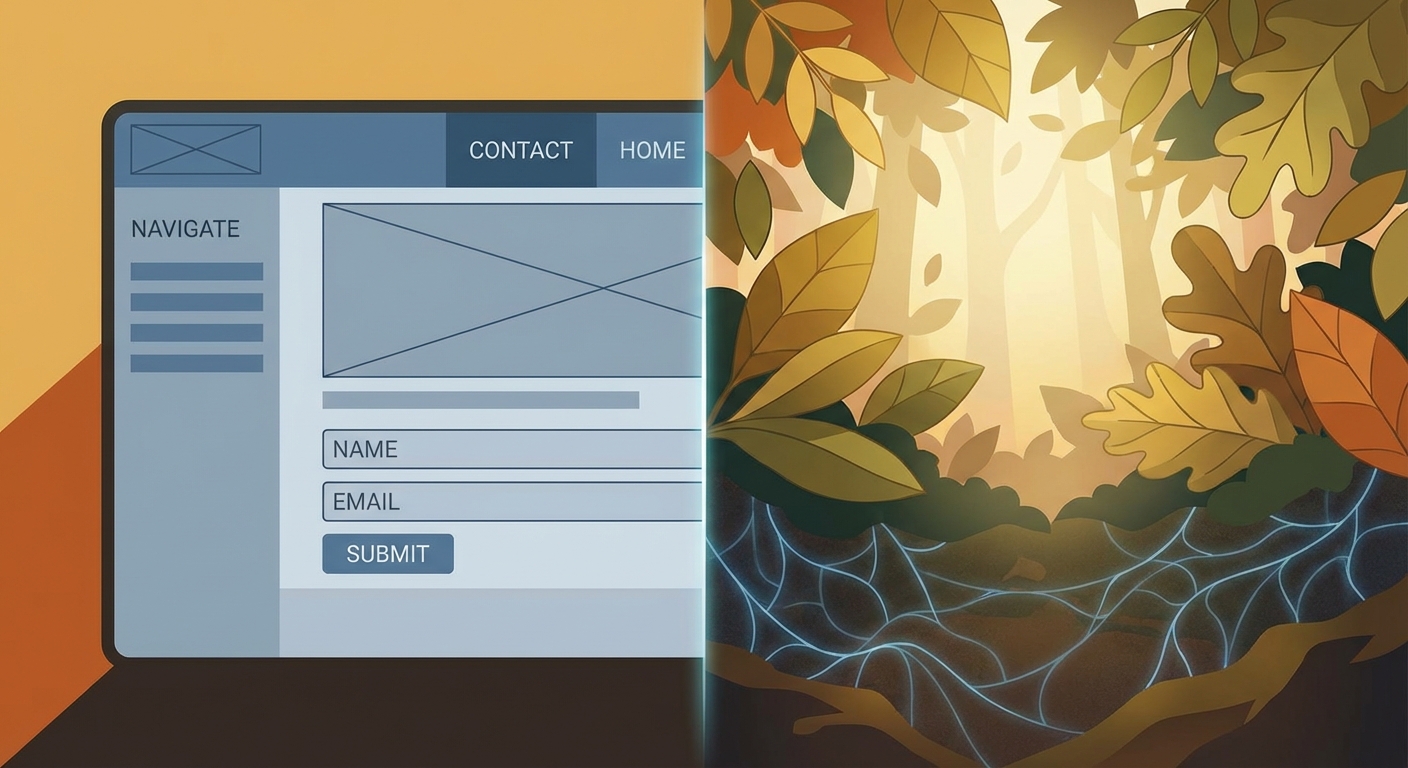
To better align visual storytelling with content themes, the fungi/mycelium image currently on the contact page will move to the Principles of Partnership page, while a new calming nature image with soft sunlight was selected for the contact page (42:28). This page will be accessible from the homepage and footer, with a clear call to action directing interested partners to express interest via the contact form (42:11).
Form submissions currently route to Wendy's Gmail account, though she plans to establish domain-based email through her Heart Internet hosting provider for more professional communication (43:59). James will transfer the site to Wendy's Webflow workspace, after which she'll need to set up a CMS site plan and connect her custom domain through Webflow's quick connect feature (45:54).
James committed to providing detailed step-by-step instructions with screenshots for the domain connection process, acknowledging Wendy's preference for clear guidance given her current health challenges (47:19). The site will be ready for launch once both parties complete a final review of all changes and confirm proper linking throughout the navigation (48:14).
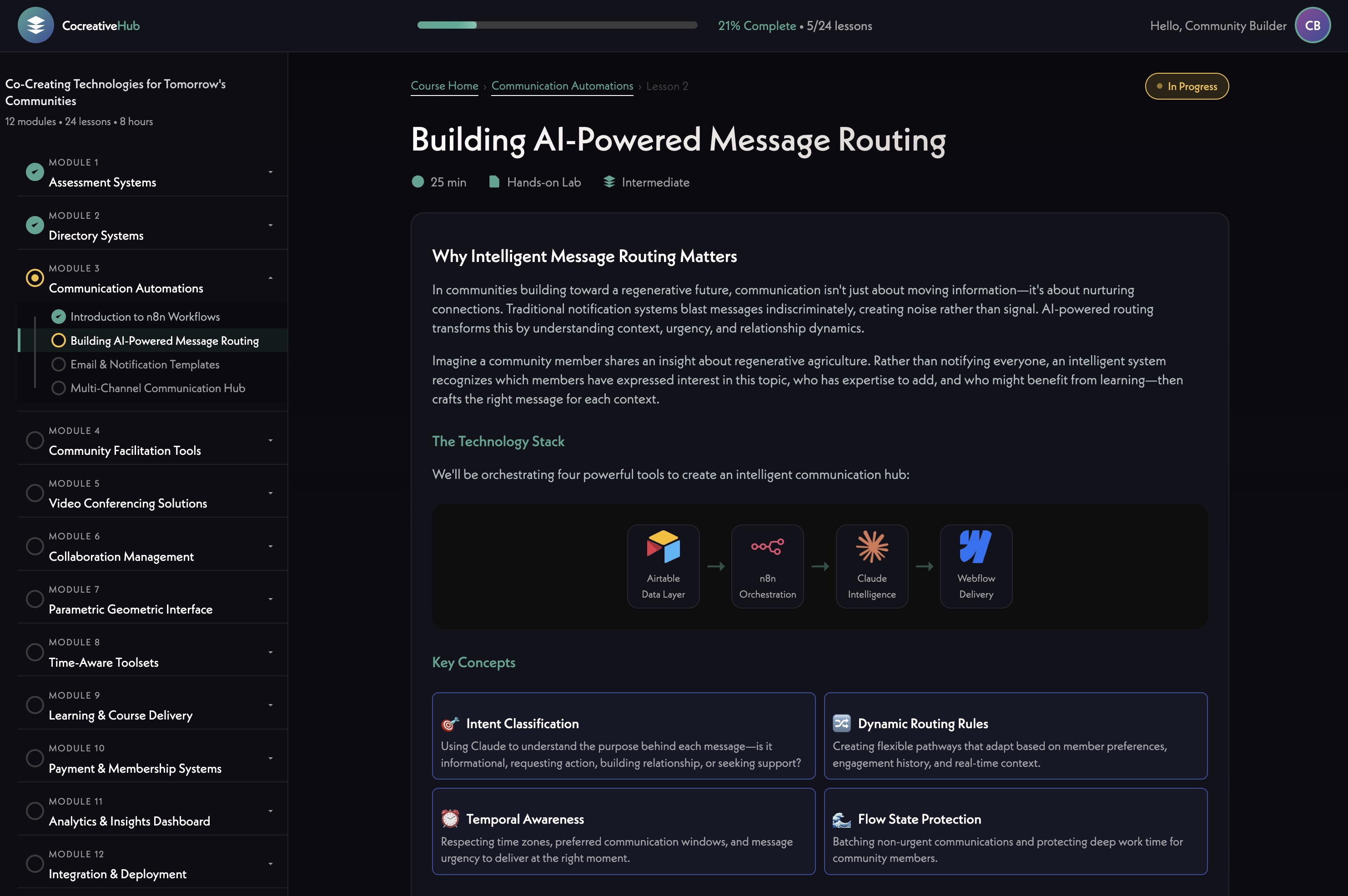
The team explored an exciting future development: an AI-powered interactive tool that could help visitors understand how the ESF framework applies to their specific context (49:47). Using Claude [tag="claude"] and model context protocol capabilities, this tool would replicate Wendy's extensive knowledge base and allow different user types—from parents to city councillors—to ask questions and receive personalized guidance about relevant resources and opportunities (50:11).
[technology="Intelligent Matching Algorithms"]
James explained that while API costs exist due to the large context window required, these costs are decreasing rapidly and would only become significant with thousands of users (50:46). The team agreed this represents an ideal funded development opportunity to prototype within the Learning Lab community, with potential to analyze user questions to improve offerings over time (51:55).
James shared that his team is developing templated solutions throughout 2026 for learning management systems, membership systems, assessment systems, and video platforms as alternatives to Zoom [tag="daily"], with the AI interface tool on the development roadmap (52:48). This aligns well with the Flourish Project's collaborative working group model, creating opportunities for mutual learning and potential partnership proposals as new capabilities become available (53:44).
Wendy expressed enthusiasm about incorporating these emerging tools into funding proposals, presenting partners with a vision of what's possible with resource investment while maintaining the current functional website as a foundation (53:44). The development approach allows the Flourish Project to grow alongside James's technology innovations, with continuous feedback loops informing both trajectories (54:28).
Wendy Ellyatt
James Redenbaugh
James Redenbaugh demonstrated live updates to the website, correcting his bio title spelling and unpublishing team member profiles for Fabienne and Annie at Wendy's request until discussions with them are finalized (05:29). The team decided to streamline contact forms across all Innovation Labs by directing expressions of interest to a single contact page, with one exception: the Learning Lab requires its own specialized contact form to capture more detailed information including name, role, email, school/organization, website, city, and country (08:29).
James explained how Webflow [tag="webflow"] templates work with conditional logic, allowing the Learning Lab to display a unique form while other labs share the standard contact page link (10:15). All prototype resource buttons were removed from lab pages to simplify the user experience and focus visitors on clear pathways to engagement (11:39).
The resource page strategy centers on prominently featuring three core handbooks that over 30 schools currently use worldwide (17:19). Wendy sent James a comprehensive list of academic papers and resources to be added to the page (31:57). The team leveraged Airtable [tag="airtable"] integration to automatically generate PDF summaries and manage resources through a dynamic system (18:57).
[technology="CRM System Templates"]
James demonstrated how Airtable's AI agent automatically reads and summarizes PDF attachments when uploaded, creating preview text for each resource (21:50). The free Airtable plan had reached its API limit during development, prompting Wendy to upgrade to the team plan at approximately $288 annually to enable continuous syncing and additional customization features like extended color options (22:31). Resources are now tagged with status designations, with "primary" status reserved for the three featured handbooks that will display with images at the top of the page (26:45).
The Framework page contained duplicate entries for key documents that needed cleanup (36:19). James removed the duplicates and ensured proper linking from the homepage's ESF Framework section directly to the Framework page (38:09). The team discussed adding a new Principles of Partnership page featuring content about collaborative working and mycelium-inspired partnership models (39:46).
To better align visual storytelling with content themes, the fungi/mycelium image currently on the contact page will move to the Principles of Partnership page, while a new calming nature image with soft sunlight was selected for the contact page (42:28). This page will be accessible from the homepage and footer, with a clear call to action directing interested partners to express interest via the contact form (42:11).
Form submissions currently route to Wendy's Gmail account, though she plans to establish domain-based email through her Heart Internet hosting provider for more professional communication (43:59). James will transfer the site to Wendy's Webflow workspace, after which she'll need to set up a CMS site plan and connect her custom domain through Webflow's quick connect feature (45:54).
James committed to providing detailed step-by-step instructions with screenshots for the domain connection process, acknowledging Wendy's preference for clear guidance given her current health challenges (47:19). The site will be ready for launch once both parties complete a final review of all changes and confirm proper linking throughout the navigation (48:14).
The team explored an exciting future development: an AI-powered interactive tool that could help visitors understand how the ESF framework applies to their specific context (49:47). Using Claude [tag="claude"] and model context protocol capabilities, this tool would replicate Wendy's extensive knowledge base and allow different user types—from parents to city councillors—to ask questions and receive personalized guidance about relevant resources and opportunities (50:11).
[technology="Intelligent Matching Algorithms"]
James explained that while API costs exist due to the large context window required, these costs are decreasing rapidly and would only become significant with thousands of users (50:46). The team agreed this represents an ideal funded development opportunity to prototype within the Learning Lab community, with potential to analyze user questions to improve offerings over time (51:55).
James shared that his team is developing templated solutions throughout 2026 for learning management systems, membership systems, assessment systems, and video platforms as alternatives to Zoom [tag="daily"], with the AI interface tool on the development roadmap (52:48). This aligns well with the Flourish Project's collaborative working group model, creating opportunities for mutual learning and potential partnership proposals as new capabilities become available (53:44).
Wendy expressed enthusiasm about incorporating these emerging tools into funding proposals, presenting partners with a vision of what's possible with resource investment while maintaining the current functional website as a foundation (53:44). The development approach allows the Flourish Project to grow alongside James's technology innovations, with continuous feedback loops informing both trajectories (54:28).
Wendy Ellyatt
James Redenbaugh
Complete Learning Lab specialized contact form with all required fields (name, role, email, school/organization, website, city, country)
February 10, 2026
Learning Lab requires its own specialized contact form distinct from other labs which link to the standard contact page. Fields needed: name, role, email, school/organization, website, city, country. Uses Webflow conditional logic to display unique form on Learning Lab while other labs share standard contact page link. Discussed at 08:29 and 12:15.
Upload three featured handbooks to Airtable with 'primary' status and generate AI summaries
February 10, 2026
Three core handbooks used by 30+ schools worldwide need to be uploaded to Airtable with 'primary' status tag so they display prominently with images at the top of the resource page. Airtable's AI agent will automatically generate PDF summaries. Discussed at 26:45.
Verify all academic resources from Wendy's email are added to Airtable
February 12, 2026
Wendy sent James a comprehensive list of academic papers and resources (31:57) that need to be added to the Airtable resource management system. Ensure all items are properly uploaded and tagged. Discussed at 34:59.
Remove duplicate resources from Framework page
February 8, 2026
Framework page contained duplicate entries for key documents that need cleanup. Discussed at 36:19.
Link homepage ESF Framework section to Framework page
February 8, 2026
Ensure the ESF Framework section on the homepage properly links to the dedicated Framework page. Discussed at 38:09.
Create Principles of Partnership page with fungi image and expression of interest link
February 12, 2026
New page featuring content about collaborative working and mycelium-inspired partnership models. Move fungi/mycelium image from current contact page to this new page. Include clear call to action directing interested partners to express interest via contact form. Accessible from homepage and footer. Discussed at 39:46 and 42:11.
Replace contact page image with new calming nature photograph
February 10, 2026
Swap current fungi/mycelium image on contact page with a new calming nature image with soft sunlight. The fungi image moves to the new Principles of Partnership page. Discussed at 42:28 and 42:43.
Share Google Drive folder containing all framework images and icons with Wendy
February 8, 2026
Provide Wendy with access to Google Drive folder containing all framework images and icons for her reference and use. Discussed at 44:50.
Transfer Webflow site to Wendy's workspace
February 10, 2026
Transfer the completed site to Wendy's Webflow workspace so she can manage hosting, CMS site plan, and domain connection independently. Discussed at 45:54.
Provide detailed instructions with screenshots for domain connection process
February 10, 2026
Create step-by-step guide with screenshots showing Wendy how to connect her flourishproject.net domain through Webflow's quick connect feature. Acknowledge Wendy's preference for clear guidance given her current health challenges. Discussed at 47:19.
Notify Wendy when all website changes are complete for final review
February 12, 2026
Send confirmation to Wendy once all current round of changes are completed, enabling her to conduct final review before launch. Discussed at 54:50.
Provide any additional specifications for Learning Lab contact form if needed
February 10, 2026
Review the Learning Lab specialized contact form fields (name, role, email, school/organization, website, city, country) and provide any additional specifications or field requirements. Discussed at 08:29.
Review all website changes when James confirms completion
February 14, 2026
Conduct thorough review of all website updates including contact form consolidation, resource page, framework page cleanup, Principles of Partnership page, and image swaps once James confirms all changes are complete. Discussed at 47:29.
Set up flourishproject.net domain-based email through Heart Internet provider
February 14, 2026
Establish professional domain-based email address through Heart Internet hosting provider to replace current Gmail routing for form submissions. Discussed at 43:59.
Send James any additional framework images or icon requests
February 10, 2026
Provide any additional framework images or icon requests needed for the site. Discussed at 44:50.
Conduct final review and approve site for launch
February 17, 2026
After all changes confirmed complete and domain connected, conduct final comprehensive review and give approval for public site launch. Discussed at 48:14.
Website design and development for The Flourish Project upgraded to Mast framework. Site structure focuses on nine Innovation Labs with integrated Resources section. New drag-and-drop CMS capabilities. Dark mode aesthetic implementation now functional. Simplified resources approach with most labs showing contact page link for expressions of interest, except Learning Lab which gets specialized contact form capturing name, role, email, school/organization, website, city, country. Conscious Parenting Lab features actual resource grid. Resource page prominently features three core handbooks used by 30+ schools worldwide with Airtable AI-generated PDF summaries. CMS-driven team management system with unpublished profiles for Fabienne and Annie pending discussions. Framework page cleaned up removing duplicate entries, linked from homepage ESF Framework section. New Principles of Partnership page with fungi/mycelium imagery and expression of interest link. Contact page updated with calming nature image. Airtable upgraded to team plan for continuous syncing. Integration with Airtable for resource management with primary status tagging for featured handbooks. Site transfer to Wendy's Webflow workspace pending with domain connection instructions to follow. Target launch after final joint review.
Airtable setup for The Flourish Project including nine Innovation Labs with linked resources. Resource cataloging with AI-generated PDF summaries via Airtable's built-in AI agent. Airtable upgraded from free to team plan (~$288/year) to support continuous API syncing and extended customization features. Resources tagged with status designations including 'primary' for three featured handbooks displayed with images. Comprehensive academic papers and resources being added from Wendy's provided list. Simplified field visibility to hide unnecessary ID fields for clean user experience.
Website design for The Flourish Project focusing on nine Innovation Labs structure (Wisdom, Conscious Parenting, Nurture, Learning, Community, Cities, Peace, Legacy, Healing). Wisdom Lab positioned first as cross-cutting theme using vector equilibrium icon. Healing Lab added as ninth lab incorporating Global Healing Day initiative with Caduceus symbol. Visual identity emphasizing diverse, global representation with artistic collage-style hero image incorporating interbeing themes, multi-ethnic intergenerational communities, nature, ecology, and cosmic elements. Refined symbolic icons for each lab: rounded pentagons for Legacy Lab suggesting organic storytelling, compass for Leadership Lab, bioregion-inspired design for City Lab, growth progression for Conscious Parenting Lab. Video background exploration for hero section using Indigenous-themed content pending cultural sensitivity review. Team member bios with updated titles including new members James and Lana. Framework page using 'Ecosystemic Flourishing (ESF) Framework' heading. Dark mode aesthetic with improved typography. 'Ecology of Belonging' as prominent homepage feature. Shift from consumer to participant engagement model.
Development of community engagement strategy moving from consumer to participant model. Learning Lab launching as first community of practice with specialized contact form capturing name, role, email, school/organization, website, city, country - distinct from other labs which use standard contact page. Schools, academy trusts, and educational organizations become co-creators rather than passive consumers. Communication happening through WhatsApp groups rather than complex platform features. Tiered structure where well-resourced schools pay participation fees enabling commons-level access for schools globally. Resource page features three core handbooks used by 30+ schools worldwide as primary engagement tools with automatic PDF invitation system. Future AI-powered interactive tool envisioned using Claude to replicate Wendy's knowledge base, helping different user types get personalized guidance - ideal prototype within Learning Lab community. Moving away from heavy facilitation models toward emergent gathering approach. Leveraging engagement data from 37 countries.
Strategic initiative to position interconnected ecosystem for Templeton World Charity Foundation funding ($10M over 5 years, $2M annually). Connecting multiple established organizations (Evolutionary Leaders, Spirit of Humanity Foundation, Wellbeing Economy Alliance, Child for Compassion, Sources Energy, etc.) as 'field of flowers' where each maintains distinct identity while being supported to excel. Demonstrates technological enablement of ecosystem connectivity through James's 12 modular tools. Represents shift from single-organization funding to ecosystem support model. Includes integration of multiple websites into shared system with cross-project profile propagation.
Exploration of using the Ecosystemic Flourishing Framework wheel as an interactive navigation tool for resources. AI-powered interactive tool using Claude and model context protocol to replicate Wendy's extensive knowledge base, allowing different user types—from parents to city councillors—to ask questions and receive personalized guidance about relevant resources and opportunities (50:11). Would analyze user questions to improve offerings over time (51:55). API costs decreasing rapidly, only significant with thousands of users. Ideal funded development opportunity to prototype within Learning Lab community. Combines visual framework presentation with practical resource directory functionality. Requires sophisticated filtering and curation system to surface appropriate resources based on user selections.
00:00:26
James Redenbaugh: This meeting is being recorded. Hi, Wendy.
00:00:48
Wendy Ellyatt: Oh, hi.
00:00:48
James Redenbaugh: How are you? I'm doing well, how are you?
00:00:53
Wendy Ellyatt: I'm not being. I've had a really nasty. You can hear it, like cough and croaky and all, so I'll see how I go. I may just cough all over you, but, yeah, I've been properly poorly. It's not surprising, I think, with all the. That's been going down. We've got the funeral on Friday for my brother's wife.
00:01:12
James Redenbaugh: Yeah.
00:01:13
Wendy Ellyatt: I got him on the phone a lot and it's just really stressful.
00:01:17
James Redenbaugh: Oh, yeah. Well, I hope you're better for the funeral.
00:01:23
Wendy Ellyatt: Yeah, it's a bugger. That's horrible. It's unthinkable, isn't it?
00:01:27
James Redenbaugh: Yeah, it's terrible.
00:01:29
Wendy Ellyatt: So, yeah, but never mind. So, yeah, I've really worn it up now because I've got. I'm holding on three things. Three big potential partners and stuff. So I thought whatever we've got, let's get something up.
00:01:45
James Redenbaugh: Put it up.
00:01:47
Wendy Ellyatt: Yeah, we. I haven't got. The changes haven't come through my end again.
00:01:54
James Redenbaugh: Let me see here. I'm going to bring it up. One sec.
00:01:59
Wendy Ellyatt: Did you get the last bits and bobs?
00:02:02
James Redenbaugh: Yeah, the new. The new page and the.
00:02:05
Wendy Ellyatt: The bio. Your. Your. I've got a list. We could just go through all of that and then we're pretty much there, I think.
00:02:12
James Redenbaugh: Great. Oh, I sent a whole list of things for a new guy who's working for me to do and I don't see any of them done.
00:03:59
Wendy Ellyatt: No, it's not showing on my end. Any of it.
00:04:02
James Redenbaugh: Yeah, I had him made the. Make the whole new page and then updates to the labs and the bio title.
00:04:10
Wendy Ellyatt: I order all the links. I was thinking with the. All those expressions of interest, all of them can just go to the contact page.
00:04:18
James Redenbaugh: Okay.
00:04:19
Wendy Ellyatt: That's the easiest, isn't it? Because we've put all the labs on the contact page.
00:04:25
James Redenbaugh: Yeah.
00:04:26
Wendy Ellyatt: We might as well just lead all of them except the learning lab, which will. We can just do a more specialized one for that. But other than that, that's the easiest way to do it, rather than having lots of different contact forms, isn't it?
00:04:40
James Redenbaugh: I think so, yeah.
00:04:43
Wendy Ellyatt: So should we just go through everything?
00:04:47
James Redenbaugh: Yes. And. And while we do that, the things that are easy I can do in front of you to also show you.
00:04:55
Wendy Ellyatt: Right. So let's do that now. So you can make some changes now. Yeah.
00:04:59
James Redenbaugh: Yes. Yeah.
00:05:00
Wendy Ellyatt: So the first thing was your bio title, which I presume should say liaison with. Without the two S's. Lrl A, I A S O, N. Yes.
00:05:13
James Redenbaugh: But I wanted to be a Leo son.
00:05:16
Wendy Ellyatt: Oh, so you did it on purpose.
00:05:18
James Redenbaugh: No, I didn't.
00:05:19
Wendy Ellyatt: Yeah, I was gonna say I wasn't.
00:05:21
James Redenbaugh: Sure I'm not the best speller. And then there's two that you wanted me to take off of here.
00:05:29
Wendy Ellyatt: I'm going to take off Fabienne and just remove them because I. I haven't had time to talk to them and I don't want to put them up when we haven't resolved it so Fabienne and Annie can come off.
00:05:48
James Redenbaugh: Okay. So I'm just going to unpublish. So they'll still be in there. They just won't show up. And my changes, we can see it says changes in draft and if I go in there and I click publish, it will be published. Okay. And.
00:06:16
Wendy Ellyatt: Yeah, and that's straight away my end. So we've done the first two things, then we've got you sorted out. Yep, perfect. That your will your one automatically correct on the about page or not.
00:06:34
James Redenbaugh: Yes.
00:06:34
Wendy Ellyatt: Yeah. Okay. So then. So that's the first two. The innovation lab changes were those bits of text. And as I say, when I thought about. It's just getting rid of anything for the moment. We can just have expressions of interest. So he's got the list. Yeah.
00:06:55
James Redenbaugh: He does, yeah.
00:06:56
Wendy Ellyatt: It was just getting rid of. Because I. I suddenly thought there's no point in having individual labs with the con. Just go to the contact page. We've got the lab set up and that will work. The only thing I will do is on the learning lab, we'll just have a little. Because that's the one that's the most developed with a team coming around it. I'll send you the. Because we'll want the school name and the school website. So I'll send you the list for that. That's the only one that will have its own dedicated expression of interest page.
00:07:31
James Redenbaugh: Okay.
00:07:32
Wendy Ellyatt: All the others can go to the contact page.
00:07:36
James Redenbaugh: So. Let me just look at these pages real quick.
00:07:45
Wendy Ellyatt: Because we've said link expression of interest, but I think that just means. For him, that means just link it to the contact page. And then as we develop things further, each one can have its own contact page.
00:08:09
James Redenbaugh: Ultimately, yes. So now these all go to the contact page except one learning lab. And that should go well, that needs.
00:08:29
Wendy Ellyatt: Its own contact form. Do you want the list? Because that's name. That simply has a bit more contact name. Role, school, school website, City, Country. So you've got name Role email, school, school website, City country.
00:08:52
James Redenbaugh: Cool. Should I just put that. That form right here on the Learning Land page?
00:08:59
Wendy Ellyatt: Yeah. Oh, it can be. Yeah, yeah.
00:09:05
James Redenbaugh: So just so you know how I'll do that is because each of these are a template instead of. They're not a whole new page. They're automatically created when we populate the. The content for the labs. And so if we want to do anything special for a lab, all we do is this button wrap here. I'll go to Settings and I'm gonna.
00:09:43
Wendy Ellyatt: Are you in the Learning Lab?
00:09:47
James Redenbaugh: It. It's just. It's a global template, so.
00:09:52
Wendy Ellyatt: All right, so you're. You're now connecting that to the contact page, are you?
00:09:56
James Redenbaugh: They're all connected to the contact page because I edited the template, so.
00:10:01
Wendy Ellyatt: Oh, that's useful.
00:10:03
James Redenbaugh: All of them are connected.
00:10:04
Wendy Ellyatt: So the Learning lab is the only one that needs its own contact form.
00:10:09
James Redenbaugh: Yes. Yeah. And. But why.
00:10:15
Wendy Ellyatt: So that's even better. Get rid of both of those and just put in the contact form. And we need to get rid of all the prototype resources on everything. Yeah.
00:10:25
James Redenbaugh: Yes. Oh, this is new. I have a new. A new thing here. So it. We don't want this button on the Learning Lab. So I'm going to create a new conditional here. And I'll just say that if the name is Learning Lab, Then it's hidden, otherwise it's visible. So now that button won't show up on the Learning Lab, but if I go to Conscious Parenting Lab, it's on all the others, it's still there. And then I'll do the same kind of thing. I'll add a form that only shows up.
00:11:35
Wendy Ellyatt: Yeah, get rid of all the prototype resources. I think I said on.
00:11:39
James Redenbaugh: And yeah, all these buttons. I'm going to hide for now. Right?
00:11:49
Wendy Ellyatt: Yeah. Remove the resources. It's just, I'm. I think it's much easier at the moment to just put expressions of interest. Goes to the contact form. Yeah, I put it all in that list anyway.
00:12:03
James Redenbaugh: Great.
00:12:04
Wendy Ellyatt: So on the learning lab, you can get rid of all those prototype things straight away.
00:12:08
James Redenbaugh: Oh, these guys. Okay.
00:12:10
Wendy Ellyatt: Yeah, get rid of that and then have expressions of interest.
00:12:15
James Redenbaugh: Yeah, I'm going to copy that form from the contact page and then customize it to that.
00:12:22
Wendy Ellyatt: Oh, let's do that now. So it's name, first name, last name, email address.
00:12:31
James Redenbaugh: I'm going to copy this whole form here, pop back to the labs template, Make sure I'm looking at the Learning lab. And then I'm going to paste this down here. First name, last name, Last name.
00:12:58
Wendy Ellyatt: Right. So first name, last name, role. To move role up.
00:13:15
James Redenbaugh: You want those on the same line?
00:13:17
Wendy Ellyatt: No. First name, last name, role. We. What we need is school or organization because they won't necessarily be a school.
00:13:31
James Redenbaugh: School. Or should we just.
00:13:33
Wendy Ellyatt: First name, last name, email address is fine. Then role first and then organization. First role, then school, then organization.
00:13:42
James Redenbaugh: Okay.
00:13:45
Wendy Ellyatt: Role, then school.
00:13:47
James Redenbaugh: Roles here.
00:13:48
Wendy Ellyatt: First name, last name, email address, role. Yeah, school, organization. Website for the school or organization instead of LinkedIn.
00:14:02
James Redenbaugh: Mm.
00:14:04
Wendy Ellyatt: Switch. Switch LinkedIn to. Oh, no. Yeah, get rid of LinkedIn. Just get rid of that. We don't need it.
00:14:14
James Redenbaugh: Okay.
00:14:17
Wendy Ellyatt: Website, City, Country.
00:14:44
James Redenbaugh: Just so you know, if you're ever editing a form yourself, when I create a new field or change a field, there's three different things to change. So I'm changing the label up here and the placeholder text in the box. And then also most importantly, the name of the field. So that when people fill out the form, that's how we know what. What responses go to what fields.
00:15:25
Wendy Ellyatt: Very complicated. Then we can get rid of all the lab stuff because we know we're in the learning lab. I think that's it. First name, last name, email address, role. I think role should come before email address. No.
00:15:41
James Redenbaugh: Okay.
00:15:45
Wendy Ellyatt: Yeah. First name, last name, role, email address, school organization, website, city, country. I think that's it. That's what we pick up at the moment. Yeah, that's good. Right. So that's the Innovation Lab stuff.
00:16:01
James Redenbaugh: Okay.
00:16:02
Wendy Ellyatt: Resource page. Presumably that's not done. If he hasn't done it.
00:16:11
James Redenbaugh: I wanted to ask about that real quick.
00:16:13
Wendy Ellyatt: And also I'm. This is the page that I'm most likely to have to add stuff to.
00:16:21
James Redenbaugh: The resources page.
00:16:24
Wendy Ellyatt: Yes, the page. That's the one that I'm more likely to be working on that simply because we're producing resources all the time. So I. So what did I say on the resource page? So I was thinking we. The. The one thing that we've got, like 30 schools using are those handbooks. So I thought we'll put them up because they're being used all over the world and then show all the academic resources that we've. We've got. So I sent that with all the links, and they can just be a list. I mean, whatever's easiest. I mean, ultimately, on my old site, I laboriously did screenshots of each thing and then connected the. The item. But I think it's. I think it's enough at the moment to just do a list of academic stuff.
00:17:19
James Redenbaugh: Okay. Because we did. We do have this.
00:17:27
Wendy Ellyatt: Yeah.
00:17:27
James Redenbaugh: I'm just.
00:17:28
Wendy Ellyatt: See, that's really. See, the thing is that most of the academic stuff is just academic papers, so they won't look good. So I think this is what we'll do longer term when we start. Well, that, that will work for the three handbooks. So we could have the three handbooks at the top with their pictures, and then under that, all the academic resources. But we don't need. I don't know. Oh, I suppose we could show them with the. Oh, we could show them like that, couldn't we?
00:18:17
James Redenbaugh: Why not?
00:18:18
Wendy Ellyatt: So did you. To do that? How did you do that? You just tell it to pick up the first text from the document.
00:18:29
James Redenbaugh: I created an air table. Let me log into your airtable real quick. Super age.
00:18:47
Wendy Ellyatt: So can you pull the first text off all those academic papers?
00:18:57
James Redenbaugh: I did a summary. I did an auto summary of all the papers.
00:19:03
Wendy Ellyatt: So does it do it? It automatically does it, yes. Oh, that's fantastic. In which case, I mean, we'll do those little boxes but without the images, because most of those, the academic papers, other than the. Well, some of them have. A lot of them. Some have images, some are publications with images, but a lot are just static papers. But it will pick that up, will it?
00:19:35
James Redenbaugh: Yes, that will look better. Let me show you once. I'll find the. Login for some reason. So the only problem is because it's a free account, right now we've hit the API limit and so it won't update automatically. Why? Okay, There we go. And so if we want it to update automatically, we. We need to get a pro plan or it'll reset every month. I don't know if we'll regularly hit the API limit or if it's just because we're making so many changes.
00:21:25
Wendy Ellyatt: Well, that will slow down once we've got this done.
00:21:29
James Redenbaugh: Yeah. So here in the attachment summary, there's this little button that says Run agent and so it'll automatically read the attachment if it's in there. And I can just click Run Agent and it'll automatically summarize the PDF that's in there.
00:21:50
Wendy Ellyatt: Isn't that clever?
00:21:52
James Redenbaugh: Yeah. And. And then it should, if we didn't hit the API limit, update right away on the website.
00:22:05
Wendy Ellyatt: What's the cost long term?
00:22:11
James Redenbaugh: Well, right now it's on the free plan, so there's no. But what's then I think. Let me look it up. It's per seat. You don't need more than one seat. $20 a month.
00:22:31
Wendy Ellyatt: Well, I'm happy to go for that.
00:22:35
James Redenbaugh: I think it's worth it. Airtable is one of my very favorite tools.
00:22:38
Wendy Ellyatt: Yeah. And that's. If it's that kind of money. It's a bit like the other one you've given me, the creative one that you put me onto. My head's like mush. You know the one I'm doing all the creative. Huh.
00:22:52
James Redenbaugh: Mid journey.
00:22:53
Wendy Ellyatt: Oh, mid journey. Oh, my God, that's amazing. So I feel the same about this. I just haven't had time, so I'm. So do I need to. Can you now? How do we do that? I'll have to do that, won't I?
00:23:06
James Redenbaugh: Yeah. So if you log in, just go to.
00:23:12
Wendy Ellyatt: Would you want to log out then? And I'll. Because you're in, aren't you? On me?
00:23:16
James Redenbaugh: Yeah, I. I think we can be logged in at the same time. You just go to account and. It's probably going to be work settings. Hold on.
00:23:34
Wendy Ellyatt: Login upgrade.
00:23:40
James Redenbaugh: There you go. Upgrade.
00:23:42
Wendy Ellyatt: Choose workplace to own. It doesn't show a workspace.
00:23:56
James Redenbaugh: My first workspace. You only have one. All right. And then we can also use airtable.
00:24:07
Wendy Ellyatt: Hold on a minute. Upgrade annually save 70%. 20 pounds. That's more than that, though. That says $288 a year. How come that's. That's much more.
00:24:25
James Redenbaugh: Because it's probably more in London because it probably includes taxes and stuff.
00:24:31
Wendy Ellyatt: I don't know. That's a lot. That's quite a bit more, isn't it? 20. $240. Oh, no. 20. What was it, $20 a month? 12. No, that's right, isn't it? Yeah, that's right.
00:24:41
James Redenbaugh: Yeah.
00:24:42
Wendy Ellyatt: So hold on a. Second. With the card.
00:25:14
James Redenbaugh: Hold on.
00:25:17
Wendy Ellyatt: Well, that's interesting. It's upgraded me on a team plan without using my credit card. So it's used. It's used an obsolete card and told me it couldn't use it and it's upgrading me. Anyway.
00:25:30
James Redenbaugh: You might have had some airtable credits. I.
00:25:33
Wendy Ellyatt: Well, anyway, I'm on the team plan now, so you should be able to see.
00:25:36
James Redenbaugh: Great.
00:25:37
Wendy Ellyatt: Can you see that? That's got worked.
00:25:41
James Redenbaugh: Let me refresh here. How would I tell. Yeah, I. I can use a variety of colors here again, right? Yeah. That's one of the things you get with team is a lot more colors.
00:26:01
Wendy Ellyatt: So that's all right. So. Well, that makes life a lot easier, isn't it? So for the moment, we only need those three, the two SDGs in the RDG's handbook, like prominent, because they are the ones that the schools are most likely to. On the resource Page. They're the things that are the. The most out there at the moment.
00:26:24
James Redenbaugh: Cool.
00:26:25
Wendy Ellyatt: So I can see one of them there.
00:26:29
James Redenbaugh: That little orange in the list here, which. This is one of them SDGs.
00:26:34
Wendy Ellyatt: The orange one there. The SDGs, yeah.
00:26:37
James Redenbaugh: So I'm going to make a status here and let's call it primary.
00:26:45
Wendy Ellyatt: And then you must have picked up the other ones. So an IDG should be another SDGs and another IDGs.
00:26:56
James Redenbaugh: I don't see the IDGs here.
00:27:01
Wendy Ellyatt: Very weird because they were the main ones on the website. How do I send it to you then?
00:27:08
James Redenbaugh: Is it in the resources doc you sent me?
00:27:11
Wendy Ellyatt: Yeah, well, the images were. Yeah, we can pull them. You can pull them directly off the old website?
00:27:31
James Redenbaugh: Yeah, I'm not seeing it. You want to send it to me real quick?
00:27:34
Wendy Ellyatt: Let me get it off the. I'll put this in the chat. So this is the link directly to the old website publications. And it's the top three if you scroll down past that first section.
00:28:33
James Redenbaugh: Okay, one sec.
00:28:46
Wendy Ellyatt: And there's quite a lot of other things that I need to think about though.
00:28:49
James Redenbaugh: It. Turn this syncing back on. And this IDG's handbook.
00:29:32
Wendy Ellyatt: Those three. Those three. The three.
00:29:34
James Redenbaugh: All three of these. Yeah.
00:29:38
Wendy Ellyatt: They're clickable.
00:29:39
James Redenbaugh: Yeah. So download that. And then in table, I'm just going to click to add a new row and I can. Drag and drop, Drag the PDF right here, Screenshot, the preview. And then I'll summarize it. And I'm going to give it this status of primary. It's a PDF. And then I'll do the same thing over here.
00:31:57
Wendy Ellyatt: I've just emailed you the all the academic links.
00:32:03
James Redenbaugh: Okay. Ah, It. Okay, so if we want something to have a preview in webflow, we just need to give it a screenshot. And then on the resources grid here, I can say. That the status. I gotta add statuses. Okay. So that'll show up once that finishes syncing. So we no longer need the comeback soon, right?
00:34:13
Wendy Ellyatt: Yeah, get rid of it.
00:34:18
James Redenbaugh: And then beneath those three, I've sent.
00:34:21
Wendy Ellyatt: You the list of the academic stuff. And then we will go in and add some of the other stuff. But I need more time to think about it.
00:34:30
James Redenbaugh: Okay.
00:34:31
Wendy Ellyatt: We've got the critical stuff up and the first two we can link to. Oh, they'll pick up the images anyway, won't they? Which is great.
00:34:42
James Redenbaugh: Yeah.
00:34:50
Wendy Ellyatt: So they'll all go into little boxes. Yeah.
00:34:54
James Redenbaugh: Yep.
00:34:55
Wendy Ellyatt: That's so cool.
00:34:56
James Redenbaugh: Oh, you want all of these in?
00:34:59
Wendy Ellyatt: Well, they work. Can we convert them to the boxes that they Were very good.
00:35:03
James Redenbaugh: Are all of these in airtables?
00:35:08
Wendy Ellyatt: No idea.
00:35:10
James Redenbaugh: Okay, well, I can go through and. Make sure they're in here. And if they're not, I can.
00:35:23
Wendy Ellyatt: They probably are. It's just I've been careful about the. The list. I've gone through the list to make sure we've got the critical stuff.
00:35:33
James Redenbaugh: Uhhuh. Cool. Well, I'll. I'll check that. All right, so that's good.
00:35:39
Wendy Ellyatt: So we've got a. We've got the beginnings, we've got the resource page. Even if we add into it later, we've got the critical stuff up. Yeah. Right. Then on the Framework page, we need to add those two key documents so that when people go. Because we've got links that click. When you click from. Even on the home page and you go to. Oh, oh, that will all change now, won't it? There.
00:36:12
James Redenbaugh: They're here. And they're here twice for some reason. Why are they here twice?
00:36:18
Wendy Ellyatt: What page are we on there?
00:36:19
James Redenbaugh: That's the Framework page.
00:36:29
Wendy Ellyatt: Yes. They've added in the. They've added in again to that page, even though we already had them on that page.
00:36:40
James Redenbaugh: I. We have some duplicates for some reason. It. Okay.
00:37:34
Wendy Ellyatt: They need to go the other way around, though. Oh, maybe not. No, we can even. Like that. So that's on the actual Frameworks page, yeah? Yes, but I think on the front home page. The link on the home page. Well, if we go down. Up, up, up. ESF framework. That's not linked, is it?
00:38:09
James Redenbaugh: That should go to the Framework page.
00:38:11
Wendy Ellyatt: Yeah.
00:38:13
James Redenbaugh: Okay.
00:38:19
Wendy Ellyatt: Yeah, that's straightforward.
00:38:20
James Redenbaugh: Then we don't need to learn more, do we? Because that should go to the same thing.
00:38:25
Wendy Ellyatt: Yeah, same thing, yeah.
00:38:27
James Redenbaugh: Okay.
00:38:34
Wendy Ellyatt: So that's the two introducts. We've got rid of those. We've got those. We've got all of that. Innovation Labs look great. So straightforward.
00:38:49
James Redenbaugh: You like the Learning Lab icon I made?
00:38:53
Wendy Ellyatt: Yeah. Well, I haven't asked. Look, I like all of them, actually.
00:38:58
James Redenbaugh: I am.
00:39:00
Wendy Ellyatt: They're very pleasing. I like the learning app because of the spiral. And it's also. Yeah, it's got the sense of evolution.
00:39:08
James Redenbaugh: Huh? Exactly.
00:39:10
Wendy Ellyatt: It's spiraling up.
00:39:12
James Redenbaugh: I actually made it out of math. It's.
00:39:15
Wendy Ellyatt: Yeah, it's pleasing.
00:39:16
James Redenbaugh: I made a whole function so that. It's like.
00:39:19
Wendy Ellyatt: It's a Fibonacci.
00:39:20
James Redenbaugh: It's a nice. Yeah. Mathematical spiral.
00:39:23
Wendy Ellyatt: I like it.
00:39:24
James Redenbaugh: And everything was generated.
00:39:26
Wendy Ellyatt: I think all of those look great. Then the principles of partnership, which I really like. The document, the new one, if it's a Hassle to create a whole new page. We can just link to the document.
00:39:46
James Redenbaugh: It should be pretty easy to.
00:39:49
Wendy Ellyatt: Because I liked it. It reads really well. So, I mean, I. But then I was thinking the logical thing would be to move the fungi image from the contact page because it's. It's all about mycelium. That Principles of partnership.
00:40:03
James Redenbaugh: Okay.
00:40:04
Wendy Ellyatt: And that would come before the contact, then. No, it would be innovation labs about principles apart. No framework. Principles of partnership. Wouldn't it come before resources? Yeah. Or where would you put it Logically. Or it doesn't have to be top navigation. It can be somewhere on the home page.
00:40:29
James Redenbaugh: Yeah. I think. There's not a ton of space in the nav especially.
00:40:38
Wendy Ellyatt: So where would be the logical place? It would be that homepage, I think.
00:40:43
James Redenbaugh: Definitely in the footer.
00:40:46
Wendy Ellyatt: Yeah.
00:40:53
James Redenbaugh: And is there a place that would make sense on the homepage?
00:40:58
Wendy Ellyatt: Don't know. I'd have to go and have a look at the. Wait a minute. Let me get mine up. We could literally go under. We've got the ESF framework. We could have partnering with us as a link.
00:41:34
James Redenbaugh: Okay.
00:41:35
Wendy Ellyatt: And put it. Make it prominent. But the ESF framework partnering with us. So you've literally got it. The first two things. And then that goes to the. Oh, wait a minute, though. Principles of partnership. So the principles of partnership would need a. A Also need an addition of the expression of interest, wouldn't it? Which I didn't put. So logically. It would show. Show it and then say. So it would be click. You go there and you see the principles of partnership express interest in becoming a partner. That goes straight to the contact page.
00:42:27
James Redenbaugh: Okay.
00:42:28
Wendy Ellyatt: You just need that logic, isn't it? Because they need to go from. But I think the fungi works best with that because it fits absolutely with the text. And then a nice nature image for the contact page.
00:42:43
James Redenbaugh: How is this one I just found.
00:42:53
Wendy Ellyatt: Yeah, that's nice. Yeah, I like that. It's very calm and I like the sun just shining over the top. Yeah, done. That was quick.
00:43:08
James Redenbaugh: Great.
00:43:13
Wendy Ellyatt: The. The. Where the form should go to. I'm assuming you have it forwarded to an email address. So how. How does that work on. Ultimately, it can all come to me at the moment.
00:43:30
James Redenbaugh: Yeah. So right now it all just. There's two forms on the website and they both go to you.
00:43:38
Wendy Ellyatt: Is it wendy.elliott. is it wendy elliott gmail.com or wendy.elliott flourishproject.net Gmail. They don't see that though, do they?
00:43:59
James Redenbaugh: No.
00:44:02
Wendy Ellyatt: I think that's fine for the moment. Let's leave it at Gmail.
00:44:06
James Redenbaugh: Okay.
00:44:07
Wendy Ellyatt: I'm setting up under the domain name I can have a mail provider and I did have flourishproject.net mail provider and I'm resetting it up because that would solve it, wouldn't it? Because then it would. I'd have all the Flourish project. Anyway, I'll think about that. So for the moment it can just come to me. The next thing was I need all the new framework images and icons.
00:44:43
James Redenbaugh: I didn't send you those.
00:44:44
Wendy Ellyatt: No, I need all of them so that I can use them in documents.
00:44:50
James Redenbaugh: Yeah, I put them in a folder here. Share with you.
00:44:56
Wendy Ellyatt: Did you email it?
00:44:59
James Redenbaugh: I thought I did, but it's on Google Drive. So I'll just send it to you here. And if you need any other versions of these, just let me know and I can put them in the same folder.
00:45:21
Wendy Ellyatt: Yeah, it's just making sure I've got what you've got. And then it was literally just checking all the links on the site go where we think they do. And then the actual process of getting up, I presume I just get a code from the. Because I have the domain. All my domains are with Heart Internet. But I think I just asked them to transfer the dome. Oh no, we just put. How do I do the. Connecting this to that. That's the bit.
00:45:54
James Redenbaugh: Yep. Great question. So I'll transfer it to your workspace. You set up a workspace, right?
00:46:01
Wendy Ellyatt: For what?
00:46:03
James Redenbaugh: For webflow.
00:46:05
Wendy Ellyatt: I'm in. I am sure I did. I sometimes have problems with it because it's.
00:46:12
James Redenbaugh: Sometimes I. I think we had you set up a workspace.
00:46:18
Wendy Ellyatt: Can you access mine?
00:46:20
James Redenbaugh: Let me see.
00:46:21
Wendy Ellyatt: I think I sent you the login.
00:46:24
James Redenbaugh: Uhh, Yes. Yep. So I'll transfer the site there and then you will give it a site plan. So I already gave it one, but it can't transfer. So you'll set up a CMS site plan and then when you go to publishing, you will add a custom domain and you can quick connect your domain. And it should. You should just have to put in your domain and it'll figure out where it is and then prompt you to log into your.
00:47:11
Wendy Ellyatt: Okay, I might. I might get you to. You could send me like send me that in an email, like for dummies.
00:47:19
James Redenbaugh: Yes.
00:47:20
Wendy Ellyatt: Yeah, it's step one, two, three, four, five.
00:47:23
James Redenbaugh: Huh.
00:47:24
Wendy Ellyatt: Especially with my head.
00:47:27
James Redenbaugh: Yeah, yeah, I'll send you screenshots and everything.
00:47:29
Wendy Ellyatt: Yeah. And then I'll. And then we can get that. I mean we're pretty. Well, as soon as we've got these Changes done and you're happy and we can both, like, if you, you let me know as soon as things are done. As when. As soon as we're both happy that we've got everything linked and working the way, you let me know when you think everything's ready, then I'll check everything and then we'll do that. Get it up. So at least you know we've got the site and I know I've got time to then think about it because once it's up, I can then think about possible changes and additions and whatever. Yeah. Does that work for you? And then you can send me the invoice.
00:48:14
James Redenbaugh: Okay, great.
00:48:19
Wendy Ellyatt: Does that work for you?
00:48:20
James Redenbaugh: Yeah.
00:48:22
Wendy Ellyatt: So then if we've got the resources page looking great, all the contact forms are on, I know I can put it out and we've got people being led to the right places and then, and then it. I've got time then it's just there's so much potential interest and I've also got to be careful about that. So I'm thinking about, you know, I'm not. Not over promising because this is early days. Oh, the AI thing, I thought that was quite interesting. I think we could do that as something to budget. It'd be good to know like if we got funding. I really like the idea that. Because I was thinking it would be so useful when anyone hit the site for us to have something which would actually, because it's what I do with projects, I go in and say, how does this relate to esf? I mean, I'm constantly getting it to give me a reflection of how good a fit something is. And then I thought, well, we could have a prompt on the site that says to someone how, you know what ESF could, could offer to you in your setting. And that would be really useful. Get them to answer a number of questions and it does them a little picture or, you know, what we could.
00:49:47
James Redenbaugh: Do is create a model context protocol with all of your resources so we could give an agent access to everything.
00:49:59
Wendy Ellyatt: And that's what I've got. So my model knows everything and it's incredibly knowledgeable about.
00:50:06
James Redenbaugh: So essentially we replicate exactly and let people talk to it.
00:50:11
Wendy Ellyatt: Yeah.
00:50:12
James Redenbaugh: And yeah, it's. It's relatively straightforward to set up. It's a bit of a process. And then depending how many people use it, there's a. An API cost because it takes a lot of tokens to have such a large context window to look at all of that stuff. But the cost of those things are going down pretty dramatically. It would only be significant if there's like thousands of people using it.
00:50:46
Wendy Ellyatt: Well, I think it would be worth. I really like the idea and I can see that being if I was. Because we've got so many people coming in from different places. I really like the idea that if I, you know, whether it's a city councilor or a mum, you hit the site and you go, and you can go, literally I'm a mum and I want to see how this relates to my life or I'm a city councillor. And I really like the idea that, my God, this actually the really interesting things that this can offer me. I like that as an idea. And it could even lead you to the free resources, you know, we could lead you to. Well, these are the free bits that we're offering.
00:51:26
James Redenbaugh: Yeah.
00:51:26
Wendy Ellyatt: If you want something more curated.
00:51:29
James Redenbaugh: And we could, we could say on there like using this gives us permission to. Kind of analyze your questions, but we won't try to sell you things, things like that. And then we can store their responses and see what are people asking where and use that to improve things in.
00:51:55
Wendy Ellyatt: The future when you have the time. Because I'm sure you're flat out. I think we'll, we'll look, let's look at that as a possible funded kind of what we'd like to do as we grow. Because I think it would be a lovely next step and it could be that great. The learning lab. We actually, I mean we could say to the learning lab community literally, you know, we could develop something that could be prototype for schools, that we could play with it within their communities. But. So let's have it as a next step. James. Yeah, so this is, yeah, I think this is as good as our, you know, we'll have the platform up and all of that done and then we can think about what the beautiful add ons would be if we had more money. Yeah.
00:52:48
James Redenbaugh: Mm. It's the kind of thing that we are trying to template this year. So we're, we're building all of these more advanced tools like a full learning management system, a membership system, assessment systems. We built a video platform to replace Zoom and, and this is on the list as well to develop this year to make it easier to create this kind of interface for lots of things. So.
00:53:20
Wendy Ellyatt: Yeah. And then when I say because you're now inside the recruit, I mean you can, if ideas come to you, I mean it's, it's more, I think, you know, this is what funders or partners will be interested in that, that we, we may not have it now, but we can sell them a vision of what we could do if we had some source coming in. Yeah.
00:53:44
James Redenbaugh: Awesome. Yeah. Also, everything that we're doing is very much. That. Our main audience that we're designing for are labs and collaborative working groups. It's all about making tools to improve collaboration and, you know, life for every. Everybody. So, yeah, this time next year, we're going to have a ton of tools and resources that we can use for. For. For groups to collaborate and team up and share resources and stay on the same page.
00:54:28
Wendy Ellyatt: And that's lovely, because my. The Flourish development can go alongside what you're learning, and then you can feed back to me and the team what the possibilities are, and then we can go to partners and say, look, we've got the ability to do this. We just, you know, if you want to fund this bit, we can. You can prototype that, and I think that could work really, really well.
00:54:49
James Redenbaugh: Awesome. Yeah.
00:54:50
Wendy Ellyatt: All right, so listen, if you play with it, and until you think you've got it 100%, let me know. I'll check it. And then once we're both happy, we'll do the transfer.
00:55:00
James Redenbaugh: Yeah, Sounds good.
00:55:03
Wendy Ellyatt: All right, fantastic. I'm gonna go and lie down now.
00:55:07
James Redenbaugh: Good job. Feel better. I'll talk to you soon.
00:55:10
Wendy Ellyatt: Take care.
00:55:11
James Redenbaugh: Bye.








.svg%20(1).png)


.png)