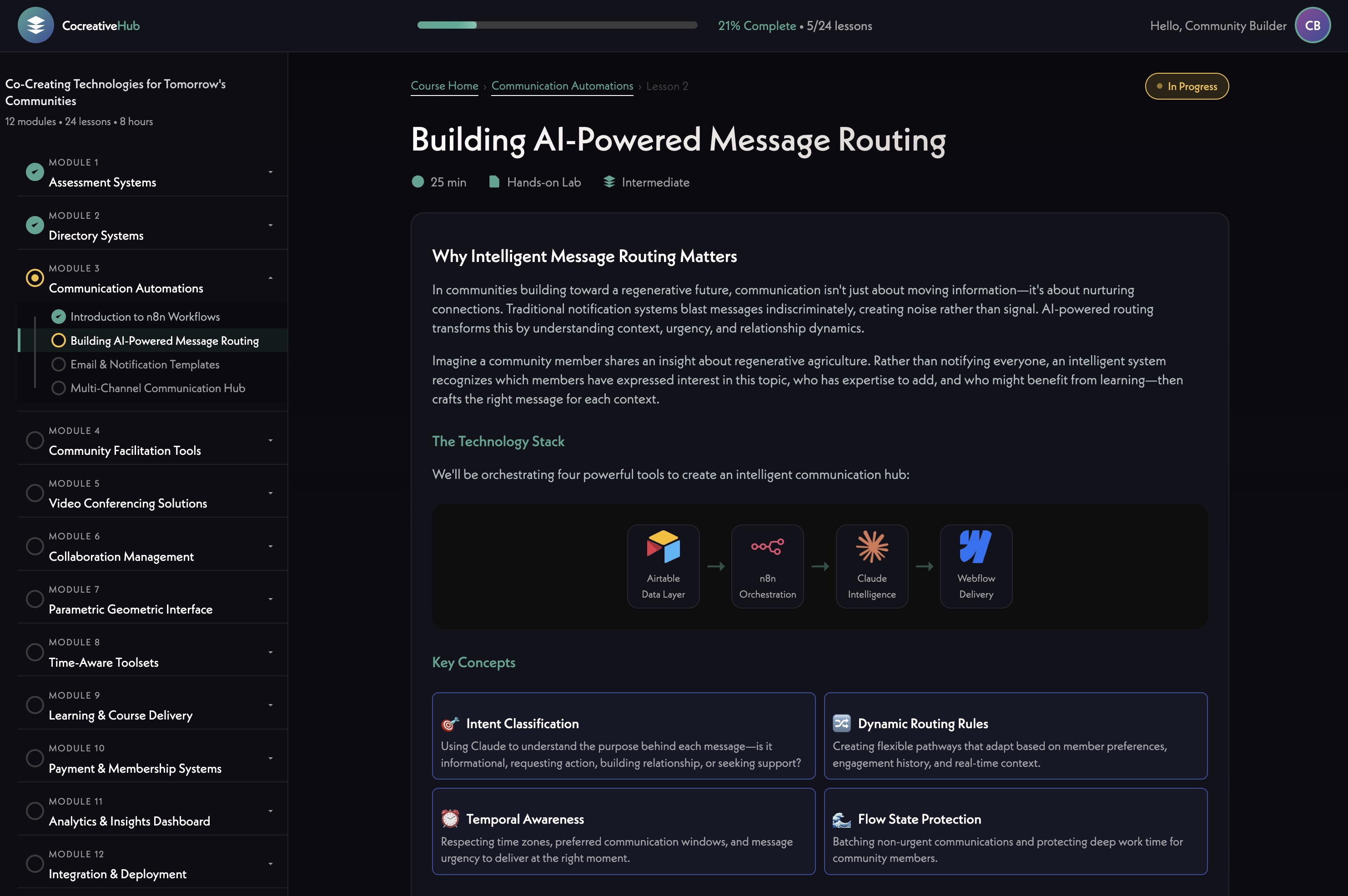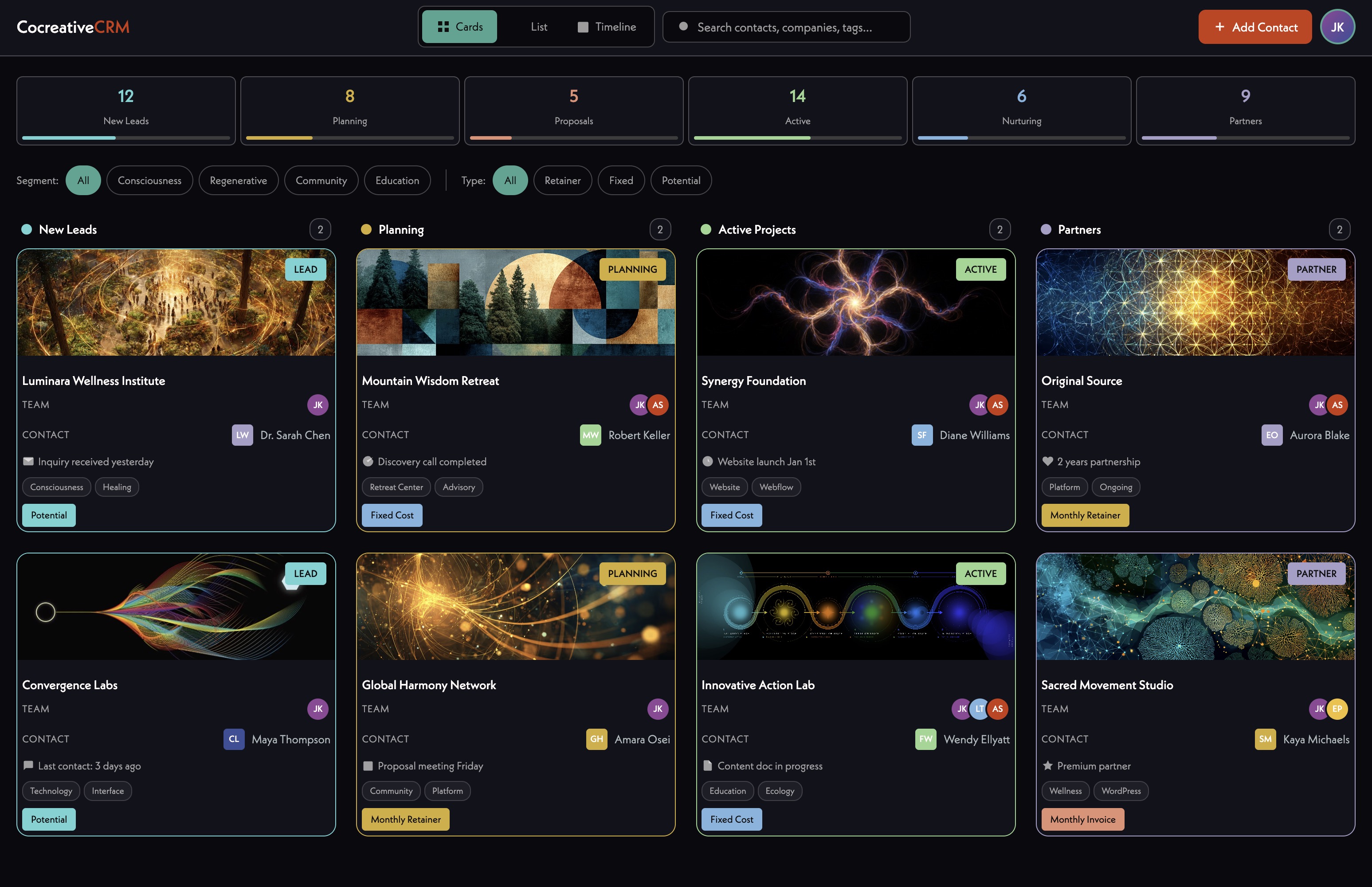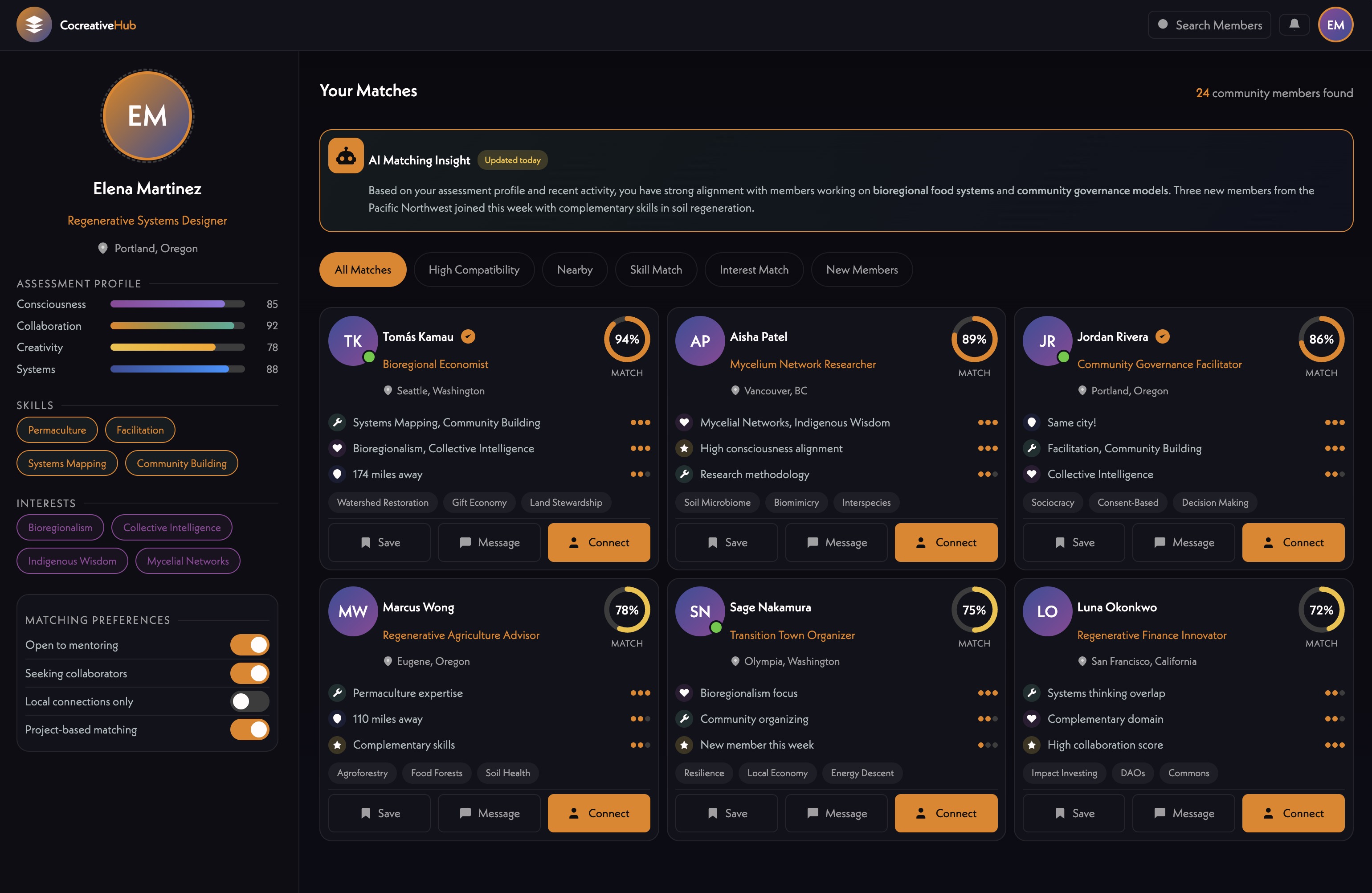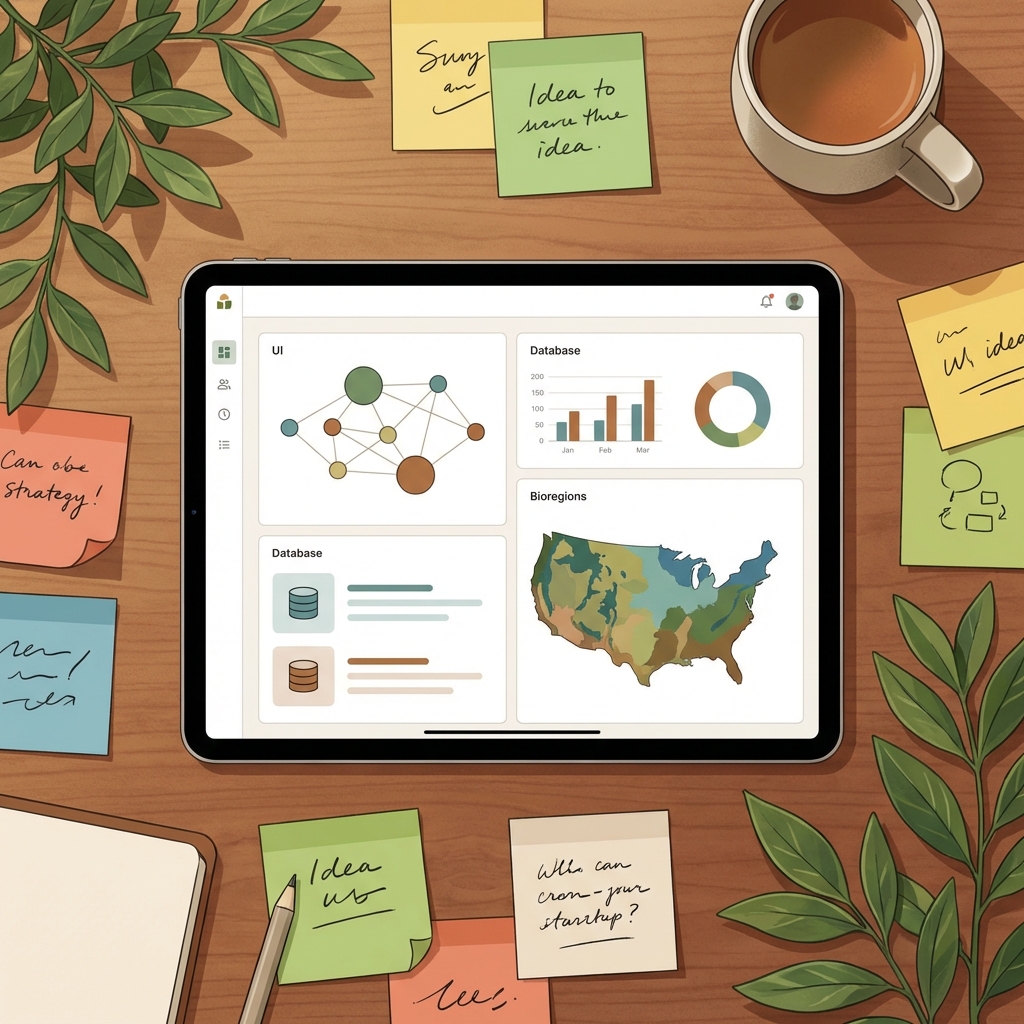


James walked Tess through the foundational structure of the Gaia Warriors [tag="airtable"] database, establishing core tables for profiles, contacts, towns, bioregions, and categories. The goal is to build a living CRM and content management system that will eventually sync directly with the website — so that content managed here gets pushed to the live site automatically (01:03:17).
Tess contributed an initial list of profile categories off the top of her head, including healers, communities, events, retreats, workshops, schools, organic farms, restaurants, projects, creatives, service providers, and teachers. James noted these can always expand, and the recommendation was to start broad and refine over time (00:36:07).
[technology="Directory Systems"]
James demonstrated Airtable's table-linking capabilities to build a clean primary category → subcategory → tag hierarchy (00:40:41). For example, Service Provider is a primary category, Graphic Design and Plumber are subcategories, and something like holistic wellness or yoga would live as a tag. This structure keeps the directory browsable at a high level while still being filterable down to specific offerings.
Tags can be both suggested and user-created — members will be able to choose from existing tags or add their own when creating profiles (00:44:13). The takeaway: categories handle structure, tags handle specificity, and together they eliminate the need for an overwhelming number of subcategories.
Towns and bioregions were added as dedicated tables to support location-based filtering (00:48:55). James noted that bioregions are particularly meaningful for this community — towns in the same bioregion share agricultural, ecological, and cultural context that a country or state designation wouldn't capture. He has a world map of bioregions ready to help seed this table with sensible boundaries.
Contact records can be affiliated with multiple towns (e.g., someone based in Philadelphia who also spends time in Asheville), and fields like population, elevation, time zone, and description can be stored privately for organizational use without being surfaced publicly on the site.
A Mystery School (or Wisdom School — name TBD) table was set up to manage courses, with a linked lessons table tracking individual content units (00:53:54). Each lesson can carry a release date, video link, content description, and ordering. Status fields — Idea, Planning, Development, Live — allow Tess to manage the pipeline, and when a course is ready to launch, simply flipping the status will push it to the site (01:03:17).
Tess confirmed the initial launch model: one video released per week for live participants, with full access available to members who join later (00:57:26). The team also noted that membership tiers will gate content — with higher tiers unlocking material unavailable to lower tiers — and this access logic will be built into the platform architecture.
[technology="Online Learning Platforms"]
[technology="Custom Membership System"]
James demonstrated how Claude [tag="claude"] can be connected directly to Airtable [tag="airtable"] via the Connectors feature (01:07:41). With a paid Claude plan, Tess can prompt it to do research, generate profile descriptions, add records, and apply tags — all directly into the base. James showed results from his own weekend experiment: Claude populated ~85 records with descriptions, reasoning, tags, and category assignments. The one limitation was image sourcing, which still required manual effort.
[technology="Communication Automations"]
Tess was encouraged to reactivate her paid Claude plan to unlock this workflow. Airtable's built-in Omni AI tool is also useful for structural tasks like adding fields and tables, though it has credit limits.
The team discussed whether to offer separate personal and business/organization profiles or a single unified profile type (01:14:16). The consensus leaned toward eventually supporting both — where a user account (e.g., James) can manage one or more business profiles (e.g., Iris Cocreative [tag="iris"]) — but keeping the initial launch simpler.
For the directory itself, the approach will be minimal social features at launch: searchable profiles with category and tag filtering, contact information, and a simple message button. No full social networking (01:18:03). The one social-adjacent feature Tess wants is a topic-specific forum tied to monthly challenges (e.g., a zero waste challenge where participants share photos and reactions) — distinct from the directory and scoped to specific community activations.
Profile moderation will be handled through Airtable status fields — admins can take profiles offline, add missing tags, or enrich sparse entries created by users (01:04:45).
James introduced Figma Jam as the visual counterpart to Airtable's structured data — a freeform whiteboard where the team collects mood board references, brand notes, color explorations, and eventually sitemaps and wireframes (01:21:10). Tess has been invited and can leave sticky notes, circle things she likes, paste in screenshots, and comment on what resonates.
Munia (designer) has already populated the board with brand direction notes pulled from previous sessions, additional inspiration references, initial color palette explorations, and font options. Tess was encouraged to spend time in the board, leave feedback, and add her own visual references — especially around colors, where she can duplicate swatches and tweak hex values directly (01:25:49).
The Figma Jam board will evolve from mood board into sitemap sketches and eventually wireframes — boxy at first to establish structure, then refined into the organic, spiraling aesthetic the brand is building toward.
---
James Redenbaugh
Tess (Gaia Warriors)
James walked Tess through the foundational structure of the Gaia Warriors [tag="airtable"] database, establishing core tables for profiles, contacts, towns, bioregions, and categories. The goal is to build a living CRM and content management system that will eventually sync directly with the website — so that content managed here gets pushed to the live site automatically (01:03:17).
Tess contributed an initial list of profile categories off the top of her head, including healers, communities, events, retreats, workshops, schools, organic farms, restaurants, projects, creatives, service providers, and teachers. James noted these can always expand, and the recommendation was to start broad and refine over time (00:36:07).
[technology="Directory Systems"]
James demonstrated Airtable's table-linking capabilities to build a clean primary category → subcategory → tag hierarchy (00:40:41). For example, Service Provider is a primary category, Graphic Design and Plumber are subcategories, and something like holistic wellness or yoga would live as a tag. This structure keeps the directory browsable at a high level while still being filterable down to specific offerings.
Tags can be both suggested and user-created — members will be able to choose from existing tags or add their own when creating profiles (00:44:13). The takeaway: categories handle structure, tags handle specificity, and together they eliminate the need for an overwhelming number of subcategories.
Towns and bioregions were added as dedicated tables to support location-based filtering (00:48:55). James noted that bioregions are particularly meaningful for this community — towns in the same bioregion share agricultural, ecological, and cultural context that a country or state designation wouldn't capture. He has a world map of bioregions ready to help seed this table with sensible boundaries.
Contact records can be affiliated with multiple towns (e.g., someone based in Philadelphia who also spends time in Asheville), and fields like population, elevation, time zone, and description can be stored privately for organizational use without being surfaced publicly on the site.
A Mystery School (or Wisdom School — name TBD) table was set up to manage courses, with a linked lessons table tracking individual content units (00:53:54). Each lesson can carry a release date, video link, content description, and ordering. Status fields — Idea, Planning, Development, Live — allow Tess to manage the pipeline, and when a course is ready to launch, simply flipping the status will push it to the site (01:03:17).
Tess confirmed the initial launch model: one video released per week for live participants, with full access available to members who join later (00:57:26). The team also noted that membership tiers will gate content — with higher tiers unlocking material unavailable to lower tiers — and this access logic will be built into the platform architecture.
[technology="Online Learning Platforms"]
[technology="Custom Membership System"]
James demonstrated how Claude [tag="claude"] can be connected directly to Airtable [tag="airtable"] via the Connectors feature (01:07:41). With a paid Claude plan, Tess can prompt it to do research, generate profile descriptions, add records, and apply tags — all directly into the base. James showed results from his own weekend experiment: Claude populated ~85 records with descriptions, reasoning, tags, and category assignments. The one limitation was image sourcing, which still required manual effort.
[technology="Communication Automations"]
Tess was encouraged to reactivate her paid Claude plan to unlock this workflow. Airtable's built-in Omni AI tool is also useful for structural tasks like adding fields and tables, though it has credit limits.
The team discussed whether to offer separate personal and business/organization profiles or a single unified profile type (01:14:16). The consensus leaned toward eventually supporting both — where a user account (e.g., James) can manage one or more business profiles (e.g., Iris Cocreative [tag="iris"]) — but keeping the initial launch simpler.
For the directory itself, the approach will be minimal social features at launch: searchable profiles with category and tag filtering, contact information, and a simple message button. No full social networking (01:18:03). The one social-adjacent feature Tess wants is a topic-specific forum tied to monthly challenges (e.g., a zero waste challenge where participants share photos and reactions) — distinct from the directory and scoped to specific community activations.
Profile moderation will be handled through Airtable status fields — admins can take profiles offline, add missing tags, or enrich sparse entries created by users (01:04:45).
James introduced Figma Jam as the visual counterpart to Airtable's structured data — a freeform whiteboard where the team collects mood board references, brand notes, color explorations, and eventually sitemaps and wireframes (01:21:10). Tess has been invited and can leave sticky notes, circle things she likes, paste in screenshots, and comment on what resonates.
Munia (designer) has already populated the board with brand direction notes pulled from previous sessions, additional inspiration references, initial color palette explorations, and font options. Tess was encouraged to spend time in the board, leave feedback, and add her own visual references — especially around colors, where she can duplicate swatches and tweak hex values directly (01:25:49).
The Figma Jam board will evolve from mood board into sitemap sketches and eventually wireframes — boxy at first to establish structure, then refined into the organic, spiraling aesthetic the brand is building toward.
---
James Redenbaugh
Tess (Gaia Warriors)
00:03:41
Gaia Warriors: This meeting is being recorded. Hi.
00:17:26
James Redenbaugh: Hi, Tess.
00:17:29
Gaia Warriors: Sorry. I'm so sorry.
00:17:31
James Redenbaugh: That's okay. How are you?
00:17:33
Gaia Warriors: I'll put. I'm gonna put alarms on. Next time I'll put an alarm on.
00:17:37
James Redenbaugh: Okay.
00:17:39
Gaia Warriors: Because it's just. They're different each week and then I thought this week was the same time as last time, but it's not. Wasn't.
00:17:45
James Redenbaugh: Sorry about that. That's okay. I'm just working away over here.
00:17:52
Gaia Warriors: Okay.
00:17:53
James Redenbaugh: How are you doing?
00:17:55
Gaia Warriors: I'm pretty good. I did my last brain spotting session next week. Last. Yesterday, which was good.
00:18:03
James Redenbaugh: Are you spot free?
00:18:07
Gaia Warriors: Well, I don't know if. I don't know. I don't actually know how to get spot free. But pretty. I'm. I'm in a. Pretty good. Yeah, pretty good. Feeling pretty good about it.
00:18:18
James Redenbaugh: Awesome.
00:18:20
Gaia Warriors: How about you? How are you doing?
00:18:22
James Redenbaugh: I'm pretty good. Yeah. I've been building lots of cool stuff. Lots going on.
00:18:30
Gaia Warriors: I know. How many of you built that thing in three days? That's crazy.
00:18:34
James Redenbaugh: I know. Wanted to be. It's very cool together.
00:18:43
Gaia Warriors: And how did you get all the connections for all those contacts?
00:18:49
James Redenbaugh: I'm not connected to most of them. I just found them and put them on there. I hope they're okay with that, but I don't know who's going to see this anyway.
00:19:06
Gaia Warriors: You already had all those connections of all those people?
00:19:10
James Redenbaugh: No, most of them I don't know. So. A lot of them I do, but
00:19:13
Gaia Warriors: did you just Google and find those names?
00:19:17
James Redenbaugh: Yeah, yeah. I did a bunch of research and found different people and created profiles for them.
00:19:27
Gaia Warriors: Cool. I'm gonna move outside and then I'll. Yeah. But I can still talk while I mute.
00:19:33
James Redenbaugh: Cool. Where are you right now?
00:19:37
Gaia Warriors: I figured I'd much rather. I'd rather be outside and talk to you than inside. There's a. There's a building in Nevada City that's like used to be an old office block and during COVID it emptied out and I. The guy used to manage it died. And then so I was just here with like one other person and then so I reached out to the landlord and I was like, hey, I've been here quite for a bit and I can fill up the whole building with. I can fill all the. Build like all the rooms up in this building with people and I can manage it for you. And then she was like, yeah, I'll give you a free room. So I got like the biggest, best room in the whole building and. And then I just filled it with like artists and healers and musicians. And activists and all, like, cool people in the community. And then a bunch of us started living here, and we just, like, live in this big office block where. Yeah, cool. Yeah, that's awesome.
00:20:38
James Redenbaugh: How many people?
00:20:41
Gaia Warriors: Well, there's about 30 spaces, but I'd say only about half of the people live here. Half of them just use it as an office space. But then, yeah, these, like, people came that bought the building about two years ago, and so I don't actually manage it anymore. I just kind of. I. I'm the one that fills. Fills in the room. So when an. When a room becomes empty, I find the replacement. So I'm still filling it with cool people, but I don't manage.
00:21:23
James Redenbaugh: Oh, you're breaking up there. Hello.
00:21:47
Gaia Warriors: Oh, I don't know what happened there.
00:21:55
James Redenbaugh: I took a bite of my sandwich.
00:21:56
Gaia Warriors: Yeah, because I. I'm actually on. I'm gonna. I haven't eaten today, so I was gonna make myself some breakfast while I talk to you.
00:22:04
James Redenbaugh: Oh, great. Go for it. That's so cool. That sounds awesome. It's so funny. There's so many parallels with Montaya because we did co living as well for a long time. Actually, the co living part is still. Is still going on in the Eastern Sierra. Oh, I lost you again. There you are.
00:22:54
Gaia Warriors: I wonder if I'm too far away since I have three bars of Internet.
00:22:59
James Redenbaugh: It's. It's working now.
00:23:01
Gaia Warriors: Well, if it happens again, I'll just have to move closer.
00:23:05
James Redenbaugh: All right, we'll see. Cool. I was just saying it's. It's awesome to learn that you're doing co living. Also, we did co living at Montaya, and that's still going on. Actually, our. Our co living project in the Eastern Sierra. Oh, no. I think it cuts out every, like, 30 seconds. It works for a minute.
00:23:32
Gaia Warriors: Oh, man.
00:23:37
James Redenbaugh: Fury.
00:24:50
Gaia Warriors: It's. Okay. I'm just gonna be inside.
00:26:42
James Redenbaugh: Sorry, it.
00:26:45
Gaia Warriors: Sorry.
00:26:48
James Redenbaugh: That's okay. Sorry that you have to be inside.
00:26:52
Gaia Warriors: It's okay. I mean, I don't understand because I've been. I've worked on my computer outside, but I don't know. I guess the WI fi is just weird. But it's okay. I can still. My room is still beautiful. I have lots of plants in it. I have, like, 50 plants in my room.
00:27:12
James Redenbaugh: Awesome. Cool.
00:27:21
Gaia Warriors: Okay.
00:27:24
James Redenbaugh: All righty. Cool room. You play guitar?
00:27:30
Gaia Warriors: I mean, I used to play, like, every day, but I haven't played in probably over a year because I just. I just got too much. I'm trying to accomplish in my life right now, but I'm like, after the launch, I feel like I can work less and have more time to play guitar. Oh my God, you're. Wow. It says that we have the best Internet in the country. Okay. I've just put in the hardwire Ethernet cable, so it should not do it again.
00:28:26
James Redenbaugh: Cool. Yeah. That's so weird. I hope. I wonder what's up. I'll just text him. You.
00:28:32
Gaia Warriors: I don't know. I've made so many complaints about this Internet. I hate it. It's like, it's because we're out in the countryside. We just, I guess we don't have that many good options. And they say this is the best fiber optic in the cut in the area. And we pay like 500 bucks a month for this Internet. But it's, I find it really. So I, I, I got the guy to rig me ethernet cables in my recording room and in my own personal office so that I'm always connected to the Ethernet instead of the WI fi. I find the WI fi awful and unreliable and horrible. But yes, I'm, I'm connected now, so we should not have this problem again.
00:29:16
James Redenbaugh: Cool. Great. Well, here we are.
00:29:21
Gaia Warriors: Thanks for being patient.
00:29:23
James Redenbaugh: No problem. No problem. That's okay.
00:29:29
Gaia Warriors: It's 1, 2, 3, 4.
00:29:31
James Redenbaugh: Oh, perfect. Right on time. Right on time.
00:29:39
Gaia Warriors: So, yeah, do you want to do the airtable thing?
00:29:43
James Redenbaugh: Yeah, let's start with that.
00:29:50
Gaia Warriors: So, because I, I, when it said build the app, I clicked on that and then it started, it did like some AI thing and then it asked me what I'm trying to do and I said a directory of change makers or whatever. And then it started giving me all this information on how to do that, and so I was like, okay. So I just kind of stopped there.
00:30:13
James Redenbaugh: Yeah, you don't have to worry about that. I mean, it's got this, this Omni tool. I never really use it. I was just trying it out. But we can get this set up. So I've added, I, I just added towns at the, the Omni to help me out, actually. And contacts and bioregions. And then we might want to add like initial, maybe this we can call like initial initial profiles. And so those will be basically the first people populating the directory.
00:31:10
Gaia Warriors: Okay.
00:31:12
James Redenbaugh: So they'll have a description. We don't need that signing field. We can.
00:31:22
Gaia Warriors: Do you want me to then put in the categories?
00:31:27
James Redenbaugh: Yeah. Categories. Yeah. What. Let's add a table for categories. Actually. What are the, what are the categories going to be?
00:31:38
Gaia Warriors: Yeah, I have it written down. Right here. Okay. No, Okay. Well, I guess I can tell you off the top of my head, healers. And okay, so communities, events, Retreats, workshops, Schools, Organic farms, Restaurants.
00:33:20
James Redenbaugh: Okay.
00:33:22
Gaia Warriors: And then I guess stores, but conscious stores. I don't know if I should name that, but I'll need to think about that one a bit more. Projects. So I guess because I want to, you know, name out the different nonprofits and stuff. So maybe we could just put. Yeah, just projects for now. And.
00:34:04
James Redenbaugh: What about like creatives, like artists, carpenters, builders.
00:34:14
Gaia Warriors: Yeah, yeah, yeah, yeah.
00:34:16
James Redenbaugh: Should I just call them creatives or creators?
00:34:19
Gaia Warriors: Yeah.
00:34:22
James Redenbaugh: Cool.
00:34:27
Gaia Warriors: Yeah. Because then I also want to list people that are like, I don't know because that's kind of broad. But like, like for instance, in my building I have people that are helping people with like the. The sovereignty paperwork, you know,
00:34:51
James Redenbaugh: So I guess service providers. So like those kind of consultants or even like a plumber, you know, like, what if somebody in your community is really down with all this stuff and they happen to be a plumber, you know, and. And somebody else gets on here and. And they need a plumber. Would they rather hire some random person or somebody like in this network?
00:35:23
Gaia Warriors: Yeah, well, that's. You're totally on it. And that's because what I wanted people to. When they do their profile, I want them to write what skills they have. So that would come up as that
00:35:38
James Redenbaugh: Cool.
00:35:40
Gaia Warriors: But yeah, service providers. That's a great. Yeah, Yeah. I'll probably think of more as we get on, but maybe we could. Leave it with that. I guess I was going to put one as teachers too. Teachers, you know.
00:36:07
James Redenbaugh: Oh, yeah, yeah. We can always add more.
00:36:11
Gaia Warriors: We can always add more. And I'm pretty sure this is going to be something that evolves as we keep going.
00:36:31
James Redenbaugh: So what's cool about Air Table is how we can link between tables. It's one of the major advantages over like a normal spreadsheet in Excel or something like that. So I can add. Here I'm in the profile table. I can add link to context field. And I'll call this admin actually. And we'll skip the lookup. And so this way here I'll add myself as a contact redenbach my email. You know, you don't have to put everything in if you have their phone number that can go in there and give them a. A role. Let's say I'm an ambassador.
00:37:49
Gaia Warriors: Are you gonna be my Philadelphia ambassador?
00:37:52
James Redenbaugh: Oh, yeah, definitely.
00:37:55
Gaia Warriors: That's awesome. I already got. My brother said he will do London.
00:38:00
James Redenbaugh: Oh, cool.
00:38:02
Gaia Warriors: When we eventually branch out to Europe, it'll do that for me.
00:38:07
James Redenbaugh: Great. So here I've created a record for Iris Co Creative and then I can put myself as the admin and then that's connected and I just put in those categories as profile categories. So I can say IRS is service provider, I guess.
00:38:33
Gaia Warriors: Yeah, I think we. Yeah, I want to get better categories for people. Does it matter if you have a lot? Does it get too complicated when you have too many or.
00:38:45
James Redenbaugh: Well, let's start broad and then we'll narrow down because we can have different kinds of distinctions. So I'm also going to make a table for tags here.
00:39:00
Gaia Warriors: Yeah, that would be great. And, and like, how does it, does it get too convoluted when you do like categories and then subcategories.
00:39:13
James Redenbaugh: With any of these things? It can, but we can design a, a data schema that makes a lot of sense. So subcategories can, can, can totally work. And so let's play with that now. So I have this type field in profile categories and let's add different types. So I'll say primary category and subcategory. And then what did I override? Specialize general. I'll just add them here. We also have these other types we can play with. And I'll make this a multiple select, so you can have multiple things in there. And then I'm going to add another field referencing this one, the same table. So I can say sub category of. And then this field which was automatically added is going to be parent category of. So then this way if we have service providers, let's say that is a. Primary category. Then I added that to create. Which could also be primary.
00:41:11
Gaia Warriors: Oh, cool. Because then we could go from like service providers and then we could do like tick, blah, blah, blah and add the different fields or maybe or something.
00:41:20
James Redenbaugh: Exactly. So I could say graphic design is a subcategory and it's a subcategory of service provider. And then automatically this is also showing me the subcategories that are connected to service provider.
00:41:51
Gaia Warriors: What is parent category of? What does that mean?
00:41:55
James Redenbaugh: So it means service provider is the parent category of graphic design.
00:42:00
Gaia Warriors: Oh, okay, cool. Oh, awesome. Okay, I got it.
00:42:06
James Redenbaugh: Yeah, and let me just add another one. So like plumber, subcategory, service provider, and then let's addation teachers, or let's go with singular definitions here. Subcategory of teachers.
00:42:47
Gaia Warriors: Okay, so this is my homework. I'm going to give you a comprehensive list. Or I can just fill it in myself. Huh?
00:42:54
James Redenbaugh: Exactly. You can fill it in yourself. And this could make it easy as well. So If I group by subcategory of, then I see things organized. Then I see my primary categories up here and subcategories down here.
00:43:15
Gaia Warriors: Group by
00:43:17
James Redenbaugh: primary category and then I can easily add more teacher subtypes. Yoga teacher. So I would just be liberal in your. Oops. In your classification and entry. And then we can always refine later.
00:43:43
Gaia Warriors: What do you mean by liberal?
00:43:46
James Redenbaugh: I mean, like, go ahead and create more categories than we'll probably end up needing.
00:43:51
Gaia Warriors: Okay.
00:43:55
James Redenbaugh: And then also we should have tags as well.
00:44:00
Gaia Warriors: Yes.
00:44:01
James Redenbaugh: So as you create things and are
00:44:05
Gaia Warriors: they going to be like suggested tags or someone just makes their own?
00:44:10
James Redenbaugh: Both.
00:44:11
Gaia Warriors: Yeah.
00:44:13
James Redenbaugh: So people can make their own, but then they can also choose from existing tags.
00:44:22
Gaia Warriors: Okay.
00:44:24
James Redenbaugh: And for tags, all we need right now is really name, maybe slug. You can always add more fields if you want to add more information. Don't worry about slugs for now.
00:44:42
Gaia Warriors: What is.
00:44:43
James Redenbaugh: What's a slug? A slug would be on the website. So if a tag is like holistic wellness, then on the website the URL would just look like that instead of having capitals and spaces.
00:45:05
Gaia Warriors: So okay. Okay.
00:45:11
James Redenbaugh: Some people spell holistic with W. Some people do. Don't.
00:45:16
Gaia Warriors: I like the W. Oh, yeah, that's true. I never thought of that.
00:45:22
James Redenbaugh: So then if you have tags like, you know, yoga can be a yoga teacher could be a profile category, but it could also be a tag. So if somebody is a here, I'll say like Asheville, still Nashville. Asheville Yoga Studio is a yoga teacher? No, it's not a yoga teacher. It's a retreat center. Now we might want to add a category for retreats, which we can do from here. Instead of having to go back to profile categories, I can just click the plus sign and say retreat center, which might be a subcategory of like place or community. Yes, yes. But for now I'll just add that. And then I could also add a link to tags here. And I can add the yoga tag just like that. So, you know, it's a retreat center with a yoga tag. And then maybe we don't need a category of like yoga retreat center because.
00:47:07
Gaia Warriors: Oh yeah, that makes it more. Way more.
00:47:10
James Redenbaugh: Yeah, people can still find that. And we might, you know, decide that for other categories as well. So, like, maybe we don't need a graphic designer category if we have a service provider or, you know, maybe there's like a general subcategory and service provider for like design, but then there's a tag of.
00:47:34
Gaia Warriors: The tag can be the most specific.
00:47:37
James Redenbaugh: Exactly. Okay, so we can't have Too many tags on the website. We can have so many tags. And we can add tags to different kinds of things as well. So here's a list of towns that you can start populating as well. What are the initial towns that we want to add? And I can add tags in here and, you know, some tags might apply to a specific town as well, like. Whatever we want to decide. Asheville is in, you know, Appalachia, make an Appalachian tag or, you know, it's in a red state or it's North Carolina or whatever.
00:48:37
Gaia Warriors: Right. I definitely don't want to do the red state.
00:48:41
James Redenbaugh: Yeah.
00:48:41
Gaia Warriors: My separation.
00:48:44
James Redenbaugh: Yeah.
00:48:45
Gaia Warriors: But, yeah, I see what you mean. I think that's awesome. I like the idea. I feel like it makes it a little neater.
00:48:53
James Redenbaugh: Exactly.
00:48:55
Gaia Warriors: More simplified.
00:48:59
James Redenbaugh: So here I'm adding a town. It's in the usa, obviously. Don't worry about latitude and longitude. We'll add those when we want them on the map. You can choose an ambassador, you know, who's your multiple ambassadors, who's going to be the. The contact person for that. And that links to contacts over here. You can add an image. I don't know if we'll want to track this, but, you know, we can add data that may or may not be shown on the website, like population, we can give a description to the town. There's also founding date and elevation, time zone, things that might be helpful at some point. You know, more information is better than less. And then I've added this bioregions cable as well, which I just thought could be an interesting distinction, especially as the. The list of towns grows where bio grows beyond the country, where bioregion could be a more helpful distinction than say, country or towns in the same bioregion. Will have certain similarities, especially when it comes to like farming and agriculture and food.
00:50:41
Gaia Warriors: And I totally think that's relevant. Yeah, I think bioregion is great.
00:50:46
James Redenbaugh: Cool. And so I can help you populate a list of bioregions that makes sense because there's lots of different ways to draw the lines. And I've actually got a. A world map of bioregions over here. Got about a dozen.
00:51:13
Gaia Warriors: Oh, because you were born to do this, James.
00:51:18
James Redenbaugh: Yeah, exactly. And then you can add your contacts in here and you can add, if you want, like, you know, always add a new field. Like let's add a URL field for Instagram profile or Instagram handle whatever you want to do. Couldn't hurt to have both. If you have that information as you're going through your contacts or things like that, so that this can be your CRM moving forward. So any information you have about the, the people, you can go ahead and include it in here. And it doesn't mean that you know any or all of this is going to end up on the website. This can be just for you to organize your contacts and help plan things. It doesn't mean that like my email is going to end up publicly available on the, on the website. My phone number.
00:52:40
Gaia Warriors: Mm.
00:52:45
James Redenbaugh: And people can be in multiple towns. Philadelphia. And as you're going through things, if it makes sense to add a new distinction like home base, for example. My home base is in Philadelphia, but maybe I spent a lot of time in Asheville or spent a lot of time in Boulder or something like that. And you want to, you want to put that down, then go ahead and make a field for that. Cool. And then what else do we want to track? Let's also make a table for. The learning side of things. So maybe we want to call this courses. Mystery school. Mystery school, Mystery School, Wisdom School, streams, whatever you want to call it.
00:54:00
Gaia Warriors: I might change that, but we can just do it for now.
00:54:03
James Redenbaugh: Yeah. And this is where you can keep track of the different courses or areas or streams or whatever you want to call them that'll eventually be on the website that people can find. So and then we're going to want. Links to teacher who is the main teacher or teachers in that course. And you may even want a field or make the distinction for administrator who's in charge of managing that course. And you know, initially that might be you, but long term you're going to want others to step into that. So definitely you can create the framework for that now and we can have an image. Worry about assignee description. Let's call this description and content. And I'm going to enable rich text formatting on this field. So when you get into adding this course content, this description field can become quite detailed and you can use headlines and. Different formatting things to help keep your information organized. So like let's have a, A lesson list here. Then I'll start a list and someone lesson two things like that. And then you can even link to, you know, is there a YouTube video or whatever? Google Doc, you can add links right in there and we can even do checklist.
00:56:57
Gaia Warriors: I was thinking for the initial course that I wanted to, I'm only going to release like one video a week. I just do it like that. And then obviously people that join later on, they'll have access to the stuff and they can watch whenever they want. But for the people like the launch and the live. We're going to just do one a week together.
00:57:26
James Redenbaugh: Yeah. Yeah, you think so much bread however you want to do it. And you can even add. Let's do like this. One sec. Going to add some statuses in here. It. Okay then I'm. I'm just going to call this courses for now. Keep it simple.
00:58:42
Gaia Warriors: I wonder if when each person does the. Becomes a member, I'm gonna have to like, we'll see which tier they are because I'm gonna have different tiers, right? The free tier and then the paid tier and even the pay tier is gonna have like a range of like, like the highest pay tier gets access to stuff that a lower tier wouldn't.
00:59:15
James Redenbaugh: Totally. So I'm having Omni here make another table for lessons and there you can actually organize your content by week. So.
00:59:44
Gaia Warriors: Cool. Yeah, that would be very helpful.
00:59:47
James Redenbaugh: This lesson is. A part of course one. You know what, what's the release date that it becomes available? What's the content? Is there a video component? Can you put that link in there? Is there an image? What's the order? Things like that.
01:00:17
Gaia Warriors: And then so how, how, how does this format look for the user? Like for the courses?
01:00:26
James Redenbaugh: However we want. That's. We'll build the front end of that. So. But basically something like this, This course has different modules. I can see the lessons over here. I can mark things as done. And so for the user, if they're in the course, these lessons would become available every week, but then they would stay in this navigation over here. And then the lesson, this just has text, but it could have a video, text, whatever. And this one even tracks not only if I've marked it as complete, but even if I've visited the page and scrolled to the bottom.
01:01:29
Gaia Warriors: Awesome. It looks so fancy. I like it.
01:01:33
James Redenbaugh: Cool. Great. And you know, of course it'll be tailored to your design and look a lot more organic and interesting. So, yeah, lessons can go on here. One second. Let's see if Omni will do this for us. Cool. I did it. So it didn't do the colors, but that's okay. I like my colors. So. You can use the status field to keep track of the actual status of these different things. So if you have ideas for future courses, just put it in here as an idea.
01:03:17
Gaia Warriors: Okay.
01:03:17
James Redenbaugh: If you're, you know, some, if you're planning, you know, if it's something that you know that you are going to want to implement in the near future, put it into planning. If you're actively Working on it in development. Yeah. And then when it's live, we'll put it live, and then we can even connect those fields and the whole database to the live site so that when you launch a new course, all you have to do is change the status here and all this content will get pushed to the site.
01:03:55
Gaia Warriors: Oh, wow, cool.
01:03:57
James Redenbaugh: Yeah. Or a new lesson or profiles. And so the. The information that you start putting in here now will eventually connect to the website and it will get synced so that you can continue to use this tool to manage content. Even as users create their own profiles, they'll also show up here. So if you need to. Modify things or add details or let's say initial users create a profile. But it's like kind of sparse information. If you want to go in and just add more context or like, they didn't select any tags, but maybe you want to go in and select some tags for them and things like that. You can do that here. Or if somebody. Is just like, well, you probably want to approve profiles before they go live on the site, but let's say somebody's password was stolen and somebody's just using it to spam, then you can go in and administer it here and take a profile offline if you need to, or whatever you want to do. So we'll use statuses the same way here as well. Cool. All right, any questions about any of that?
01:06:02
Gaia Warriors: If I want to start using AI to populate some of these things for the directory, is there like a. Do I just ask AI to give it to me enough? Is there a format or something that AI could give it to me that I could just, like, easily migrate it or.
01:06:22
James Redenbaugh: Great question. So which. Which AI are you using?
01:06:29
Gaia Warriors: I mean, I probably would just use Claude.
01:06:33
James Redenbaugh: Great. So. First of all, Omni seems pretty helpful here in airtable. So if you want help with adding a new field or adding a new table or things like that, I'm sure it can do that. And I bet it can also, you know, add records for you. I haven't really tested it out and. And you probably run out of credits eventually. But what's really cool, I'm in an incognito window here, but in Claude, do you have paid Claude plan?
01:07:16
Gaia Warriors: I did, and then I stopped it because I stopped using it. But I can reinstate it.
01:07:21
James Redenbaugh: I'd recommend that, because you can actually connect your Claude right to your airtable. I'll share my screen here. So if I go into connectors, I can turn on my airtable connector.
01:07:41
Gaia Warriors: Oh, wow.
01:07:44
James Redenbaugh: And to do that. You just go to manage connectors and then you can click plus and browse connectors and search for Air Table, and then it'll prompt you through logging in.
01:07:58
Gaia Warriors: Amazing. Wow, that's so cool.
01:08:01
James Redenbaugh: Yeah. And so then you might. You can have IT do research for you here. Let me see if I can find what I was doing with the database I built. This weekend. Oh, yeah. So I'm having a conversation with Claude here about what. What I'm researching. And I shared what I had found already with Claude as context, and I turned on Web search and research. I think I had research on. And then I made sure that it could see my Air Table base. And. I think I had some problems with my connection because I input the wrong API key, but got it worked out. And then it. Yeah. So it found. Here we can see 85. Oh, here I'm asking it to add images. It did not do a good job of adding images. I added those manually. But I'll show you what it helped me build. So we can see all these records. It created descriptions for each of them. I had IT create reasoning for why it was adding them to the database.
01:10:28
Gaia Warriors: Oh, wow, that's cool.
01:10:30
James Redenbaugh: It tagged the medium. It added tags for me.
01:10:36
Gaia Warriors: Wow. Oh, my gosh.
01:10:38
James Redenbaugh: Yeah. I wanted to know if they're millennial or not, because I wanted mostly millennials. And it. There's predefined categories and people can have multiple categories. So this is grouped by category. Right now, I added the attachments and the example embeds, and I checked a lot of the links. Like, some of the links were good, but some I could find a better link to. But I kept most of the descriptions in there. They were pretty good. And, yeah, worked out. It was very pretty cool. Yeah. Very helpful to have Claude in there working on things.
01:11:28
Gaia Warriors: So the only thing that you said it wasn't good at was the images. Did you just go manually do that?
01:11:36
James Redenbaugh: I did, yeah. I just went through and clicked the links or copied the name and pasted it into Google to find the image. And then you can actually open this up and click Attach file. And if you copy an image, It's not a little bird. Say, this was the artist that I wanted. I can just open up the larger image, right click it and say copy image. And then I could paste that right in there. And I don't know, I'd do it twice, but. And then click upload and then it'll end up in there. As long as it's a JPEG or a png, I'm Wondering though,
01:12:42
Gaia Warriors: because, like, am I gonna be. Because obviously with the categories, like with restaurants and blah, blah, I'd love to have the images of that. But I'm wondering if like people are creating their own profiles. If I'm not gonna be populating all this stuff. People are just going to create their own profiles, right?
01:12:57
James Redenbaugh: Yeah, yeah. I think for now we just want to get some initial profiles for testing and design and you want to populate things like towns and you know, like seed it with some, some likely stuff. And then when we launch, we, we can reach out to those people. Like we'll put a yoga studio profile on there and say, hey, we created this thing, we put this, you know, your profile on here already. Do you want to make an account? And if not, no worries. And if you want us to take this down for whatever reason, of course we can. But I imagine that people would be happy to have free advertising and exposure.
01:13:54
Gaia Warriors: We're totally going to be helping them out.
01:13:57
James Redenbaugh: Yeah. And if there's stuff's already on there, it's lower barrier to entry. And then eventually, of course, people will just be creating their own, their own profiles and uploading their own images and stuff.
01:14:13
Gaia Warriors: Cool.
01:14:16
James Redenbaugh: Cool beans. We also want to think about will we have, What major profile types are we going to have? So are we going to have user profiles that are separate from like business and organization profiles, but connected, or will it be one profile type where, you know, I could have a profile for Iris co Creative, but do I also want to profile as James?
01:15:01
Gaia Warriors: Right, a good point.
01:15:05
James Redenbaugh: And it's like if. And also we could kind of plan to do personal profiles in the future if we want to keep it simpler initially because, you know, the more things we add, the thinner our scope becomes or the, you know, the more we have to spread our attention over too many features, then the less attention any one feature gets. But something to think about as how, how do like businesses exist with people on there? And you know, what, what role do people serve on the platform? Because like, if I'm in a course, for example, do I want a profile on, on there and what I want that to be Iris or would I want that to be James is taking the course? You know, and if it's. It could be James taking the course. I have an account and a login and it's James and I have a profile that I manage, that's Iris. Maybe I have multiple, you know, maybe I have multiple businesses in Asheville and I want to make profiles for each of them, but I want to manage them we could make that possible.
01:16:39
Gaia Warriors: Yeah, like is it possible to have your individual and then the business ones that are connected to it? I don't know if that. How do you would. That would work.
01:16:48
James Redenbaugh: Yeah, definitely. And then we have the question of like how much functionality does that, does that individual profile have? Maybe it's just a little card that shows up on my business profiles or on the other side of the spectrum there's a whole like directory of people where I can meet other people and see what these people are doing and see the businesses that they're connected to or, or try to find people that, that might benefit from, you know, what I'm offering or things like that. I imagine that that's definitely the kind of thing that we, that we want to include. But initially we might want it to be more about putting the, the offerings forward and having less like social features.
01:17:50
Gaia Warriors: Yeah, I mean we, the social feature, we could just keep it as some like, as simple as possible. For now, like the directory is just more for finding the people. I mean we could maybe just have like a message button and that's about it.
01:18:03
James Redenbaugh: Yeah.
01:18:04
Gaia Warriors: And then we could build on later on if we wanted to. But for now it's just like simple. This a directory to find people and find through different tags and categories and seeing their contacts and then being able to message them. And that's about it for now, I think.
01:18:21
James Redenbaugh: Cool.
01:18:24
Gaia Warriors: Yeah. Then it's then, then we're creating a whole social media thing and that's kind of not what we're wanting to do at the moment right now.
01:18:31
James Redenbaugh: Exactly.
01:18:32
Gaia Warriors: Yeah. But I do, the only thing that I want to do is when it like more like a forum type thing like when I do the challenges. Like this month we're doing a zero waste challenge and then so I would like people to take photos or to like oh my God, this was really difficult. Or oh, I found this, you know, like that way of interacting when we do the challenges. Like that's, that's, that's more of the social media thing is around a specific topic.
01:18:59
James Redenbaugh: Cool.
01:19:00
Gaia Warriors: Yeah, cool.
01:19:03
James Redenbaugh: Great. Neato. This is going to be really cool
01:19:14
Gaia Warriors: and very excited about it.
01:19:17
James Redenbaugh: Wow, time is flying. I don't realize we spent so much time on the, the databases. But it's really important and as you get into airtable, I'm sure you'll have all sorts of questions. Feel free to send, send them to me. And also you can.
01:19:38
Gaia Warriors: Do you work from the web or like did you download the airtable app?
01:19:43
James Redenbaugh: I didn't even know there's an airtable app. I just open it in Chrome.
01:19:47
Gaia Warriors: Okay.
01:19:54
James Redenbaugh: What was I gonna do? I can. You can add a comment on things as well, And I'm just using your account, but if you want to leave comments in there as yourself, I should. I should see those as well. But if you have a question, if you're stuck in Airtable, you know, shoot me a text or. Or whatever. I'm happy to help you.
01:20:21
Gaia Warriors: Thanks.
01:20:23
James Redenbaugh: Help you out with that and then
01:20:27
Gaia Warriors: to start using it.
01:20:29
James Redenbaugh: Awesome. And then I actually don't have too much time left, but I want to show you some work we've been doing on the. In the visual dimension. And speaking of apps, new apps to introduce you to. This is Figma. We do a lot of design in. In Figma. It's a big open workspace and I've actually invited you to. To. It's called Figma Jam, which is kind of like a whiteboard version of Figma where we can. Let me see if I can move this to the back. It's a whiteboard version of Figma that's just super easy to use. And you can go in and, you know, draw on stuff, circle things that you like, leave sticky notes, leave comments, and then also just like, drag in images or share links or text or things like that. It's just a big workspace where we can collect stuff and organize things and.
01:22:16
Gaia Warriors: Cool.
01:22:16
James Redenbaugh: It's just easier to use it. More convenient and also cheaper than bringing you into Figma as a designer, because this tool is more built for design. But we can copy the stuff that we're working on right into here so you can see it and engage with it. And right now it's all mood board stuff as well. So we see a lot of the things that we were exploring on our call last week, and when you have time, just kind of read through the text in here.
01:22:52
Gaia Warriors: Okay.
01:22:54
James Redenbaugh: Munia wrote this, and it's kind of what she's gleaning about the brand based on our conversations and her explorations. And she's pulled in some.
01:23:06
Gaia Warriors: No rainbows. That's very funny.
01:23:16
James Redenbaugh: She's pulled in some additional points of inspiration over here, so check these out and you can leave comments on the things that you like the most. And then she's also exploring, starting to explore colors down here. There's some initial font options up here. You know, of course, we don't have to limit ourselves to these two, but would be great if you could just spend some time in here and leave comments and feel free to screenshot other stuff and drag it on Here from your desktop and show up and have fun.
01:23:59
Gaia Warriors: Awesome. And so you sent me the invitation and I can just get in there.
01:24:04
James Redenbaugh: Exactly. Yep. You used to get an invitation and they made you a member. And if you have questions about using this, shoot them my way. And I love it because it's such a, like left brain, right brain, compliment to air table. Where air tables like these grids and they're super rational and.
01:24:27
Gaia Warriors: Yeah.
01:24:28
James Redenbaugh: Logical. Where this is just like free space if you want to draw on here or whatever, you know, you can open it up on your iPad and do sketching or, you know, drop in anything you want. Get creative and. And we'll also use this space to start sketching out the. The sitemap of the website and, you know, what we're actually talking about in terms of structure and, and what we're including. And then we'll start to see, you know, actual wireframes of the pages and, you know, what is it going to look like? What's. What's included on the homepage. It'll be kind of boxy at first just because it's, you know, we're blocking things out. What do we want to put where. But then the final form will be much more organic and spirally, of course.
01:25:34
Gaia Warriors: Yay. That's awesome.
01:25:38
James Redenbaugh: Cool.
01:25:40
Gaia Warriors: And you know where it says that the colors there. How do I, like, add? Like, how did she do the cut? Like, how did that happen?
01:25:49
James Redenbaugh: Good question. So she did these in Figma. But if you want to add your own colors, you can just alt drag or on a Mac, it's option drag. I think one of the buttons to duplicate things. Of course, you can also just copy and paste things.
01:26:07
Gaia Warriors: Okay.
01:26:09
James Redenbaugh: And then click over here.
01:26:10
Gaia Warriors: Okay. And I can choose the colors. Okay.
01:26:12
James Redenbaugh: You can choose a color or put in a hex code and. Or change these. You know, this is just a copy of what's in Figma. So if you're like, I like this, but I actually would like it to be a little more green or whatever.
01:26:33
Gaia Warriors: Okay. Yeah, no, what you just showed me.
01:26:37
James Redenbaugh: Maybe leave a comment. And you can always control Z edit. Undo anything you don't want to keep.
01:26:45
Gaia Warriors: Awesome. Okay, that's helpful. Yeah, I just wanted to know about the color thing and. And then adding pictures I just screenshotted or whatever. Get the copy and then I can just paste it in there.
01:27:02
James Redenbaugh: Yep. Tesses. Tess. How do you spell tesses?
01:27:15
Gaia Warriors: You can put the S or you can just put the apostrophe and no S as well.
01:27:22
James Redenbaugh: Just like James. Just like James's it doesn't look right, though. Yeah.
01:27:25
Gaia Warriors: Yeah, I know.
01:27:29
James Redenbaugh: So weird.
01:27:31
Gaia Warriors: It is really weird.
01:27:33
James Redenbaugh: Yeah, it's weird, but that's weird too. Yeah, we got screwed.
01:27:43
Gaia Warriors: At least. At least we can relate to each other being like that.
01:27:47
James Redenbaugh: Yeah. So feel free to add, you know, add text, add notes and the.
01:27:57
Gaia Warriors: The. Can you just. That's probably the last thing is the pictures. You just kind of. You just right click on the picture and paste it in.
01:28:08
James Redenbaugh: Yeah, you can copy. Paste images on there. You can also just drag them from your desktop onto there or a folder under here. That's an svg, so that is a nice one. Actually. I'll leave that there.
01:28:26
Gaia Warriors: Cool. This will be fun. This is my favorite funnest part.
01:28:33
James Redenbaugh: Awesome. Great. Yeah, I thought you would enjoy this.
01:28:36
Gaia Warriors: Yeah.
01:28:38
James Redenbaugh: And yeah, we'll keep working on some more brand brand stuff and drop it in here when it's ready.
01:28:44
Gaia Warriors: Awesome.
01:28:47
James Redenbaugh: Great. Okey dokey. Great, great meeting. Well, thank you so much for taking the time and excited for you to get into this stuff and let me know what questions you have.
01:28:58
Gaia Warriors: Oh my God. It's good. Every time we just do a meeting, I'm just like, ah, so nice. It's such a nice feeling. I wish I could just be doing this 24 7. Soon it will be soon. It will be like that soon it
01:29:11
James Redenbaugh: will be for sure.
01:29:13
Gaia Warriors: So do I book next meeting for a week again or.
01:29:18
James Redenbaugh: Yeah, go for it.
01:29:20
Gaia Warriors: Yeah. Cool. All right.
01:29:23
James Redenbaugh: Okay, Tess, I'll see you soon.
01:29:25
Gaia Warriors: Thanks, James. Have a beautiful weekend. Thank you for everything. I appreciate you so much.
01:29:31
James Redenbaugh: You too. Ciao.
01:29:32
Gaia Warriors: Bye.
01:29:33
James Redenbaugh: Bye.







.svg%20(1).png)


.png)