

All social media templates in Figma are complete and ready for use. James will add Hannah (David's daughter) as a design collaborator on his paid Figma account, covering her seat cost through the project duration. Once the project wraps, the full file can be exported and moved to a free account. David will share Hannah's email via WhatsApp (06:24).
Rather than recording a separate Loom, the team agreed this session recording could serve as an initial orientation — with James producing a concise, edited Loom as a follow-up focused specifically on Hannah and future team members.
The Figma file includes the finalized logo, brand color palette with hex codes (including the gold gradient), and two primary typefaces — Playfair Display and HK Grotesque, both free fonts. James will add download links for both directly in the file.
David requested a brand style guide PDF for sharing with collaborators (09:04), and James confirmed this is straightforward to produce. Logo exports in PNG and SVG across multiple color variations (full gold, black/gold, all black) will be organized in a shared Google folder.
The current template suite covers posts, carousels/stories, and LinkedIn banners. Two additions were identified:
Social media production ramps up the week of March 9th. Hannah will use the week prior to familiarize herself with the templates.
---
David shared access to his existing Webflow [tag="webflow"] workspace. After a brief review, James recommended building the new Light Creators site from scratch rather than developing on top of the previous build — a decision David readily agreed with, noting the original was done by a junior collaborator. The old site will remain accessible in the account for archival reference.
Design drafts will be shared as Webflow preview links via WhatsApp for David (and potentially Julie) to review asynchronously — no additional Figma seats needed for that review process (46:09).
---
David walked through the substantial copy progress made since the last session. The Google Doc structure combines visual/architectural briefs with finalized copy across multiple pages and languages:
James is clear to begin production on most pages immediately. The one-on-one page awaits the testimonial section before it's fully production-ready (56:59).
---
James shared the in-progress webinar waitlist page, which already featured both German and English versions — James had handled the translation independently. The page is clean and minimal, with the animated background already in place. Mobile review flagged a few quick fixes needed:
For email capture, the form will connect to David's MailerLite account [tag="activecampaign"]. James was granted login access during the call using shared credentials, with Marcus (David's copywriter) noted as the primary account user (55:53).
[technology="Communication Automations"]
---
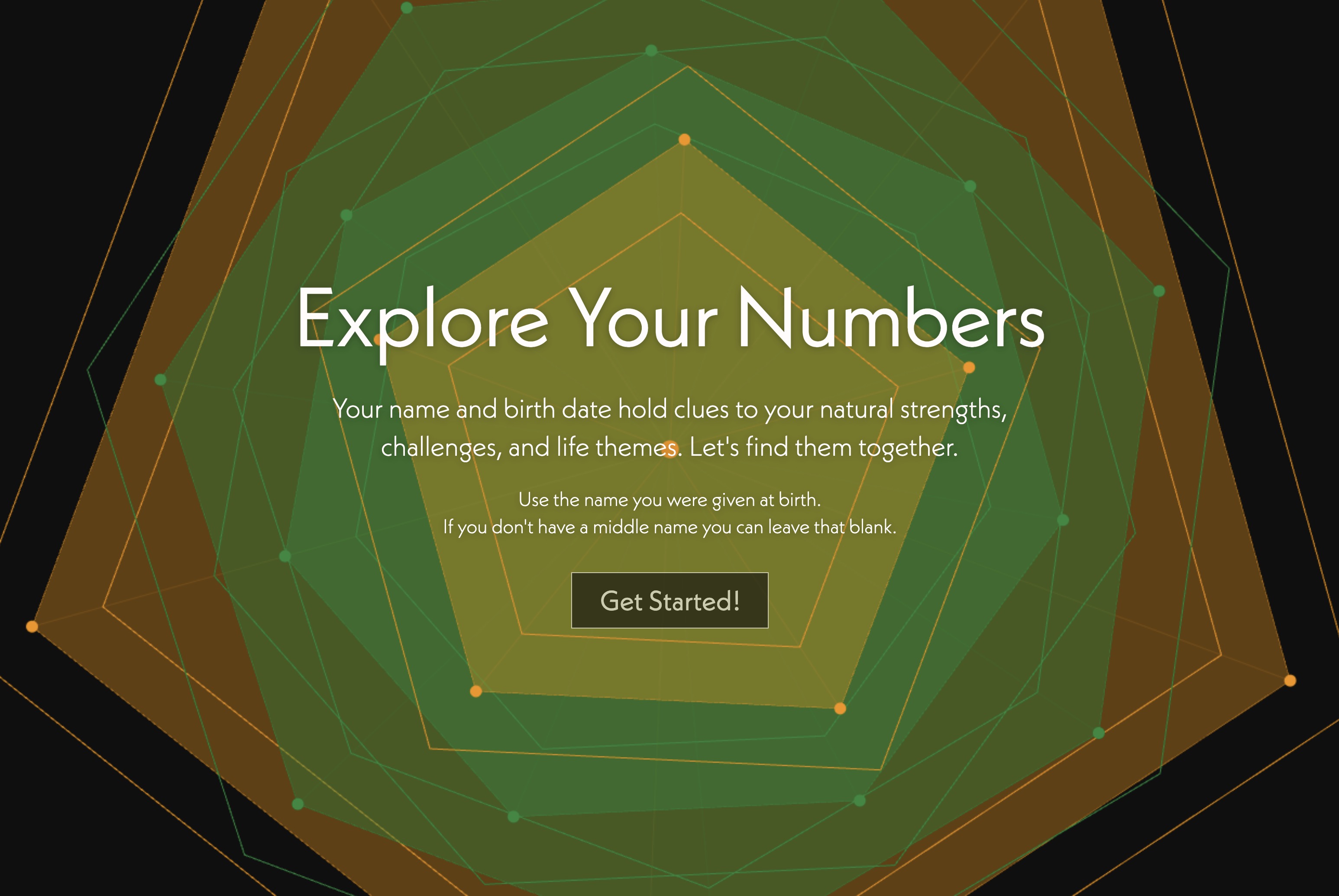
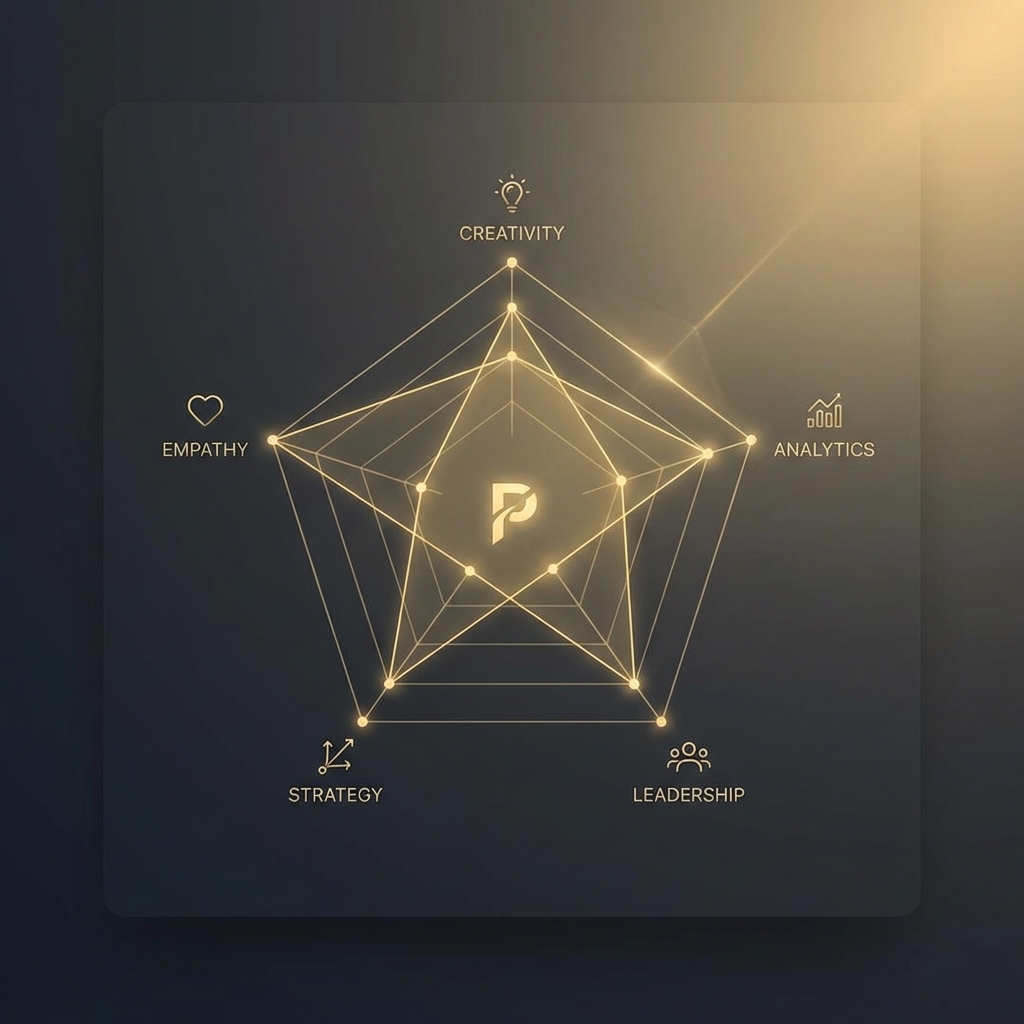
James demonstrated the current quiz interaction, which features subtle animated background movement that intensifies as users progress through questions. The results spider/radar graph is functional, but both David and James agreed it needs to feel more alive and meaningful.
David's vision for the results display (01:00:26):
James confirmed this approach and connected it to the progress bars already present in the design — describing it as a "five-dimensional version of that" (01:04:10).
Both agreed that custom icons for the five Light Creators factors would serve double duty — powering the quiz results display and feeding into social media content templates. James's initial directional thinking (01:08:37):
David noted a possible alternative layer using the hand metaphor (thumb = obsession, index = presence, middle = vision, ring = founder fit, pinky = scalable logic), but both agreed the hand is better reserved for deeper content contexts — the quiz results page calls for something more immediately legible and self-contained. Icons take priority over types imagery (01:12:35).
[technology="Assessment Systems"]
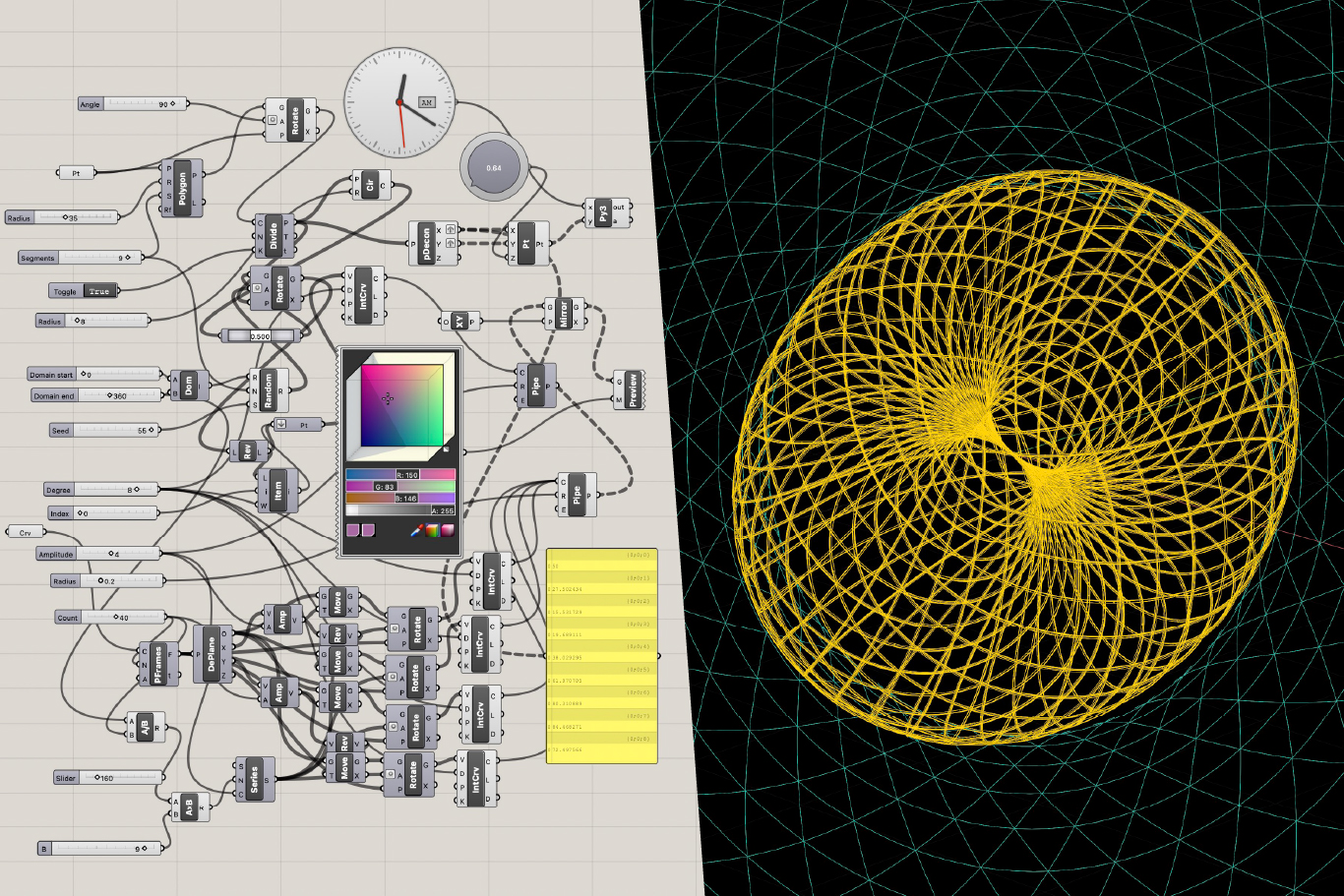
[technology="Parametric Geometric Interfaces"]
---
James Redenbaugh
David Liebnau
All social media templates in Figma are complete and ready for use. James will add Hannah (David's daughter) as a design collaborator on his paid Figma account, covering her seat cost through the project duration. Once the project wraps, the full file can be exported and moved to a free account. David will share Hannah's email via WhatsApp (06:24).
Rather than recording a separate Loom, the team agreed this session recording could serve as an initial orientation — with James producing a concise, edited Loom as a follow-up focused specifically on Hannah and future team members.
The Figma file includes the finalized logo, brand color palette with hex codes (including the gold gradient), and two primary typefaces — Playfair Display and HK Grotesque, both free fonts. James will add download links for both directly in the file.
David requested a brand style guide PDF for sharing with collaborators (09:04), and James confirmed this is straightforward to produce. Logo exports in PNG and SVG across multiple color variations (full gold, black/gold, all black) will be organized in a shared Google folder.
The current template suite covers posts, carousels/stories, and LinkedIn banners. Two additions were identified:
Social media production ramps up the week of March 9th. Hannah will use the week prior to familiarize herself with the templates.
---
David shared access to his existing Webflow [tag="webflow"] workspace. After a brief review, James recommended building the new Light Creators site from scratch rather than developing on top of the previous build — a decision David readily agreed with, noting the original was done by a junior collaborator. The old site will remain accessible in the account for archival reference.
Design drafts will be shared as Webflow preview links via WhatsApp for David (and potentially Julie) to review asynchronously — no additional Figma seats needed for that review process (46:09).
---
David walked through the substantial copy progress made since the last session. The Google Doc structure combines visual/architectural briefs with finalized copy across multiple pages and languages:
James is clear to begin production on most pages immediately. The one-on-one page awaits the testimonial section before it's fully production-ready (56:59).
---
James shared the in-progress webinar waitlist page, which already featured both German and English versions — James had handled the translation independently. The page is clean and minimal, with the animated background already in place. Mobile review flagged a few quick fixes needed:
For email capture, the form will connect to David's MailerLite account [tag="activecampaign"]. James was granted login access during the call using shared credentials, with Marcus (David's copywriter) noted as the primary account user (55:53).
[technology="Communication Automations"]
---
James demonstrated the current quiz interaction, which features subtle animated background movement that intensifies as users progress through questions. The results spider/radar graph is functional, but both David and James agreed it needs to feel more alive and meaningful.
David's vision for the results display (01:00:26):
James confirmed this approach and connected it to the progress bars already present in the design — describing it as a "five-dimensional version of that" (01:04:10).
Both agreed that custom icons for the five Light Creators factors would serve double duty — powering the quiz results display and feeding into social media content templates. James's initial directional thinking (01:08:37):
David noted a possible alternative layer using the hand metaphor (thumb = obsession, index = presence, middle = vision, ring = founder fit, pinky = scalable logic), but both agreed the hand is better reserved for deeper content contexts — the quiz results page calls for something more immediately legible and self-contained. Icons take priority over types imagery (01:12:35).
[technology="Assessment Systems"]
[technology="Parametric Geometric Interfaces"]
---
James Redenbaugh
David Liebnau
Add Hannah to Figma project as design collaborator once email is received
Add Hannah (David's daughter) as a design collaborator on James's paid Figma account, covering her seat cost through project duration. Share this session recording as interim orientation while Loom is being produced. Awaiting Hannah's email from David via WhatsApp. Reference timestamp 01:53.
Produce concise Loom video covering template navigation, text editing, photo swapping, and export for Hannah and future team members
Produce a concise, edited Loom video optimized for Hannah and future team members covering: template navigation, text editing, photo swapping, and export. This replaces the need for a separate orientation session. Reference timestamp 02:39.
Deliver brand style guide PDF summarizing logo usage, colors, and typography for collaborator sharing
Create brand style guide PDF summarizing logo usage, complete color palette with hex codes including gold gradient, and two primary typefaces (Playfair Display and HK Grotesque with download links). David requested this for sharing with collaborators. Reference timestamp 09:04.
Export logo in PNG and SVG across full gold, black/gold, and all-black variations and organize in shared Google folder
Export logo files in PNG and SVG formats across multiple color variations: full gold, black/gold, and all-black. Organize all exports in a shared Google folder for David and team access. Reference timestamp 10:41.
Add YouTube banner template in correct channel art dimensions with light/gold emphasis toward top-right corner
Create YouTube banner template in correct channel art dimensions. Light positioning should intentionally place white/gold tones in the top-right corner to reflect the brand's symbolic arc from dark (bottom-left) to light. Reference timestamp 12:47.
Add approximately six additional carousel and post templates including personal photo with headline overlay options to social media suite
Add ~6 additional carousel/post templates to bring suite to roughly 18 options total. Include templates with space for a personal photo and a headline overlay. Document photo replacement instructions in the Loom tutorial. Social media production ramps up week of March 9th; Hannah will familiarize herself with templates the week prior. Reference timestamp 22:46.
Begin Light Creators website build from scratch in Webflow and archive old site assets for reference
Build new Light Creators site from scratch in David's existing Webflow workspace rather than developing on top of the previous junior-built site. Keep old site accessible in account for archival reference. Share design drafts as Webflow preview links via WhatsApp for David and Julie to review asynchronously. Reference timestamp 31:51.
Fix webinar waitlist page mobile view: increase logo size and add scroll-to-form CTA button near top
Mobile review of the webinar waitlist page identified two quick fixes: (1) Logo needs to be larger on mobile, (2) A scroll-to-form CTA button should be added near the top of the mobile view. Reference timestamp 49:16.
Connect webinar waitlist form to MailerLite account using provided credentials and coordinate with Marcus as needed
Connect the waitlist form to David's MailerLite account using shared credentials provided during the call. Marcus (David's copywriter) is noted as the primary MailerLite account user — coordinate with him as needed for any account configuration. Reference timestamp 49:52.
Implement quiz results display with immediate results without mandatory email and dynamic spider graph showing potential vs current scores with pulsing animation
Implement dynamic quiz results visualization: (1) Full-extension 'potential' silhouette of the five-factor graph rendered in background as soft, low-contrast shape showing complete 5/5 possibility; (2) User's actual results rendered on top in brand's stronger colors making the gap between current state and full potential immediately visible; (3) Entire graph should pulse or animate dynamically responding to user's scores so higher-scoring dimensions visually expand outward. Results should display immediately without mandatory email gate. Reference timestamp 57:26 and 01:00:26.
Design icon set for five core factors (Vision, Presence, Obsession, Founder Fit, Scalable Logic) in abstract minimal style compatible with brand for quiz and social template use
Design custom icon set for the five Light Creators core factors with directional concepts: Vision = eye with radiating lines echoing logo geometry; Scalable Logic = fractal or shifting geometric scales; Founder Fit = profile silhouette fitting into a matching form; Obsession = inverted triangle focusing inward to a point; Presence = radiating circles suggesting wide open awareness. Hand metaphor reserved for deeper content contexts. Icons serve dual purpose: quiz results display and social media content templates. Icons take priority over types imagery. Reference timestamp 01:04:37 and 01:08:37.
Share design drafts and updates asynchronously via WhatsApp preview links throughout David's retreat period
During David's retreat, share Webflow preview links and design updates via WhatsApp for asynchronous review. No additional Figma seats needed for this review process. David (and potentially Julie) will review and provide feedback asynchronously. Reference timestamp 01:12:43.
Send Hannah's email address to James via WhatsApp for Figma collaborator access
David to send Hannah's email address to James via WhatsApp so she can be added as a design collaborator on the Figma paid account. Reference timestamp 06:24.
Finalize one-on-one landing page copy by adding testimonial section
Landing Page 1 (one-on-one offer) copy is complete in English and German except for the testimonial section which still needs to be added before the page is fully production-ready for James. Reference timestamp 56:59.
Complete podcast landing page copy by Thursday with final tweaks
Podcast relaunch page copy is nearly complete in German only. David to finalize remaining tweaks by Thursday (approximately 2026-02-26). Reference timestamp 56:59.
Review Webflow design drafts and provide feedback asynchronously via preview links during retreat
David to review design drafts and updates shared by James as Webflow preview links via WhatsApp during his retreat period and provide feedback asynchronously. Julie may also be included in review. Reference timestamp 01:12:43.
Update Google Doc with any remaining copy tweaks and keep James informed of changes
David to keep the shared Google Doc updated with any remaining copy tweaks across landing pages and notify James of changes so production can proceed without delays. Reference timestamp 35:27.
Homepage drafts blending copy with preliminary graphics established. Hero messaging focuses on 'leadership from presence, not pressure' targeting conscious founders at transformational thresholds. Visual system developing around vertical/horizontal lines with circles symbolizing presence and leadership. Integration of mountain imagery as grounding metaphor to balance cosmic spaciousness with earth connection. Black and white compositions with natural (non-AI) qualities preferred. Standout image discovered: natural landscape with circle, vertical horizon, and horizontal line in Dao/yin-yang configuration. 6-8 core page designs in development with integrated copywriting approach. German-primary content strategy during proof-of-concept phase. Landing Page architecture refined: LP1 serves as initial touchpoint from social/podcast discovery; LP2 delivers quiz results with data visualization and introduces email course (now identical for English and German with both getting email course access). LP3 copy due Friday. Seven customized LP2 variations based on quiz results (logical visionary, quiet powerhouse, etc.) with same structure but personalized content (53:30). lightcreators.com functions as focused conversion funnel (quiz-centric), davidliebnau.com as broader personal brand site (49:52). Mallorca photo suite available for incorporation (57:50). March 1st launch deadline established (47:31). Copy development substantially advanced: LP1 (one-on-one offer) English & German complete except testimonials; LP2 (email course) complete; LP3 (group offer 'The Threshold') English & German complete; Resonance offer complete; davidliebnau.com homepage ready; podcast page nearly complete by Thursday; webinar waitlist page complete and in production (26:42-35:27). Design drafts now shared as Webflow preview links via WhatsApp for asynchronous review (46:09). davidliebnau.com homepage structure finalized: sections include How I Work, About David (incorporating Vision Quest), Experience, Testimonials, and Take Action CTA. 'Who is this for?' section removed as redundant for personal brand context (40:15). Navigation to function as anchor-link quick-orientation tool; Podcast nav item routes to dedicated page rather than homepage anchor (41:00, 44:31). Photo integration work underway: hero image background rework to unify David with concentric ring design (10:06); specific photos mapped to Discovery Call page sections — 'I See You' as hero, 'Feedbacking' for feedback section, 'Q&A Call' for details section (13:06); retouching planned for eye area freshening and photographer reflection removal (14:20, 28:27). Product naming update: 'Solo' is now 'Shift'; 'Notion Operating System' is now 'Solo' — requires update across all design materials (46:23). davidliebnau.com personal site hero section receives positive feedback with 'the update that makes all other updates possible' tagline (01:39). Social proof placement discussed: HR Excellence Award logo requires SYNC Group attribution (02:05); Proven Expert logo (4.98 rating) available only in German and behind upgrade paywall (06:01). Classical antique-flavored iconography appreciated but concern raised about communicating cutting-edge positioning; agreement to bring modern/technical icons higher on page for earlier contrast (12:31-15:18). New section planned: Truth/Presence/Connection three principles between five pillars and 'Leadership begins within' using vertical/horizontal circle visuals from earlier Figma work (19:33-23:54). Testimonial portrait photos to be sourced from LinkedIn and uploaded to Google Drive (33:46). HR Excellence Award logo to be added near SYNC Group reference (28:11). Podcast page cover art and hero imagery under discussion; speaking-action shot questioned for similarity to main hero and mid-word capture; alternatives to be marked up (35:02-41:00). Entrepreneur/Manager/Expert iconography to be replicated on podcast page (42:30). Photography strategy: shuffle 'solo hero' image to Solo page hero, use 'reserved smile' portrait as closing image on davidliebnau.com (48:09). Publishing decision: suboptimal landing page online beats no landing page; domain connection and publish targeted for Monday after weekend (49:44-53:07). Project significantly delayed from mid-February timeline, now incomplete as of late May (07:30). Scope evolved from cohesive single website to discrete, refined landing pages with multiple iteration arcs (10:10).
Technical implementation of lightcreators.com and davidliebnau.com as separate entities. Decision made to build Light Creators site from scratch rather than developing on top of previous junior-built site; old site remains accessible for archival reference (31:51). lightcreators.com serves as focused conversion funnel with quiz-centric architecture; davidliebnau.com functions as broader personal brand site with trust-building content about David's background (49:52). Phased approach: (1) lightcreators.com funnel pages (LP1-3) by March 1st, (2) davidliebnau.com personal brand site and podcast page, (3) deeper offer-specific landing pages for paid products (47:31). Bilingual structure setup, CMS configuration, content migration. Gantt chart timeline and Kanban board to be created organizing each page's content, design, and development phases. First landing page represents hardest lift; subsequent pages accelerate once design system established (51:43). Mallorca photo suite to be incorporated. Design drafts shared as Webflow preview links via WhatsApp for asynchronous review (46:09). Webinar waitlist page in production with German/English versions; mobile optimization needed (logo sizing, scroll-to-form CTA at 49:16). MailerLite form integration for email capture with account access granted during session (55:53). Homepage structure refined: sections include How I Work, About David (incorporating Vision Quest), Experience, Testimonials, and Take Action CTA. 'Who is this for?' section removed as redundant (40:15). Navigation tabs to function as anchor links for quick orientation (37:32). English version routes directly to Podcast page rather than embedding podcast section on homepage (44:31). Hero image background rework in progress to better integrate David into scene and unify with concentric ring design (10:06). Photo retouching underway for Discovery Call page with specific image-to-section mapping. Product naming update: 'Solo' is now 'Shift'; 'Notion Operating System' is now 'Solo' — requires propagation across all materials (46:23). Social proof section to be bolded and repositioned higher on hero (05:18). Modern/technical icons to be brought up earlier in page flow (15:18). Truth/Presence/Connection principles section to be added between five pillars and 'Leadership begins within' (23:54). HR Excellence Award logo to be integrated near SYNC Group reference (28:11). Testimonial photos to be added once David uploads to Google Drive (33:46). Podcast hero image alternatives to be marked up (40:32). Entrepreneur/Manager/Expert iconography to be replicated on podcast page (42:30). Discovery call video to be added when received (45:41). Solo page hero image strategy: swap 'solo hero' and 'reserved smile' placements (47:50). Podcast blog blocks to be integrated (52:34). Domain connection (davidliebnau.com) and publish targeted for Monday after weekend wedding (53:07). Project significantly delayed from mid-February timeline, now incomplete as of late May (07:30). Team member Andy Bittner (Munich-based, German-speaking, on David's timezone) will be primary point of contact for completing remaining work (24:30). Strategic pivot: davidliebnau.com recommended to move to fully AI-managed custom code architecture using Claude + GitHub for maximum flexibility, while lightcreators.com stays on Webflow due to quiz infrastructure (36:13-58:55). Remaining deliverables: davidliebnau.com finalization, podcast page, solo page with Calendly integration, qualitative review pass, Webflow training (29:07).
Integrated copywriting development for Light Creators brand. Hero messaging emphasizes 'leadership from presence, not pressure' targeting conscious founders at transformational thresholds. Copy development integrated early with visual design rather than sequential phases. David using GPT tools and Claude in copywriter mode with professional copywriter Marquis to capture authentic tone. Collaborative refinement process via editable Word documents ensuring voice remains genuinely David's while benefiting from professional polish. Current status: 80%+ complete across all pages (26:42). Landing Page 1 (one-on-one offer) English & German complete except testimonial section still needed for production readiness (56:59). LP2 (email course) English & German complete, not relevant for James. LP3 (group offer 'The Threshold') English & German complete including headline 'They respect you, they don't commit'. LP2 has seven customized variations based on quiz results (logical visionary, quiet powerhouse, etc.) with same structure but personalized content (53:30). Resonance offer (low-ticket product) English & German complete. davidliebnow.com homepage English & German ready to produce. Podcast relaunch page German nearly complete, final tweaks by Thursday (56:59). Webinar waitlist page complete (26:42). Three-offer naming evolution: formerly Notion Operating System, Zolo, and Threshold → now renamed to Zolo, Shift, and Threshold (24:00). New footer tagline evolution: 'Light Creators Tribe in service of conscious entrepreneurship' or 'Whoever is clear, the world follows' (20:30). Podcast page briefing and davidliebnow.com homepage briefing to be merged into single document (47:47).
Development of two assessment tools: (1) Marketing quiz for lead generation with 15 assessment items grouped into five core factors, displayed on Landing Page 2 with data visualization and seven customized result variations (logical visionary, quiet powerhouse, etc.) with same structure but personalized content (53:30); (2) Notion operating system assessment with 11 factors for paying customers to track progress. Marketing quiz leads to email course (now available to both English and German audiences on LP2) and diagnostic call booking option (48:09). Field guide removed from funnel (48:09). Notion assessment provides automated micro-shift recommendations based on individual scoring patterns (e.g., obsession factors → micro-shifts 1-3, scalable logic → micro-shifts 13-15). Quiz documentation and scoring logic complete, uploaded to Google Drive. Requires webhook integration for n8n automation, Claude AI processing for recommendations, data visualization design consistent across both assessments. Quiz interaction features subtle animated background movement that intensifies as users progress (57:00). Results display redesigned to show dynamic spider/radar graph: full-extension 'potential' silhouette (5/5 across all factors) rendered in background as soft low-contrast shape, user's actual results overlaid in stronger brand colors showing gap between current state and full potential, entire graph pulses/animates dynamically responding to user scores with higher-scoring dimensions visually expanding outward (01:00:26-01:04:10). Results shown immediately without mandatory email capture (57:26). Custom icon set for five core factors in development. Quiz result pages have mixed German/English language issue identified — single line 'Dyn development lever' mixing languages mid-sentence (48:42). Dynamic script controlling result page content needs update and republish; full due-diligence pass across all factor pages required (49:56). Product naming update affects quiz result content: 'Solo' is now 'Shift', 'Notion Operating System' is now 'Solo' (46:23).
Finalization of social media design templates in Figma based on detailed comments from David and Julie covering preferences, variation requests, and design feedback (34:04). Templates include carousels, reels, stories, and simple image posts aligned with Light Creators brand identity (deep slate blue, earthy green/brown, HK Grotesque typography, five-pointed geometric logo). All social media templates in Figma complete and ready for use (00:44). File includes finalized logo, brand color palette with hex codes including gold gradient, and two primary typefaces Playfair Display and HK Grotesque (both free fonts with download links added directly in file) (04:32). Logo exports organized in PNG and SVG across multiple color variations (full gold, black/gold, all black) in shared Google folder (10:41). Current template suite covers posts, carousels/stories, and LinkedIn banners. Expansion identified: YouTube banner template in correct channel art dimensions with light positioning in top-right corner (12:47), and approximately six additional carousel/post templates including personal photo + headline overlay options bringing suite to ~18 total options (22:46). Hannah (David's daughter) added as design collaborator on James's paid Figma account, covering seat cost through project duration; full file can be exported to free account after project completion (01:53). This recording serves as interim orientation with concise edited Loom to follow focused on Hannah and future team members (02:39). Social media production ramps up week of March 9th with familiarization week prior.
Development of comprehensive project management system for Light Creators engagement targeting March 1st landing page launch. Deliverables: Gantt chart timeline organizing each page's content, design, and development phases; Kanban board for visual project tracking (55:03). System bundles related pages to avoid overwhelming number of individual deadlines while maintaining clarity on dependencies and parallel workstreams (55:03). Phased approach architecture: (1) lightcreators.com funnel pages (LP1-3) by March 1st, (2) davidliebnau.com personal brand site and podcast page, (3) offer-specific landing pages for paid products (47:31). Recognizes that first landing page represents hardest lift with subsequent pages accelerating once design system established (51:43). Note: Formal timeline documentation deferred as team operating effectively through asynchronous WhatsApp communication and clear March 1st deadline; detailed Gantt/Kanban may be unnecessary given current workflow efficiency.
Delivery of comprehensive brand asset package for Light Creators including: (1) Brand style guide PDF summarizing logo usage, complete color palette with hex codes including gold gradient specifications, and typography system featuring Playfair Display and HK Grotesque with download links (09:04); (2) Logo export package in PNG and SVG formats across three color variations (full gold, black/gold, all black) organized in shared Google folder for easy team access (10:41); (3) YouTube banner template in correct channel art dimensions with intentional light/gold positioning toward top-right corner reflecting brand's symbolic arc from dark (bottom-left) to light (12:47). All assets aligned with finalized Light Creators brand identity: deep slate blue replacing black, earthy green and brown elements, HK Grotesque typography, five-pointed geometric logo. Deliverable enables David to share consistent brand standards with collaborators and ensures design consistency across all platforms.
Expansion of existing Light Creators social media template suite in Figma to provide Hannah and team with comprehensive content creation toolkit. Current suite covers posts, carousels/stories, and LinkedIn banners. Expansion adds approximately six additional carousel/post template variations bringing total to ~18 options, including templates with space for personal photo and headline overlay to accommodate Instagram portrait/cowboy shot formats (22:46). Loom tutorial documentation will cover: template navigation, text editing, photo swapping (with specific instructions for personal photo replacement), and export procedures—optimized for Hannah and future team members (02:39). Social media production ramps up week of March 9th with Hannah familiarizing herself with templates during prior week. This recording (rec1DGKz9JEBOkZiH) serves as interim orientation until dedicated Loom produced. Templates maintain alignment with Light Creators brand: deep slate blue, earthy green/brown, HK Grotesque typography, five-pointed geometric logo, dark-to-light symbolic arc.
Design of custom icon set for Light Creators five core factors (Vision, Presence, Obsession, Founder Fit, Scalable Logic) in abstract/minimal style compatible with brand identity. Icons serve dual purpose: (1) powering dynamic quiz results display with animated spider/radar graph visualization, and (2) feeding into social media content templates for factor-specific posts. Initial directional concepts discussed (01:08:37): Vision as eye with radiating lines echoing logo geometry; Scalable Logic as fractal or shifting geometric scales; Founder Fit as profile silhouette fitting into matching form; Obsession as inverted triangle focusing inward to point; Presence as radiating circles suggesting wide open awareness. Hand metaphor (thumb=obsession, index=presence, middle=vision, ring=founder fit, pinky=scalable logic) considered but reserved for deeper content contexts; quiz results page requires more immediately legible and self-contained symbols. Icons must integrate with parametric geometric interface work: full-extension 'potential' silhouette (5/5 across all factors) in background, user's actual results overlaid in stronger colors, entire graph pulsing/animating dynamically with higher-scoring dimensions expanding outward (01:00:26-01:04:10). Icons take priority over types imagery for immediate implementation (01:12:35). Design should align with Light Creators geometric visual system: five-pointed logo geometry, deep slate blue, gold gradient, HK Grotesque typography context.
Final production and launch of webinar waitlist page for Light Creators. Page already in production with clean minimal design, animated background in place, and German/English versions created (James handled translation independently). Mobile optimization required: (1) increase logo size for better mobile visibility, (2) add scroll-to-form CTA button near top of mobile view (49:16). Form integration with David's MailerLite account for email capture; James granted login access during call using shared credentials with Marcus (David's copywriter) noted as primary account user (55:53). Copy complete and production-ready (26:42). Page serves as lead capture for upcoming webinar launch, critical conversion point in Light Creators funnel architecture.
00:00:01
David Liebnau: This meeting is being recorded. Hello. Oops. A little naked here. Hi, James.
00:00:41
James Redenbaugh: Hi, David. How are you?
00:00:42
David Liebnau: Oh, hang on, hang on. I have a different audio setting. Loudspeaker should be this one. Say something again, please.
00:00:57
James Redenbaugh: Hello. One, two, three.
00:00:58
David Liebnau: Yes, that's how I want it. Hello. Hello, James. How are you doing these days?
00:01:03
James Redenbaugh: I'm doing well. How are you?
00:01:06
David Liebnau: I'm good, I'm good. Fairly productive with our project.
00:01:12
James Redenbaugh: Wonderful.
00:01:14
David Liebnau: And yeah, after a quiet time, ready to sit. See sprouts soon, you know, above. Above the ground. James, have I missed something or have you not yet delivered the social media templates or the loom video?
00:01:39
James Redenbaugh: I haven't done a loom video yet. All the templates are ready. I just want to add, I believe your. Your daughter, she's gonna help out, right? Please.
00:01:51
David Liebnau: Yes.
00:01:53
James Redenbaugh: So I can add her right to the FIGMA that we are working on. And then it should be very simple for her. I'll make a simple loom, showing her how to access these things and. And then any questions she has, I can. I'm happy to answer.
00:02:11
David Liebnau: Okay, then do give. Give me a little house tour, please, as well. And I mean to make life easy for you, you could even record this one here or just share this, this recording, you know, if. Then you don't need even to. To record another loom. And just as an idea to save your precious time.
00:02:39
James Redenbaugh: Yeah, totally. Let me. Turn on the video recording one second.
00:03:00
David Liebnau: Because then I can ask my questions, which I would have, and you can answer them and you know, then we make it a W's investment of yours.
00:03:12
James Redenbaugh: Great. Recording is rolling.
00:03:19
David Liebnau: All right, so James, we have here the new heart of the design of the design launch of the new. Yeah, whatever. Brand design. Right. And the idea of this video is also to help Hannah to use this as a like design update platform. Right. So since she and me are beginners in using figma, which is your tool of choice, the purpose of this recording is to help us understand how we can use or adapt the templates you've been putting together here for us in the future on our own. Right, so that's my attempt of a little bit of an intro. And James, with that I hand over to you, help us to understand how we navigate here and update and work with this platform of yours or FIGMA as a program.
00:04:25
James Redenbaugh: Great. Yeah. So here we are in figma. FIGMA is a very accessible yet full featured design program. There's definitely a bit of a learning curve if you haven't used it before, but we're trying to make Things as easy as possible. And what's great about Figma is we have a infinite canvas, so we can work on different things in different places and duplicate things very easily and have a big.
00:05:02
David Liebnau: Okay, one question, James. Does it need a particular account of ours and is it connected to a fee we now need to invest? And what are the fee options? I know this is not of interest for Hannah, but I guess she has to wait anyway.
00:05:20
James Redenbaugh: Good question. So while we're working on this, I'll add Hana to my account, which means that I'll be paying for that design seat. But when we finish the project, we can export the whole file and it can live on your own account. And probably a free account will suffice at that point. They just make us pay for collaborators as, as designers. But a. A free account has a load of capabilities.
00:06:02
David Liebnau: So are you saying basically I don't need to invest in a pro account yet, but you put us on your account, right?
00:06:09
James Redenbaugh: Yeah, that's right.
00:06:10
David Liebnau: Excellent, excellent. All right, cool.
00:06:13
James Redenbaugh: Yeah.
00:06:14
David Liebnau: And
00:06:17
James Redenbaugh: you know, you've. You've been in here making comments, you don't have design control, but we'll give Hannah a seat.
00:06:24
David Liebnau: And do you need her email address for that? Yes, I share it with you through WhatsApp.
00:06:32
James Redenbaugh: Great. Awesome. So, yeah, here we are. There's a number of things that we're working on down here. There's a number of different pages as well. But the only thing Hannah will need to be concerned with will be in the social media page and in this top area is where we're putting finalized assets. And we can zoom in here and see. And by the way, I'm zooming in just by holding control. I'm on Windows. On Mac, it's command and scrolling in and out or sliding up and down with the trackpad, or pinching and zoom. You know, like anything, it should be pretty intuitive. And here we can see a large version of the logo, the different colors that we've picked, the hex codes for each color, we have a gold gradient.
00:07:39
David Liebnau: Hang on, I was, I was looking for that. Okay, that's in there. All right, cool. Yeah, that's great.
00:07:46
James Redenbaugh: Yep.
00:07:47
David Liebnau: Great. Let me do a quick screenshot of this because we were needing that information already for the Notion operating system. Yeah. Okay. All right, cool. Carry on, please.
00:08:11
James Redenbaugh: And, yeah, gradients. And then a mock up of Social Profile over here. The fonts that we're using, two main fonts, Play Fair Display and HK Grotesque. And I will also add in here links to these fonts. They're both free, so that you can add them to your machine and be able to use them.
00:08:45
David Liebnau: Sorry, links. And are they Google fonts or what type of fonts are they?
00:08:50
James Redenbaugh: HK Grotesque is a Google font. Playfair display, I think is a Google font, but I'm. I'm not sure, but it's definitely a classic free font.
00:09:04
David Liebnau: Okay, can I also request a, like, a download kind of a like style guide? Just a brief PDF I could share with whomever I intend to share it so that they have an idea about my brand design?
00:09:26
James Redenbaugh: Yeah, of course.
00:09:28
David Liebnau: Cool.
00:09:28
James Redenbaugh: Yeah, so I can actually.
00:09:34
David Liebnau: I like that. I think it really looks cool, by the way.
00:09:38
James Redenbaugh: Awesome. I'm going to put all of this stuff here. Into this frame.
00:10:02
David Liebnau: Oh, and yeah, I mean, speaking of, like usable assets of this, the logo will I also get the logo in different like text file forms like pnd, gps, gif, and you name it to insert it in other documents?
00:10:26
James Redenbaugh: Yeah, totally. I can export those for you. And also color variations to make it easy. Sometimes you'll want full gold, sometimes you'll want black text with gold, sometimes you want it to all be black.
00:10:40
David Liebnau: Exactly.
00:10:41
James Redenbaugh: Yeah, yeah. So I'll export those variations and put them in a Google folder.
00:10:49
David Liebnau: Okay.
00:10:50
James Redenbaugh: PNGs and SVGs, which are generally the two types that you'll need. But then also in Figma here, it's easy to export in any format you need and any size that you need. So for example, up here I have the logo just in a cropped frame and I can go in here and I can export any size. Let's say you're printing a big banner, you know, you can make it a million pixels or whatever and export that full resolution.
00:11:37
David Liebnau: And.
00:11:39
James Redenbaugh: And then. So over here, most importantly, we have the social media templates. It's easy to edit these things.
00:11:50
David Liebnau: May I ask one thing about the. Scroll down a bit. Right. Because the I. What I'm missing here and what we also need, in addition to the LinkedIn like horizontal bars, is an adapted frame for YouTube. They also have this type of banner type picture background, but in a slightly different size. And I had in the past some difficulty in updating that. So. So please make sure you upload a tested file or a fitting file size or however you call a template size for YouTube as well, please.
00:12:47
James Redenbaugh: Yeah, sure, definitely. Let me look that up right now, real quick.
00:12:56
David Liebnau: And then if I want to. Okay, now you do that. And then. And although I brought up this initial idea of recording this and then sending it to Hannah while we speak, I start to doubt the smartness of that idea. James. Because, you know, maybe. Can. Can we maybe. Or could you maybe cut out the conversations we are now having which aren't really of relevance for Hannah? Yeah, yeah, that. I mean, I. I still want to make your life easy, but I also want to make Hannah's life easy. Right. Or future collaboratives. Because this video maybe will be shared also with other team members in the future. So it should be. Yeah. Efficient and not contain too much content, which is actually not needed. Do you think that is the COVID size for YouTube, James?
00:14:24
James Redenbaugh: It is, yeah.
00:14:27
David Liebnau: Okay. I mean, it may vary on. In. In terms of. From which device and window size works. Yeah. So in case I run into problems, I let you know.
00:14:47
James Redenbaugh: Yeah, exactly. This is the. The profile, banner dimension. And then it's. It's actually.
00:15:08
David Liebnau: For your information, just since you are searching for where to put the white, my idea is to put it top right because then this is the idea of the progress. So you started in the dark, left down, and then top right should be the bright thing if you want to bring in more white or light.
00:15:34
James Redenbaugh: Cool.
00:15:35
David Liebnau: Yeah, exactly. That's. Although, I mean, the other colors were also cool to have, but from. I don't know, the idea of a psychological progress here. I want to have the light in the top right corner. Yeah. That was my thinking, that it's actually a way thinner. But it. It depends. I mean, that. That is. That is the. The tricky thing.
00:16:08
James Redenbaugh: Yeah.
00:16:08
David Liebnau: With these different devices and formats does. I don't know. But that's your. Your challenge, James. Yeah. And I have to trust your ability to make it work here.
00:16:23
James Redenbaugh: Yeah. So we want to make sure that the logo and that content is centered like this. So when it's a banner, every. Nothing gets clipped, and when it's full, it still looks good.
00:16:44
David Liebnau: Can you bring in a little more brownish in addition to what we have in the. Maybe left bottom corner.
00:16:54
James Redenbaugh: Mm.
00:17:08
David Liebnau: Yeah. Yeah, I like that. That's like now we have the earth and father, son and the brand in between. I liked it as you had it already. Go back a few times. Yeah, yeah, yeah, probably. Or. I mean, what do you think? It was slightly different before, wasn't it? I don't know. It was good already.
00:17:36
James Redenbaugh: Yeah. Let me try something. So let's do the dark one is also good.
00:17:44
David Liebnau: But I had this idea that, you know, the left is the earth and. And then it's like the. The. The distance between earth and. And the sun and. Yeah. So if you. If you move that to the corner, that Earth. Earthy. Yeah. A little more roundish.
00:18:22
James Redenbaugh: Like that.
00:18:24
David Liebnau: I Think it. No, it's too big. I think there you don't recognize the circular form anymore. Yeah, that's more like it. Yeah, something like that. Yeah, yeah, yeah, we'll do.
00:18:46
James Redenbaugh: And then I just want to add a little bit of gold up here.
00:18:53
David Liebnau: Yes, always bring in the gold. Nice.
00:19:00
James Redenbaugh: Cool.
00:19:01
David Liebnau: And if I needed to change the text, how do I do that? And that is, of course, an interesting information for everyone else listening. In the future,
00:19:16
James Redenbaugh: You can just click in and edit text like this.
00:19:20
David Liebnau: Okay. And if I would need to change the position, I just click somewhere and move it.
00:19:30
James Redenbaugh: Yep. Click and drag. And then, you know, text over here, change size. And if you make a mistake, you can command Z undo and go back
00:19:45
David Liebnau: and to download then that particular frame. How to do that?
00:19:54
James Redenbaugh: So I click this YouTube cover, the frame is exactly what they're called. And then I can go to export. And then I want to create an export format. So 1x will export it as at the. The dimensions that it is. Exactly. You know, 2x will export it at twice those dimensions. Or I can put in exactly what I need. I need it to be 900 pixels wide and I. I'll export that. Or an SVG is a vector format and it'll automatically export at the. Right.
00:20:38
David Liebnau: Sounds cool. Sounds cool, right?
00:20:41
James Redenbaugh: Sizes.
00:20:45
David Liebnau: Cool.
00:20:48
James Redenbaugh: Yeah. Great. And these things can easily be, you know, duplicated and copied and then messed with to change things around and create variety.
00:21:11
David Liebnau: That is a bit more tricky. Well, let's postpone that. You know, for now I would. I mean, I'm interested in understanding how to do it, but for now my desire would be that we have enough graphic templates to choose from and we only need to update the text. So could you maybe add a few from your perspective, acceptable. Additional carousels. Carousel templates from which we can draw and do not. Don't need to play with the vectors or those shapes and all that. I guess that's a little too advanced for the first use of that template or that platform. But please let us know how to do it in the future. Is that okay?
00:22:20
James Redenbaugh: Yeah. So this is. What I felt was needed for carousels and reels or stories up here.
00:22:39
David Liebnau: Right.
00:22:41
James Redenbaugh: But we can add. Add more of these.
00:22:46
David Liebnau: Maybe just maybe six more or so. So we have a suite of 18 to choose from. Is that okay?
00:22:54
James Redenbaugh: Yeah,
00:22:58
David Liebnau: and I don't mean like major variations, but maybe just a few.
00:23:06
James Redenbaugh: Yeah, I understand. Cool.
00:23:14
David Liebnau: Excellent. And carousels, are they basically done out of stories, is that it? Or out of which frames? I would build a carousel.
00:23:31
James Redenbaugh: I would make them out of these.
00:23:36
David Liebnau: Okay, so then post and carousel is exactly the same, basically.
00:23:42
James Redenbaugh: Yes. Yeah. Carousel is just a post with multiple images.
00:23:48
David Liebnau: Yeah. So a series of posts tied together. Okay, I got it. And what about some more posts in which my. My picture is inserted? Isn't that important for social media content that there's always this picture? Or is that overrated or outdated by now? Any idea?
00:24:25
James Redenbaugh: I'm not sure what the, what the trends are at the moment. I wouldn't do it too much, but definitely you don't want it to all be just, you know, text and graphics.
00:24:40
David Liebnau: Can you then maybe out of. Out of the. This new templates, insert a few like with me as a. Or a picture of mine? I guess I can also then change the picture. Right. By some action you. You tell me in the loom and then alter the, the, the layover. Like right now we have the logo. But I would also be interested in a layover template with a title or a brief like headline. Yeah.
00:25:23
James Redenbaugh: Yes.
00:25:23
David Liebnau: Do you understand?
00:25:26
James Redenbaugh: Yeah.
00:25:27
David Liebnau: So that would be very helpful, I guess as well.
00:25:31
James Redenbaugh: Okay.
00:25:32
David Liebnau: And again, tell us in the loom, please, how to change the picture. Yeah, yeah. Excellent. Okay, I think that that should be it regarding the social media stuff. Right.
00:25:48
James Redenbaugh: Great. Yep.
00:25:49
David Liebnau: And I mean, James, to let you know. The, the actual need, I mean, I think this week no one will really look at the loom. So if you take, take your time until sometime next week. I will be on a retreat next week, but in case Hannah would get impatient, then it might be helpful for her. But really the main bulk of work regarding social media starts in the week of March 9th. Right. So next week I would like to allow Hannah to familiarize themselves with it, but nothing really more is needed. So in other words, don't feel bad about the delay in that particular delivery, but. And let's focus on the landing page production as a indeed pressing task.
00:27:02
James Redenbaugh: Great. Awesome. So do you want to look at the. What you call the waiting page for the webinar?
00:27:18
David Liebnau: I mean, let's first help me first to understand what you were asking for in. Oh yeah, you were asking for the registrar.
00:27:32
James Redenbaugh: The registrar? Yes.
00:27:34
David Liebnau: What is that?
00:27:36
James Redenbaugh: That's where you bought your domain name like creators.net and your. Your personal brand.
00:27:46
David Liebnau: Okay,
00:27:48
James Redenbaugh: but you, you already have a webflow workspace and, And your site's already on webflow, so actually let's not. I don't need your registrar. You can just give me access to your workspace and I can move things there already for you.
00:28:13
David Liebnau: All right, let's, let's. Let's Give me the possibility to share my screen with you.
00:28:23
James Redenbaugh: Yes.
00:28:26
David Liebnau: And then let's go to. Hang on, hang on. So you want to see my webflow site, right? Mm. Haven't been there for a while. Everything so. Okay, this is easy. So that. That's the first thing. And now hang on. Oh, I can't. Sorry. I wanted. Ah. Maybe it's because I'm sharing the screen. I was. I was tempted to copy the. The password. Let's stop sharing the screen for once and let me double check that I can access that or see the password because I. I don't know it by heart.
00:29:21
James Redenbaugh: Sure.
00:29:22
David Liebnau: Okay. So I go out. Out of my account again, sign out. I'm giving you my email. Email. And I want to see my password. Ah, okay.
00:29:39
James Redenbaugh: Okay, Okay. O.
00:29:42
David Liebnau: That's. That's a real smart one. Okay. Where do you want me to share the password for web flow? WhatsApp
00:29:58
James Redenbaugh: here.
00:30:00
David Liebnau: Or you can see it now you can see it. Make a screenshot.
00:30:05
James Redenbaugh: I will do that. Cool.
00:30:12
David Liebnau: All right. Now. Okay, it's opening. So. Review all domains or. No, no. What do you do you a house tour here or.
00:30:48
James Redenbaugh: Yeah, I just want to see. We can just put together what. What you have. Yeah. What were you going to say?
00:30:55
David Liebnau: Yeah, I. I don't know exactly why we had these two different workflows here, but yeah, that's how it was set up. And I don't know really how to give you a proper tour. Maybe. Maybe tell me what to do. Really, I have no clue what to do.
00:31:24
James Redenbaugh: Let's just. There's nothing that I really. I'll poke around here and see what's in here.
00:31:33
David Liebnau: You don't have to worry about it around.
00:31:35
James Redenbaugh: But I. We do have to decide. Are we going to build light creators from scratch or are we going to develop on top of what you already have here?
00:31:51
David Liebnau: Well, you are the architect here. And I mean, I just know from real estate sometimes it's easier to crash everything down and then start fresh. I really don't know about the pros and cons of buyers both. I would leave that up to you. What. Whatever you prefer. Maybe it's. It's better done if. If you done it from scratch because it. It was a like, young professional who did that for me and I don't know how well it was done, really.
00:32:33
James Redenbaugh: Okay, great. Then I think probably let's just build it from the ground up. Much easier, much better.
00:32:41
David Liebnau: All right.
00:32:43
James Redenbaugh: And. But this will stay in your account. So if you want to go back and find something that you had before for Whatever reason that that should still be accessible to you.
00:32:55
David Liebnau: Yeah. And I mean one thing which is interesting and why don't. Why can't I scroll some. I don't know. But these two logos here, the International Coach Federation and the Higher Excellence Award winner should stay there. Where might be helpful to copy when. Although I'm currently don't have them as I'm. But I. I think it might be good to. To include this in the later landing pages in the field where I build credibility at some point. I need to ask. Let me do a screenshot of it. Yeah. I ask my cloth assistant what he thinks about the use of these logos. Formerly we've been just thinking about testimonials, but in the past these type of logos were probably also helpful to build credibility at the first site.
00:34:43
James Redenbaugh: Great.
00:34:45
David Liebnau: So. But I update all the specifics for each landing page in this main document, the Google Doc. Okay,
00:35:03
James Redenbaugh: sounds good.
00:35:06
David Liebnau: Right. Okay. So then, yeah, you start from scratch with this. Do you need anything else then from. You want to see anything here or you just find your way and start fresh and move what we had in the past somewhere in the archive so we can make use of it if needed. Right?
00:35:27
James Redenbaugh: Yeah,
00:35:29
David Liebnau: all right.
00:35:30
James Redenbaugh: Exactly.
00:35:31
David Liebnau: May I then proudly share with you what I've accomplished in the meantime since we spoke the last time, please? Yeah, because I'm like to 80% done with all the copy. As you know, of course copy can always become better, so can probably be designs but it's. I mean you. You have. Apart from some slight adjustments, you. You have already now all the copy for landing page 1 and 2 or 1 in German and English. 2 in German and English stands for email course. That is not of your relevance. You don't need to worry about it, nor do you need to worry about. And I can change the order for you so you can focus on the priorities. So you have it also for the landing page. Three in English and German and all the other web sites we spoke of the podcast relaunch, the David Leap now homepage, the podcast relaunch, since it's only in German. Is only German. Right. So no English for podcast or. What is this? Ah, hang on, I need to double check. Right. The podcast relaunch is also not of relevance for you. That's just the. The description and the logo, the. The title and all that. What is relevant for you is. Is. Is the. I was bragging where that's still missing here. I noticed one thing the podcast landing page needs, but I can do that tomorrow. That is something which isn't done the webinar wait list. That's done here. And since the webinar will be in German, I think we can stick to a German webinar wait list only and do not do any English versions. So that goes up. We have a ready to produce davidlebnow.com site like my home story and we have that in English and German. Right. So that is something you also probably even want to do earlier than the webinar stuff. Right. Then we have for the solo. The solo. There's a little more tweaking required. It's currently missing the testimonial section. So that needs an update. Thus it is still one copy for both versions once it's truly finalized. Like here with a group offer, I have an English version for you including all the like architectural briefing info as well as the English. Copy. Whereas no, that's. I think that's just the still architectural description and. And where is the copy actually starting? Oh no, I'm lost in my own. Is it. Maybe it's still architectural stuff. Hang on, where's the copy? Actually no, that. That is the copy. It is the copy. It's a combination. Sorry, let's start fresh. So it's a combination of what needs to happen or what what the idea of the page is then like a visual description. And again all the design suggestions here are just suggestions. Yeah, you decide at the end what what is from a visual standpoint, a graphic standpoint, the best. But here you see it's. It's just difficult. I thought it would be larger. But here, here's the main headline. Yeah, they respect you, they don't commit. That's the. Yeah, like the starting point. Right. And then the threshold is not another pitch training. It's the operating system update that makes all. All other updates possible. La la la. And then section two. Here we have the purpose description of the section. Not yet the copy, but then you have the copy. So basically the copy follows after the title. It said when it says copy. Yeah, I think in the German version the. It's maybe easier because here you have only the copy. But of course it's German. So okay, so that's for the group and we also have for the resonance or the like low price product offer the same structure. So we have the design briefing here including a Dear James. Yeah instruction like the feeling this page should create color type suggestions. Again just suggestions. Architecture overview. And then. Is. Is there another copy? No, that's all right. The cop. Ah, here comes. Now the order of each briefing is slightly different but it should contain everything and if it doesn't, let me know. But here comes at the end and that is what I thought would be the main structure also for the group stuff, but I forgot as I said, I've been producing a lot of this. Here's the real like format wise, nicer, easier to grasp copy for that website. Yeah.
00:43:16
James Redenbaugh: And,
00:43:20
David Liebnau: yeah, and that's what I've been working on in the last few days. What I will follow up after our call tomorrow is, is the podcast that needs to go up and then again we have the resonance landing page, we have the group offer and I'm slightly updating the premium offer. So that's. These are the main sub pages or pages I been thinking of at this point or we've been talking about and all of them needed some copy. So I've worked on that. I really hope that makes your life easy and if anything else is needed from my side, just let me know.
00:44:26
James Redenbaugh: Okay, great.
00:44:27
David Liebnau: Yeah. All right. Any other like shall we have another look at the timeline? Are there any updates needed or delivery fine tuning? What, what should we. How should we proceed considering the fact that next week I I won't be available for a call necessarily because I'm on a retreat.
00:45:03
James Redenbaugh: Cool. Well next week you know we're just going to be heads down in, in production mode build building lots of things out this week. We definitely want to get sign off from you on the overall design direction. I feel we already we have signed off on the brand and the, and the typography and the feeling and the assets and the logo. But putting it together on the, the website, I want to make sure that we're moving in the right direction and so focusing on the, the quiz.
00:45:49
David Liebnau: Another one on one a simultaneous meeting for that. James?
00:45:53
James Redenbaugh: I don't think so. I think that, that I can send you things and you can review them and if you want to hop on a call about it, I'm happy to but.
00:46:03
David Liebnau: And how would you share them with me on this Figma as well or
00:46:09
James Redenbaugh: links in the WhatsApp so you can view the, view the pages in your browser and see things in context.
00:46:16
David Liebnau: Okay. And I could. Cool. So. And then I could also forward these links to Julie for, for a feedback loop as well.
00:46:24
James Redenbaugh: Yeah, totally.
00:46:25
David Liebnau: So she wouldn't need to be like included in any selection of users or so. Right?
00:46:33
James Redenbaugh: That's right. Cool.
00:46:34
David Liebnau: Yeah excellent.
00:46:36
James Redenbaugh: Cool. But right now I'd love to have a look at the waiting page that you mentioned and see if we're on the right track with this.
00:46:54
David Liebnau: Yeah.
00:46:57
James Redenbaugh: So I think that the kind of background works really well. Dated the logo. Itty bitty up there, man. We can make it bigger for this language switcher. The copy feels really. Huh.
00:47:15
David Liebnau: What, what is the, where's the copy coming from? Is that my copy? Or you produced it yourself based on what you know or
00:47:26
James Redenbaugh: I generated it based on what you shared and just to. But are you wanting this to be just the sign up? Join the wait list?
00:47:46
David Liebnau: No, I'm, I'm, I'm. I'm just impressed that this is in English and I think I only shared something in German, didn't I? So you know, you did the translation yourself then. Yeah, yeah, okay, I see, I see. Okay, cool.
00:48:03
James Redenbaugh: Dante function signal niche.
00:48:08
David Liebnau: All right, so if you've done it in, in two versions already anyway, don't worry. I mean in case I would have more English speaking people signing up for this, I, I may even do it in English. But yeah, so, but basically I think that looks cool. Definitely, definitely. Good. Great.
00:48:30
James Redenbaugh: Yeah. Simple.
00:48:30
David Liebnau: Is it, is it like this Mobile. Mobile. You know what I mean? What is the word? The, the mobile functioning as well.
00:48:46
James Redenbaugh: Mobile friendly. Yeah. Responsible friendly.
00:48:48
David Liebnau: Yeah. Hang on, hang on. Yeah, let move up for the mobile view. Right, so we have the CTR right there. Right. Is that the. Or is, is that the ctr? The, the top thing? No, that's a.
00:49:03
James Redenbaugh: We need to make the logo bigger on mobile for sure. It says coming soon, limited to 50 participants and yeah, I think we should add a button up here. That's.
00:49:16
David Liebnau: Just add a button there, quick one.
00:49:18
James Redenbaugh: And it should just take you down to the signup form.
00:49:22
David Liebnau: Yeah, yeah, that will do.
00:49:25
James Redenbaugh: Cool. And then what, Where should these emails go? Do you have a newsletter management platform? Should it just go to your email?
00:49:42
David Liebnau: No. Yeah, hang on. I, I probably give you update access. Shall I give you apps access to my Mailerlite account?
00:49:52
James Redenbaugh: Yes.
00:49:52
David Liebnau: Or. Okay, then let me share my screen again. The mailer light account is mainly used by my copywriter called Marcus. Yeah. And so you, you may find his word, his name in some of the briefings as well. He's the one who works with the GE copy. Right. And the email course. And now let's see what we can. Uhhuh. Okay, so if you hop on that side, the platform will ask me probably for you are or you will need this verification. Code. So probably if I don't know when you want to do it and since I'm now in it, you shouldn't probably do it as well at the same time. So. But maybe I can.
00:51:15
James Redenbaugh: You can Actually add me as a admin.
00:51:18
David Liebnau: Yeah, let's see.
00:51:19
James Redenbaugh: That way I don't have to.
00:51:21
David Liebnau: I don't. I don't do this right. So I. I say remind me later.
00:51:25
James Redenbaugh: Yeah.
00:51:28
David Liebnau: So
00:51:31
James Redenbaugh: go to. Is there a bottom of the page that's getting cut off?
00:51:38
David Liebnau: Hang on, let's probably count settings. Isn't that. No, that's not the one. No, that's. That's all subs. No plan. Users.
00:51:53
James Redenbaugh: Users. Users. Users.
00:51:57
David Liebnau: Right. You can not add more users in your current plan. If I have to, I do it. But you could also let Marcus know what he should do because he's somehow. Or no, I think he's working as the administrator. He's probably me when using it. Yeah,
00:52:27
James Redenbaugh: I'll just log in with your credentials.
00:52:33
David Liebnau: Yeah, but then you would. So let. Let me. Let me go out and try to log in, because then it will ask me for a verification code and then, at least for now, I can grant you that verification code. I. I should even turn down the. The. Tap.
00:53:10
James Redenbaugh: And your password is going to be.
00:53:13
David Liebnau: Yeah. Is it asking you already for a password?
00:53:17
James Redenbaugh: Yeah. Oh, is it not the code of your login?
00:53:23
David Liebnau: Okay, well, let's see what I can find out about it. Okay. Okay. I share that with you through WhatsApp, and when you read it, you will understand what it is. Great. So it's LCT for Mailerlite 2.0. That should grant you access.
00:54:25
James Redenbaugh: And your email is dlightminous creators.com yeah, I'm human, don't want cookies. And now I need a code.
00:54:56
David Liebnau: Aha. Okay. All right. And the code I also share with you through WhatsApp. Oh, hang on. Not there. So is that working for you?
00:55:53
James Redenbaugh: Yep, I'm in there.
00:55:55
David Liebnau: Excellent.
00:55:58
James Redenbaugh: Cool. Great.
00:55:59
David Liebnau: Yeah. In case you need another verification code, the fastest way to reach me is always through WhatsApp. But tomorrow, at least in your early morning hours, I'm running a seminar or a workshop, but in the afternoon I might be able to respond again. Great. Yeah. And on Thursday, I will finalize these copy, especially for the podcast, which was missing. And yeah, optimize a few little tweaks and then you should be hopefully ready to. I mean, you. You could already, apart from the podcast piece, work with a copy only the. The one on one. There's again the. The testimonial missing. And yeah, a few sentences need a little more tweaking.
00:57:06
James Redenbaugh: Okay.
00:57:06
David Liebnau: But not the. I mean, the. The overall volume positioning and all that. I think should be good to go.
00:57:15
James Redenbaugh: Awesome.
00:57:17
David Liebnau: Again, feel always free to make it better than Claude. Was suggesting it, but hopefully it helps you to get going.
00:57:26
James Redenbaugh: Cool, sounds good. Can we go through this quiz real quick? We've styled this. Notice the background is moving ever so slightly and then it moves more as we engage these questions. I feel like they feel really good. Easy to answer, subtle highlights on things, brand colors. I'm deeply contemplating each question here.
00:58:05
David Liebnau: Obviously.
00:58:10
James Redenbaugh: Let's fill these out real quick. I put in my name.
00:58:15
David Liebnau: Hanging. Hang on, hang on, hang on. I wanted to have the quiz results ready without paying for an email.
00:58:28
James Redenbaugh: Oh yeah, well, I think we want to make them. We talked about making it optional, right?
00:58:38
David Liebnau: Yeah. But I want them to be able to get that result as fast as possible. Right. So without optional. Yes, they can send an email, but they shouldn't. So basically that previous window you just shared, I rather don't do not want to see yet, but instead right away the. The like value and then when they want to download that, then they should have the option to do so through the email.
00:59:20
James Redenbaugh: Right, cool, great. So it can take them right. Right here. And now we have the results. I think the spider graph is looking really good. Huh.
00:59:39
David Liebnau: In the past you've been talking about a. Like reflecting or moving dynamic illustration of the or exhibition of the logo.
00:59:59
James Redenbaugh: Right.
01:00:02
David Liebnau: And I, I just wonder, could that somehow be maybe the background of that graph?
01:00:09
James Redenbaugh: Yeah, yeah, that's a good idea.
01:00:13
David Liebnau: Yeah, yeah. So because I mean the graph right now looks fairly static.
01:00:25
James Redenbaugh: Right.
01:00:26
David Liebnau: It. I would like it to. Yeah. Pulsing was. Was the name. If it could, I don't know, could, could we bring in some pulsing movement into the. The graph? Because I want them to understand that is a process.
01:00:42
James Redenbaugh: Right.
01:00:42
David Liebnau: I mean a core lesson is this can be learned. So you can work on that. So I don't want that to be static, but exactly as it should just be a status quo. And now get ready to work on it and to expand your resume.
01:00:59
James Redenbaugh: Yeah, yeah. This, this can really be a cool mandala and I think it should be dynamic. So it's not just the logo behind it, but it's responding to these values. So if your vision is low, then the lines coming out of vision are short. But if your obsession is really high, then that's. Then it's expanding more up there.
01:01:20
David Liebnau: Yeah, yeah.
01:01:22
James Redenbaugh: And.
01:01:23
David Liebnau: Or we could have as a background a full blown like 5 out of 5 resonance star type figure, not one of one exactly like the logo, but with this type of lines. Imagine being on full extension and then that as a background not fully colored but just as a light grayish or darkish potential promise. And then above that comes the current status. So you, you see, ah, there's more to it. But I need to develop it yet or I still need to develop it. But it's like the, the pro, the like the potential promise. Do you understand? Does that make sense? So I, I, I show you what I mean. Shall I, I'll try to visualize that. So we have something like I'm not so good with. So here to start with, that would be like the background. Yeah. So illustrating the idea of this is the 5 out of 5 average or potential.
01:03:10
James Redenbaugh: Right.
01:03:11
David Liebnau: And then with a stronger color you have the current graph, however that may look right. It's just an example. So that was basically my idea. So I what in my mind then at least I think I wanna. Or we have it like this with another color. So these are your current, this is your current fulfillment. It's your status. But there's room for more.
01:03:49
James Redenbaugh: Yeah, yeah. Cool. Great. Yeah, I understand. Kind of like the bars here, we can see that the bars want to go full. Yeah, but I'm here.
01:04:07
David Liebnau: Exactly, exactly. So exactly.
01:04:10
James Redenbaugh: We want a five dimensional version of that.
01:04:13
David Liebnau: Yeah, yeah, yeah.
01:04:16
James Redenbaugh: Awesome.
01:04:17
David Liebnau: Do we want, and even, even if I may wish that, a pulsing five dimensional version. So it's dynamic.
01:04:27
James Redenbaugh: Totally. Yeah. This is going to be really cool. Do we want icons for each of these five things?
01:04:37
David Liebnau: Yeah, I think that that would be a worth it investment because these five pillars are crucial for all my content. If you developed cool icons for each of those, we could even have that a template or we could use that in the content creation as well. Maybe we could have like carousels, one carousel template or post template with a icon per factor. Because that would actually be a very cool addition to the templates. Right. If I have a obsession template, a presence template, vision founder scalable template, meaning a template as the others plus a icon which is somehow illustrating these. So I think as I said for a number of reasons, it would be cool if we have some symbols which could illustrate that or. Sorry James, but that's just the way how my brain works. I'm constantly creating new ideas and you got to figure out which of those make most sense. The other, the other option to illustrate that because I, I want to have it illustrated somehow. But the other way would be to work with my hand symbol.
01:06:19
James Redenbaugh: Right.
01:06:19
David Liebnau: Remember the handshake, like. Yeah, I trust you. That, that, that I think from a like gestalt symbol is, is a, is a very valuable metaphor. And in the notion operating system I talk about like the obsession is the thumb, the Vision is the, or the, the presence is the index finger, the vision is the middle finger, the founder fit is the ring finger, and the scalable logic is the pinky finger. So, Yeah, so I, I think these are two options actually. What, what, what comes to your mind when you're listening to my.
01:07:16
James Redenbaugh: I think, yeah, I think we might have views somewhere where we see the overlay of the hand, but for this I think it's
01:07:33
David Liebnau: not because then we would need to explain the concept of the entire hand and that's way too, too much information for people who just get started and just want to have their diagnostic profile.
01:07:47
James Redenbaugh: Yeah, yeah, exactly. I think we'll have cool icons for these also. The hand is a fractal representation of the whole of the body as well, with our head and four limbs. And these things are, you know, the hand embodies it, but it's also bigger than that. I want users to see themselves in this field of possibility.
01:08:21
David Liebnau: So what, what comes to your mind as potential illustrations or symbols, icons on, on that level here of the funnel for the five factors. Any, any initial idea?
01:08:37
James Redenbaugh: Yeah, so some are easy, I think. Vision, some form of eye that fits with your, with your logo, maybe even some of the radiating lines coming out of the eye. Scalable logic is some kind of fractal logic. Geometry, shifting scales. Founder fit, I think is a profile of a person. You know, I think minimal style, but fitting in, like fitting in a hole. That's the shape of the, of the person. Obsession and presence will be more abstract. Maybe obsession is an inverted triangle, like focusing down funnel, looking at a point. And maybe presence is more kind of wide open awareness, maybe radiating circles, something like that.
01:09:43
David Liebnau: Okay, okay. Yeah, so, and I guess for me it could be quite like iconic or like abstract. It doesn't have to be too realistic. Right. On that symbolic level here. Plus I don't want to necessarily. I'm a bit wondering about that use of two different symbolic layers here when we say, for example, oh, I need to open that one. Hang on. A friend of mine, the speaker for the podcast update, is coming. Hang on.
01:10:31
James Redenbaugh: Good.
01:10:41
David Liebnau: Usually she's always late, but today she's on time. I mean, I guess just. So just to finish my thought, I'm wondering about two different layers of symbol. One being the, the icons you've just described, the other being this handshake or this five fingers hand symbolic level. Right? Yeah, yeah, yeah. All right, so, yeah, so I guess I, I leave you with this challenge of the icon stuff and, and you just enter your creative flow and then Let me know what. What comes out of it.
01:11:52
James Redenbaugh: Great.
01:11:52
David Liebnau: Yep.
01:11:53
James Redenbaugh: Sounds good. And do you think that we need icons for the types or maybe an image? What do you think?
01:12:12
David Liebnau: Well, I mean, we don't work more with a. With the types of. Right. I mean, they are less. So icons for. For the types. If. If you can come up with some stuff could work, but it's less important than with the five factors.
01:12:35
James Redenbaugh: Okay.
01:12:36
David Liebnau: Before the five factors. Got it.
01:12:40
James Redenbaugh: All right, cool.
01:12:43
David Liebnau: Okay, James, you let me know asynchronous or asynchronous through WhatsApp when there's something to review.
01:12:53
James Redenbaugh: Yes.
01:12:54
David Liebnau: And then we touch base again when I'm coming back out of the retreat at the latest. And you let me know, please, whenever something is ready to be reviewed or to be launched. Yes.
01:13:07
James Redenbaugh: Good.
01:13:08
David Liebnau: Excellent. All right. And thank you so much for today and of course, your wonderful work, which is yet to come.
01:13:16
James Redenbaugh: Now, thank you. Thank you. Enjoy. And I'll talk to you soon. And have a wonderful retreat.
01:13:22
David Liebnau: Yes, thank you. And I wish you also a wonderful time with your beloved. Hopefully soon or in between. And yeah, looking forward to speak with you again, James.
01:13:34
James Redenbaugh: Thank you. Take care.
01:13:35
David Liebnau: All right. Bye. Bye.








.svg%20(1).png)


.png)