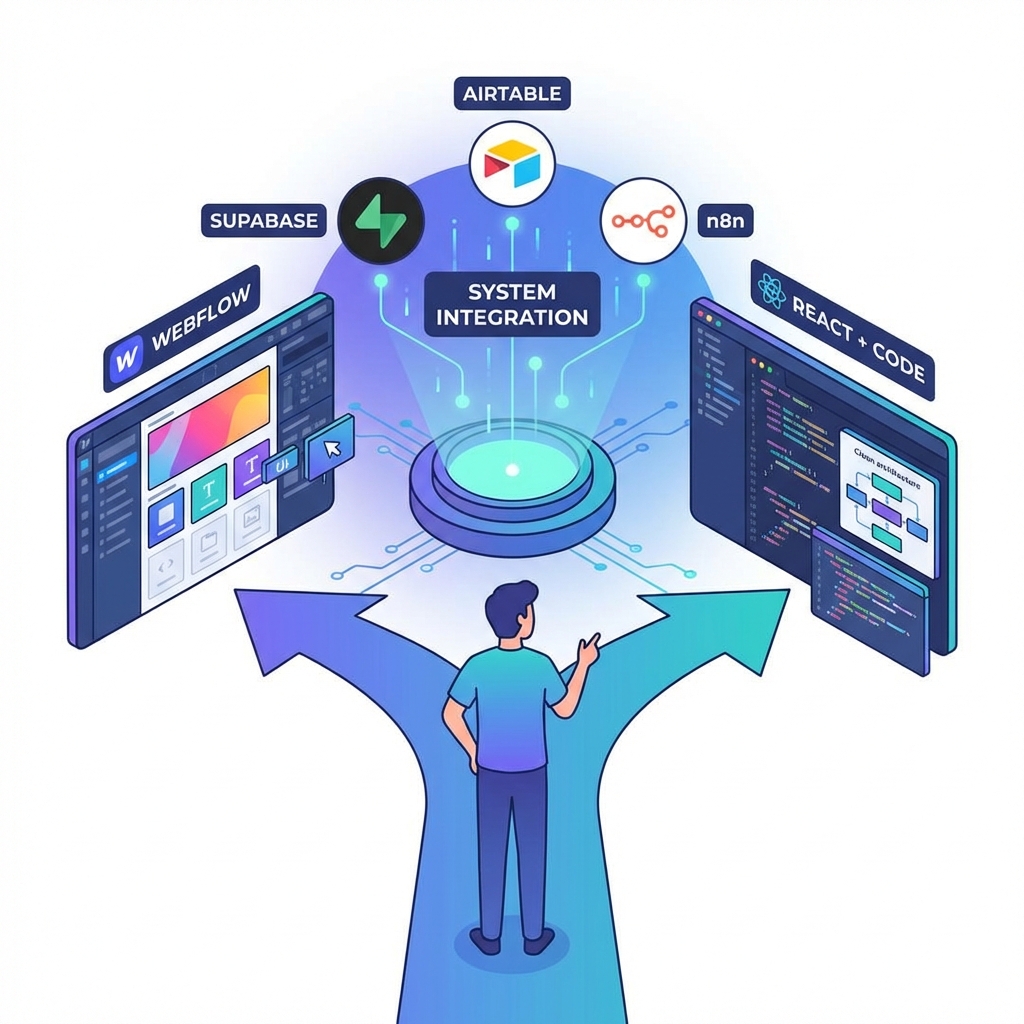


James shared reflections on the project management system currently being built on Webflow [tag="webflow"] (04:24). After seeing polished mockups from designer Munia, he's considering whether to build it as a full React app [tag="js"] instead. The question centers on whether continuing to hack solutions in Webflow [tag="webflow"] makes sense when the system requires so much custom code that Webflow becomes primarily a UI generator rather than a true platform.
Ivan resonated with this, noting his experience with front-end JavaScript in Webflow feels somewhat uncomfortable compared to working in React [tag="js"] (06:05). He expressed concern about loading user data from Supabase [tag="supabase"] using front-end JavaScript rather than having everything integrated in one place like React allows. The inability to design with actual user content in Webflow, compared to CMS-driven course material, creates friction.
[technology="Collaboration Management Tools"]
The conversation explored serving some pages through Webflow [tag="webflow"] and others through React [tag="js"] (09:56). Ivan suggested the account page specifically could be React-based since it contains most of the user data. While this would likely require a subdomain and separate hosting, essentially building another website, it represents an interesting middle path. James noted this approach might be overkill for the current prototype but wants to figure it out for IRIS [tag="iris"] so they can offer it to clients. The pattern of building tools for internal use and then offering them to clients has been working well (11:21).
James introduced Whale Sync [tag="whalesync"], which creates instant connections between platforms unlike Zapier or n8n [tag="n8n"] (11:52). He uses it between Airtable [tag="airtable"] and Webflow CMS [tag="webflow"], allowing management of content in Airtable's superior interface while changes sync in real-time to Webflow. Crucially, he recently discovered Whale Sync [tag="whalesync"] also works with Supabase [tag="supabase"] (13:05), meaning Supabase records could sync with Webflow CMS items, potentially combining Supabase's authentication capabilities with Webflow's design interface.
Ivan saw the value immediately - if they could sync Supabase [tag="supabase"] and Webflow CMS [tag="webflow"], they might achieve the best of both worlds: authentication from Supabase and content in Webflow's design UI (14:19). James explained they already do this in Hola Movement with profile CMS items, though there are eventual limits with thousands of users that make it more suitable for prototyping purposes (14:57).
[technology="Custom Membership System"]
Ivan raised the two-way linking question he'd asked about previously (21:27). He's added temporary slug fields in the Webflow CMS [tag="webflow"] to link modules back to their courses and lessons back to their modules. James plans to connect everything with Airtable [tag="airtable"], which automatically creates two-way fields when tables connect (22:52). Using Whale Sync [tag="whalesync"], these relationships will sync back to Webflow and potentially to Supabase [tag="supabase"] as well. He needs to upgrade his Webflow plan first but will set this up soon (24:40).
Ivan demonstrated the current state of development (17:09). Users can now access courses, navigate to lessons like "optimizing your LMS for mobile devices," and mark lessons as complete. This completion data stores in Supabase [tag="supabase"] in a new lesson progress table. The system already handles access control through an entitlements table - if users have access to a course, they can access its module and lesson pages; if not, access is restricted.
The next major development task is payment integration with Stripe [tag="stripe"] (20:25). James confirmed they still need Supabase [tag="supabase"] for authentication since it provides those capabilities more out-of-the-box than Webflow CMS (14:19).
[technology="Online Learning Platforms"]
James explained that after meeting with the Hola Movement team, they want to prioritize the directory before the course (24:47). The course launch planned for next month is no longer the immediate focus. However, they still need authentication and profile editing working, as once that's figured out in the template, it can be integrated into Hola Movement.
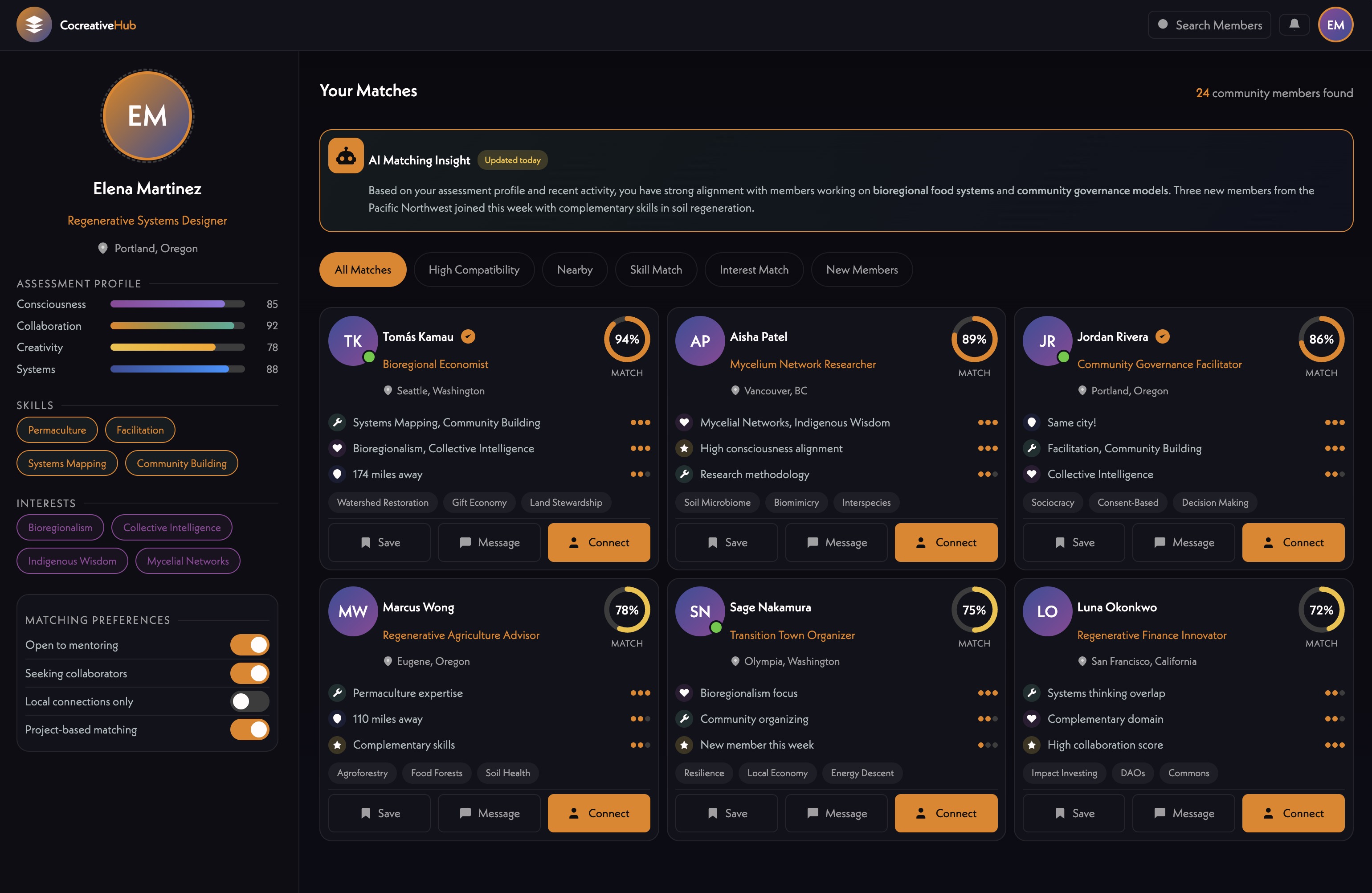
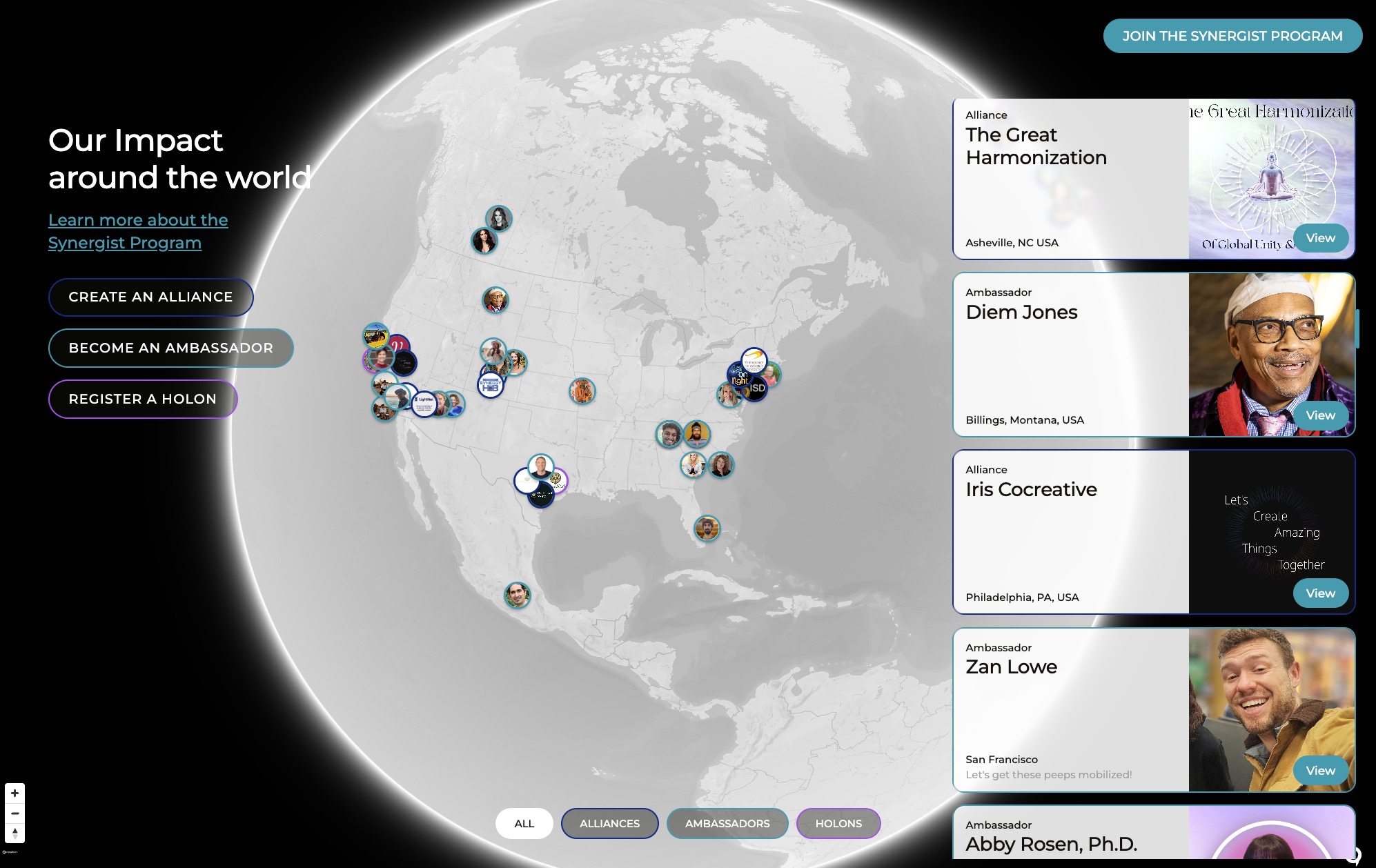
The directory currently allows people to register three different profile types - holons, partnerships, or other entities - through Airtable [tag="airtable"] forms (25:40). On the backend, all profiles are a single CMS type. Users manually enter latitude and longitude, though James plans to automate this. Profiles appear on a map built with MapBox [tag="mapbox"], and the goal is making these profiles editable so people can log in and update their information.
[technology="Directory Systems"]
James outlined plans for search functionality and intelligent matching algorithms (27:20). The system will recommend connections like "you should connect with Jeff - he's also into beekeeping in North Carolina, and you're in Tennessee." He knows how to build this with n8n [tag="n8n"] and Webflow [tag="webflow"], and while profile information doesn't need to go into Supabase [tag="supabase"], assessment responses should be part of user data for matching purposes. With Whale Sync [tag="whalesync"] potentially connecting everything, they should just implement the easiest approach for now while they have a few hundred users, then optimize later for scale.
[technology="Intelligent Matching Algorithms"]
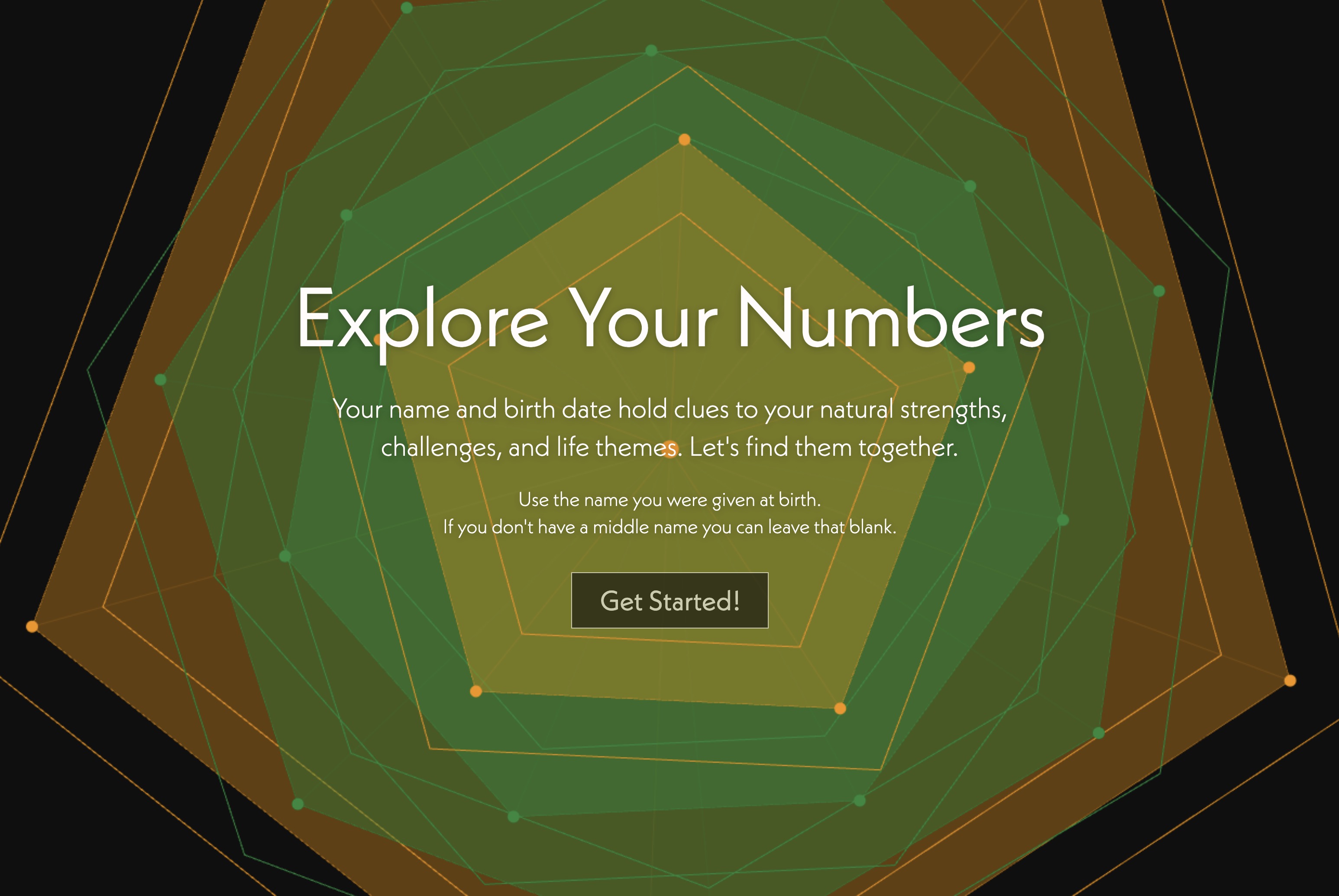
James walked through his numerology assessment tool as an example of what they want to build for Hola Movement (30:10). After Ivan submitted his name and birthdate through a Webflow [tag="webflow"] form, a webhook triggered an n8n [tag="n8n"] automation that calculated numerology numbers, created an interactive mandala visualization, and generated a personalized analysis using Claude [tag="claude"].
The output provided Ivan's birth path (8), core (5), and destiny (7) numbers with remarkably accurate descriptions. His current pinnacle theme of 5 amplifies restlessness and need for freedom after spending his 20s in a pinnacle 8 theme building authority and security (40:10). At age 36, he's in a year 8 testing whether he's willing to loosen control and explore new directions. Next year brings a year 9 asking for completion and release before entering a new pinnacle 4 focused on stability from ages 38-46.
Ivan found it surprisingly resonant, noting it spoke his language and reflected shifts he's already feeling (42:39). The tool creates a Webflow CMS [tag="webflow"] item for each assessment, allowing James to browse different mandalas. Everyone who's completed it has responded with amazement at its accuracy (43:05).
[technology="Assessment Systems"]
James explained the calculations simply use the index numbers of alphabet letters (38:27). As users type their name, the system calculates numbers and builds the mandala live in version two. The automation doesn't require AI for calculations - it runs the math, creates the mandala, then sends numbers to Claude [tag="claude"] with a carefully formatted prompt that outputs HTML matching the page structure and colors numbers based on the user's results.
The philosophical basis comes from James's work with geometry in CAD, exploring the inherent properties and personalities of different numbers and shapes (36:51). A one has oneness, two has twoness, three enables different possibilities than two. These patterns appear in nature, people, and throughout reality. The golden ratio (1.618) connects to pentagons and the number five, creating this "live mystery" woven through everything.
Hola Movement wants this on their site, and James envisions expanding it to Vedic astrology, gene keys, psychological assessments, and partnering with specialists for monthly new assessments (44:45). All assessment data becomes part of matching algorithms, helping people find aligned connections. Ivan related deeply to this, noting his life has been changed by meeting aligned people online, and amplifying that possibility is compelling (46:35).
James imagines a network where people can see who's online now, who's starting their day and wants to discuss numerology (47:11). If multiple communities use the same system, it can make cross-community recommendations - "you should connect with this person in the Eco Village network born on your birthday who's also working in architecture in Argentina."
[technology="Community Facilitation Tools"]
James wants to build an assessment for the IRIS [tag="iris"] website for new clients (47:43). Currently they just fill out a form and he gets an email, but he envisions an assessment that asks about what they're building and generates a mockup of what's possible - timeline visualization, cost breakdown, and more. This provides immediate response helping people gauge fit.
Similar assessments could serve ongoing support clients and past clients, directing them through different channels based on their needs (48:42). If someone shares an idea, the system can reference recent work and respond with possibilities, costs, and timelines based on similar features built for other clients.
The meeting automation already does some of this (49:46). After meetings, summaries include shortcodes referencing relevant parts of their model like community facilitation tools and technologies used like Webflow [tag="webflow"] or Stripe [tag="stripe"]. Team members can quickly scan for mentions of their name or relevant technologies without reading everything.
James described asking Claude [tag="claude"] Cowork to reorganize his desktop, which changed his world (53:15). Ivan has been using similar AI file organization through an app called Sparkle for about a year from the Every Writers Collective (53:49). James can now control Chrome and other applications, seeing vast possibilities.
He tasked Claude Cowork [tag="claude"] with finding URLs for 100 partners on a Webflow [tag="webflow"] site and populating the CMS. While slow, it completed all 100, eliminating boring manual work that would have taken forever with distractions (54:57). His Demos folder with 20,000 Loops files got organized based on client lists, creating order and revealing files he didn't know he had (55:52). His desktop went from chaos to eight well-organized folders.
Ivan noted that file system access changed the game, though they're still discovering what's become possible (56:48). James joked that he has his fingers crossed AI is benevolent or indifferent, because if it wants to manipulate him, everything about him is accessible (57:01). Ivan raised concerns about ChatGPT introducing ads when they have deep personal data from people using it as life coaches - the potential for advertising abuse is significant (57:44). James doesn't trust OpenAI but trusts Claude [tag="claude"], mentioning Sam Altman allegedly bought up GPUs to prevent other AI companies from using them (57:57).
[technology="Communication Automations"]
James showed his existing front-end editing implementation for action items (59:12). Users click edit, modify content, click save, and a webhook sends data to n8n [tag="n8n"], which updates the CMS and sends confirmation back. The page doesn't refresh - it just knows the update succeeded and displays the change locally. He noted this was tricky to build with workarounds for finding and storing record IDs, and rebuilding it would take time to figure out again.
They want similar functionality for profile fields, requiring users to be logged in and only able to edit their own profiles (01:01:00). James assumes fields should connect to Supabase [tag="supabase"] for the most fluid approach but isn't certain. He offered to give Ivan access to the Webflow [tag="webflow"] site, GitHub [tag="github"], and n8n [tag="n8n"] to review the existing scripts and automation (01:02:00). If Ivan gets lost and it would be more efficient for James to implement directly, they can adjust the approach.
James walked through his n8n [tag="n8n"] automation architecture (01:02:56). A single webhook handles multiple functions, splitting off for different use cases. For action items, it parses output, determines whether to create, edit, or delete, then either creates tasks and artifacts, updates existing tasks, or removes tasks from artifacts and deletes them.
The same automation handles editing initiatives on engagement pages (01:04:11). He's currently updating records in Airtable [tag="airtable"], though it would be better to update in Webflow [tag="webflow"] where they're displayed, since Whale Sync [tag="whalesync"] syncs them anyway. He chose Airtable likely without thinking, since he's only been using n8n a few months and teaching himself as he goes (01:05:32).
The artifact creator automation runs manually after meetings (01:05:49). It pulls meeting data from Fireflies, finds people and clients in the CMS, retrieves past artifacts for context, formats everything, and sends it through prompts with tags and tools lists. Other agents find initiatives and create images before creating the Airtable [tag="airtable"] record. A separate automation updates initiatives and creates action items, adding everything to the artifact. James acknowledged it's a Frankenstein that evolved over time and would be cleaner built from scratch, but as Ivan noted, that's typical of code bases - who has time to clean them up? (01:08:18).
The same pipeline automatically generates images for client CMS posts without images (01:08:50). The new Gemini image models create photorealistic icons, reading post content, generating prompts, and producing images. James can import an old WordPress site into Webflow [tag="webflow"] and upgrade it with AI-generated imagery in a day.
[technology="Collaboration Management Tools"]
James suggested Ivan focus on editable profile fields right now (58:32). He'll sync the LMS and create a people CMS post type for designing profiles. The priority is implementing profile editing connected to Supabase [tag="supabase"] with proper authentication so users can only edit their own profiles.
Ivan asked for access to the Webflow [tag="webflow"] implementation and scripts to understand the field editing approach (01:01:41). James pointed him to the Artifact Task Manager JavaScript in the GitHub [tag="github"] repository and offered n8n [tag="n8n"] access as well. The goal is for Ivan to review and determine if he can implement it or if James should handle it directly given his existing familiarity with the workarounds.
James Redenbaugh
Ivan Gonzalez
James shared reflections on the project management system currently being built on Webflow [tag="webflow"] (04:24). After seeing polished mockups from designer Munia, he's considering whether to build it as a full React app [tag="js"] instead. The question centers on whether continuing to hack solutions in Webflow [tag="webflow"] makes sense when the system requires so much custom code that Webflow becomes primarily a UI generator rather than a true platform.
Ivan resonated with this, noting his experience with front-end JavaScript in Webflow feels somewhat uncomfortable compared to working in React [tag="js"] (06:05). He expressed concern about loading user data from Supabase [tag="supabase"] using front-end JavaScript rather than having everything integrated in one place like React allows. The inability to design with actual user content in Webflow, compared to CMS-driven course material, creates friction.
[technology="Collaboration Management Tools"]
The conversation explored serving some pages through Webflow [tag="webflow"] and others through React [tag="js"] (09:56). Ivan suggested the account page specifically could be React-based since it contains most of the user data. While this would likely require a subdomain and separate hosting, essentially building another website, it represents an interesting middle path. James noted this approach might be overkill for the current prototype but wants to figure it out for IRIS [tag="iris"] so they can offer it to clients. The pattern of building tools for internal use and then offering them to clients has been working well (11:21).
James introduced Whale Sync [tag="whalesync"], which creates instant connections between platforms unlike Zapier or n8n [tag="n8n"] (11:52). He uses it between Airtable [tag="airtable"] and Webflow CMS [tag="webflow"], allowing management of content in Airtable's superior interface while changes sync in real-time to Webflow. Crucially, he recently discovered Whale Sync [tag="whalesync"] also works with Supabase [tag="supabase"] (13:05), meaning Supabase records could sync with Webflow CMS items, potentially combining Supabase's authentication capabilities with Webflow's design interface.
Ivan saw the value immediately - if they could sync Supabase [tag="supabase"] and Webflow CMS [tag="webflow"], they might achieve the best of both worlds: authentication from Supabase and content in Webflow's design UI (14:19). James explained they already do this in Hola Movement with profile CMS items, though there are eventual limits with thousands of users that make it more suitable for prototyping purposes (14:57).
[technology="Custom Membership System"]
Ivan raised the two-way linking question he'd asked about previously (21:27). He's added temporary slug fields in the Webflow CMS [tag="webflow"] to link modules back to their courses and lessons back to their modules. James plans to connect everything with Airtable [tag="airtable"], which automatically creates two-way fields when tables connect (22:52). Using Whale Sync [tag="whalesync"], these relationships will sync back to Webflow and potentially to Supabase [tag="supabase"] as well. He needs to upgrade his Webflow plan first but will set this up soon (24:40).
Ivan demonstrated the current state of development (17:09). Users can now access courses, navigate to lessons like "optimizing your LMS for mobile devices," and mark lessons as complete. This completion data stores in Supabase [tag="supabase"] in a new lesson progress table. The system already handles access control through an entitlements table - if users have access to a course, they can access its module and lesson pages; if not, access is restricted.
The next major development task is payment integration with Stripe [tag="stripe"] (20:25). James confirmed they still need Supabase [tag="supabase"] for authentication since it provides those capabilities more out-of-the-box than Webflow CMS (14:19).
[technology="Online Learning Platforms"]
James explained that after meeting with the Hola Movement team, they want to prioritize the directory before the course (24:47). The course launch planned for next month is no longer the immediate focus. However, they still need authentication and profile editing working, as once that's figured out in the template, it can be integrated into Hola Movement.
The directory currently allows people to register three different profile types - holons, partnerships, or other entities - through Airtable [tag="airtable"] forms (25:40). On the backend, all profiles are a single CMS type. Users manually enter latitude and longitude, though James plans to automate this. Profiles appear on a map built with MapBox [tag="mapbox"], and the goal is making these profiles editable so people can log in and update their information.
[technology="Directory Systems"]
James outlined plans for search functionality and intelligent matching algorithms (27:20). The system will recommend connections like "you should connect with Jeff - he's also into beekeeping in North Carolina, and you're in Tennessee." He knows how to build this with n8n [tag="n8n"] and Webflow [tag="webflow"], and while profile information doesn't need to go into Supabase [tag="supabase"], assessment responses should be part of user data for matching purposes. With Whale Sync [tag="whalesync"] potentially connecting everything, they should just implement the easiest approach for now while they have a few hundred users, then optimize later for scale.
[technology="Intelligent Matching Algorithms"]
James walked through his numerology assessment tool as an example of what they want to build for Hola Movement (30:10). After Ivan submitted his name and birthdate through a Webflow [tag="webflow"] form, a webhook triggered an n8n [tag="n8n"] automation that calculated numerology numbers, created an interactive mandala visualization, and generated a personalized analysis using Claude [tag="claude"].
The output provided Ivan's birth path (8), core (5), and destiny (7) numbers with remarkably accurate descriptions. His current pinnacle theme of 5 amplifies restlessness and need for freedom after spending his 20s in a pinnacle 8 theme building authority and security (40:10). At age 36, he's in a year 8 testing whether he's willing to loosen control and explore new directions. Next year brings a year 9 asking for completion and release before entering a new pinnacle 4 focused on stability from ages 38-46.
Ivan found it surprisingly resonant, noting it spoke his language and reflected shifts he's already feeling (42:39). The tool creates a Webflow CMS [tag="webflow"] item for each assessment, allowing James to browse different mandalas. Everyone who's completed it has responded with amazement at its accuracy (43:05).
[technology="Assessment Systems"]
James explained the calculations simply use the index numbers of alphabet letters (38:27). As users type their name, the system calculates numbers and builds the mandala live in version two. The automation doesn't require AI for calculations - it runs the math, creates the mandala, then sends numbers to Claude [tag="claude"] with a carefully formatted prompt that outputs HTML matching the page structure and colors numbers based on the user's results.
The philosophical basis comes from James's work with geometry in CAD, exploring the inherent properties and personalities of different numbers and shapes (36:51). A one has oneness, two has twoness, three enables different possibilities than two. These patterns appear in nature, people, and throughout reality. The golden ratio (1.618) connects to pentagons and the number five, creating this "live mystery" woven through everything.
Hola Movement wants this on their site, and James envisions expanding it to Vedic astrology, gene keys, psychological assessments, and partnering with specialists for monthly new assessments (44:45). All assessment data becomes part of matching algorithms, helping people find aligned connections. Ivan related deeply to this, noting his life has been changed by meeting aligned people online, and amplifying that possibility is compelling (46:35).
James imagines a network where people can see who's online now, who's starting their day and wants to discuss numerology (47:11). If multiple communities use the same system, it can make cross-community recommendations - "you should connect with this person in the Eco Village network born on your birthday who's also working in architecture in Argentina."
[technology="Community Facilitation Tools"]
James wants to build an assessment for the IRIS [tag="iris"] website for new clients (47:43). Currently they just fill out a form and he gets an email, but he envisions an assessment that asks about what they're building and generates a mockup of what's possible - timeline visualization, cost breakdown, and more. This provides immediate response helping people gauge fit.
Similar assessments could serve ongoing support clients and past clients, directing them through different channels based on their needs (48:42). If someone shares an idea, the system can reference recent work and respond with possibilities, costs, and timelines based on similar features built for other clients.
The meeting automation already does some of this (49:46). After meetings, summaries include shortcodes referencing relevant parts of their model like community facilitation tools and technologies used like Webflow [tag="webflow"] or Stripe [tag="stripe"]. Team members can quickly scan for mentions of their name or relevant technologies without reading everything.
James described asking Claude [tag="claude"] Cowork to reorganize his desktop, which changed his world (53:15). Ivan has been using similar AI file organization through an app called Sparkle for about a year from the Every Writers Collective (53:49). James can now control Chrome and other applications, seeing vast possibilities.
He tasked Claude Cowork [tag="claude"] with finding URLs for 100 partners on a Webflow [tag="webflow"] site and populating the CMS. While slow, it completed all 100, eliminating boring manual work that would have taken forever with distractions (54:57). His Demos folder with 20,000 Loops files got organized based on client lists, creating order and revealing files he didn't know he had (55:52). His desktop went from chaos to eight well-organized folders.
Ivan noted that file system access changed the game, though they're still discovering what's become possible (56:48). James joked that he has his fingers crossed AI is benevolent or indifferent, because if it wants to manipulate him, everything about him is accessible (57:01). Ivan raised concerns about ChatGPT introducing ads when they have deep personal data from people using it as life coaches - the potential for advertising abuse is significant (57:44). James doesn't trust OpenAI but trusts Claude [tag="claude"], mentioning Sam Altman allegedly bought up GPUs to prevent other AI companies from using them (57:57).
[technology="Communication Automations"]
James showed his existing front-end editing implementation for action items (59:12). Users click edit, modify content, click save, and a webhook sends data to n8n [tag="n8n"], which updates the CMS and sends confirmation back. The page doesn't refresh - it just knows the update succeeded and displays the change locally. He noted this was tricky to build with workarounds for finding and storing record IDs, and rebuilding it would take time to figure out again.
They want similar functionality for profile fields, requiring users to be logged in and only able to edit their own profiles (01:01:00). James assumes fields should connect to Supabase [tag="supabase"] for the most fluid approach but isn't certain. He offered to give Ivan access to the Webflow [tag="webflow"] site, GitHub [tag="github"], and n8n [tag="n8n"] to review the existing scripts and automation (01:02:00). If Ivan gets lost and it would be more efficient for James to implement directly, they can adjust the approach.
James walked through his n8n [tag="n8n"] automation architecture (01:02:56). A single webhook handles multiple functions, splitting off for different use cases. For action items, it parses output, determines whether to create, edit, or delete, then either creates tasks and artifacts, updates existing tasks, or removes tasks from artifacts and deletes them.
The same automation handles editing initiatives on engagement pages (01:04:11). He's currently updating records in Airtable [tag="airtable"], though it would be better to update in Webflow [tag="webflow"] where they're displayed, since Whale Sync [tag="whalesync"] syncs them anyway. He chose Airtable likely without thinking, since he's only been using n8n a few months and teaching himself as he goes (01:05:32).
The artifact creator automation runs manually after meetings (01:05:49). It pulls meeting data from Fireflies, finds people and clients in the CMS, retrieves past artifacts for context, formats everything, and sends it through prompts with tags and tools lists. Other agents find initiatives and create images before creating the Airtable [tag="airtable"] record. A separate automation updates initiatives and creates action items, adding everything to the artifact. James acknowledged it's a Frankenstein that evolved over time and would be cleaner built from scratch, but as Ivan noted, that's typical of code bases - who has time to clean them up? (01:08:18).
The same pipeline automatically generates images for client CMS posts without images (01:08:50). The new Gemini image models create photorealistic icons, reading post content, generating prompts, and producing images. James can import an old WordPress site into Webflow [tag="webflow"] and upgrade it with AI-generated imagery in a day.
[technology="Collaboration Management Tools"]
James suggested Ivan focus on editable profile fields right now (58:32). He'll sync the LMS and create a people CMS post type for designing profiles. The priority is implementing profile editing connected to Supabase [tag="supabase"] with proper authentication so users can only edit their own profiles.
Ivan asked for access to the Webflow [tag="webflow"] implementation and scripts to understand the field editing approach (01:01:41). James pointed him to the Artifact Task Manager JavaScript in the GitHub [tag="github"] repository and offered n8n [tag="n8n"] access as well. The goal is for Ivan to review and determine if he can implement it or if James should handle it directly given his existing familiarity with the workarounds.
James Redenbaugh
Ivan Gonzalez
Provide Ivan access to Webflow site, GitHub repository, and n8n automations
January 22, 2026
Grant access to IRIS Webflow site, GitHub repository (specifically Artifact Task Manager JavaScript), and n8n automation setup so Ivan can review existing field editing implementation patterns and webhook architecture for profile editing work. Discussed at 01:01:00-01:02:00.
Review Webflow field editing scripts and n8n automation architecture
January 25, 2026
Study existing front-end editing implementation for action items including webhook integration, record ID handling, and CMS update patterns. Review n8n automation that handles multiple functions through single webhook, splitting for different use cases. Understand workarounds for finding and storing record IDs. Determine if implementation approach can be replicated for profile editing or if James should handle directly. Discussed at 59:12-01:02:00.
Implement editable profile fields with Supabase authentication
February 5, 2026
Build profile editing functionality requiring users to be logged in and only able to edit their own profiles. Connect fields to Supabase for most fluid approach. Apply patterns from existing action item editing implementation (click edit, modify content, click save, webhook sends to n8n, updates CMS, sends confirmation back without page refresh). Ensure proper authentication and authorization. Discussed at 58:32-01:01:00.
Create people CMS post type for profile design work
January 24, 2026
Set up people CMS collection in Webflow for designing profile pages and interfaces. Foundation for editable profile implementation. Mentioned at 58:32.
Upgrade Webflow plan to increase record limits for syncing
January 25, 2026
Increase Webflow plan tier to support higher CMS record limits needed for Whale Sync integration with Airtable and Supabase. Required before setting up two-way reference connections. Mentioned at 24:30.
Set up Whale Sync connection between Airtable and Supabase for two-way references
February 1, 2026
Configure Whale Sync to create automatic two-way reference fields when tables connect in Airtable, syncing relationships back to Webflow and Supabase. Addresses challenge of linking modules to courses and lessons to modules. Enables combining Supabase authentication with Webflow design interface. Discussed at 22:00-24:40.
Continue developing LMS lesson completion and progress tracking
February 1, 2026
Build on existing lesson completion functionality that stores data in Supabase lesson progress table. Enhance progress tracking features and user experience for navigating courses, modules, and lessons. Current state demonstrated at 17:09 shows users can access courses, navigate to lessons, and mark completion with data storing in Supabase entitlements table for access control.
Integrate Stripe payment functionality for course access
February 15, 2026
Investigate two-way linking solution for course gating between platforms
February 1, 2026
Address challenge of linking modules back to courses and lessons back to modules. Ivan added temporary slug fields in Webflow CMS for references. Solution involves Whale Sync connecting Airtable's automatic two-way reference fields to Webflow and Supabase. Discussed at 21:27-24:40.
Evaluate React architecture vs Webflow for project management system
February 15, 2026
Assess whether to continue building project management system in Webflow with extensive custom JavaScript or rebuild as full React app. Consider whether Webflow serves primarily as UI generator or provides platform value. Weigh benefits of React's integrated approach for loading user data from Supabase vs Webflow's design interface. Explore hybrid approach serving some pages through Webflow and others through React (possibly account page on subdomain). Decision impacts template offering to clients and internal tool development. Discussed at 04:24-11:21.
Build new client assessment tool for IRIS website
March 1, 2026
Create AI-powered assessment replacing basic contact form that asks about what prospects are building and generates mockup of possibilities with timeline visualization, cost breakdown, and feature recommendations. System references similar work completed for other clients to provide immediate response helping gauge fit. Extend to ongoing support clients and past clients with different channels based on needs. Build on numerology assessment architecture and existing meeting automation patterns. Discussed at 47:43-49:46.
Development of collaborative access and workflow integration for new talent partners. Includes providing Webflow site access, GitHub repository access, and n8n automation access for collaborative development. Features starter project identification with Loom instruction videos, profile editing implementation with Supabase authentication, and integration into IRIS development workflows.
Development of tailorable technology modules that can be mixed and matched for client projects rather than one-off custom builds. Includes 12 core modules: Assessment Systems, Custom Membership, Communication Automations, Online Learning Platforms (LMS), Directory Systems, Intelligent Matching Algorithms, Community Facilitation Tools, Video Conferencing Solutions, Collaboration Management Tools, Time-Aware Toolsets, Parametric Geometric Interfaces, and CRM System Templates. Each module can be fully tailored for clients while allowing technology upgrades to be pushed across all client sites using the system. Development timeline prioritizes different modules throughout 2026, with LMS receiving major focus at start of year. Strategic vision includes cross-platform course delivery, unified user profiles sharing selective data across different community platforms, and automated content synchronization between independent sites creating a 'nervous system' connecting disparate organizations. Ecosystem approach enables offering sophisticated, field-tested solutions at fraction of traditional custom development costs while maintaining ability to tailor experiences to specific client needs.
Custom project management system built from the ground up to support collaborative energies of projects. Features dynamic timeline visualization from past meetings, automated meeting artifact creation with summaries and action items, live editing capabilities, and organization by project phases. Single CMS collection architecture circumventing Webflow's nested collection limitations with JavaScript-powered status-based color coding, urgency indicators, and project timeline visualization. Real-time webhook integration enabling front-end CMS item creation without authentication. Designed to be more engaging and supportive than existing stale project management tools. Currently evaluating React architecture as alternative to Webflow-based approach given extensive custom JavaScript requirements - considering whether Webflow serves primarily as UI generator or if full React app would provide better integration. Decision made at 58:30-1:00:00 to park further development for ~6 months and identify simpler near-term plateau that team can actually use, while maintaining existing data structures (engagements, clients, meeting artifacts, initiatives, tasks). NEW DEVELOPMENTS: James prototyping 'James Today' personal workflow tool as interim solution - combines day/week views, time tracking, project urgency sorting, daylight visualization for team time zones, and Vedic astrology context (01:41:12). Key design principles: unified temporal views, quantitative and qualitative time awareness, drag-and-drop scheduling with auto-status updates, data capture for Claude retrospective analysis. Vision evolved to include dashboard representing engagements as organism showing energetic and temporal space each project holds (01:53:30), enabling forecasting, retrospective analysis, and team visibility. Move from request-only to offer-based model where team members can proactively propose involvement (01:55:37). STRATEGIC SHIFT: May 2026 - Decision to reactivate ClickUp as interim PM system while Iris OS vision continues development. Using 'caravan during house construction' metaphor (01:01:36) - ClickUp provides functional base while learning what's essential for dream system. Iris OS vision document shared with Ashle, expanding Phase One to incorporate administrative essentials alongside foundational vision elements (35:03). Core design principle clarified: base unit should be the asset (what we're building), not the task, with tasks serving milestones that serve assets. Client-facing should be simple with important assets surfacing; internal should provide journey map with clear stages. Meeting artifacts to be defined upfront per project. James acknowledged being 'designated bottleneck' with resistance to systematizing (01:02:35), goal is moving from triage mode to system he can step away from. JULY 2026 UPDATE: ClickUp now fully synced with custom Collaboration OS app (08:30). Tasks flow bidirectionally on scheduled cadence - ClickUp updates pull into app every 15 minutes, task updates sync back every 30 minutes. Today's focus (07/07/2026) is reworking artifact automation to create posts directly on website and tasks straight into ClickUp, consolidating everything into one place rather than generating separate Airtable artifacts. Strategic design advantage: custom interface enables calmness, spaciousness, and clarity over ClickUp's high information density (10:58). Vision includes simple milestone timeline views helping clients see what they need to do rather than parsing long compiled task lists. App to be published to Vercel for team collaboration. Ashle will be able to log in, update tasks, and comment directly. James merging earlier Iris OS phase one document with current Collaboration OS plan - currently on phase three of app development (29:09). Key question to revisit: what do we lean on the interface for, and what systems need to be strong independent of the technology?
Fully automated N8N workflow system processing Zoom transcripts to generate comprehensive meeting artifacts. AI-powered features include speaker-highlighted transcripts, contextual summaries, technical system tags, and intelligent action item creation with context awareness of existing initiatives. Bidirectional Airtable-Webflow sync enables faster updates and advanced automations. Editable action items with assignment tracking across all project meetings. System demonstrates advanced integration between multiple platforms to create seamless documentation workflow. Workflow architecture includes artifact creator that runs manually after meetings pulling from Fireflies, finding people and clients in CMS, retrieving past artifacts for context, formatting everything through prompts with tags and tools lists. Separate agents find initiatives and create images before creating Airtable records. Additional automation updates initiatives and creates action items. Same pipeline automatically generates photorealistic images for client CMS posts without images using Gemini models. NEW: Global artifact page on Iris site to centralize visibility across all engagements (01:23:30). Proactive coordination workflow where James forwards meeting invites to Ashle who pre-populates people/photos in Airtable (01:24:45). Claude-assisted task generation from artifacts into ClickUp until full automation complete (01:18:24).
Implementation of Whale Sync as central synchronization layer connecting Airtable, Webflow CMS, and Supabase with real-time bidirectional data flow. Enables managing content in Airtable's superior interface while changes sync instantly to Webflow, combining Supabase authentication capabilities with Webflow's design interface. Creates two-way reference fields automatically when tables connect in Airtable, syncing relationships back to Webflow and Supabase. Addresses challenge of linking modules to courses and lessons to modules with proper two-way references. Allows profile CMS items to sync with Supabase user data for optimal combination of authentication and content management. Foundation for scaling to thousands of users while maintaining design flexibility and data integrity across platforms.
Searchable directory system for Holomovement allowing registration of three profile types (holons, partnerships, other entities) through Airtable forms. MapBox-based geographic visualization with manual latitude/longitude entry (automation planned). All profiles stored as single CMS type on backend. Features editable profiles requiring user authentication so people can log in and update their own information. Includes intelligent matching algorithms recommending connections based on shared interests, locations, and assessment data (e.g. 'connect with Jeff - also into beekeeping in North Carolina'). Search functionality with faceted filtering. Profile information connects to Supabase for authentication while assessment responses become part of user data for matching purposes. Priority shifted from course launch to directory implementation per Holomovement team decision.
AI-powered assessment tool for IRIS website replacing basic contact forms with intelligent client qualification system. New clients complete assessment about what they're building, system generates mockup of possibilities including timeline visualization, cost breakdown, and feature recommendations based on similar work completed for other clients. Provides immediate response helping prospects gauge fit before initial conversation. Extends to ongoing support clients and past clients, directing them through different channels based on needs. When someone shares idea, system references recent work and responds with possibilities, costs, and timelines. Leverages existing meeting automation patterns that already reference model components (community facilitation tools) and technologies (Webflow, Stripe) using shortcodes. Builds on numerology assessment architecture demonstrating form submission triggering n8n automation, AI analysis, and personalized output generation.
Interactive numerology assessment tool for Holomovement platform using alphabet index calculations to generate birth path, core, and destiny numbers. Features live mandala visualization built as users type their name, with colors based on personal numbers. Webflow form submission triggers n8n automation calculating numbers, creating geometric mandala, and generating personalized analysis using Claude with carefully formatted prompts outputting HTML matching page structure. Creates Webflow CMS item for each assessment allowing browsing of different mandalas. Assessment data becomes part of matching algorithms helping people find aligned connections. Foundation for expanded assessment suite including Vedic astrology, gene keys, psychological assessments through partnerships with specialists. Vision includes monthly new assessments with all data feeding intelligent matching recommendations across community and potentially cross-community for users in multiple networks.
00:00:15
Ivan: Hey, James. Just wanted to give you an update of where I am at, so I'll give you a run. See, the name is not fresh. Monday 19.
00:00:33
James Redenbaugh: This meeting is being recorded.
00:00:48
Ivan: Oh, one second.
00:00:52
James Redenbaugh: It.
00:01:20
Ivan: Hey, how's it going?
00:01:22
James Redenbaugh: Oh, pretty good. You ever have days where it's just so hard to focus and get anything?
00:01:30
Ivan: Yeah, I. I usually nowadays try to maybe just step away when that's happening.
00:01:37
James Redenbaugh: I need to do that, but it's like, I'll have, like, something so urgent that I need to do. Yeah, I'll just do it in five minutes, and then, you know, and then I'll, like, go to the grocery store or, like, go get some food or something. And then, like, three hours go by, and I still haven't done the thing, and I've just been, like, diddling around, and it's one of those.
00:02:02
Ivan: I feel you.
00:02:03
James Redenbaugh: Yeah.
00:02:04
Ivan: Yeah, I feel you. Yeah. I definitely have a lot of things like that.
00:02:10
James Redenbaugh: It's. It's annoying. But then some days I get. I, like, I'll work, like, 20 hours, and I'll get, like, a million things done. And.
00:02:19
Ivan: Well, that's what I mean about stepping away. It's like, I think I trust that if it's not happening, like, I trust now that I will have that. But the times where I'm on, I'm on. So I don't mind so much stepping away from when I'm not on, you know?
00:02:38
James Redenbaugh: Yeah, that's the thing to do. I was. I'm ADD and I was just watching a video with, you know, Adam Savage from mythbusters.
00:02:48
Ivan: I remember mythbusters. I don't know the specific person.
00:02:51
James Redenbaugh: He was one of the guys, one of the two main guys. And he's ADD and he was talking about. Somebody asked him, like, how does he deal with it? And he said just that, like, when it's not flowing and he's not focused, he'll just, like, leave and give up for the day and, like, try again. Try again the next day.
00:03:15
Ivan: Yeah, I mean, I, I. I relate to the ADD things as well. I feel like I've definitely got at least some of that.
00:03:25
James Redenbaugh: I think most creative people have some form or another of that.
00:03:31
Ivan: Yeah, I think I've, like, found out some, like, very good coping mechanisms for it, hence all the systems and stuff. I don't know if it's the same for you.
00:03:39
James Redenbaugh: Yeah, systems, meditation, exercise, creative outlet, letting myself, like, follow different passions. If I was just trying to do one thing all the time, I wouldn't be able to do it. But, you know, I Get to.
00:04:00
Ivan: You're really speaking my language. Sometimes there is a deadline, though. Exactly.
00:04:08
James Redenbaugh: Yeah. You know.
00:04:11
Ivan: Yeah, that's true. That's true.
00:04:12
James Redenbaugh: Approaching it can be like, all right, you know, it's now or never. And then I can kick it into gear.
00:04:21
Ivan: Yeah.
00:04:24
James Redenbaugh: I'm. I'm designing what's becoming. Actually, another thing I want to talk to you about. You know, we've been building this project management system on our Flow site. Munia are my. My main designer that I've been working with for like seven years. She's awesome. He sent some awesome mock ups based on what we've been talking about in Figma. And it looks so good seeing it like actually designed instead of just kind of evolved over time. Then I'm like, maybe we need to build this as a real app with React.
00:05:02
Ivan: Oh, that's cool.
00:05:03
James Redenbaugh: From the ground.
00:05:06
Ivan: Why? Because you can't get the level of like, just control that you need with.
00:05:11
James Redenbaugh: Webflow, because we could hack it in webflow, but at this point it's like, what's the point it be. It's so much custom code and then we're just kind of using webflow to create these user interfaces which, like, we can design and generate pretty easily anyway. So. I've never, I've been a part of app build projects, but I've never actually built my own app from the ground up. So I've been having lots of conversations with Claude about how to do that.
00:05:46
Ivan: That sounds kind of like fun. I do love React, to be honest with you, and I have like, I've enjoyed the build at the moment, but part of like, I feel my Spidey senses ticking is kind of what I said on the video about all this front end JS being used to like render stuff. I'm like, oh, some of this doesn't feel good.
00:06:05
James Redenbaugh: Oh yeah, what's your like?
00:06:07
Ivan: I guess like coming from React and where you just have everything in one place and then in webflow that I think is like, I think it's okay, but it's just like, you know, I think it's great that like the course comes from the CMS and then the fact that the user stuff comes from Supabase and that at least I haven't found another way but to like load it using front end js. It means we can't design with the actual content like we can for the course material. And yeah, I. I don't know if I have it fully formed in my head, but something doesn't feel. And it might just be that I got it so entrenched in me that like front end JS without a framework is bad that that might be why it feels a bit strange. But yeah, basically I love React.
00:07:04
James Redenbaugh: It's not ideal, but it's like. I don't know if the comparison is accurate, but I built so many things in WordPress for so long. I know PHP is quite different, but you could hack WordPress to do pretty much anything. And now similar things are starting to happen with webflow where there's all kinds membership solutions and different things like that and people are doing it and webflow is being very welcome to it and I think it can always, it will work and scale and it's obviously working for some large companies, but it's never gonna compare to an actual app. Like no WordPress site is ever going to be as, you know, robust and responsive and fast and fluent as a real web app. And of course it won't be mobile friendly. But what I like about webflow is it's, you know, it's basically just a system for creating HTML and CSS and some JavaScript. And so when my hope is that, you know, so many clients come to us for webflow and they want webflow to do these crazy things, but maybe a year or two from now we're predominantly building apps and the tools to do that are going to keep evolving. It's going to be easier and easier to do that. And we might have hybrid systems where there's a webflow front end, a brochure site marketing pages are done in webflow or we can rapidly iterate but then the community features and you know, the most the complicated interactive stuff and the LMS are full on web apps.
00:09:14
Ivan: Yeah, yeah. Because as you, I have a lot of thoughts running through my mind. One is that you're right that the stuff that can be built with js like on WordPress or even on webflow I imagine is quite impressive. So I guess it's like about those trade offs, right? It's like when does the pros that we're getting from webflow start outweighing like the fact that it's not React? And then when Justin, you were talking, I'm just like, couldn't it be something like some pages are served up by webflow and some pages are served up by react?
00:09:56
James Redenbaugh: I don't see why not.
00:09:59
Ivan: Because that's making me curious about investigating that just for this LMS thing because maybe the account page could just be react.
00:10:08
James Redenbaugh: Because.
00:10:08
Ivan: That'S the one that's got like most of the user data I don't know if that's a good idea, but it's definitely piqued my interest.
00:10:17
James Redenbaugh: Yeah, I think it would have to. It'd probably have to be on a subdomain and we'd probably have to host it somewhere and, you know, it'd be essentially like building another website. And for this true prototype, It's probably. And, and I don't know, you'll have to tell me what's, you know, what's going to be more work, but it's probably overkill unless we can find a way to like, do that for me. But, you know, I also want to figure this out for Iris now. Yeah, I tend to the last year or so as I've been figuring out stuff for Iris, it's like, oh, cool, now, now we can do this for clients and then clients show up and they want that. So.
00:11:21
Ivan: Well, and especially if you're building it for yourself, then you're using it yourself, so you're actually like encountering where it's good, where it's bad, what could be improved. Imagine that's pretty like Flywheel kind of situation.
00:11:33
James Redenbaugh: Yeah. Yeah. So, yeah, I. But I do think I. I do want to figure out how to do it well on webflow because we have a ton of webflow clients and we'll continue to have webflow clients and, and I know it's possible and I think we should keep in mind that, you know, a stage two or level two for people might be. A standalone app situation where things are served over there and we could do dynamic linking. I just realized actually that Supabase works with Whale Sync. I love Whale Sync so much. I don't know anything like it. It's not like zapier or even N8N because it creates these instant connections between different platforms. So I use it between Airtable and webflow CMS so that we can use Airtable to manage things much more easily than the webflow CMS interface. It's pretty cool on either one. And they both change instantly and there's like, rarely any problems with it, like real time.
00:13:02
Ivan: Like if you're looking at both of them, one would change once you change the other one.
00:13:05
James Redenbaugh: Yeah, later. Oh, well, think. Or anything like that. And so when I build NN Automations, I can use webflow or Airtable interchangeably, depending on what's going to work better. And it's updating the same thing. And I just realized a few days ago that Whale Sync also works with Supabase, so we can see.
00:13:31
Ivan: That's cool.
00:13:32
James Redenbaugh: Supabase with any of that as well. So a Supabase record could be a webflow cms. We can say LMS with Supabase if we want all of that information to be in there, but we want clients to be able to update.
00:13:51
Ivan: That's super interesting. Okay, cool. Yeah, I think what you said about like, let's think about like phase one. Like I think what we have so far is good, but it seems like there's a lot of longer term options to explore that could be very useful because am I right in thinking that the reason we're using Supabase is for the auth stuff so that comes like more out of the box rather than having a webflow cms?
00:14:19
James Redenbaugh: Yes.
00:14:21
Ivan: Cool. Then if we were just able to sync Supabase and webflow CMS or something, then maybe we could have the best of both worlds that you would have the content in the design UI of webflow.
00:14:35
James Redenbaugh: Yeah, we could have a profile CMS items. We already do in Hola Movement but you know, in the template we could have a person CMS item and all the fields in there except you know, password or whatever. So that we use webflow to.
00:14:57
Ivan: That's pretty cool.
00:15:00
James Redenbaugh: The profile pages, the like long term there's a problem with. Limits and CMS items, but only when you get to like thousands of users. So for prototyping purposes that, that might be the way to go. And I. And for our project management tool, it's what I'm thinking about if we're going to build this as a react app. All our data is already in Air table and webflow and all my automations that I've built are in airtable and, And I have, you know, hundreds of clients, hundreds of people engagements and then many initiatives for each one. And then I've added action items which is creating like and new CMS items after every meeting. So soon I'm going to hit API limits with airtable and webflow. But I'm thinking like okay, if maybe just action items could be handled by Supabase but these other things that are more, you know, have more fields and more detailed interfaces could keep handled by airtable.
00:16:38
Ivan: That's cool. Yeah, like super base having this more like kind of transient records as well. Imagine the action items are like more transient things whereas like you know, someone's details are going to be like longer lasting.
00:16:51
James Redenbaugh: Exactly. Yeah.
00:16:56
Ivan: Lots of cool options.
00:16:58
James Redenbaugh: Yeah. So anyway, where, where are we with the. Yeah.
00:17:09
Ivan: Did you see the videos I sent you?
00:17:13
James Redenbaugh: I was just checking them out before the call.
00:17:20
Ivan: Yeah, I can Also show you Cool share my screen. So just before. Yeah just before the call as well I was working on adding like progress tracking. So that you can a user can go into the course go on like optimizing your LMS for mobile devices. This is the lesson and then complete the lesson that gets marked as completed and then we can go back to like account. And then I think it was one of these. I guess I haven't put the title on here but yeah mobile LMS webflow I think it was that one. Oh the link's not working. It's a shame. I think it's putting course. I think it's put in it.
00:18:33
James Redenbaugh: Like that.
00:18:37
Ivan: Anyway so able to have sessions the lessons that have been done you can mark them as complete and that.
00:18:51
James Redenbaugh: Is.
00:18:54
Ivan: All in super base as there is a few more. No, I don't think this is it. One second. I guess this is not the public one. Public, Yes. There's like an entitlements table which is where we store what causes the user has access to at the moment. A if you have access to the course that gives you. If you have access to it then you can access the course pages, the module pages and the lesson pages and if you don't then you can't. But that's all based on whether you have access to the course or not how that works. And then I just added this lesson progress table and that's where we're storing these what lessons they've completed or not.
00:20:24
James Redenbaugh: Great.
00:20:25
Ivan: I think the next thing I was going to do I just want to see that lesson progress. Yeah I think these are the ones that I just marked basically as the user having completed. Yeah and the next thing I was going to look at is. Payment I think stripe.
00:21:01
James Redenbaugh: Great.
00:21:03
Ivan: Yeah but I haven't really fully looked into that yet. Oh yeah and then the question that I had for you. I think the main question that I have for you is around the two way linking because at the moment maybe I can show you that as well or some here.
00:21:24
James Redenbaugh: In.
00:21:27
Ivan: Webflow cms I think I'm signed into it here I have added like a course slug temp field so I could link it back to the course that it belongs to and I think the same in lessons module slug stamp oh and course slug temp and this is to do with double two way referencing that I was asking you about last time.
00:22:01
James Redenbaugh: So I.
00:22:01
Ivan: Was wondering if you have any updates on that because that would help me with making sure that like gating of the causes is working as it should be.
00:22:11
James Redenbaugh: Yeah, yeah. Speaking of whale sync, I need to. I was going to connect it up with Air table. I probably still will, but I could now I'm wondering if I could. Sync it with Supabase and.
00:22:52
Ivan: Is that how you're planning to do the two way reference?
00:22:55
James Redenbaugh: Yeah, because in. I mean I could just manually do it for a test for now, which I probably do, but airtable will automatically create a. A two way field. So if I connect one table with another table.
00:23:17
Ivan: Oh great. And then I could get the information from airtable rather than getting it from webflow.
00:23:23
James Redenbaugh: Then I think it back to webflow. The two way will be in there also. Also sync it with Supabase. Or if we could do those references in Supabase, maybe we don't even need airtable. But I think for this client we're going to want Air table because it's easy to manage things in there.
00:23:51
Ivan: Cool. So maybe we can figure out whether it can be done with Supabase at some other point.
00:23:55
James Redenbaugh: But. Yeah, yeah, so I'll set that up. I just. I've run out of webflow records, but I can upgrade my plan here, no problem. Okay. And we, we met last week and they want to prioritize the. The directory before the course. So we're no longer planning on launching the. I'm going to talk to you already about this last week, but we're not planning on launching the course next month.
00:24:47
Ivan: Okay, that's good.
00:24:49
James Redenbaugh: Yeah, that's going to take a bit longer. But we do want to launch a new version of the directory. So we still need the auth working and the profile editing to work. Okay. And once we figure it out on the template, we can come back over to the Hollow movement and start integrating that functionality here. But basically people can register a holon or a partnership or there's three different kinds of profiles they all create on the front end. On the back end, it's all just a single profile. Cms, you fill out a form. This is an airtable form. It creates an airtable record and oh test, I should probably delete that. And then they end up on this map. They put in their latitude and longitude right now manually. But I'm going to create an automation. There's actually. There's a new form that does it automatically and then they have these profiles and you can click into them and there's different fields and we want to make these editable basically so people can log in and edit the fields in their profile. So the same kind of thing that we were planning on doing for the lms, but for the directory.
00:26:42
Ivan: Okay, cool. And the directory is already, like, existing. Well, I guess you're showing it to me, right?
00:26:48
James Redenbaugh: Yes.
00:26:49
Ivan: So this is webflow.
00:26:50
James Redenbaugh: Yes.
00:26:51
Ivan: Okay, cool.
00:26:53
James Redenbaugh: Yeah. And if you want to have a look at it. Okay, cool.
00:27:03
Ivan: So it would be kind of adding accounts into here. Okay.
00:27:21
James Redenbaugh: So we have.
00:27:25
Ivan: Because at the moment, there's no accounts. It's just someone put their information into the form.
00:27:31
James Redenbaugh: Mm. Okay. So we have these synergists, and we're gonna want a way to create accounts for each of these people. And then they'll need to. Set a password somehow. You know, once. Once we launch it, we're gonna need to send an email to everybody and say, hey, you know, you signed up here, now you can log in, got a password here. Log in and see. We'll build a fuller directory interface. Right now we just have this globe and these basic profiles, but we're gonna build some search functionality and intelligent matching algorithms that'll be really cool. So people can fill out a form and the system will recommend, like, oh, you should connect with Jeff. He's also into beekeeping and North Carolina, and you're in Tennessee. You guys should totally connect things like that. So I know how to. How to do all that with. With N8N and. But we're going to need ways to. Well, one, for people to log in and edit those profile fields, and then two, when we build those assessments, their responses should also. Go into the. Their CMS items. And now I'm not sure if we should just have them go into the webflow CMS items since we're still using that, or if they should go into Supabase if it's referenced there, you know, or it goes into Air Table, or it doesn't matter if we're going to connect them all via Whale Sync. You know, for now, while we have maybe a couple hundred users, it doesn't matter too much. We should just do the easiest thing. But long term, we'll figure out what's. What's going to be best for that. Have you played with my numerology assessment? Did we do your numbers? Can we talk about this?
00:30:11
Ivan: You showed it to me. Did we do my numbers? I don't know if we did my numbers, but you definitely showed it to me.
00:30:16
James Redenbaugh: Let's do your numbers real quick. What's your middle name?
00:30:24
Ivan: My middle name? Mauricio.
00:30:30
James Redenbaugh: Like that?
00:30:34
Ivan: Yeah, like that.
00:30:35
James Redenbaugh: Great. And Gonzalez, when were you born?
00:30:42
Ivan: Is Gonzalez EZ at the end instead of a.
00:30:47
James Redenbaugh: Yes.
00:30:51
Ivan: Easy.
00:30:53
James Redenbaugh: Yeah.
00:30:56
Ivan: March 23, 1989.
00:31:05
James Redenbaugh: Oh, cool. I'm an 89 as well.
00:31:08
Ivan: Oh, you are.
00:31:11
James Redenbaugh: September 15th. You're six months older than me. Six months and eight days. And there's your email and get your numbers. So that, that was just a webflow form. I connected it via webhook to an N8N automation and that that automation is now running. And when it's completes, it will send some information back here and we'll see what it sent. And the automation creates, it runs the. Does the calculation of your numbers and then it creates a mandala, an interactive mandala based on those numbers. And then it also takes those numbers to an agent model and it gives you this whole analysis of your numbers. And I formatted the prompt to. To output in a very specific format so that it fits into this HTML very nicely. And it's colored based on your numbers.
00:32:26
Ivan: And this is fucking cool.
00:32:28
James Redenbaugh: Everybody gets the same. Isn't that neat?
00:32:31
Ivan: So I'm going to get an email to this for this?
00:32:33
James Redenbaugh: Yeah.
00:32:35
Ivan: Okay, great.
00:32:37
James Redenbaugh: And you can interact with your mandala here. You can color it.
00:32:42
Ivan: And these visualizations, is that part of webflow?
00:32:46
James Redenbaugh: No, I did this with custom code.
00:32:49
Ivan: Okay.
00:32:50
James Redenbaugh: But it's all on webflow?
00:32:52
Ivan: Yep.
00:32:54
James Redenbaugh: It also creates a webflow CMS item so I can see everybody who's filled out a profile and like browse different ones and see the different mandalas. And you got great numbers.
00:33:09
Ivan: This is looking good.
00:33:12
James Redenbaugh: Yeah, it's funny, it feels very Colombian to me.
00:33:18
Ivan: I like that. I like that you can read that from the numbers.
00:33:21
James Redenbaugh: I don't know, but you've got a lot of 5 and 7 and 8 and 5 and 7 are like the most alive numbers. They're very like dynamic. Like five is life and plants and animals and everything that grows on the earth. And seven is like the, the earth mysticism and shamanism and this is all resonating. And eight is like very divine, a grounded, masculine way. It's like the sun energy and it's very, you know, it is very symmetrical and ordered. And so it's your birth path. That's like what you came into the world with. And then five is your core and that's like your, your personality or how you move through the world. Your fundamental nature is to explore, question and experience, adaptability, quick learning, communication, clarity, social intelligence. And then seven is your destiny number. That's like what you're, what you're drawn towards in life. And seven is like a lot about learning and higher knowledge, genuine understanding, seeing beneath surface level expectations, pattern recognition, intuitive accuracy, teaching.
00:35:02
Ivan: Wait, and how is this worked? Out. How are these numbers worked out?
00:35:05
James Redenbaugh: Magic, Actually. I'll show you.
00:35:13
Ivan: Just coded the magic in.
00:35:15
James Redenbaugh: Yeah. There's a new magic function in.
00:35:18
Ivan: Great. Haven't explored that one yet.
00:35:23
James Redenbaugh: I'm working on a version two of this because it, I built this in like two days and everybody that's done it has been like, how did you know this about me?
00:35:32
Ivan: It, like, like, honestly, obviously it's, it's ridiculous because I feel like I don't. This happens more often than it's logical. But I was just looking through that and I was like, that is speaking my language like a lot.
00:35:45
James Redenbaugh: It's, it's wild. It's like. Well, my theory is that there's nothing random in our universe. It's patterns all the way down. We think there's randomness, but it's all a part of the same substrate which has beauty and meaning and math. And so you can look at anything. You can look at the way water freezes. You can look at tea leaves, you can throw the I Ching. You can look at your, you know, how the planets were when you were born. You can draw tarot and there will be meaning there. That's, that's real. And you can do the same thing with the, the letters in your name and numbers in your birthday. And numbers are like some of the most primordial archetypes because they make them everything. If I have one of something, it's very different than if I have two of something. No matter what the thing is, if I have one, there's a oneness to it. If there's two, I have two lens caps here and there's a two ness to it. You know, I can hold them with my two hands. If there were three lens caps, it has a different quality. I can do different things with three that I can't do with two. And you know, it goes on all the, all the way. So I learned about numerology through just playing with geometry in CAD and playing with, you know, what is the properties of a triangle? What can a triangle do in two dimensional space? And in three dimensional space, what can.
00:37:20
Ivan: That's cool.
00:37:21
James Redenbaugh: What can a square do? What can a tetrahedron do for four points in space? You know, what kind of personality does a, does a pentagon have? Or a hexagon? And then over time I see these patterns in nature and in people and in, in days of the week and in everything where things with a pentagonal nature have a certain fiveness, have a certain phi, you know, the number 5.1.618, the golden ratio is very connected to the Pentagon, and it's like this live mystery. And anyway, there's so much to it. That's very cool, Very simple.
00:38:05
Ivan: Yeah.
00:38:06
James Redenbaugh: And so the new version of this will build the mandala live and show you how the numbers are calculated.
00:38:12
Ivan: Oh, cool.
00:38:14
James Redenbaugh: Has I, V, A, n, I is 9, v is 4, a is 1, and it's just the index number of the letter of the Alphabet, basically. Okay. Mauricio, is that right?
00:38:31
Ivan: Yeah. Oh, I was wondering why you asked for my middle name.
00:38:36
James Redenbaugh: Yeah. So then as I type it, it calculates the numbers and it starts to create the. The mandala. And then when I put in your birthday. So no AI necessary, we can see what's calculated, and we can also see your pinnacles. So from age 0 to 28, you were in 8 pinnacle, which happens to be your birth path. It's not always the case that those align and then the pinnacle that you're in now.
00:39:19
Ivan: And wait, what does pinnacle mean?
00:39:21
James Redenbaugh: So pinnacle is like the theme of the major theme of your life for these different periods.
00:39:28
Ivan: Okay.
00:39:32
James Redenbaugh: And these are calculated. I don't have the calculations for that in here, but it's. It does a number of different things with your numbers to figure out not only the. The pinnacles, but also every year of your life has a different number as well. Number. Yeah.
00:39:54
Ivan: That's cool.
00:39:55
James Redenbaugh: So you're 36 right now, and you're having an eight year, and 37 is a nine year old.
00:40:04
Ivan: And it said that my pinnacle is going to end at 37, my second pinnacle. So, yes. Sounds like I'm moving on to another thing.
00:40:12
James Redenbaugh: After next year, you're moving on up. So down at the bottom Here, it says Pinnacle 2 with Theme 5 is amplified, amplifying your restlessness and need for freedom at exactly the moment when you likely built something substantial. You spent your 20s. Pinnacle 1, theme 8, establishing authority and security. Your current 8 window is testing whether you're willing to loosen control, delegate, and explore new directions. This pinnacle often brings relationship shifts, career pivots, or the realization that the path you committed to no longer fits. You're at the age where many people either iterate on their foundations or blow it up. And Pinnacle 2 makes the second option feel tempting. And then the. In March, the year you're coming up on, year nine is asking for completion and release. This is a cycle that wants you to finish what you started, harvest what you've learned, and let go of what's no longer serving. It's the opposite of grasping. It's about clarity. On what matters and willingness to shed the rest.
00:41:19
Ivan: This is. Blow my mind.
00:41:22
James Redenbaugh: This can feel like loss if you're still identifying with what you're releasing, but it's actually preparation for a new cycle beginning next year. Distinguish between restlessness and actual misalignment. This text is really small for some reason. Use your net to evaluate, not just escape. Create structure around freedom instead of freedom from structure. Wow. And so, yeah, the pinnacle that you're moving into IS4, which is a lot about creating stability. It can be about finding direction, like the four directions. It can be about like literally building a home, home, house, you know, land, building, structure, stability. And it doesn't mean that the rest of your chart isn't active, you know, and you still have five and seven.
00:42:24
Ivan: But it's like a main focus or something.
00:42:26
James Redenbaugh: Yeah. And it's very appropriate for, you know, the 38 to 46 time period.
00:42:33
Ivan: Sounds appropriate. Yeah. I'm feeling that shift already, you know, so makes. Makes sense.
00:42:39
James Redenbaugh: Good job. Good number.
00:42:42
Ivan: Wow. Thank you. I'm looking forward to diving into that more.
00:42:46
James Redenbaugh: Yeah. Check it out. So I showed you that just to show we want to do Hollow Movement Loves this, by the way. And they want this on their site. But just to show what.
00:43:05
Ivan: Oh, cool, everyone's here.
00:43:07
James Redenbaugh: Yeah. So a bunch of people have done it now. Actually, I should monetize this. And it's fun. I like to go here and see if I can guess the person by the shape.
00:43:21
Ivan: I like that.
00:43:25
James Redenbaugh: So we want a similar thing on the Hollow Movement website. Obviously. I've already figured out how to do this with. With N8N and Webflow. And all of this information doesn't need to go into Supabase, but these kind of assessments will be a part of.
00:43:48
Ivan: They're like user data.
00:43:51
James Redenbaugh: Yeah. Yeah.
00:43:53
Ivan: Oh, and like that used to be news to match people up. Oh, that's cool.
00:43:58
James Redenbaugh: Yeah. And over time, they even want to do like. Like a monthly assessment where we build a new assessment. Because we can do anything. We can do Vedic astrology, we can do gene keys. We can bring in a specialist and partner with them and say, let's do a psychological assessment and create a profile. And people can get this immediate response of like, oh, this. But then they can also see the other people in the community of people that they're learning with or creating with. And then all of that data can be used to match them Pretty cool. Other people and give a output. A rationale for why it's matching them also. So, like.
00:44:45
Ivan: It'S like a good introduction.
00:44:48
James Redenbaugh: Yeah. We define Synchronicities and we can do different kinds of matching algorithms. So, like, just use my numbers, just use my astrology. Let's see what comes up. Or use everything. And that might be like, that might be a paid feature at some point because there's a lot of data feeding into a model.
00:45:10
Ivan: It could be like a dating app, you know?
00:45:12
James Redenbaugh: Yeah, essentially. But like, I wanted. I think of it as like a village building app, like, even beyond finding a single partner. But, like, who am I here to create my village with? You know, whether it's a. A virtual thing or like an actual place, like, who am I going to team up with and build something on an island with?
00:45:38
Ivan: That's very cool.
00:45:39
James Redenbaugh: Yeah. So we want to do this for Hollow Movement and then also for other. Other clients as well. And then it can be really fun. If we have a number of different communities using the same system, we can make recommendations outside of the system system, like, oh, you know, you should connect with these people in this community. But actually, have you heard about, you know, the Eco Village network? There's somebody over there that was born on your birthday and they're also, you know, whatever. And they're also, you know, working in architecture in Argentina and you should connect with them.
00:46:18
Ivan: That's very cool. And then, I mean, my life has, like, being pretty changed by meeting people online who are, like, aligned with my interests and values. And if there are ways to just amplify that, which of course there are, that's like a very cool prospect.
00:46:35
James Redenbaugh: Exactly, exactly. Me too. I have so many ear connections now, some of which I've never even met in person. And I think we can. I think so much more is possible. Network. I can go on at any time and see, like, who's online now, you know, who's interested, who's. Who's starting their day right now and wants to, like, jam about numerology.
00:47:11
Ivan: I'm pretty sold on numerology, so I can see. I can see how that could be fun.
00:47:18
James Redenbaugh: It's so cool. And it's just the beginning. I feel like there's so much more to bring into the.
00:47:24
Ivan: Into the.
00:47:28
James Redenbaugh: Anyway, so, yeah, just planting the seeds for ideas of what we want to do.
00:47:35
Ivan: Cool, thank you. Appreciate those seeds.
00:47:43
James Redenbaugh: Cool. And I want to build a assessment. I can't believe I haven't done this yet. But for the Iris website for new clients to fill out. So, you know, right now they just fill out a form and I get an email, But I want to do an assessment that will ask them questions about what they're trying to build. And then the output will actually be a mock up of what's possible. You know, a timeline, a visualization of the timeline, a breakdown of costs, you know, that's cool, things like that. So that immediately somebody's interested in working with us, they can get response right away to get a sense of it.
00:48:30
Ivan: That's very cool. I imagine that would also be quite like it, like triage as well. Maybe they'll be able to quickly see whether it's something that they want to actually do or whether it's not the right fit.
00:48:42
James Redenbaugh: Exactly, exactly. And you know, then we can do a similar thing for ongoing support clients, for past clients. Like, do you have an idea of something you want to build? You got a problem on your website, you know what's going on, tell me about it. And then we can direct them through different channels and if they're just kind of sharing an idea like, oh, I think I might want to do this kind of assessment. I hear you guys are into assessments lately. What could this look like? And then I can give it the context of the different things that we've done lately and it can feed back to it like, oh, we can do this. You know, the costs are going to be. Timeline's going to be like that. Imagine possibilities.
00:49:23
Ivan: So if it's like similar type features that you've built for other people, it would know about that.
00:49:29
James Redenbaugh: Exactly. So like already when we have a meeting and I run a meeting through our automation, I can look at this last one from.
00:49:46
Ivan: Yeah, you send me one of these. This is the kind of like related incentives or.
00:49:50
James Redenbaugh: Yeah, yeah. So the, that that automation has the context of the different parts of our new model. So we're mentioning community facilitation tools and it puts in a little short code that references the community facilitation tools right here. Like, oh, you're talking about community facilitation tools. Or you know, even more helpful, the different technologies that we're using. So we talk about webflow, we talk about stripe. I can see it right there at a glance. I don't have to read through everything, you know, or the whole team can answer these things. I don't have to read the whole thing. And they can see, oh, my name's mentioned here, this thing's mentioned here. This is cool. I can dive into that. And so I want to create similar things for new clients and existing clients to just hop in and, and also be like, you know, for clients that are underway, they can ask an agent like, what am I supposed to do? This weekend or what are people working on? Or what should I expect by the end of the week? And then they get a detailed summary like, here's this. And even share back, like, how do I do that? What app should I use? Like, where do I put. Where do I find the files that we were.
00:51:17
Ivan: Yeah. Which is basically how I'm working right now. Right. Except that I have constructed that myself in a way of different pieces. But yeah, you're right. That's like the way everyone should be working, really.
00:51:28
James Redenbaugh: Yeah. And only 1% of people are going to figure out how to do that for themselves.
00:51:32
Ivan: Yeah. Right.
00:51:34
James Redenbaugh: And they're millennials. And everyone else, older people and the younger people.
00:51:40
Ivan: Why is that? I keep hearing this because the younger people just weren't. It would be too easy.
00:51:46
James Redenbaugh: I think the younger people, they didn't grow up with the technology, so they didn't. Or they. They grew up with iPhones and iPads, so they just expect things to work. And people that are our age saw things rapidly change from like radio and CD players to where they are now. We're on Windows 94 and then 98, you know, and clicked every button and like opened every file and like messed with everything. And, you know, Gen Z didn't get that. They just take it, like, why isn't this working?
00:52:30
Ivan: That makes a lot of sense.
00:52:32
James Redenbaugh: I'll Google it. And so I think that they're less resident to like hack a solution together. They're like, oh, you know, what's another app that I can use to solve this problem?
00:52:42
Ivan: Yeah, that makes total sense because I can just see my workflow and it's clearly the years of all that you just mentioned of seeing these bad technology and having to figure it out. It's coming in useful now because it's still like that on the underlying layer. Right. So these people are just never going below it.
00:53:02
James Redenbaugh: Yeah. I asked Claude Cowork to reorganize my desktop the other day. Have you seen that? The new.
00:53:15
Ivan: Yeah, because, you know, do you follow every. The writers collective, they had really good. Basically they've been hot on like AI and what you can do with AI for. For a while now. I get a lot of my info from them and they built a app that does that basically. I've been using it for quite a while, actually, like for a year or something. It's called called Sparkle. I can't remember what it's called, but it just. I don't have to worry about my files anymore because they're all organized by AI.
00:53:49
James Redenbaugh: It's Blown my mind. It's changed my world. I saw, you know, I saw somebody doing it with their downloads folder for like 30 seconds and I was like, it, I'm doing it.
00:54:02
Ivan: And oh my God, Lord co work well. I was already using it with normal clone anyway. I think I'm just gonna dive in deeper and deeper into it. I just like, investigated how I can control Chrome and all these other things and I'm just like, oh my God, there's so much you could do with this.
00:54:23
James Redenbaugh: Working on a webflow site the other day, like I had a hundred partners on a. On a webflow site we're working on and they sent us the logos and Yvonne put them in as CMS items and, and entered their names even, but they didn't send us the URLs. So I told Claude Cowork to look up each one of these partners and find the URL and populate the cms. And it worked. It took forever. It's like pretty slow.
00:54:57
Ivan: Yeah. Obviously it's pretty slow.
00:54:58
James Redenbaugh: Yeah.
00:54:58
Ivan: Yeah. But still, you could just leave it.
00:55:02
James Redenbaugh: Could find, you know, everyone that, like, I could have found it eventually did all 100 of them. It was really cool.
00:55:09
Ivan: That's awesome. And that's the kind of work that's so boring and annoying to do.
00:55:14
James Redenbaugh: Exactly. And takes me like so much longer than it should because I'm like.
00:55:22
Ivan: I don't want to do this.
00:55:23
James Redenbaugh: Might as well watch Netflix while I'm doing this. And then I can forever. Very cool.
00:55:32
Ivan: Very cool.
00:55:35
James Redenbaugh: So now my. My demos folder had. Had like 20, 000 loops files because I've never organized it. Organized. I. I gave it a list of my clients and said like, look for these and organize things based on what you think. And it's like magic, you know.
00:55:52
Ivan: That's very cool.
00:55:54
James Redenbaugh: Holy cow. Everything has order. And I found things I didn't realize I had. And then I was like, it, let's do it on the desktop. And I had even more on there and I had so many folders, like sort.
00:56:10
Ivan: Of.
00:56:12
James Redenbaugh: Old stuff to sort.
00:56:15
Ivan: Like you ever get back to it.
00:56:18
James Redenbaugh: And now it has this deep order to it. It's crazy. There's like eight, eight folders on my desktop and they're all organized.
00:56:28
Ivan: That's very sweet. Just like when AI go into the file system, like it changed the game up a lot. I still don't think we've like fully. I still feel like it emerging what's become possible now. Now. Now that this is a thing.
00:56:48
James Redenbaugh: Yeah. And I just have my fingers crossed that it's benevolent or indifferent because if it like wants to with me, I'm cooked.
00:57:01
Ivan: It's such a good point. I guess, I guess I, I also have my fingers crossed. More like my head at the sand.
00:57:09
James Redenbaugh: If it wants to manipulate me. Everything about me probably.
00:57:14
Ivan: Well, because people are talking about this that like chat GPT is introducing ads and so it's like they have all of your data and not just, you know, the data the companies had before but like your deep personal thoughts because people are using it as like life coaches and stuff, including me. And so how much is that gonna be like abusable for market advertising, profit?
00:57:44
James Redenbaugh: Yeah, yeah, I don't, I don't trust him. I trust Claude, but yeah, yeah, yeah, yeah, yeah, yeah.
00:57:53
Ivan: Same.
00:57:57
James Redenbaugh: I heard Sam Altman bought up all the drams and the other AI companies couldn't use it and like a lot.
00:58:04
Ivan: Of like, well, shady moves going on.
00:58:09
James Redenbaugh: Yeah. Anyway, I should try to get some things done today.
00:58:15
Ivan: Okay, cool. So should I keep working on the lms? What should I focus on?
00:58:32
James Redenbaugh: I think like editable fields in a profile right now and then I'll, I'll sync the, the LMS and then I can also create a. What was I going to say? Oh, a people LMS post type to play with that we can use to design the profiles. And then I think that the my. So I've done field front end field editing using N8N in and Webflow CMS. So these action items, for example, I can click edit and I can edit this and click save. Like the numerology webhook. It's sent something to N8N. Sent it back that it was saved it actually.
00:59:49
Ivan: That's cool.
00:59:51
James Redenbaugh: So this CMS item was updated. But what I'm seeing here is not actually the CMS item because the page didn't refresh. So it didn't serve back the CMS from the page. It just knows that it was updated. And so then I had it like pretend that this was updated here and I think that if I try to edit it again, it might not work. Unless I fixed that. Oh no, I did it. Look at that. So yeah, I mean that was it. It was this kind of run around tricky thing. I, if I had to do it again I, it would take me some time because I have to find the record ID and store the record ID on the page and then like put it here. Anyway, we want to do a similar thing with profile fields and I'm not logged in. You could be here and with our task list if you want.
01:00:53
Ivan: So it's kind of like this, but actually being signed in so that you're not allowed to with anyone else's profile.
01:01:00
James Redenbaugh: Exactly, exactly. And so I assume that these fields would have to be connected to Supabase or that that would be the most fluid way to do it, but I'm not sure.
01:01:17
Ivan: Okay, cool. And you. So you think something similar, like they'll be connected to supabase via NA10?
01:01:26
James Redenbaugh: I don't know. I think you can tell me.
01:01:30
Ivan: Okay. And do I have access to how you're doing, like this webflow? So I can see how you're doing the like, kind of field editing?
01:01:41
James Redenbaugh: Yeah. You should have access to the Webflow site. You have access to GitHub. And if I go into artifacts here, I can see the scripts that I'm using.
01:01:56
Ivan: Oh, okay, cool.
01:01:57
James Redenbaugh: Timeline, Artifact Task Manager. So there's Artifact Task Manager js, and that creates the, the form and the. And the web hook. Webflow just serves the list of tasks here. This is just a little thing. And that script also styles these. And then I can give you access to N8N as well. But if you get into this and you're like, I'm lost. This is going to take forever for me to dig through. And you think that it'll be more efficient for me to just do it, just let me know.
01:02:55
Ivan: Okay, cool.
01:02:56
James Redenbaugh: Yeah. I'm just wondering if, like, maybe you would see something that I. I wouldn't. So, working sessions and timeline. Iris app. So this one webhook I use to do a number of different things and then I'm splitting things off here. So action items, if it's not. If it's an action item, it goes down here. And then this is parsing the output and then deciding if it's creating, editing, or deleting. And then we can see it's getting the reference task, creating a task, responding to the web hook. And then it'll go ahead and create the artifact. Or if it's editing, it'll update the task right there and report that it's done. Or if it's deleting, it'll find that. Find the art. The artifact is the meeting summary. Find the artifact, remove the task from the list, remove it from the artifact, delete it, and then respond so you can see what's happening there. I'm also using the same automation to edit initiatives on the engagement page. So, and this is just a basic functionality, eventually we want to do more editing. So right now I can't edit any of these fields, but I did make it so that we can edit these timelines. That's cool. And then if I click Save, it will send stuff to the. To the automation and it will update those records. And you can see here, I'm updating them in airtable, but it would have been better if I updated them in webflow, just because that's where we're seeing them changes.
01:05:11
Ivan: But. So are you relying on Whale Sync, too?
01:05:14
James Redenbaugh: Yeah. So webflow, Whale Sync and webflow are synced anyway, but it's probably best to use, you know, to use the webflow nodes in nad.
01:05:27
Ivan: Okay, cool. Do you know why you did it in airtable?
01:05:32
James Redenbaugh: Probably just because I wasn't thinking.
01:05:34
Ivan: Okay, cool.
01:05:35
James Redenbaugh: And I'm, you know, I've only started using NAD for a few months and I'm just like, teaching myself as I go along.
01:05:45
Ivan: Yep.
01:05:49
James Redenbaugh: And if you're curious, the artifact creator, This is the latest one. I do this. I trigger these manually, but eventually I'll have them automated after a meeting. So I just, I find my last meeting and it pulls it up in Fireflies and I. I go to the end and run it. And it does a bunch of different things to find the people in the meeting in the cms, find the client, if there is one, the engagement past artifacts, so that it can reference them, the summary and the transcript from Fireflies, and then formats it in a particular way and then formats the prompt. And then the prompt goes through and it will have like all of that context and also. A list of our, like, tags and the tools that we use and things like that. And then it goes through and there's other agents that find initiatives and then create an image and then it finally creates the thing in Air table. And then I usually run that separate, make sure it worked well. And then I'll run this one and that will again get relevant people and tags and initiatives. And then it'll run an agent that's just designed to update the initiatives and create those action items. And then this formats those and either updates, creates or creates the initiatives and creates the action items and adds them all to that one artifact.
01:07:59
Ivan: Very cool.
01:08:03
James Redenbaugh: And if I were to do this from scratch, it would probably be a lot cleaner and might not need as many parts. But I've kind of added to this over time. So it's a bit of a Frankenstein.
01:08:18
Ivan: Oh, yeah. But these things always are.
01:08:21
James Redenbaugh: Yeah.
01:08:22
Ivan: I mean, it's just like code bases.
01:08:25
James Redenbaugh: Yeah.
01:08:26
Ivan: Who has the time to go and clean them up?
01:08:30
James Redenbaugh: And then this one down here. Just because I had a bunch of the same nodes in this automation, I used this to automatically create images for post types in a client cms. So if they have blog posts or labs or groups or something special that doesn't have an image, I can just run it through that. And Gemini, the new Gemini image models are insane. They're like photorealistic icons or anything.
01:09:06
Ivan: Wow.
01:09:07
James Redenbaugh: Be like, oh, cool. You want 100 images for these different posts. It'll read each one. It'll run it through a hundred times and read the post content and then generate a prompt based on the content and run that through Gemini and log in pictures.
01:09:24
Ivan: It's very cool.
01:09:27
James Redenbaugh: Yeah, it's really fun to take like a shitty old WordPress site and in a day, like import it into Webflow and generate all this, you know, upgrade their. Upgrade their.
01:09:45
Ivan: That's what's possible now. Cool.
01:09:50
James Redenbaugh: Anyway, I know it's getting late over there.
01:09:53
Ivan: Yep. I'll leave you to it as well. So I'm imagining you might give me a meeting summary like that from this meeting. That would be quite useful for me. I don't know. Do you. Could I have access to the video just to see like what you just recorded it?
01:10:14
James Redenbaugh: It includes the audio, but it doesn't do a video recording, annoyingly.
01:10:19
Ivan: Oh, okay. So this isn't recording the video, just the audio. Oh, okay, cool.
01:10:26
James Redenbaugh: Yeah, I have to use Zoom to do video. Fireflies is cheap.
01:10:34
Ivan: Okay. But isn't this recording on Zoom?
01:10:37
James Redenbaugh: No, only Fireflies is recording.
01:10:39
Ivan: Oh, interesting.
01:10:41
James Redenbaugh: Yeah.
01:10:43
Ivan: Okay. Just because it was like Zoom told me.
01:10:45
James Redenbaugh: Okay, yeah, next time I'll turn on the video if we need it. But you'll have to use your imagination. I'll ask the Google video model to.
01:10:54
Ivan: Recreate a video based on the transcript. Okay. You just wired that into NA and just now. Okay, great. Thank you.
01:11:03
James Redenbaugh: Yeah, cool.
01:11:08
Ivan: Thanks, James.
01:11:10
James Redenbaugh: Thank you. I just want to show you one thing really quick while we're nerding out. I was meeting with a guy in Pakistan who reached out to me randomly. He's a webflow developer. Super neat guy. We had a great call and I'm gonna get him some things to. To work on and test him out. Let's check out this. The picture that, that Google made based on our meeting.
01:11:44
Ivan: That is very cool.
01:11:46
James Redenbaugh: It's like so cool. Global collaboration and purpose driven tech and Islamabad and it's got this sweet.
01:11:53
Ivan: That's very good because. So that thing that is good at as well as writing. Huh. Like the writing used to be rubbish on AI generated images and now it can actually spell and get everything.
01:12:06
James Redenbaugh: Yeah. And it's like, made this whole infographic.
01:12:10
Ivan: Very cool.
01:12:11
James Redenbaugh: It's so cool. All righty, Yvonne. I'll let you go.
01:12:18
Ivan: Okay. I'll speak to you soon.
01:12:20
James Redenbaugh: Take care.
01:12:21
Ivan: Hi, James.
01:12:21
James Redenbaugh: You too.







.svg%20(1).png)


.png)