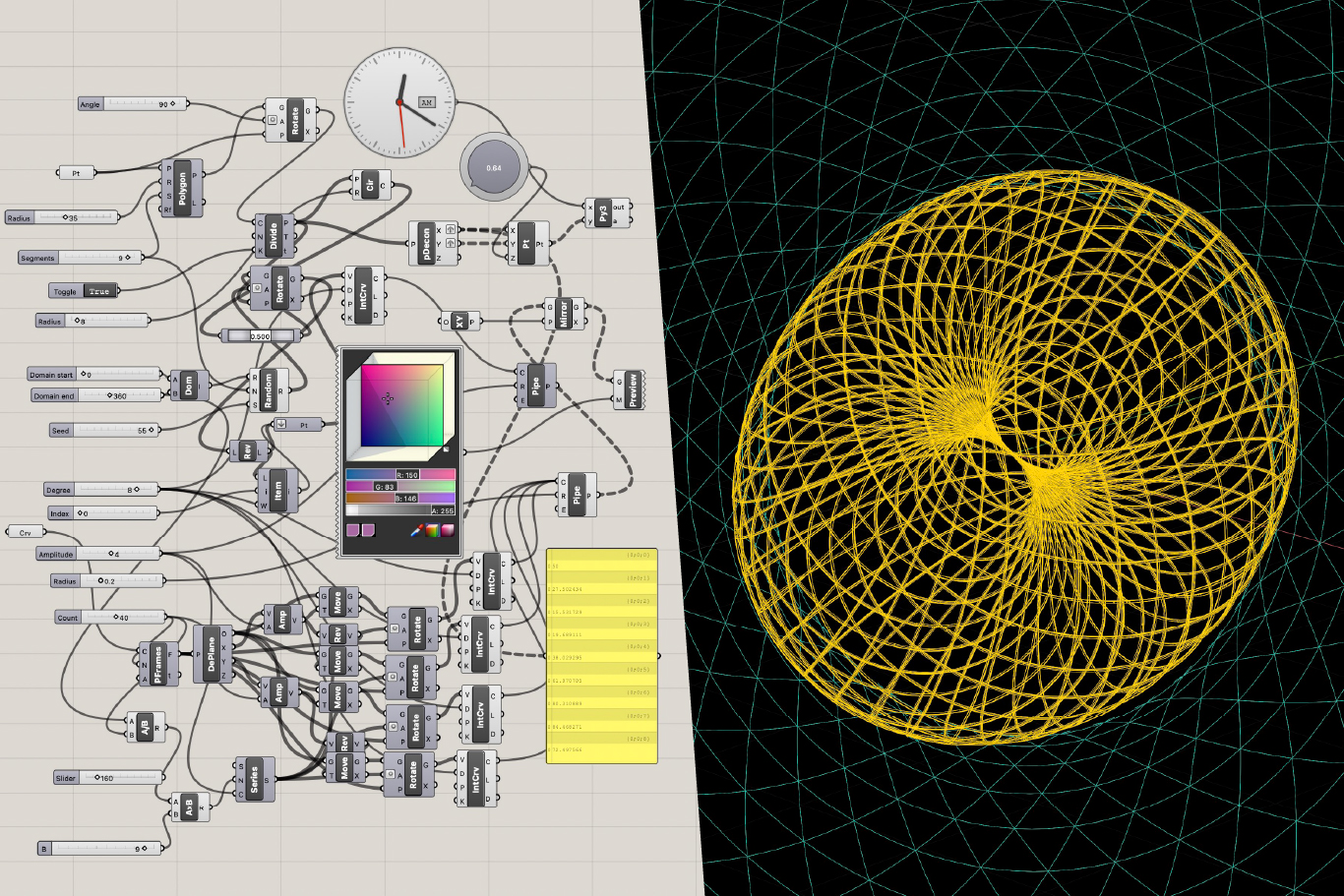

James Redenbaugh shared a significant breakthrough in his radial interface project, demonstrating circular user interfaces designed to break away from traditional grids and lists (06:49). The system creates geometries that work for any number of participants, whether for groups of people or projects, orienting them around a shared center like a campfire (08:17).
He demonstrated a working prototype for the Trifora project with Lauren Tan, showing how participants can be displayed in a circle with integrated questions and responses (08:55). The interface supports both synchronous interactions with live video and asynchronous engagement, allowing groups to build a shared "we space" before, during, and after meetings (09:32). Rako mentioned he's been advising Lauren on this project and expressed enthusiasm about the potential applications (10:39).
[technology="Video Conferencing Solutions"]
[technology="Collaboration Management Tools"]
[technology="Parametric Geometric Interfaces"]
Rako requested a Figma tutorial to prepare materials for a presentation on the 17th (12:38). James provided a comprehensive walkthrough, explaining that Figma operates on an infinite canvas where everything destined for export goes into frames (15:46). He demonstrated key functions including:
The tutorial covered both basic operations comparable to Canva and more advanced features like the scale tool for proportional resizing (32:18). James recorded the session for future reference and noted the abundance of YouTube resources available (15:46).
The team worked on updating the Innovative Learning and Living Institute logo, focusing on layout and typography decisions (33:34). Key refinements included:
James committed to finalizing these assets with proper colors and making them easily accessible for Rako's design work (40:07).
The conversation shifted to updating the ecosystem diagram showing the organization's living practice communities (40:33). James exported the work from Figma to Illustrator for more precise geometric control, explaining his perfectionist approach to geometry from his architecture background (46:36).
Rako clarified the design intent: each living practice community has both a conceptual name and an additional clarifying word. For example, "Sacred Architecture" connects to "Spirit" and "Inhabited Learning" connects to "Habitat" (43:51). The diagram positions these communities around a central logo using its geometric principles (42:28).
James meticulously refined the proportions using phi ratio (golden ratio) for harmonic spacing between inner and outer circles (54:19). The placement decisions included:
Rako identified which versions of organizational diagrams needed updates (01:13:17). The most current version includes language about "Explorer, Inhabiting, Truth Work" for the wayfinding method and "Living Lands Trust" at the top of the stewardship to kinship diagram (01:14:48).
An important design consideration emerged: the color of the "land" circle should match the background color in at least one version to convey that the land transcends and includes the circle (01:15:43). This visual approach communicates the conceptual relationship between elements.
Throughout the session, James demonstrated his approach of building reusable systems that can evolve over time. His radial interface work exemplifies this: "It's something that I can keep evolving and keep developing that can serve all my clients. So like as we add new features and functions, anybody who's using this can benefit from that" (12:18).
The team balanced perfectionism in geometric precision with practical timelines, with James noting the tension between architectural rigor and the imperfections sometimes required in sacred architecture (47:01).
James Redenbaugh
Rako Fabionar
James Redenbaugh shared a significant breakthrough in his radial interface project, demonstrating circular user interfaces designed to break away from traditional grids and lists (06:49). The system creates geometries that work for any number of participants, whether for groups of people or projects, orienting them around a shared center like a campfire (08:17).
He demonstrated a working prototype for the Trifora project with Lauren Tan, showing how participants can be displayed in a circle with integrated questions and responses (08:55). The interface supports both synchronous interactions with live video and asynchronous engagement, allowing groups to build a shared "we space" before, during, and after meetings (09:32). Rako mentioned he's been advising Lauren on this project and expressed enthusiasm about the potential applications (10:39).
[technology="Video Conferencing Solutions"]
[technology="Collaboration Management Tools"]
[technology="Parametric Geometric Interfaces"]
Rako requested a Figma tutorial to prepare materials for a presentation on the 17th (12:38). James provided a comprehensive walkthrough, explaining that Figma operates on an infinite canvas where everything destined for export goes into frames (15:46). He demonstrated key functions including:
The tutorial covered both basic operations comparable to Canva and more advanced features like the scale tool for proportional resizing (32:18). James recorded the session for future reference and noted the abundance of YouTube resources available (15:46).
The team worked on updating the Innovative Learning and Living Institute logo, focusing on layout and typography decisions (33:34). Key refinements included:
James committed to finalizing these assets with proper colors and making them easily accessible for Rako's design work (40:07).
The conversation shifted to updating the ecosystem diagram showing the organization's living practice communities (40:33). James exported the work from Figma to Illustrator for more precise geometric control, explaining his perfectionist approach to geometry from his architecture background (46:36).
Rako clarified the design intent: each living practice community has both a conceptual name and an additional clarifying word. For example, "Sacred Architecture" connects to "Spirit" and "Inhabited Learning" connects to "Habitat" (43:51). The diagram positions these communities around a central logo using its geometric principles (42:28).
James meticulously refined the proportions using phi ratio (golden ratio) for harmonic spacing between inner and outer circles (54:19). The placement decisions included:
Rako identified which versions of organizational diagrams needed updates (01:13:17). The most current version includes language about "Explorer, Inhabiting, Truth Work" for the wayfinding method and "Living Lands Trust" at the top of the stewardship to kinship diagram (01:14:48).
An important design consideration emerged: the color of the "land" circle should match the background color in at least one version to convey that the land transcends and includes the circle (01:15:43). This visual approach communicates the conceptual relationship between elements.
Throughout the session, James demonstrated his approach of building reusable systems that can evolve over time. His radial interface work exemplifies this: "It's something that I can keep evolving and keep developing that can serve all my clients. So like as we add new features and functions, anybody who's using this can benefit from that" (12:18).
The team balanced perfectionism in geometric precision with practical timelines, with James noting the tension between architectural rigor and the imperfections sometimes required in sacred architecture (47:01).
James Redenbaugh
Rako Fabionar
Finalize ALALI logo with semi-bold text and spacing refinements
December 21, 2025
Apply final adjustments including semi-bold font weight to match logo visual weight, proper spacing so gap between text lines equals space in center of logo symbol, and create white versions for dark backgrounds. Make easily accessible for design work.
Create dedicated Figma page with all current ILALI brand assets
December 22, 2025
Organize all up-to-date logo variations, ecosystem diagrams, and design assets into one dedicated Figma page for easy copying and pasting. This serves as single source of truth for current brand materials.
Complete ecosystem diagram with perfected geometry and placement
December 21, 2025
Finalize ecosystem diagram with phi ratio spacing, proper colors, and correct placement of all living practice communities (Inhabited Learning, Transformative Practice, Sacred Architecture, Wisdom Economies) around central logo. Include outer ring with initiatives (Land Well, Wayfinders, Novella Center, Kensha Blooms). Export from Illustrator with geometric precision.
Update wayfinding method diagram with correct language
December 21, 2025
Update diagram to include language about 'Explorer, Inhabiting, Truth Work' for the wayfinding method and 'Living Lands Trust' at top of stewardship to kinship diagram. Ensure most current version reflects these updates.
Create diagram version with land circle color matching background
December 21, 2025
Ensure color matching between land circle and background in at least one version of the diagram to convey that the land transcends and includes the circle. This visual approach communicates the conceptual relationship between elements.
Send finalized assets to Rako for slide deck work
December 21, 2025
Deliver three main assets (logo, ecosystem diagram, wayfinding method) to Rako for presentation work scheduled for the 17th. Ensure all files are polished and ready for immediate use.
.jpeg)
Review website structure document and site map
December 28, 2025
Review the website structure document and site map that James created with Claude. Provide feedback on architecture and content organization for website development.
Send refined website language to team
January 15, 2026
Provide more concise website language when ready for integration into site development. This supports the collaborative copywriting process discussed in previous meetings.
Create presentation materials using updated brand assets
December 17, 2025
Use the finalized logo, ecosystem diagram, and wayfinding method assets to create slide decks for presentation on December 17th. Begin work immediately upon receiving assets from James.
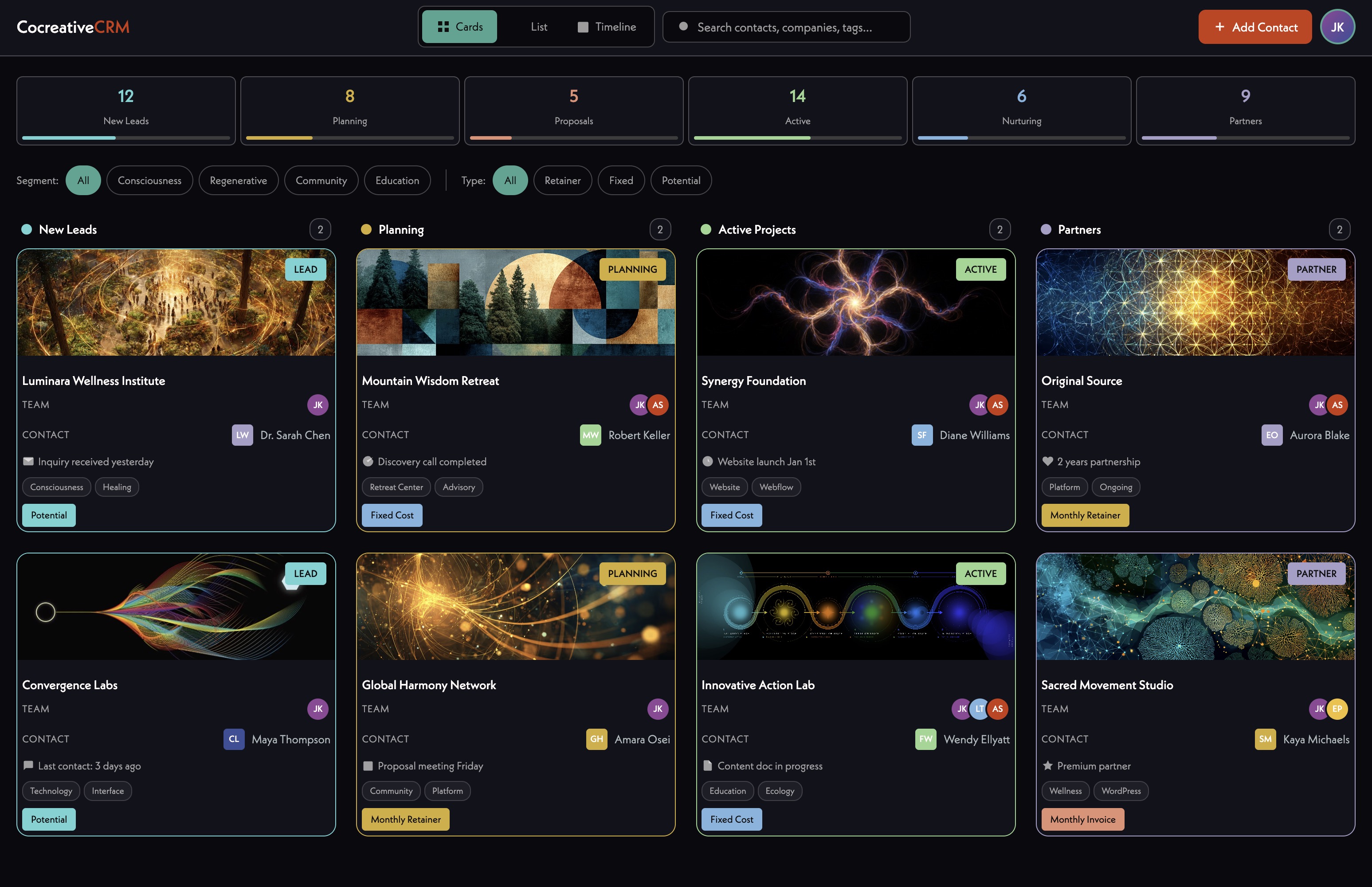
Complete redesign and rebuild of ILALI website on Webflow platform. Project has established visual direction with finalized logo, typography, and brand guidelines. Current single-page site doesn't communicate full scope of offerings. Site will feature four core initiatives plus emerging 'folk school' component as part of Nolla. Will incorporate content and media from November 1-2 Novella Bioregional Gathering. Using collaborative copywriting process where Gabi takes first pass, then team refines through read-aloud sessions. Fresh Figma board consolidates all current brand assets. Site currently hosted on WordPress/Webflow hybrid setup through Common Wheel fiscal sponsorship. Strategic decision made to prioritize Kinship Blooms as the design fractal and template for broader ILALI ecosystem (13:48). Main ILALI one-pager will receive light updates as interim solution: reduce gap between header video and text (desktop and mobile), rework overlapping graphic into offset boxes/stepping stones, move newsletter signup to bottom of page, add Max's photo (the Fern), and update text as needed (43:53-46:39). Design philosophy shifting from linear scroll-based architecture to ecological, place-based interfaces that feel native to land rather than imposed (34:23). James exploring Christopher Alexander's pattern language applied to digital design as philosophical framework. Team ready to move forward with Kinship Blooms first, then return to full ILALI site after that foundation is established.
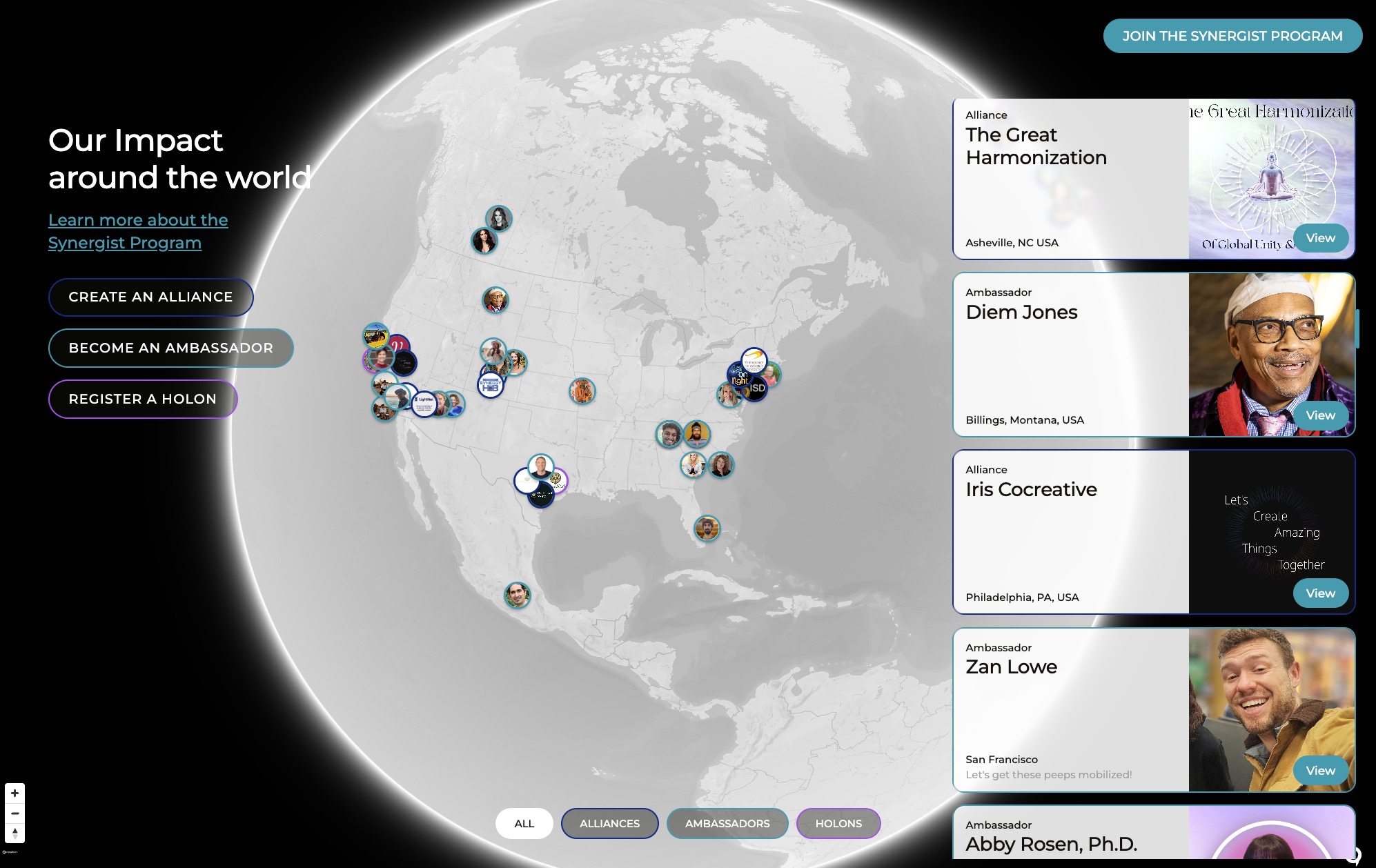
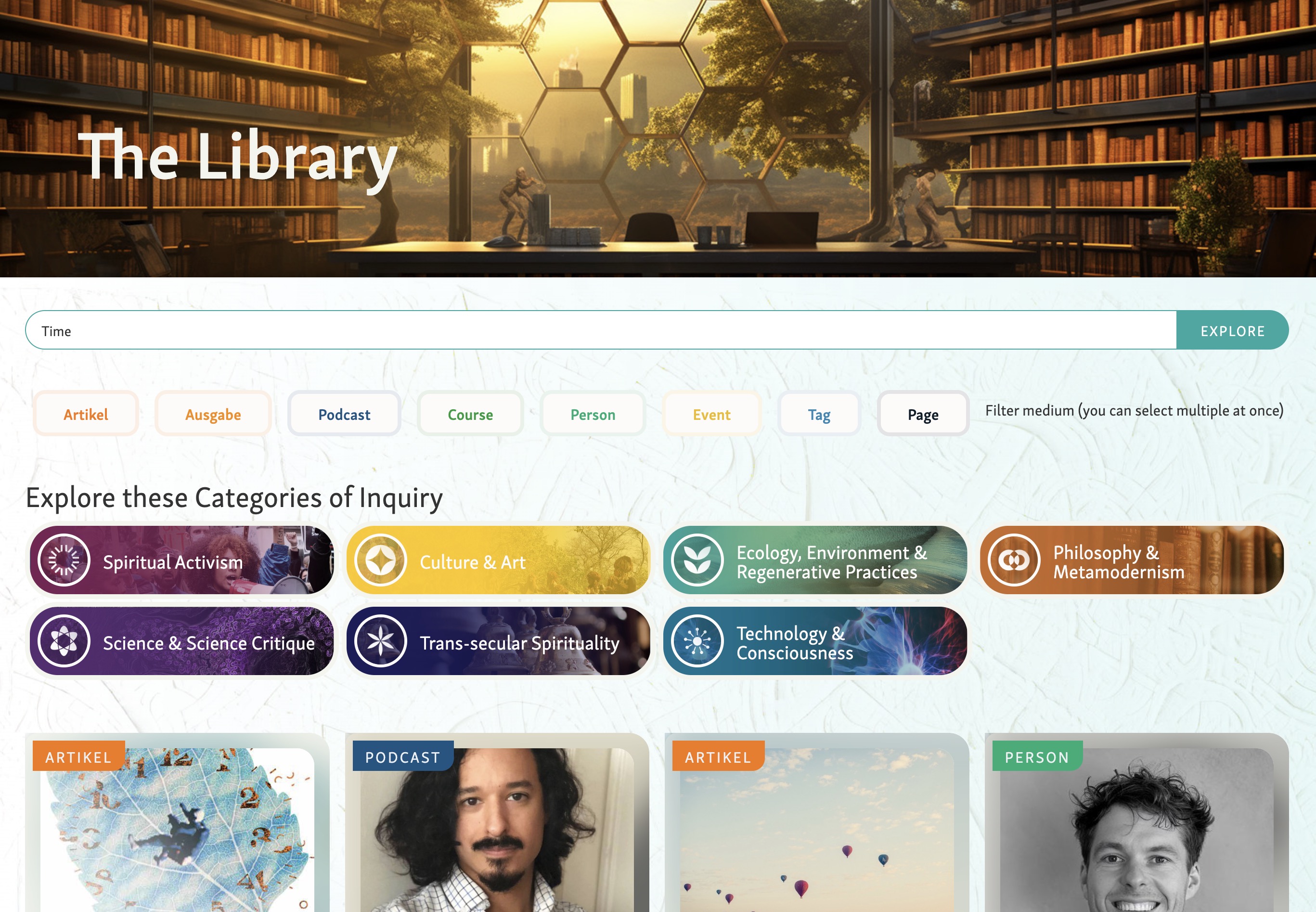
Development of custom CRM and ecosystem directory system using Airtable backend with Webflow frontend. Will feature form for community members to create profiles, with flexible display options including grids, radial circles, and interactive maps. System designed to capture multidimensionality of relational work — relationships to people, places, and organizations simultaneously. Three main categories: people, projects, and places, tracking multiple land projects, community spaces, and initiatives including Nolla, Wayfinders, Landwell, and Kinship Blooms. System leverages Airtable's relational database capabilities with bidirectional linking, lookup fields, and rollup functions. Team has confirmed Airtable as the CRM foundation going forward — fully adopting it for forms and CRM, replacing Google Forms workflows with Airtable forms. Supabase identified as a future upgrade path if more complex functionality is needed; Airtable data can be exported without lock-in. Claude via MCP can be used to populate research entries, generate descriptions, and apply tags at scale — demonstrated with a conscious artists directory (28:35, 54:07). Future development includes custom frontend interfaces and 3D visualization capabilities. Design approach shifting toward dynamic, network-illustrating interfaces that show entities, organizations, and connections in architectural spaces people can enter (33:30). James demoed global interactive map example showing type of expandable, relationship-mapping interfaces now possible.
Development of circular/radial user interface system that breaks away from traditional grids and lists. Creates geometries for any number of participants or projects, orienting them around a shared center like a campfire. Supports both synchronous interactions with live video integration and asynchronous engagement for building shared 'we space' before, during, and after meetings. Working prototype demonstrated for Trifora project with Lauren Tan. System designed to be reusable across multiple clients with evolving features.
Refinement and finalization of core brand assets including ILALI logo with typography adjustments, ecosystem diagram showing living practice communities positioned using geometric principles, and wayfinding method diagram. Logo work includes semi-bold font weight matching, spacing refinements using phi ratio, and white versions for dark backgrounds. Ecosystem diagram uses precise geometric control with golden ratio spacing, positioning communities (Inhabited Learning, Transformative Practice, Sacred Architecture, Wisdom Economies) around central logo with outer ring for initiatives (Land Well, Wayfinders, Novella Center, Kinship Blooms). Assets prepared in Figma with Illustrator refinement for geometric precision. Brand assets now consolidated and ready for use in website redesign work. Team has moved past struggle into creative flow with significant clarity on how ILALI story wants to be told visually (03:24).
00:00:17
James Redenbaugh: Testing, 1, 2, 3.
00:05:40
M. Rako Fabionar: Hey, bud.
00:05:41
James Redenbaugh: Hey, Reiko.
00:05:43
M. Rako Fabionar: Get a haircut?
00:05:46
James Redenbaugh: Not since I talked to you last, no.
00:05:48
M. Rako Fabionar: Okay. I think in my mind you're. You're always the 20 something with the long hair and so I kind of expect to see it. And you're. You're a total grown ass man. Of course.
00:05:57
James Redenbaugh: Not a kid I expected too.
00:06:02
M. Rako Fabionar: All right. How are you, man?
00:06:04
James Redenbaugh: I'm doing good. How are you?
00:06:06
M. Rako Fabionar: I'm doing. I'm doing pretty good. Just got picked up Carmen up from the airport. And so I'm. It's been a mad dash of meetings and. And driving and so just did a four hour turnaround, so. But I'm. But I'm happy to be on the call with you.
00:06:19
James Redenbaugh: Nice. Does she. Do you guys fly in and out of the Bay Area?
00:06:23
M. Rako Fabionar: Usually out of sfo? She was doing it. She was leading a training in on the East Coast. She's gone a little bit more than a week, so. Yeah, just return back.
00:06:33
James Redenbaugh: Cool.
00:06:34
M. Rako Fabionar: Yeah. Yeah. How are you? I asked that already?
00:06:38
James Redenbaugh: Yeah, pretty good.
00:06:40
M. Rako Fabionar: Yeah. How's the wedding planning?
00:06:42
James Redenbaugh: It's coming along. It's a lot. It's a lot to plan, but it's fun.
00:06:48
M. Rako Fabionar: Yeah.
00:06:49
James Redenbaugh: And I've been. I spent most of the weekend diving into this radial interface project, trying to figure out how to create user interfaces that are more circular and, and welcoming it, you know, trying to break out of the grids and lists.
00:07:15
M. Rako Fabionar: Yeah. How's it going?
00:07:18
James Redenbaugh: Had a big breakthrough and really. Yeah. Really figured out this.
00:07:24
M. Rako Fabionar: Anything you could show me that's quick or no is. It's not that kind of a breakthrough that's visual yet.
00:07:30
James Redenbaugh: Sec. Let me just bring this back up. The tricky part is figuring out a geometry that can work for any number of participants. And so for any, you know, group of people, it can be used for projects. And I love to use Grasshopper and Rhino for, you know, more complex algorithms and math stuff.
00:08:05
M. Rako Fabionar: Oh, my goodness.
00:08:06
James Redenbaugh: That's beautiful. Yeah.
00:08:07
M. Rako Fabionar: Wow. That looks very, very toroidal. And so. And so what. How interface. Meaning. Tell me more about like, what's so like for.
00:08:17
James Redenbaugh: If you have a group of people or projects and you want to present them in a. In a circular way, which is great to orient folks around a shared center, around a campfire or something like that. Oh.
00:08:31
M. Rako Fabionar: So almost like a. A zoom. Ish. An alternative to zoom.
00:08:35
James Redenbaugh: Well, yeah, they're. They're. We figured out how to do it with live video so you can log into the website and use your camera and see everybody live.
00:08:45
M. Rako Fabionar: Oh, wow.
00:08:46
James Redenbaugh: Also, it can be used asynchronously show you one of our first prototypes.
00:08:55
M. Rako Fabionar: Oh, wow.
00:08:56
James Redenbaugh: To connect groups that are going to need in person or groups that are in an experience online. And so this group is coming together later this month and we were asked all these questions and answered them, filled out this form. And I'm using the interface to see everybody in a circle and then we can navigate the different questions and kind of see everybody's answers and see how they're varied and like, some people didn't fill out the form yet, so we don't have their pictures, but.
00:09:31
M. Rako Fabionar: Oh, I love this.
00:09:32
James Redenbaugh: James.
00:09:33
M. Rako Fabionar: This is amazing.
00:09:35
James Redenbaugh: Most people were also asked questions on a call and the hosts recorded those. And so we embedded those questions right in here so we can listen to everybody and start to build a, like a real shared we space before we're together and then after we're together, it can be a tool for keeping us connected and continuing to share things.
00:09:59
M. Rako Fabionar: Oh, my gosh. Both the artifact and also social network.
00:10:04
James Redenbaugh: Yeah. And we can, you know, if we have a virtual meeting, we can meet in the same interface and see the pictures come alive, you know, and see everybody in the same kind of thing.
00:10:16
M. Rako Fabionar: Wonderful. Looks very. This looks very integral. It looks maybe. Is this a lot manual stuff?
00:10:27
James Redenbaugh: No, this is a new project called Trifora.
00:10:32
M. Rako Fabionar: Oh, yes.
00:10:33
James Redenbaugh: Lauren Tan.
00:10:34
M. Rako Fabionar: Yeah, yeah, yeah, yeah, yeah. I've been, I've been advising Lauren.
00:10:39
James Redenbaugh: Yeah. Wonderful. I thought you knew them. So we're, we're building this site out for them. It's.
00:10:48
M. Rako Fabionar: Oh, wonderful.
00:10:49
James Redenbaugh: And I'll get to be with them at Hollyhock.
00:10:52
M. Rako Fabionar: Oh, you're gonna go to that, too. Okay, wonderful. Yeah, yeah, she told, she told me about that. This is their project. I've had a couple of long calls with her over the last couple of months, and she' There's a lot of resonance and. And gonna weave her in. She wants to be woven in. Or she's, you know, to one of our practice communities.
00:11:11
James Redenbaugh: Wonderful.
00:11:12
M. Rako Fabionar: Yeah, I like her a lot.
00:11:13
James Redenbaugh: She's great.
00:11:15
M. Rako Fabionar: Yeah, I've always liked her.
00:11:16
James Redenbaugh: She's really nice.
00:11:20
M. Rako Fabionar: Well, sometime I wanna, I wanna, I wanna. I wanna weave this in some. At some point.
00:11:25
James Redenbaugh: Yeah.
00:11:26
M. Rako Fabionar: Can I say that or. Oh, you're already, you're already having us in there in your. In your Meta. Meta. Sangha, whatever this is.
00:11:35
James Redenbaugh: Yeah. So I'm using the same thing on, you know, my website to view my projects and my clients, and every client I show this to, they're like, oh, I want that. Because it's really, it's designed to be for These kind of clients, you know, and we're so confined to what the web gives us, which is mostly feeds and lists and grids and it's not our nature.
00:12:01
M. Rako Fabionar: No, it's. Yeah, totally, dude, totally. Oh, it's wonderful. Congratulations.
00:12:06
James Redenbaugh: Thank you.
00:12:07
M. Rako Fabionar: Yeah, it's a big deal.
00:12:08
James Redenbaugh: That's significant and I, I like that it's something that I can keep evolving and keep developing that can serve all my clients. So like as we add new features and functions, anybody who's using this can benefit from that.
00:12:23
M. Rako Fabionar: Love it. Well done.
00:12:25
James Redenbaugh: Thank you. Thanks.
00:12:29
M. Rako Fabionar: I, I have some, I have some thoughts on. Unless you want to. Around how to use our time.
00:12:36
James Redenbaugh: Sure, yeah. What are your thoughts?
00:12:38
M. Rako Fabionar: Yeah, I'd love to, I'd love for you to show me how to work with Figma and so that I, you know, I think that would be really good if it's, if it's not. If it's similar to Campbell or pretty intuitive. If you can just give me some basics and that way. Because I do, I would love to be able to. It's connected to my desire to have to be able to work with some of the assets, you know, right now in terms of a slide thing that I need to put together for, for the 17th. So that's probably the biggest one. And I know I need to get some text to you, but, but I think getting, getting prepared for the 17th and having some, some fluency with the Figma and some access to the assets. And that was. The second thing is like if there are two assets that we can just. I know like there's a couple of changes you already made, but if we can just have that done and I think, you know, maybe that's probably a better place to start. Start with the assets, if that's okay.
00:13:36
James Redenbaugh: Yeah, sure.
00:13:37
M. Rako Fabionar: Yeah.
00:13:38
James Redenbaugh: Cool. Yes. So we can dive into that. I also with the help of Claude.
00:13:53
M. Rako Fabionar: Oh good. That's right.
00:13:55
James Redenbaugh: A, a high level draft of what an outline for the website could look like. So.
00:14:03
M. Rako Fabionar: Right.
00:14:04
James Redenbaugh: If you have more concise descriptions or anything else you want to share, we can weave that in or redo that.
00:14:12
M. Rako Fabionar: Okay.
00:14:12
James Redenbaugh: But.
00:14:13
M. Rako Fabionar: Okay, I'll take a look at this.
00:14:15
James Redenbaugh: Yeah, this can help think about the structure of the website and.
00:14:19
M. Rako Fabionar: Right.
00:14:20
James Redenbaugh: And those logistics. But let's start in figma.
00:14:27
M. Rako Fabionar: One second. I'm looking at the site map. You know, the one thing that is, is a bit like the fluid, you know, is, is the living practice communities. And so because that's something that's within, within all of these initiatives, move throughout these initiatives. So I'm just Just. I'm just wondering, and we don't have to figure it out right now, just, like, where would that go? Maybe that's connected to methodology. It's not. Yeah. Okay. That's all.
00:15:01
James Redenbaugh: Yeah. Or. Or we make a page for that. Whatever.
00:15:05
M. Rako Fabionar: Well, okay. This is helpful, James. Thanks so much.
00:15:10
James Redenbaugh: Sure.
00:15:10
M. Rako Fabionar: Yeah. I think I need to see that Peter Wrench has been singing your praises to our groups.
00:15:21
James Redenbaugh: Oh, great. Wonderful. So. And I'm recording this so you can play it back when. When you're exploring Figma on your own time. There's also tons of, you know, YouTube videos and stuff like that, but basically, I think you'll find that it's very similar to Canva. But it's. And I say that not having used Canva a lot, but I use a ton of different design programs, but it's more free because we have this infinite canvas to play with. And, you know, we can organize everything in one shared space and not worry too much about documents. And so the way it works is anything that we want to export ends up in a frame, and then we can export individual frames or we can export a group of frames. So, you know, I can export this whole PDF here, if I select the section that it's in, and I can just click over here to export that whole thing, and it'll let me choose a file path and whatever. I can also, you know, copy, paste, anything, move things around. Or I can hold. Do you use a Mac or a PC Mac? So I can use option and drag to duplicate things. And so I can duplicate this whole section which contains all these frames. I'm also holding Shift, which makes sure that I'm moving things left and right. Just kind of keeps things aligned. But you also see these red lines come up, which help you align things. It shows you what's aligned to what.
00:17:37
M. Rako Fabionar: Yeah.
00:17:38
James Redenbaugh: And then zooming in here, you're mostly, or I'm sure largely going to be editing text. And to do that, you just select the text tool down there or hit the table key, and then you can select any text element. You know, make an edit. You can change the style of highlighted text, just like in a. In a text editor. This font doesn't have any. Any bold varieties, you know, but I could change the color if I wanted to. We also have a lot of predefined colors in here. And noticing this purple one that we're using isn't defined. And so I can. If I have that highlighted and I see it over here, I can click the plus and call it purple. I'm going to save it as a style. And then that shows up over here on that list. I can also edit this. And what's cool about using these styles is if we have multiple things using these colors and so they have to be set to the style. So this is purple. Now that's purple. And let's say we wanted it to be a different purple or we wanted a version of this with a different color. I can, I can change that style and it'll change it across everything in the whole document. Or I can. Let's say I have a copy of this page and I want to do a similar thing, but I want all the purple things to be green. Then over here, it shows me all the colors of the things that I have selected. For some reason, there's something in there that's purple, that's not the style. So I'll change that. And then I can change that selected color to gold. And that won't change all the purples. That'll just change what I have selected to gold. And let's say I want the background to be a lighter green. That's not great contrast. But then I can change the white to this dark color and I have a whole new slide in two seconds.
00:20:22
M. Rako Fabionar: Yeah, okay.
00:20:26
James Redenbaugh: Yeah. So super easy. We also use styles, not always, but sometimes with, with text. So it looks like we're not using.
00:20:38
M. Rako Fabionar: Oh, these are. This, this is the ones that are. I think this is our brand. The. The text that's on connecting to our new brand, right? Pretty much, yeah. Yeah. So I want to keep that.
00:20:50
James Redenbaugh: Yeah. So we're using the fonts and, and colors in the new brand. And, and especially when we get into website stuff, instead of seeing the font name over here, you'll likely see like, you know, H, H2 or H3. And that just means that we're using a predefined style and you can always break that and do something more custom. We'll. We'll clean up this doc, too, to make it easier to use so that all the styles in here are what we're using for the new brand and we get the old brand stuff out of there. But when you're designing stuff on, on your own, just so you know, you can use those predefined styles or you can do something more custom, ideally with the fonts that we're using. So we have like the Damina, that's what it's called, as the main font there. And so just like anything else, I can change the font size, I can change the line height and If I do something I don't like, I can always command Z and go back pretty far to before to edit. Right. And of course you can move things around as you like. You can move objects around and some objects you'll notice. Like this is scaling when I drag it. Probably similar in Canva, but it's not constricted to any ratio. Yeah. So usually if I'm scaling something like this, I want to hold shift, which will keep the ratio. And you'll notice if I put it on the edge of the canvas, it'll automatically crop it, which is nice. So it won't move it into the next slide. And I can also do things like change the opacity over here if I want to use that as a thing. And let's say I like that, but I miss having the logo down there. I can copy that element and then I'll command Z, go back in time to back where it was, and I'll just command V, paste what I had there and now it's back. And maybe I want to change the colors, make them all this, this gray, something like that.
00:23:49
M. Rako Fabionar: And how. Okay, great. That's helpful.
00:23:53
James Redenbaugh: Yeah. What were you going to.
00:23:54
M. Rako Fabionar: Great.
00:23:55
James Redenbaugh: What were you going to ask?
00:23:56
M. Rako Fabionar: Like, how do you, how do you, how do you. Where, where do you get the pictures? Where's the bank of pictures that are sent? Are they just, you know, that I. In, in working with pictures.
00:24:08
James Redenbaugh: Photos. Yeah, Great question. So there's a bunch up here, but in general it's easiest if. See, I'll click in here and, and on the left side over here. This is called the Navigator and it helps me see where I am, especially more complicated stuff. These decks are pretty simple, but I can see I've clicked the slide and so I'm. I've got the whole slide selected. So if I give this a background image, you know, that's not really going to change anything because there's actually this image in there and that's what I want to edit. And so I can find that if I double click into it, you know, same for something like that. And that'll bring up this image box. And then I. It's. It's usually easiest to just drag an image from there from your computer. If you have it in a Google Drive, it's usually best to drag it onto your desktop and then drag it in there and. And that way it'll keep the same frame and size and positioning. It'll just update the image.
00:25:21
M. Rako Fabionar: Right, okay, that's helpful.
00:25:23
James Redenbaugh: And then you can double click and see that I can move the image around like that and if I wanted to, I can reposition the frame to change. Also, instead of crop, I can set it to fit. To fit the whole image in there, or I can set it to fill. To just automatically fill the whole container. Depends on whatever's needed.
00:26:02
M. Rako Fabionar: Got it. And then, and then when you present, you turn it into a presentation. How does that work?
00:26:11
James Redenbaugh: Yeah, so I can select this whole section here and then I'll click play up in the top, right?
00:26:20
M. Rako Fabionar: Yeah.
00:26:26
James Redenbaugh: And. Oh, this is actually playing all of the slides. So we don't. We don't necessarily. That's because all the slides are on this page here. And so this page should actually be more like this one. So I'll move everything that's not final on the. On the Philanthropic Deck 2025 page into the process page and then it'll look like the fundraising page, which just has the slides that we want to present. And then I can click play and it should take me through those. And I built. Is that in order? Yes, it looks like it is. You can also share the presentation if you're in the preview mode and you click the. The link, then it will.
00:27:54
M. Rako Fabionar: Hey, can you remove Kate Katie Harrigan from all this stuff? Yeah, yeah, yeah, sorry.
00:28:02
James Redenbaugh: No problem.
00:28:03
M. Rako Fabionar: It's an energetic thing. Definitely.
00:28:10
James Redenbaugh: Where did you see her when you.
00:28:13
M. Rako Fabionar: When you click the share to share. Ah, she has an option. There you go. Thank you.
00:28:22
James Redenbaugh: No problem. Okay.
00:28:34
M. Rako Fabionar: I think I can. So if I. Yeah, I'll probably just iterate off of existing slides and so show me one last time or around how to go and copy the whole slide that holds the slide. I forget the language for, you know, the whole field.
00:28:56
James Redenbaugh: Yeah, the whole section.
00:28:57
M. Rako Fabionar: Section.
00:29:00
James Redenbaugh: So you can either just click and drag while holding option.
00:29:04
M. Rako Fabionar: Oh, okay. Yeah.
00:29:05
James Redenbaugh: To duplicate that. Or in the case of this. Because we want to be able to present the whole deck, you can just duplicate the whole page. So over here I can right click and say duplicate page and then rename it 2026 and I would just call it 2025 V2.
00:29:27
M. Rako Fabionar: And where is it at?
00:29:29
James Redenbaugh: It's going to live over here in the left hand side under pages.
00:29:33
M. Rako Fabionar: No, I'm sorry, but where. Where does it show up?
00:29:36
James Redenbaugh: Oh, we're in it. This is it.
00:29:39
M. Rako Fabionar: Oh, and so it just hasn't changed the name. The name of it on the.
00:29:43
James Redenbaugh: Oh, that's right. It didn't change the section name. It's the page name. So the section just happens to have the same name as the. As the page. So I can change it here as well.
00:29:56
M. Rako Fabionar: Okay.
00:29:57
James Redenbaugh: If I want to.
00:29:58
M. Rako Fabionar: Okay. Okay. That's easy. Okay. I think I can manage this. Thank you.
00:30:04
James Redenbaugh: Sure.
00:30:06
M. Rako Fabionar: Yeah. I'll play around and make sure I don't anything up but it looks like there's plenty of space. Like infinite amount of space.
00:30:13
James Redenbaugh: Yes.
00:30:15
M. Rako Fabionar: To create. So yeah, that's. That's helpful. Can. Can.
00:30:22
James Redenbaugh: I'm going to do this. Call this process this 2025 and I'll just delete all this in there. Yeah. What were you gonna ask?
00:30:56
M. Rako Fabionar: You know, so there's like the Alali logo. So yeah. A couple of the. Of the. The assets I'm hoping to have updated or be able to use. You know, one is. The one is the ALI logo and I think that's pretty easy. I think that's done or.
00:31:22
James Redenbaugh: Yeah. And I could make a page in here that's just all the most up to date assets. So you can easily copy and paste those.
00:31:32
M. Rako Fabionar: Okay. Is that. Is that easy to do to copy the whole thing and paste it or that's. That's what I don't know how to do. Yeah.
00:31:39
James Redenbaugh: Element. So let's say I want this icon somewhere else. Maybe I want those words as well. I can select all of it with shift and shift clicked all of those things and then maybe I'll go over here, make sure I have that frame selected and I'll paste that and put that there. And then another thing I wanted to tell you if you're the selector tool is what you'll use most of the time to move things around. But if you scale things on the selector tool, some things will scale like that image and other things just reposition and so if you really want to scale everything you can use the scale tool down here or K and then that will scale everything.
00:32:32
M. Rako Fabionar: Okay.
00:32:34
James Redenbaugh: And if you're copying stuff between slides. So let's say I want this element over here on say this slide. If I select that slide and click paste then it'll paste it in exactly where it was over here, which is nice.
00:32:55
M. Rako Fabionar: Okay great. Okay so. So can we. Thank you. James is very helpful. I think. I think I should be able to work with this pretty. Pretty decently. Is there. Can we go to wherever the. The the assets are and. And make them, you know, as most up to date and functional. As easy as possible for just a couple of them.
00:33:34
James Redenbaugh: Yes. Yes. So the. The favorite logo version.
00:33:48
M. Rako Fabionar: Yeah.
00:33:49
James Redenbaugh: Is going to be this one. Is that right?
00:33:52
M. Rako Fabionar: Yeah. Yeah. And I'm. Yeah. And I'm wondering is it possible in.
00:34:05
James Redenbaugh: Terms of the font or.
00:34:06
M. Rako Fabionar: Or the Spelling where the and is on the second line. Is that easy to do right now? Yeah, let's just see what it looks like. Yeah, that feels. Doesn't that look better to you or. No. Yeah, that's. That's what I want it to be. Yeah.
00:34:35
James Redenbaugh: And then when it's. Oh, that's so cool.
00:34:49
M. Rako Fabionar: Things you can do.
00:34:51
James Redenbaugh: Yeah. So I just did Command Y goes into this wireframe mode, which can make it easier to select just what you want. So if we are. We have a horizontal version.
00:35:26
M. Rako Fabionar: Yeah.
00:35:32
James Redenbaugh: We'Re gonna want it to look like that. Probably left align text. Yeah.
00:35:46
M. Rako Fabionar: Can I see one where it's. Where. Where the. Where the. The whole name is spelled out, but it's not all caps. Just because that's one of the reasons why the A is smaller in the And. Yeah, this is just. This is just me being a little anal, but just curious what it looks like. Yeah, I like the two line Innovative Learning and Living Institute. I don't like the three line. Jeff.
00:36:48
James Redenbaugh: It. What do you think of that?
00:37:26
M. Rako Fabionar: Like it.
00:37:37
James Redenbaugh: Being bold or semi bold?
00:37:52
M. Rako Fabionar: They're pretty close. What do you think?
00:38:05
James Redenbaugh: I think both.
00:38:06
M. Rako Fabionar: Okay.
00:38:07
James Redenbaugh: It can also depend on the use case. Like on if it's light on dark.
00:38:17
M. Rako Fabionar: Can you see if you just. What it looks like if you move the text up where the space in between the two lines is equal to the. To the space in the center of the. Of the logo. Yeah.
00:38:32
James Redenbaugh: Yeah.
00:38:32
M. Rako Fabionar: What do you think about that? Does that work or. No.
00:38:43
James Redenbaugh: Like that.
00:38:44
M. Rako Fabionar: What do you think? Yeah. What do you think? Or do that other way?
00:38:52
James Redenbaugh: I think it's better that way. Yeah.
00:38:55
M. Rako Fabionar: Okay. Yeah, I agree. Yeah, that's great. I like that a lot. And is there a way to do it where this is in white too?
00:39:06
James Redenbaugh: Totally.
00:39:07
M. Rako Fabionar: Or. Yeah. Oh, there it is.
00:39:08
James Redenbaugh: Yeah.
00:39:09
M. Rako Fabionar: Okay. And the lolly one in white as well.
00:39:19
James Redenbaugh: The eyedropper tools. That was really helpful too. Down here, if you want to pick a specific color from somewhere else. I think the semi bold is better actually, because.
00:39:34
M. Rako Fabionar: Yeah, I think so too. I actually think Hemi bold is better.
00:39:37
James Redenbaugh: Yeah. So logo isn't too. The logo feels semi bold.
00:39:45
M. Rako Fabionar: Yeah.
00:39:51
James Redenbaugh: Great. Great.
00:39:55
M. Rako Fabionar: Okay. Thank you.
00:39:57
James Redenbaugh: No problem. So I'll finalize these and give you some good assets to use. Okay. Make sure the colors and stuff are just. Thank you.
00:40:21
M. Rako Fabionar: And then the. Yeah, this one. The. The. The ecosystem, for lack of better word.
00:40:33
James Redenbaugh: Yeah. Do you want to play with that? I. I've been dragging my feet on doing what we talked about, but we can. We can make some progress on that right now.
00:40:47
M. Rako Fabionar: Yeah, yeah, yeah. Let's do that.
00:40:49
James Redenbaugh: So I'm actually going to export this and open it up in Illustrator.
00:40:57
M. Rako Fabionar: Why. I'm just curious for you. Why. Why do you do that?
00:41:00
James Redenbaugh: Illustrator is better for diagrams and more complicated things.
00:41:07
M. Rako Fabionar: Yeah.
00:41:13
James Redenbaugh: I've got more. More tools in there. In Figma, we just. We have pretty basic tools. Share the screen it. Okay. So the text is up to date now and we basically wanted to. We want to use the geometry of the logo in here, right?
00:42:28
M. Rako Fabionar: Yeah.
00:42:29
James Redenbaugh: And not have these circles.
00:42:34
M. Rako Fabionar: I think so, yeah. Cool.
00:42:44
James Redenbaugh: So I'm gonna take all those guys, put them on. Take that background, put that on its own. But layer the text for now. We want these guys as well, those on their own layer.
00:43:38
M. Rako Fabionar: One of the. One of the design considerations with text is that those are the main. The. For the living practice communities, those are the. Those are the main texts. But then there's another singular word that. That's connected to kind of the more programmatic. There's another. There's an additional word essentially for each one. You know, I'm wondering. I don't know if that's important right now, but. But curious. An additional word in here, in there or near it. Yeah, like so. For so vital engagements about leadership. You know, sacred architecture about. Is about spirit, you know. And so what I'm. The intent is, is to have newer language, but then also have a singular word that is. Is clearer for people who, you know, might not quite say what's sacred architecture? Oh, it's spiritual, you know. But it's also. Those are going to be the. Those are the topics or the themes of the program or events that are being held at Lamb. Well, so it connects that way as well.
00:44:51
James Redenbaugh: Cool. Great.
00:44:55
M. Rako Fabionar: I love watching you work. Thank you so much. What a treat.
00:44:57
James Redenbaugh: No problem. So I'm just recreating these geometries. More perfection. Making sure everything is just right. And this is just so much faster for me in.
00:45:23
M. Rako Fabionar: Yeah, yeah.
00:45:24
James Redenbaugh: In Illustrator. Yeah. Copy this guy. 45 degrees guy is perfect as well. And now it looks pretty. Pretty good. You know, no one would ever notice, but I. I noticed that like this space in here. A little smaller than that space.
00:46:28
M. Rako Fabionar: Yeah.
00:46:29
James Redenbaugh: And so it's like energetically, it creates a little.
00:46:32
M. Rako Fabionar: Yeah.
00:46:33
James Redenbaugh: Incongruency.
00:46:35
M. Rako Fabionar: Yeah.
00:46:36
James Redenbaugh: And I. I love Muna. She does incredible stuff with geometry and things that I would never think of. But I'm definitely sure because I went to architecture school. More of a perfectionist when it comes to geometry.
00:47:01
M. Rako Fabionar: Yeah. Well, I guess you have to be in architecture.
00:47:04
James Redenbaugh: Yeah. Well, unfortunately not always.
00:47:09
M. Rako Fabionar: Yeah.
00:47:10
James Redenbaugh: There's so much crap.
00:47:12
M. Rako Fabionar: Yeah.
00:47:15
James Redenbaugh: In sacred architecture, you have to let go of the perfectionism.
00:47:20
M. Rako Fabionar: Yeah. It's interesting.
00:47:25
James Redenbaugh: And so I'll rotate this whole thing by half of 45 and then make sure this is completely flat up there. Not quite. And so I'll rotate that guy so he's flat. And then I'm going to group that and center him with that circle. And I'm going to copy over that logo from Figma just to make sure we're not deviating too much. One sec. And now I have a version with the proper order thicknesses. I'm gonna.
00:51:25
M. Rako Fabionar: Did you turn it sideways so it's flat on top? For particular reasons since it's different from how it's normally logo. Do you think that matters? I. I'm not. I'm not attached. I'm not. I'm just curious in terms of design, designer aesthetic.
00:51:40
James Redenbaugh: Just while I'm aligning things.
00:51:43
M. Rako Fabionar: Got it, got it, got it. Yeah. Thank you.
00:51:46
James Redenbaugh: Yeah.
00:51:53
M. Rako Fabionar: That'S so cool, dude.
00:52:04
James Redenbaugh: While we're here, I'm also gonna make sure this guy.
00:52:12
M. Rako Fabionar: Do it.
00:53:04
James Redenbaugh: And corners a little bit. There we go.
00:53:33
M. Rako Fabionar: Yeah. Thank you.
00:53:35
James Redenbaugh: Oh, that's so cool. Group these goods. And then while we're focusing on geometry, I want to align this a little bit. So this guy is going to be about 150. But I didn't make it exactly 150. And align it with the bottom of that so the proportions are more harmonic. Can also do phi ratio. So which we're just talking about ratios of inner circle and outer circle. Do you like the one on the left or the one on the right? The one on the right has a bit more space in the outer circle.
00:55:14
M. Rako Fabionar: Yeah, I think the one on the. I think the one on the right.
00:55:19
James Redenbaugh: Cool.
00:55:19
M. Rako Fabionar: What's your. What's your sense? Do you have a. Do you have a. Do you have a preference?
00:55:25
James Redenbaugh: No. You have a better sense of the concepts that are going in here. And so if you want the outer concepts to take up more space, I'd go with the one on the right. Yeah. And I love a good 5 ratio.
00:55:40
M. Rako Fabionar: Yeah.
00:55:57
James Redenbaugh: We can use our 80.
00:58:33
M. Rako Fabionar: Looks like a Pac man, you know, coming at me from. From the mouth wide open with its teeth about to gobble me up.
00:58:44
James Redenbaugh: Totally. I'm gonna do this like this, actually. So square root 0.618. I got it. Perfect. There we go. Wow, that's dope. So that pattern, which, yeah, kind of gives us the inner dimension, can also give us the line through which these circles are drawn up.
01:01:17
M. Rako Fabionar: How you doing? On time jams.
01:01:22
James Redenbaugh: I got a few more minutes. How you doing?
01:01:25
M. Rako Fabionar: I'm good. I just wanted to double check your time.
01:01:30
James Redenbaugh: Yeah, I just gotta make sure I can get to the bank. How do we like those circles? I feel like some more space is needed.
01:03:27
M. Rako Fabionar: I think so.
01:03:43
James Redenbaugh: And should these circles be the same size or should these ones be a little bigger?
01:03:50
M. Rako Fabionar: Bigger than the inner ones?
01:03:52
James Redenbaugh: Be a little bigger.
01:03:53
M. Rako Fabionar: Oh, no, they're. They're all the same. They're the same. They're the same.
01:03:56
James Redenbaugh: Yeah.
01:03:57
M. Rako Fabionar: Yes.
01:04:00
James Redenbaugh: So.
01:04:09
M. Rako Fabionar: I have.
01:04:09
James Redenbaugh: That.
01:04:24
M. Rako Fabionar: It.
01:04:53
James Redenbaugh: How's that?
01:04:54
M. Rako Fabionar: That's good.
01:04:56
James Redenbaugh: Cool. Yeah. All right, well, that's. That's a geometry we want to work with. And then the initiatives label can live up here.
01:05:19
M. Rako Fabionar: Living practice practices, not practice.
01:05:23
James Redenbaugh: Yeah, I'll. I'll change that in the. When I get into fonts, I can't. I can't edit this text.
01:05:39
M. Rako Fabionar: Okay.
01:05:44
James Redenbaugh: And so. And then embodiment.
01:05:51
M. Rako Fabionar: That's connected. Yeah. So. So I'm thinking. I'm thinking the. The. The top. The top left triangle.
01:06:02
James Redenbaugh: Huh.
01:06:04
M. Rako Fabionar: That would probably be the inhabited learning. Yeah. And then let's see. Transformative practice. Probably go where narrative artistry is. And then let's see. Yeah, I think next. Yeah, that would probably go to where integrative technologies is vital engagement. Go to where. Yeah, that one. And then let's see. Thanks. Social ecotoning is. Looks good. Where it's at the.
01:07:23
James Redenbaugh: Hi.
01:07:23
M. Rako Fabionar: How you doing? Did you see Carmen? Okay. Oh, good. You did or she did. Yeah. Good, good. Almost done with this meeting. So. Yeah. You must see so many different holistic. I mean, you create it. But I mean, you. The people you call in your colleagues. I mean, your collaborators that you call in everything everybody has. Integrated model. Huh.
01:08:03
James Redenbaugh: See? Should make an integrated model for integrated models.
01:08:06
M. Rako Fabionar: Yeah.
01:08:07
James Redenbaugh: No integrated modeling. Do we like how things are aligning with the triangles? And then we could have space for more words inside.
01:08:40
M. Rako Fabionar: One more word at least. Yeah, I think. I think so. I mean, so like the battle engagement won't be. It'll be in the lower part will alternate or it'll be like. I think actually the upper one. Yeah, that looks like it's. I like that. If it could fit.
01:08:57
James Redenbaugh: Yeah. Let's do this rough and dirty real quick. Yeah. Something like this. And I. I feel like as long as it's symmetrical, it won't feel too.
01:09:22
M. Rako Fabionar: Too disorienting. Yeah, there's something that's there. We have integrated technologies twice. I'm trying to figure out which. Which one's missing. Social cotoning. Vital practices. Social ecotonia. Learning. Why is there one missing environmental engagement. Oh, I know. Wisdom economies. So one of these integrative technologies. So the. Actually you have. Thank you for dealing with my particularities. Sacred architecture. Can you put that at the lower right triangle? Lowest right triangle. Sacred architecture.
01:10:09
James Redenbaugh: Just one sec down here.
01:10:22
M. Rako Fabionar: Yeah. And then that will be. Was the one to the right above Sacred Architecture there? That would be Wisdom economies.
01:10:38
James Redenbaugh: Okay.
01:10:40
M. Rako Fabionar: And then. Yeah. And I think integrative technologies works where it's at. And do you want the one. One words right now or should I.
01:10:58
James Redenbaugh: Or do they exist somewhere?
01:11:02
M. Rako Fabionar: Yeah, they exist. Yeah, I think. I think. I think I'd rather have the. The initiatives be. Be inverted, you know, like, you know, so like land will be the big. You know. Yeah, yeah. And that land. Well, is there. And the wayfinders is the big. And then it goes there and. Yeah. Novella center. And then Kensha blooms. Yeah, that looks right. Okay, wait.
01:11:53
James Redenbaugh: Okay, so is this spirit over here.
01:11:56
M. Rako Fabionar: Spirits connected to sacred architecture. So that's the. That could. Yeah.
01:12:04
James Redenbaugh: What's habitat?
01:12:06
M. Rako Fabionar: Habitat is inhabited. Learning.
01:12:10
James Redenbaugh: Okay.
01:12:12
M. Rako Fabionar: So there's no body mint is transformative practice. Yeah.
01:12:18
James Redenbaugh: Cool. There's no other labels around the outside?
01:12:25
M. Rako Fabionar: No.
01:12:28
James Redenbaugh: Cool.
01:12:30
M. Rako Fabionar: I mean, it could. I mean, but what. What do you think? You think there's probably another. Another word inside?
01:12:37
James Redenbaugh: Yeah, yeah, yeah. There's other words that go in there.
01:12:40
M. Rako Fabionar: Yeah. Okay.
01:12:44
James Redenbaugh: Neato. Cool. Well, I could finish polishing this up tonight and. Okay. Add the colors in as well and give you something.
01:12:51
M. Rako Fabionar: That would be great. That'd be great. And can I. Can I just. I mean, because you're. You're super. I think there's one version of the. Of the wayfinding method that I think is up to date, but there's several that aren't. And I'm not sure if you know which one is up to date. And I can email. I could just email you what it is or text you what it is.
01:13:17
James Redenbaugh: Cool.
01:13:23
M. Rako Fabionar: Those are the three. The main thing is I wanted to work with the logo. When I'm doing my design work, I'm wanting to work with the from stewardship to kinship. And then that one. Yeah. And so I'm trying to see which ones.
01:13:41
James Redenbaugh: This is the one that we updated.
01:13:43
M. Rako Fabionar: Let's see. Can I see the text explorer inhabiting truth work rule? Yeah, yeah, you can use. Yeah.
01:13:57
James Redenbaugh: I can. I'll perfect the geometry in the same way and send you an updated version of that.
01:14:07
M. Rako Fabionar: Okay. And then the stewardship kinship, there should just be. I think that's the one that's little. Because we went to three, I think. I think. Oh, no, one's the land. That's right. One's the land. Yeah, yeah. Living Lands Trust. Limited land. Well, yeah, that's the most up to date one. Is that one. Yeah, those, that language, I think. What's it say at the top? Living Lands Trust. Yeah, yeah, that's it.
01:14:48
James Redenbaugh: And do we like these colors up here?
01:14:51
M. Rako Fabionar: I think so, yeah, yeah, yeah. I think what I was. I don't know if it's possible to convey like the, you know, the one, the one at the bottom where it says the land is at the bottom. So, so, so the one that we perfected towards the bottom is, is. I mean, not towards bottom. Yeah. So the, the, the, the idea was that the land, whatever the color is of the land in the circle, not the very bottom, the, the one right above it in the white. I'm sorry, I'm pointing at my screen. Looks like an. The one on the right is the one that's most updated language. Right? No, I'm sorry, the one right above it in the white. Right above. Yeah, that's the, that's the most updated one.
01:15:42
James Redenbaugh: Yeah.
01:15:43
M. Rako Fabionar: Language. My, My intent is that whatever color of the circle of the land is also, it's also the same color of the background or could be one, you know, of the thing. So, so it conveys that the land is, you know, basically it includes the. Transcends a circle and that. That is connected to the land. Now that doesn't have to be for all of them, but for at least for one of them, you know, because I know there's different, you know, color schemes, if that's possible. If not, not a big deal.
01:16:09
James Redenbaugh: Yeah, yeah, yeah. Cool.
01:16:11
M. Rako Fabionar: Yeah. And then the other colors are fine. Yeah, yeah. And that. If that. James, if I can work with, with the chain, you know, those three, three ones, you know, if I work with them, you know, tonight or tomorrow, you know, starting tomorrow at the latest so I can put together my slide decks. That would be really, really. I could start to put together. But you know, but those three are the, those are the three main ones and the low and the logo. That's, you know, I think I'm. I feel pretty good now. Thank you.
01:16:45
James Redenbaugh: Okay, great.
01:16:46
M. Rako Fabionar: Yeah, yeah, cool. How does our integrated model rate compare to others?
01:16:53
James Redenbaugh: Oh, it's the best.
01:16:55
M. Rako Fabionar: Of course it is. Of course. That's what you say.
01:16:57
James Redenbaugh: The most integrated. That's such a silly question. Supermodel, super model. No, I like it a lot. It's great. It's. It's comprehensive. I love it. I want to dive into each one of these things.
01:17:21
M. Rako Fabionar: Yeah. Yeah. Cool. Well, I really appreciate you, man. This has been a lot of fun for me to see you work.
01:17:29
James Redenbaugh: Great.
01:17:30
M. Rako Fabionar: Yeah. You know. You know. Yeah. And thank you for the tree. The. The. The website tree or the website frame.
01:17:39
James Redenbaugh: Yeah, that's helpful for me. I'll send that doc over to you, and you can send me the more concise language when that's ready.
01:17:47
M. Rako Fabionar: Sounds good. All right, brother. Be well.
01:17:50
James Redenbaugh: Talk to you next week.








.svg%20(1).png)


.png)