


Gabi shared reflections from the Buckeye Ancestral Skills Gathering near Chico, where ILALI is collaborating closely with one of the event's co-founders to absorb the cultural and educational exchange spirit into their work. James caught the team up on his current build work and his collaboration with the Revillage Earth team — having created the brand for Grayton Station Coffee and now developing the Re Village website (02:24).
The team has been exploring Airtable [tag="airtable"] as their CRM and wanted a fuller picture of what's possible — particularly whether project management could live there alongside contacts, forms, and an eventual member directory (04:23). Amanda emphasized the goal of using as few tools as possible, given they're currently working in Todoist and Twist for project management and trying to build adoption momentum across the team.
James advised against using Airtable as a primary project management tool — calling it "one step up from Google Sheets" for that purpose and a bit hacky compared to Todoist or ClickUp (07:23). The advantage only emerges if you want database management and project management living in the same place. He recommended researching how Airtable PM has evolved in 2026 before fully ruling it out, since the landscape changes quickly.
A clear, immediate recommendation: stop using Google Forms and switch to Airtable forms, since they're functionally similar but data flows directly into a manageable Airtable base (13:06). Google Drive and Docs should remain for documents and shared files, but Airtable is well-suited for resource libraries — PDFs and files can live inside records rather than scattered across folders.
[technology="Directory Systems"]
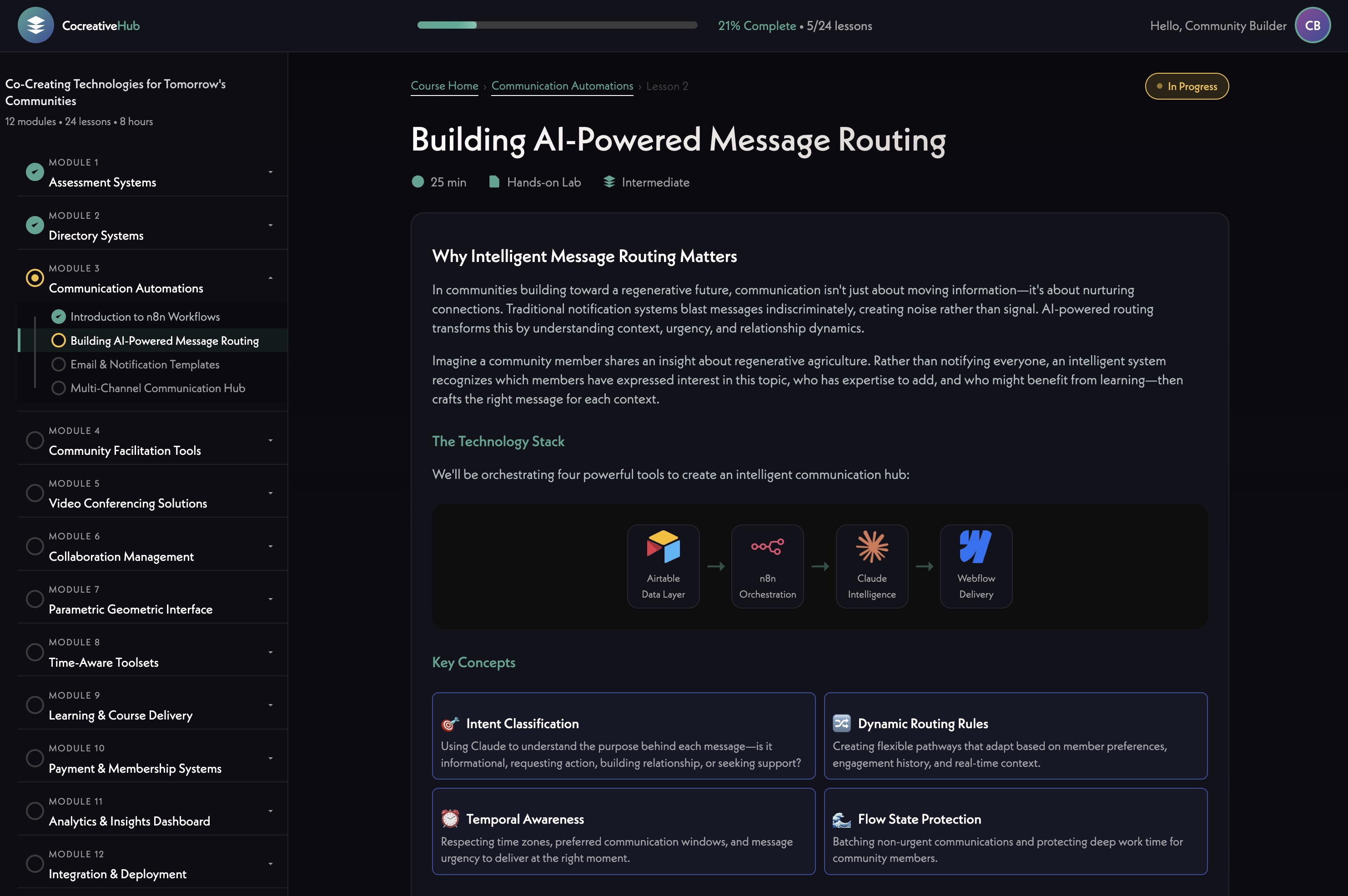
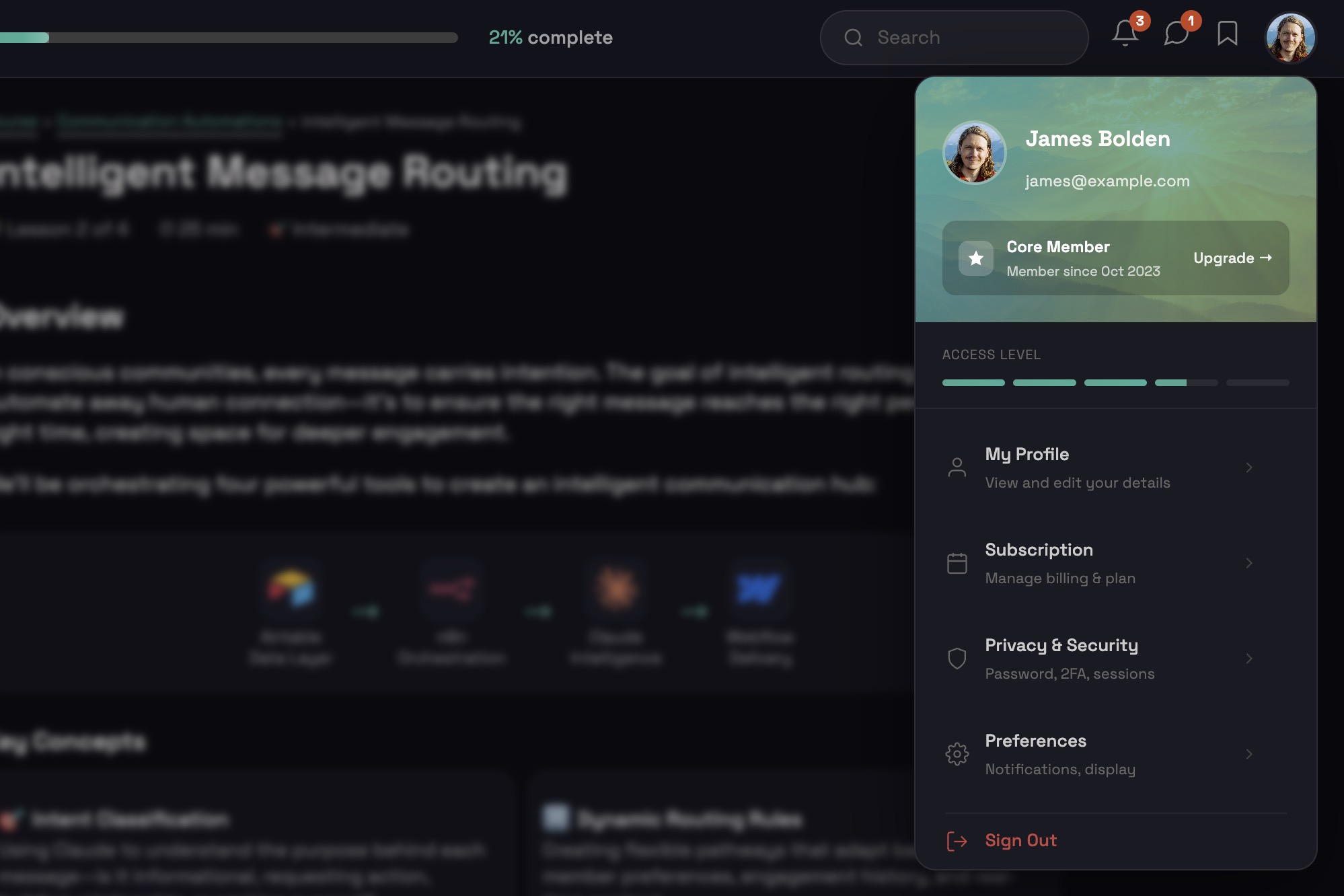
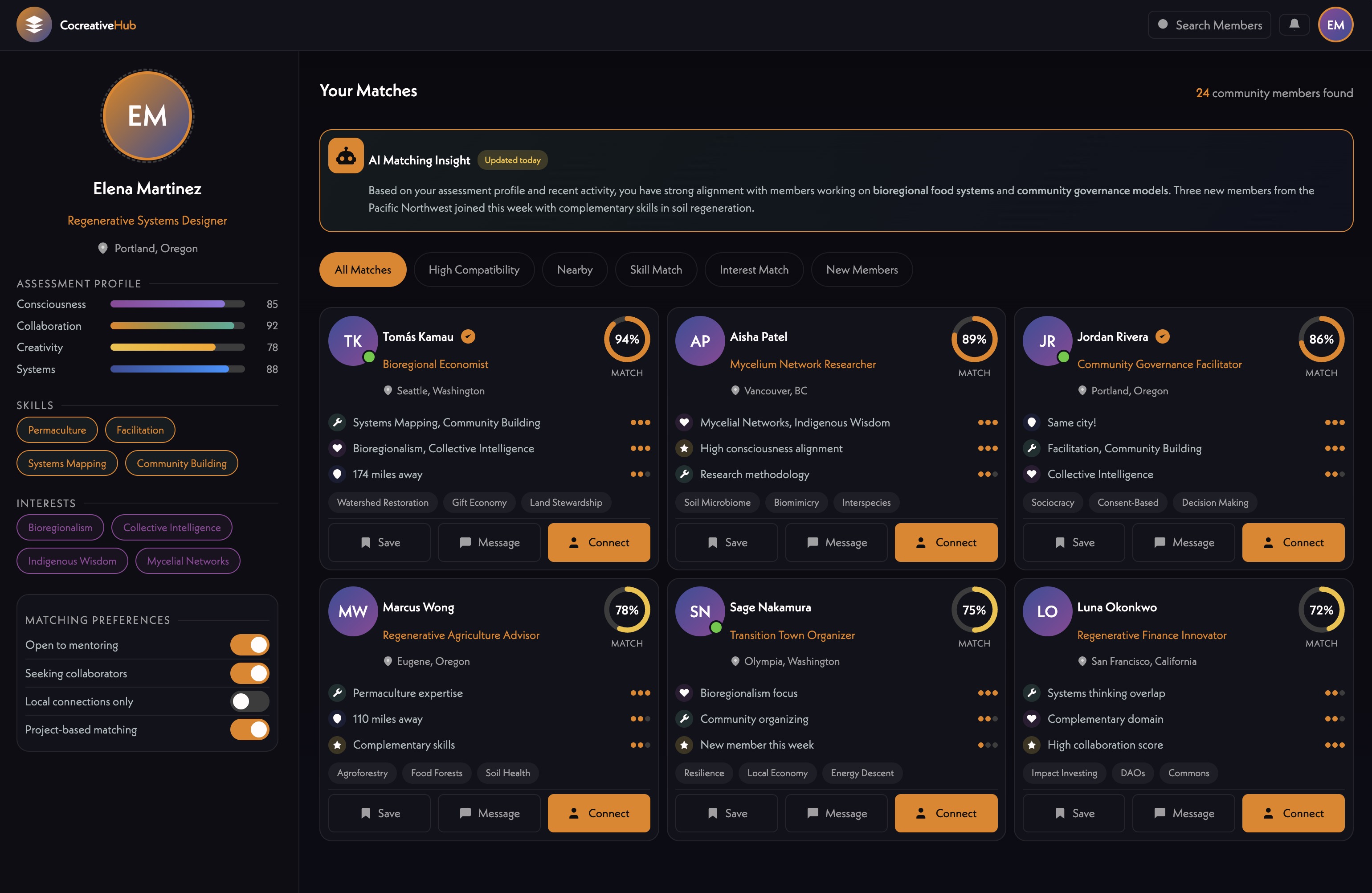
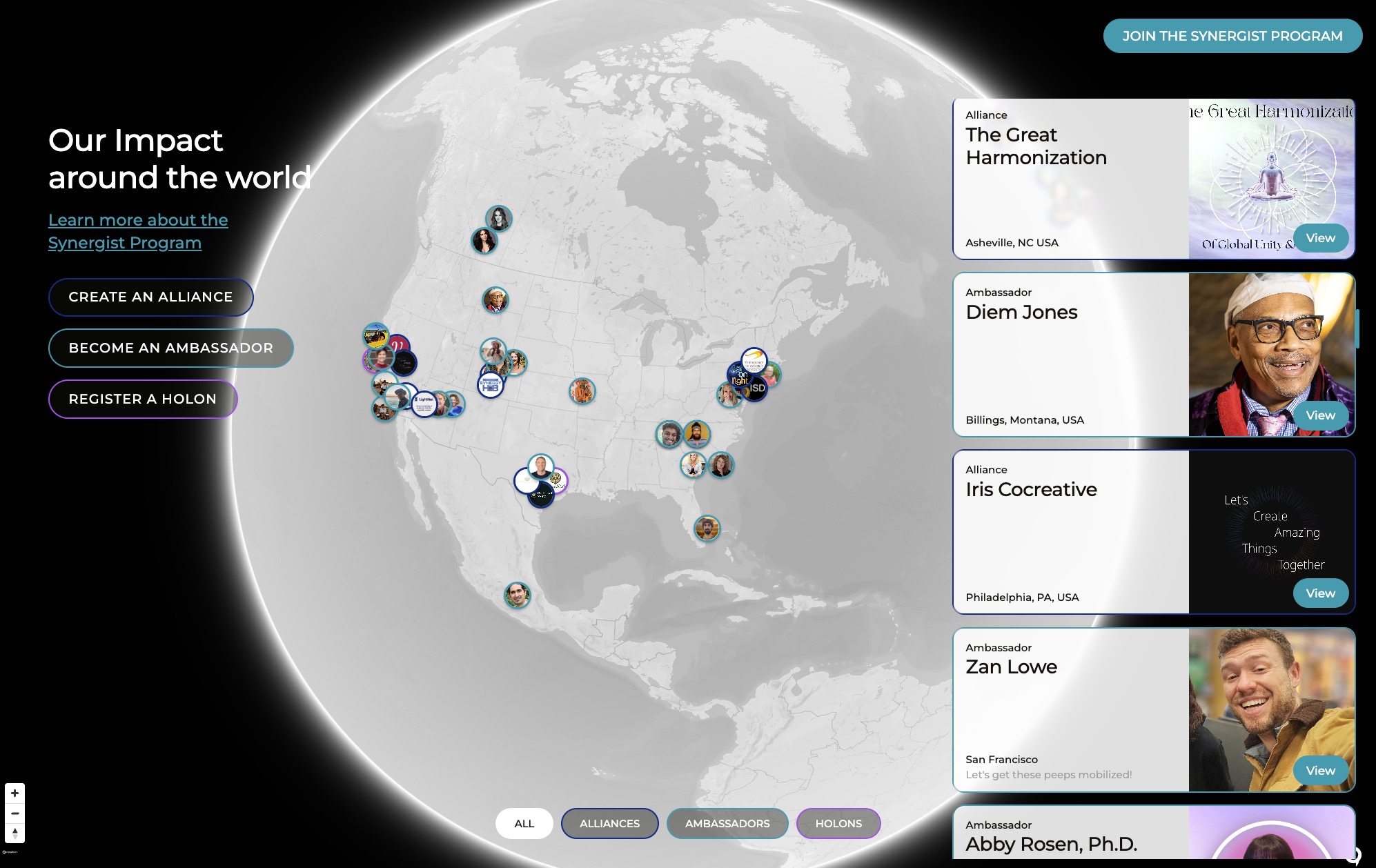
James introduced Supabase [tag="supabase"] as his preferred tool for more complex builds, walking through a sophisticated app his team is developing — featuring user profiles, AI-generated banner images and summaries via Claude [tag="claude"], a values-based matching system, an integrated assessment tool, messaging, group chats (Holons), an interactive global map using Mapbox-style functionality, project management, and Stripe-powered [tag="stripe"] participatory contribution tracking (16:46). The front end runs on Webflow [tag="webflow"] with custom code hosted on GitHub [tag="github"].
[technology="Custom Membership System"]
[technology="Intelligent Matching Algorithms"]
[technology="Assessment Systems"]
Key takeaway: ILALI doesn't need Supabase yet. Airtable can be synced to Supabase later if more complex functionality becomes necessary, and Airtable data can always be exported — there's no lock-in (11:45). Supabase is also remarkably affordable (~$9/month for the bases James uses).
The team agreed to stay with Airtable for now, fully adopt it for forms and CRM, and reassess once it's being used more deeply (25:05). Supabase remains a known option for the future.
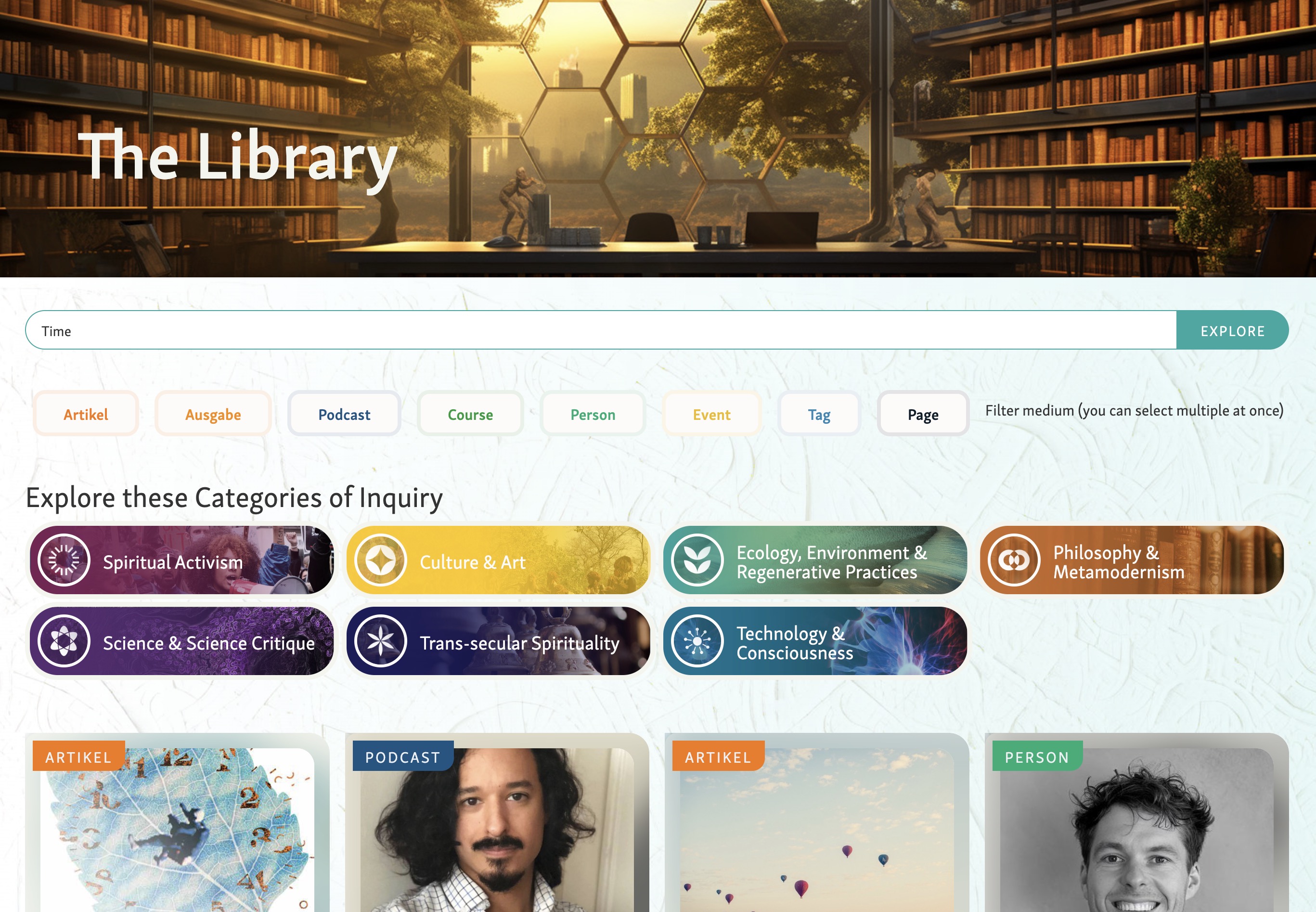
James demonstrated how Airtable paired with Claude [tag="claude"] becomes a powerful research engine — sharing a directory he built of conscious artists and musicians worldwide where Claude found ~95% of the entries, generated descriptions, and applied tags. Through MCP (Model Context Protocol) connections, Claude can now interact directly with Airtable to populate research, find similar leads, or organize information at scale (28:35).
He also showed an n8n [tag="n8n"] automation that pulls his Fireflies transcripts, analyzes them, extracts action items, generates custom-styled meeting summaries, and creates illustrative imagery — all triggered by a single button (35:03). The summaries use embedded technology references and project context so each output reflects the specific client and engagement.
[technology="Communication Automations"]
For ILALI specifically, this opens up a path to:
James shared his team's action process as a philosophical layer worth building into any system: Idea → Planning → Coordination → Creation → Completion → Reflection (46:30). The "coordination" stage acts as a gate — once a date is set or a commitment made, the work crosses from idea-territory into committed action. Importantly, there are two completion states: when something is technically done, and when it's integrated (published, communicated, signed off). Reiko's recent task illustrated this — done in reality, but not marked done, so not really done.
He encouraged ILALI to consciously articulate their own theory of change, coordination, and commitment so the project management system reinforces those values structurally rather than just verbally.
[technology="Collaboration Management Tools"]
Amanda named the ongoing challenge of integrating with — or appropriately circumventing — Commonwheel's systems (Salesforce and others) without losing critical data, especially around donors, funding, and expenses (33:30). The team is still finding the right boundary between what needs to flow through Commonwheel versus what ILALI can manage independently.
Both teams aligned that the main website is ready to move from planning into active coordination (48:45). Gabi noted that Reiko has been holding space for emerging clarity, and that more pieces are now coming into coherence.
James shared that recent work with Revillage has him applying Christopher Alexander's pattern language work to digital design — developing a framework for "living websites" focused on equity, harmony, generativity, honesty, beauty, and effectiveness while avoiding manipulative anti-patterns (50:30). He'll share an early version of the site explaining this philosophy, as he wants the framework to be developed collaboratively. The orientation feels especially aligned with ILALI's mission.
[technology="Parametric Geometric Interfaces"]
Gabi Jubran
Amanda Nagai
James Redenbaugh
All
Gabi shared reflections from the Buckeye Ancestral Skills Gathering near Chico, where ILALI is collaborating closely with one of the event's co-founders to absorb the cultural and educational exchange spirit into their work. James caught the team up on his current build work and his collaboration with the Revillage Earth team — having created the brand for Grayton Station Coffee and now developing the Re Village website (02:24).
The team has been exploring Airtable [tag="airtable"] as their CRM and wanted a fuller picture of what's possible — particularly whether project management could live there alongside contacts, forms, and an eventual member directory (04:23). Amanda emphasized the goal of using as few tools as possible, given they're currently working in Todoist and Twist for project management and trying to build adoption momentum across the team.
James advised against using Airtable as a primary project management tool — calling it "one step up from Google Sheets" for that purpose and a bit hacky compared to Todoist or ClickUp (07:23). The advantage only emerges if you want database management and project management living in the same place. He recommended researching how Airtable PM has evolved in 2026 before fully ruling it out, since the landscape changes quickly.
A clear, immediate recommendation: stop using Google Forms and switch to Airtable forms, since they're functionally similar but data flows directly into a manageable Airtable base (13:06). Google Drive and Docs should remain for documents and shared files, but Airtable is well-suited for resource libraries — PDFs and files can live inside records rather than scattered across folders.
[technology="Directory Systems"]
James introduced Supabase [tag="supabase"] as his preferred tool for more complex builds, walking through a sophisticated app his team is developing — featuring user profiles, AI-generated banner images and summaries via Claude [tag="claude"], a values-based matching system, an integrated assessment tool, messaging, group chats (Holons), an interactive global map using Mapbox-style functionality, project management, and Stripe-powered [tag="stripe"] participatory contribution tracking (16:46). The front end runs on Webflow [tag="webflow"] with custom code hosted on GitHub [tag="github"].
[technology="Custom Membership System"]
[technology="Intelligent Matching Algorithms"]
[technology="Assessment Systems"]
Key takeaway: ILALI doesn't need Supabase yet. Airtable can be synced to Supabase later if more complex functionality becomes necessary, and Airtable data can always be exported — there's no lock-in (11:45). Supabase is also remarkably affordable (~$9/month for the bases James uses).
The team agreed to stay with Airtable for now, fully adopt it for forms and CRM, and reassess once it's being used more deeply (25:05). Supabase remains a known option for the future.
James demonstrated how Airtable paired with Claude [tag="claude"] becomes a powerful research engine — sharing a directory he built of conscious artists and musicians worldwide where Claude found ~95% of the entries, generated descriptions, and applied tags. Through MCP (Model Context Protocol) connections, Claude can now interact directly with Airtable to populate research, find similar leads, or organize information at scale (28:35).
He also showed an n8n [tag="n8n"] automation that pulls his Fireflies transcripts, analyzes them, extracts action items, generates custom-styled meeting summaries, and creates illustrative imagery — all triggered by a single button (35:03). The summaries use embedded technology references and project context so each output reflects the specific client and engagement.
[technology="Communication Automations"]
For ILALI specifically, this opens up a path to:
James shared his team's action process as a philosophical layer worth building into any system: Idea → Planning → Coordination → Creation → Completion → Reflection (46:30). The "coordination" stage acts as a gate — once a date is set or a commitment made, the work crosses from idea-territory into committed action. Importantly, there are two completion states: when something is technically done, and when it's integrated (published, communicated, signed off). Reiko's recent task illustrated this — done in reality, but not marked done, so not really done.
He encouraged ILALI to consciously articulate their own theory of change, coordination, and commitment so the project management system reinforces those values structurally rather than just verbally.
[technology="Collaboration Management Tools"]
Amanda named the ongoing challenge of integrating with — or appropriately circumventing — Commonwheel's systems (Salesforce and others) without losing critical data, especially around donors, funding, and expenses (33:30). The team is still finding the right boundary between what needs to flow through Commonwheel versus what ILALI can manage independently.
Both teams aligned that the main website is ready to move from planning into active coordination (48:45). Gabi noted that Reiko has been holding space for emerging clarity, and that more pieces are now coming into coherence.
James shared that recent work with Revillage has him applying Christopher Alexander's pattern language work to digital design — developing a framework for "living websites" focused on equity, harmony, generativity, honesty, beauty, and effectiveness while avoiding manipulative anti-patterns (50:30). He'll share an early version of the site explaining this philosophy, as he wants the framework to be developed collaboratively. The orientation feels especially aligned with ILALI's mission.
[technology="Parametric Geometric Interfaces"]
Gabi Jubran
Amanda Nagai
James Redenbaugh
All
Connect with Reiko to align on website timeline and next steps
May 10, 2026
After the May 5th call, connect with Reiko to align on website timeline and coordinate next steps. Key milestone is delivering updated wireframes and additions to James by the week of May 18 before his departure on May 27. Discussed at 48:45.
Deliver updated wireframes and new additions to James by week of May 18
May 22, 2026
Coordinate team to deliver updated wireframes and any new additions to James Redenbaugh by the week of May 18 so he can hand off to his new project manager and developer before departing for travel on May 27 (returning June 12). Critical handoff milestone for website redesign moving into active coordination phase. Discussed at 55:20.
Begin transitioning Google Forms workflows to Airtable forms
May 31, 2026
Stop using Google Forms and switch to Airtable forms so that form data flows directly into a manageable Airtable base. Google Drive and Docs should remain for shared documents and files. James recommended this as a clear, immediate improvement during tech stack discussion at 13:06.
Continue building team adoption of Todoist and Twist for project tracking
May 31, 2026
Amanda to continue driving team adoption of Todoist and Twist as the primary project tracking tools. Goal is to use as few tools as possible and build consistent usage habits across the ILALI team before adding further complexity. Discussed in context of tech stack consolidation conversation.
Evaluate potential to automate meeting documentation using n8n and AI tools
May 31, 2026
Amanda and Gabi to evaluate whether to pursue automating meeting transcript processing using n8n and AI tools. James demonstrated an n8n automation that pulls Fireflies transcripts, extracts action items, generates meeting summaries, and creates illustrative imagery — all triggered by a single button (35:03). For ILALI this could mean automating Fathom transcripts into Google Docs or Todoist, auto-updating task statuses, and sending post-meeting summary emails. James is available to optionally advise if they decide to pursue it.
Share early version of digital pattern language website for collaborative input
May 18, 2026
Share the early version of the digital pattern language website with the ILALI team for collaborative input and feedback. The framework draws on Christopher Alexander's pattern language work applied to digital design — focusing on equity, harmony, generativity, honesty, beauty, and effectiveness while avoiding manipulative anti-patterns. Feels especially aligned with ILALI's mission and James wants it developed collaboratively. Discussed at 51:20.
Onboard new project manager and developer to prepare for ILALI website build
May 22, 2026
Onboard newly hired project manager and designer/developer and prepare them to support the ILALI website build. They should be ready to receive wireframes from the ILALI team by the week of May 18 so work can continue while James is traveling (departing May 27, returning June 12). Discussed in context of capacity and timing for website coordination phase at 48:45.

Reflect on ILALI theory of change and commitment to embed structurally in project management system
May 31, 2026
All team members to reflect on ILALI's theory of change, coordination, and commitment so these values can be structurally embedded into the eventual project management system rather than just expressed verbally. James shared the action process framework — Idea → Planning → Coordination → Creation → Completion → Reflection — and the importance of two completion states (technically done vs. integrated/published/communicated). Discussed at 46:30.
Complete redesign and rebuild of ILALI website on Webflow platform. Project has established visual direction with finalized logo, typography, and brand guidelines. Current single-page site doesn't communicate full scope of offerings. Site will feature four core initiatives plus emerging 'folk school' component as part of Nolla. Will incorporate content and media from November 1-2 Novella Bioregional Gathering. Using collaborative copywriting process where Gabi takes first pass, then team refines through read-aloud sessions. Fresh Figma board consolidates all current brand assets. Site currently hosted on WordPress/Webflow hybrid setup through Common Wheel fiscal sponsorship. Strategic decision made to prioritize Kinship Blooms as the design fractal and template for broader ILALI ecosystem (13:48). Main ILALI one-pager will receive light updates as interim solution: reduce gap between header video and text (desktop and mobile), rework overlapping graphic into offset boxes/stepping stones, move newsletter signup to bottom of page, add Max's photo (the Fern), and update text as needed (43:53-46:39). Design philosophy shifting from linear scroll-based architecture to ecological, place-based interfaces that feel native to land rather than imposed (34:23). James exploring Christopher Alexander's pattern language applied to digital design as philosophical framework. Team ready to move forward with Kinship Blooms first, then return to full ILALI site after that foundation is established.
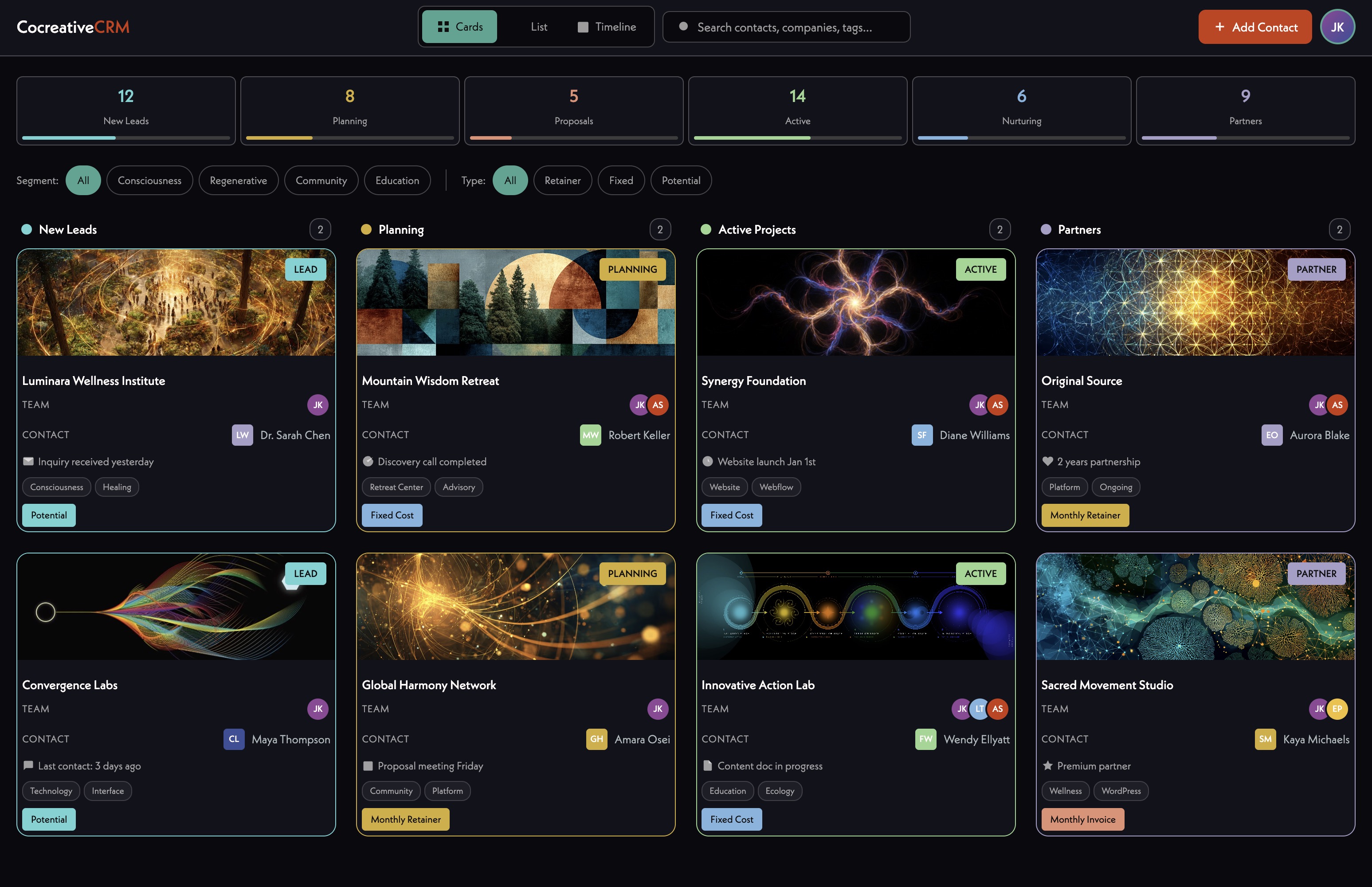
Development of custom CRM and ecosystem directory system using Airtable backend with Webflow frontend. Will feature form for community members to create profiles, with flexible display options including grids, radial circles, and interactive maps. System designed to capture multidimensionality of relational work — relationships to people, places, and organizations simultaneously. Three main categories: people, projects, and places, tracking multiple land projects, community spaces, and initiatives including Nolla, Wayfinders, Landwell, and Kinship Blooms. System leverages Airtable's relational database capabilities with bidirectional linking, lookup fields, and rollup functions. Team has confirmed Airtable as the CRM foundation going forward — fully adopting it for forms and CRM, replacing Google Forms workflows with Airtable forms. Supabase identified as a future upgrade path if more complex functionality is needed; Airtable data can be exported without lock-in. Claude via MCP can be used to populate research entries, generate descriptions, and apply tags at scale — demonstrated with a conscious artists directory (28:35, 54:07). Future development includes custom frontend interfaces and 3D visualization capabilities. Design approach shifting toward dynamic, network-illustrating interfaces that show entities, organizations, and connections in architectural spaces people can enter (33:30). James demoed global interactive map example showing type of expandable, relationship-mapping interfaces now possible.
Automation pipeline to process meeting transcripts from Fathom into structured outputs — including Google Docs summaries, task creation in Todoist, and post-meeting email summaries to the team. Modeled on James's n8n workflow that pulls Fireflies transcripts, analyzes them with AI, extracts action items, generates custom-styled summaries, and creates illustrative imagery (35:03). For ILALI, this would integrate with their existing Fathom and Todoist tooling. Amanda and Gabi to evaluate feasibility and desired scope. Could significantly reduce manual documentation overhead and improve team coordination.
00:00:01
Amanda Nagai: This meeting is being recorded.
00:00:03
James Redenbaugh: How you doing?
00:00:05
Gabi Jubran (HeHim): Doing pretty well. Yeah, I'm coming off. Last week Amanda and I were at the Buckeye ancestral skills gathering. I don't know if you're familiar with it.
00:00:22
James Redenbaugh: No, I haven't heard of it.
00:00:23
Gabi Jubran (HeHim): Yeah, it's been going on for like 15, 16 years and yeah. Learn all kinds of stuff there. Wood carving, butchering animals, tanning hides, doing natural dyes of things. And it's at this really beautiful lake campground area near Chico. It's really sweet. It's like a kind of like temporary village, cultural, educational exchange type thing.
00:00:55
James Redenbaugh: Nice.
00:00:56
Gabi Jubran (HeHim): Yeah. Yeah. One of the people that were collaborating closely with at A Lolly is one of the co founders of it and was like, all right, if we're going to be working closely together, I want you to come get a feel for like the culture that we created here. So that was really sweet. Yeah. Other than that kind of. Yeah. Navigating you know, at the intersection of a lot of different feels like on the personal and the professional level, like lots of like organizational development and capacity building type work.
00:01:39
James Redenbaugh: So.
00:01:40
Gabi Jubran (HeHim): Yeah, just kind of deep in that. It feels nice that it's not like time sensitive. Like everything is urgent. Gotta like do these things and there's still like some of that energy but it's not like, yeah, this needs to get done by this day or else sort of thing.
00:01:59
James Redenbaugh: Yeah. Cool.
00:02:02
Gabi Jubran (HeHim): Yeah. How are you doing? And I think Amanda should be joining us shortly.
00:02:06
James Redenbaugh: Yeah, here she is.
00:02:08
Gabi Jubran (HeHim): Great.
00:02:11
James Redenbaugh: I've been doing well, building a big app, making a lot of progress on that and working on some other fun projects. Working with. Do you know the Revillage Earth guys?
00:02:23
Gabi Jubran (HeHim): Yeah, of course. Yeah.
00:02:24
James Redenbaugh: Yeah. Tori.
00:02:27
Amanda Nagai: Nice. Hi.
00:02:28
James Redenbaugh: Hi. Amanda.
00:02:30
Amanda Nagai: Hi. James. Nice to meet you virtually in person.
00:02:34
James Redenbaugh: Good to meet you too. How are you?
00:02:36
Amanda Nagai: That's all right. I am just running around trying to get everything in order. Again but excited to check in on some stuff right now.
00:02:55
James Redenbaugh: Cool.
00:02:56
Amanda Nagai: You're working with Revillage. That's amazing.
00:02:59
James Redenbaugh: Yeah, they're awesome. We made the brand for the Grayton station coffee and now we're doing the Re Village website.
00:03:10
Gabi Jubran (HeHim): Sweet. Yeah. Matt had approached us and was like, hey, we're thinking about doing some design work. Do you have any recommendations? We're like, yeah, go to James.
00:03:26
James Redenbaugh: Awesome. Thank you. Yeah, appreciate it.
00:03:31
Gabi Jubran (HeHim): I'm glad that that's moving forward. And yeah, I'm excited to check out the space I haven't been in in a few months the, the Grayton station and they've like now kind of officially launched it. So hopefully When I'm up there next week, I can poke around a little bit.
00:03:48
Amanda Nagai: Oh, have they launched the inside? I know they were doing the carts outside, but they've launched the inside now.
00:03:53
Gabi Jubran (HeHim): Oh, I didn't realize that the soft launch was just the outside.
00:03:57
Amanda Nagai: Yeah, it's the cart up front.
00:04:00
James Redenbaugh: Got it. Yeah.
00:04:02
Gabi Jubran (HeHim): Less exciting, but still exciting.
00:04:05
Amanda Nagai: I still went by. It was cute and it sounds like Reiko went by too. Cool.
00:04:13
James Redenbaugh: So what can I help you guys with today?
00:04:16
Amanda Nagai: Do you want to start, Gabby?
00:04:17
Gabi Jubran (HeHim): Sure, I can start.
00:04:20
James Redenbaugh: So.
00:04:23
Gabi Jubran (HeHim): We've been kind of exploring and it seems like we've settled on using airtable for CRM purposes, but we were also just kind of curious about what else can we do with it so we can get a full kind of fuller scope of what is possible as Amanda has been doing a lot of work to kind of help us get some, some of our tech stack in place. Yeah. In terms of like, should we do our project management through Air Table? Should we. You know, obviously we're going to be creating like a over time like a member directory and it sounds like, you know, you'd use Air Table forms and like have that load in the back end of Air Table and then that could potentially get used on the front end of the website and webflow as you showed us. So I think we were just hoping to get a better understanding of what all can we do with airtable, what is possible and yeah, I guess just want to start there and then see where that takes us. And if you have anything else to add, Amanda, that would be great.
00:05:37
Amanda Nagai: Sure. Yeah, I think that's. Gabby, you did a pretty good job of setting it up. I think mostly just to say what we have right now. Right now we're using Todoist for project management and trying to link and twist. We're not super active on it yet, but we have it set up and you know, I think you already know that Commonwealth uses Salesforce and some other products that like they want everything to link to. But some of these things I think we don't need to fully like for the stuff, for the data that we're trying to collect internally. I'm not sure how much of it needs to link with commonwheel unless when there's like ticket sales and donations and stuff. So. But we're. The goal is to have as little as learn as few tools as possible and use them only in specific ways. And so when I was talking with Gabby and he was showing me the airtable, he was like, well, maybe we can do project management here and I was like, I don't know because we're sort of in the todoist flow but like what would that look like? And so yeah, just trying to see how many tools we can slim down especially if airtable is really powerful and versatile. And it's. We're just getting people to like get excited about todoist so just like keeping that in mind of knowing what that looks like, knowing of todoist is and whether or not that's something that can be some somewhat replicatable in airtable but just curious about. Yeah, learning more.
00:07:01
James Redenbaugh: Cool. Yes. So anything is possible. It's kind of, you know, airtable is very malleable and inter. Interoperable and integratable.
00:07:21
Amanda Nagai: And.
00:07:23
James Redenbaugh: The question is how much like how much do you want to invest in making it more usable? Verse how. Happy would you be using a system that's not completely designed for your purposes? So people who use you can use Airtable as a project management app. People do it all the time. I don't love to do that because it's kind of like one step up from using Google Sheets and Google Lists or whatever Google offers for that where you know, you can do a million things with Google Sheets. You can manage your projects in there, you make a new sheet, you make a checklist kind of thing. But it's not like using Todoist or ClickUp. Airtable's one step up from that where you can assign people things, you can track rows, you can define custom statuses and. And now they have these AI features too. You can, you can have a more tailored interface for your projects management but it's a bit hacky. Like if you just want project management, I wouldn't use Airtable. The advantage of using it would be if you want your project management management happening in the same place as your database management. But Air Tables, not even my favorite database tool anymore. Okay, yeah, I still use it for some things and I still, I get clients set up on it because it's easy to use and easy to manage. But these days we're building most things in Supabase, which is much more developer friendly but more difficult to use. But I mention it because let's say you wanted to invest a bunch of time and money and energy into an airtable system that does database management and project management and enables membership on a set, on a website or login or. And data collection and things like that. If you wanted to do that with Airtable, I would recommend not doing that and doing it with Supabase because it would be Easier to do that there if you want to just diy. Start yourself organizing things, collecting data, creating simple forms for people, editing those forms yourself, stuff like that. Airtable is the way to go.
00:10:46
Gabi Jubran (HeHim): Okay. So I mean, I imagine based on the stage that we're at, that that makes more sense. Yeah, I mean in terms of. Because obviously like the, the landscape is changing so so quickly on the digital side of things. And I'm like, maybe like in the last two weeks somebody like Vibe coded a new CRM that is like super clean and easy to use and you know, does all the things that we need. So it's like. And I realized that could happen in an instant. And so like, yeah, we were orienting to. And I, you know, had begun to kind of shape our CRM in airtable. I haven't done enough work in it where I'm like. But no, we're committed now. Like we have to use this.
00:11:45
James Redenbaugh: So yeah, and you can always export your data from airtable into something else you're not locked in.
00:11:53
Gabi Jubran (HeHim): Yeah, not locked in. Yeah. But like given, given that I'm primarily orienting to using it on that front in terms of storing contacts and potentially moving into using forms. Although what we've used up to this point are Google Forms which obviously then that data gets put into a Google sheet. Primarily. We're using Google and Drive because that's what people have the most familiarity with and already use in their other ways that they express their work in the world and use it personally. And so yeah, I'm like trying to make things simple without adding a bunch of technology. And um, yeah, I'm just like, how do we do this? How do we do this in the best way given people's differing skill sets and orientation to using technology?
00:13:06
James Redenbaugh: Yep, I would stop using Google Forms and just start using airtable forms because they're so similar. And your data can go into an airtable which is going to be easier to manage, but you're going to want to keep using Google for Docs and, and Drive and things like that. But if you're creating like a resource library, Airtable is great for that. And you can drop files, PDFs or whatever into Airtable records and manage things there instead of just having a bunch of files on the folder on your. On your Google Drive. And it's also possible when the time comes to create more beautiful forms that connect to airtable. So if we want to put something on, on website to collect information or signups or things like that, that front end form can look however we want and still connect to the airtable repo.
00:14:26
Gabi Jubran (HeHim): Okay, that's helpful. I am curious to learn a little bit more about Supabase, you know, given that you're like orienting to using that yourself. And it doesn't sound like we're prepared for something like that yet, but I'm, I'm curious about some of the functionality with that and what you're able to do with that.
00:14:55
James Redenbaugh: Yeah, I can show you something that we're building with it. Cool. So this is what it looks like on the back end. This is a very complicated app and you can see I have a bunch of different tables and the tables look very simple. You know they're not super user friendly like airtable but you know, me and two of my developers are the only people that are ever in here and we're usually interacting with this data via commands anyway so it doesn't matter. But what that enables us to do is pretty much anything on the front end. So users can sign up and create a profile on this website. We guide them through profile creation process. They answer some questions and put in their information. I need to update the the UI on this form but you get a sense of what I'm talking about. And then the system creates a, a profile for them. We even run their data through some different AI automations to do automatic summaries and automatic generation of banner images like this one based on their input content. We put them on a map based on what they're seeking and offering. We find these tags for them. They can even click edit here and edit any of this, update the text and choose new tags and define different skills and pick different categories and then they can even go and take this assessment that walks them through different questions that they respond to and we take that data and run it through a different automation that creates this profile for them. And then we can even analyze, you know, my users results, their users results across against everybody else's along with what they're seeking and offering and the domains that they've picked. And I can click Jeff here and I can see we have strong alignment and he's close to me in proximity and I can see oh he's offering what I'm seeking and seeking what I'm offering. And we have this values match and that's great. So I can view his profile and I can message him. We have messaging, we build a whole messenger on here. We have groups, you can make a group chat, you can create a Holon. Holons have their own profile known profile creation process. We have walls on there. We have a big interactive map where we can see people on the globe and see the whole lawns between them and see people's profiles and zoom into them. And we even have a whole project management system that we've built into the app itself so that we can track the different parts that we're creating and comment on things and, you know, change status and assign people and things like that. And so all of this just uses those Supabase tables and webflow is the front end. And then we have a bunch of custom code that we host on GitHub. And it's hard for me to imagine things that we can't do with the system at this point. We're adding new features all the time, and it's like, extremely versatile. And, you know, I would never try to do any, any one of these feature. I mean, we could do any one of these features technically using airtable. And if it was, if we just needed one of them, then we could make that, make that work. But with this much complexity and different things, it's. It's important to have Supabase. And also Supabase enables the authentication layer, so the actual login and the memberships. And if I lose my password, I can get a link sent to me or do a password reset or update my account. And we have membership integrated as well. So people can pay the subscribe to the app. They can even choose their own amount monthly or annually or one time. And we can even change their access to different things based on what they're contributing. And this is for a nonprofit. We can even track contributions and make that visible. So as people are contributing to the platform, we can see how much money's coming in when people can apply for grants, and we can see where that money's gonna go. So that's probably overwhelming, but gives you a sense of what's possible.
00:20:42
Gabi Jubran (HeHim): My gears turning. And the last point that you made.
00:20:49
James Redenbaugh: Around.
00:20:51
Gabi Jubran (HeHim): Looking at people's different contributions and that being supportive for applying for grants, I'm curious to unpack that a little bit as maybe a little confused there.
00:21:06
James Redenbaugh: So the. One of the major functions of the platform is to facilitate projects, some of which will actually be funded in part by the users of the platform as they sign up and decide to contribute or not. And we built the infrastructure to make those contributions visible. And then also we can make visible and make collaborative where those funds go so people can vote on what projects should receive what grants, things like that. And we're, we're still. It's still in development where every. All the users in there are actually real. They're testing it, but they're in the network beta testing it. Yeah.
00:21:58
Gabi Jubran (HeHim): So it's kind of like a participatory budgeting and enacting of those funds thing.
00:22:06
James Redenbaugh: Yeah. But the, the payments are handled through Stripe. It doesn't have like a fancy crypto automation thing. But we could do that, you know. You could do that.
00:22:19
Gabi Jubran (HeHim): Yeah.
00:22:20
James Redenbaugh: It's so versatile. Like we can, we can do pretty much anything with enough time and Claude tokens.
00:22:34
Gabi Jubran (HeHim): Cool.
00:22:35
Amanda Nagai: So looking at all of that, it sounds like, I mean, it's not that database. It feels like you need a little bit more programming background to easily use that tool. And it does sound like a lot can be done with it. And I don't think we are at a point yet where we need that level, but knowing that we could at some point. But even if we're using airtable now, we could easily export that data and put that in a Supabase and build wider in the future. Yes.
00:23:08
James Redenbaugh: Yeah. And even if there's transition time, let's say you do want to build something like that in the future and use Supabase. We can sync airtable and Supabase so that you're still managing your data on airtable while we're using it for something more complicated in Supabase.
00:23:32
Amanda Nagai: Right. What is it? Is the, is there like a subscription cost to Supabase for that?
00:23:39
James Redenbaugh: It's some. It's like ridiculously cheap. Their free plan is very generous. And then I think it's like $9 a month or something. Further the bases we use, it's so cheap that I keep making new ones just for fun, just different things out.
00:24:01
Gabi Jubran (HeHim): Yeah. And we can pretty much stay on the free version of airtable for a while as well. I don't think we're at a point where we're gonna exceed the records of that anytime soon. So.
00:24:13
James Redenbaugh: Yeah. Where you hit limits with airtable is if you're syncing it to a front end interface. There's API limits, but you don't have to worry about that until you like have it sync to an events calendar and have like a few thousand people looking at those events or actually no, just looking at them would be fine, but editing them. I hit the limits because I, I'm working with a lot of data and constantly editing it. So I have the pro plan, but.
00:24:49
Amanda Nagai: And the airtable forms don't. Are not that. Right.
00:24:53
James Redenbaugh: Like it is that. But you would, you would need to like, I don't know how many thousands of respondees you could do per month on the free plan, but it'll tell you that.
00:25:05
Amanda Nagai: All right, great. So. So, Gabby, if you're feeling okay about it, it sounds like we stick with airtable right now.
00:25:13
Gabi Jubran (HeHim): Yeah.
00:25:15
Amanda Nagai: I don't know if we need to sync to Supabase yet, but do we could if you feel.
00:25:19
Gabi Jubran (HeHim): Yeah, I don't think so.
00:25:21
Amanda Nagai: Not really. Even. Like we're not even using airtable well enough yet that it doesn't really feel like we need to. I think maybe when we get that moving, we can reassess.
00:25:31
James Redenbaugh: Yeah. I would only do it if you have somebody on your team who's like really curious about vibe coding and wants to get in it, into it and wants to help me create the course I've been meaning to make on it for a long time because it's super fun and it's easy. It's relatively easy to get into it, but you have to kind of want to be a nerd about it, right?
00:25:54
Gabi Jubran (HeHim): There's a little bit of a curve. Yeah, yeah. Once you're in, it's like fun, I'm sure.
00:26:03
Amanda Nagai: All right, well, I think we got that covered then. Is there anything that air table is good for besides database creation management, forms for external stuff? That sounds like. Not project management seems hacky. I'm not interested in that really. Before it's not fun and it breaks faster because it's not built for that. Are there any other things that you think would be good for us to look into as for using airtable for. Or is that sort of where I should keep it?
00:26:35
James Redenbaugh: Yeah, and before you forget about project management entirely on there, I would do some research to see what people are doing with it lately because it is evolving very fast. And so I would just like Google or YouTube Airtable for Project Management in 2026 because my, my information on that front might be. Might be out of date. And in terms of like what else you can do with it? Basically anything you want to collect and share and you can think about that in terms of databases, but at this point it's a lot more advanced than that and they're really putting the. Their own app building capabilities forward with AI. They might want you on them on a paid plan for that, but you can build certain automations. People sign up for, you know, they register their interest, they say they are local and they like this kind of event. You can build automations to make sure that they get on the right list for that or they get an email. You know, you can integrate different Email platforms. You can make dashboards. Dashboards are really helpful if you are bringing a lot of information in there and you can. I'm a big Claude fan. I recommend everybody use Claude over the different models. But there's all kinds of McP connections with Airtable Now. So you can have Claude M model context protocol. It's like instructions on how to have agents work with an app. So work with airtable so often and it's easy to connect Claude to airtable and you can say like, here's my CRM. Can you help me find other leads that are like this? Or can you research similar projects along these lines in this list and populate them for me around the world? I'll show you something that I made using airtable and Claude along those lines. So I was, I wanted to make a directory of cool conscious artists and musicians around the world. Check this out. By the way, highly recommend if you want to like support people's cool art and music and find more music to listen to or authors to read around the world. And so I found a few that I happen to know or found in my research and started to build an air table of that I can show you. I'm not logged in here what that air table looks like. You can imagine what it looks like. I don't know why I'm not logged in. It looks like an air table and I can click on any one of these things and you see it has a, you know, a title, a description. I have an explanation as to why they're included. I have different tags and a location and all of those things. I had Claude create for most of these and I, I went through and edited them and did my own selection, but it found the vast majority of these. It wasn't good at finding the images to use, so I did that myself or the, the embeds for the musicians. You can click on the, the videos and it'll put a nice little player down here. I did that myself, but it, you know, populated the directory. I used probably 95% of the ones that it found. It found things that I would have never found and it was really helpful for just like getting a big sense of who's out there doing cool stuff around the world. Obviously it's incomplete. There's going to be a lot, a lot of people that aren't included. But if you're doing research, things like that, airtable can be really helpful for that when, when paired with Claude. And yeah, I, I use Obsidian for that as well because it's a little More it's better for organizing words and documents. But I could, I could use airtable similarly to have go. To have Claude go off and do research on different topics and organize it for me. Cool.
00:32:10
Gabi Jubran (HeHim): Yeah. I'm. I'm trying to think about our context and what could be helpful right now. I pulled this website up by the way and I'm going to poke around in it.
00:32:28
James Redenbaugh: Yeah. And if you, if you nominate a creator, you'll see a little form there and that.
00:32:35
Gabi Jubran (HeHim): I see that. Yeah.
00:32:36
James Redenbaugh: It puts them in my air table and then I can review them there.
00:32:40
Amanda Nagai: Cool.
00:32:45
Gabi Jubran (HeHim): Yeah. I feel like Amanda, where do you think we're maybe deficient in terms of like how. How could we be working better? I mean obviously actually using Todoist more and gradually. So Twist is integrated with todoist. You may be familiar with it, James. It's kind of like. It's like email and Slack kind of mixed together.
00:33:20
Amanda Nagai: It looks more like an email because it's made for asynchronous teams but it's also got the functionality, some of the functionality of more of like a Slack kind of thing. But with Todoist so you can like link back to tasks or things like that in conversations. I mean I'm hoping we can just like really get that down. I'm feeling hopeful that one of the tasks I saw in there that has been sitting for a while. I asked on the comment yesterday if Reiko had done it and he says he did. He just didn't check it off. So you know, it was tracked. Whether or not to do has helped him track it. I'm unclear. Unclear on I think. I think that, you know, I think the biggest frontier is trying to figure out how to integrate with commonville stuff and. Or circumvent in a way that doesn't get us in trouble. Not with them as like bad mama kind of thing. More like losing data that needs to also be communicated to them especially around donors or funding or expenses or anything. I mean they think the whole domain is theirs. So. But looking through like what. What really matters and making sure that that's integrated.
00:34:40
James Redenbaugh: Yeah.
00:34:41
Amanda Nagai: And that's a part that I'm still. Where we are all sort of. Sort of still struggling with because of their systems.
00:34:49
James Redenbaugh: What kind of automations do you have built into your. If any to your happy notes? What happens with. With those after calls?
00:35:03
Gabi Jubran (HeHim): That's a great question. I don't have any automations built in yet. I did see that Fathom recently built an integration with Claude but basically what we've been doing within the context of ali stuff because Fathom actually has a great deal for nonprofits where 10 you can get up to 10 users on the business plan for free. Is I basically just copy the transcript from Fathom and then put it in a Google Doc that other people can see that's in our alali Google Drive, which is not automated. It requires me going in and clicking Copy Notes and then like adding a new tab onto an existing Google Doc of our running meetings.
00:35:59
James Redenbaugh: Cool, because something you could think about doing. I'll show you what I do. This isn't fully automated in that it happens automatically, but I All I have to do is click this button and it goes. It'll pull my last Fireflies transcript. There's no fathom integration with N8N, which is what we're looking at. But you could paste the summary and the transcript into an automation like this. And then I can see there's all kinds of todoist actions you could do to bring tasks and projects into an automation. And what I do, among other things, is analyze the transcript and then see what action items are there in that. And then I convert them to action items in our system, which ironically is an airtable system. We. We use airtable for project management, but I haven't integrated with our website. So. Nobody is using the airtable except for me. They use the. The front end. Here's our lolly so we can see our last meeting. I bet it was working then it automatically found these action items and identified them and we can manage them here. And for me, these actually just live here. But because I'm in the process of making a whole new system. But for you guys, it could be integrated into your todoist so things get updated. So if you talk about something being done on. On a call, but it's not updated in todoist an agent could actually go in and update that for you and you could get a little summary emailed to everybody of like here's. Here's what's changed in the system after this call or anything like that. You know, anything is possible. You can have it right. A play about your. About your call. Or you know, we. We have it generate these images which.
00:39:05
Gabi Jubran (HeHim): And this.
00:39:05
Amanda Nagai: All these automation. The automation flow involves Claude and then it does this.
00:39:12
James Redenbaugh: Yeah, it uses Gemini or GPT to create these images, but it uses a lot of Claude as well. So there's. There's custom code transformations and then there. These are little agents that take the data and put it into a precisely defined prompt so that we can get Consistent outputs and then do different things with that data.
00:39:47
Amanda Nagai: How hard is that to create? Like how much labor time?
00:39:52
James Redenbaugh: So this is a really complicated one and it's a mess because I've been evolving it over a year. But a simple one can be pretty easy. It depends what you're, what you're trying to do. Like I could get a lot, a lot done in an hour or two using something like this.
00:40:16
Amanda Nagai: And where does this button and flow live on your website or your app?
00:40:22
James Redenbaugh: This lives in N8N. So I log into it like airtable. My team could log into it and manage different webflow workflows and it's just there. And so some workflows are live where something happens on a website and then an automation automatically runs other things. Like this one I control. I have it run when I want it to and I can even run N8N locally. So this one is actually on my local machine because I'm having it working on files that exist on my machine to do automations that way. Right. So.
00:41:13
Amanda Nagai: Well, Gabby, I don't know how what your interest is and this since you're. You and Rachel are the ones who are documenting right now in terms of transcripts, I'm furiously typing while we're in meetings to make sure it's in todoist.
00:41:26
Gabi Jubran (HeHim): Right. And it sounds like we don't necessarily need to do that or have you do that. It sounds like we could set up some kind of automation in which. Yeah, we still review it and make sure that that looks right. And it sounds like you can set up an agent to take whatever's in the summary and take. Have it create a different summary based on whatever we decide are important guidelines and priorities for the organization and then have that court to todoist is what I'm understanding. So I mean it's, it's an exploration for us, Amanda. It sounds like it could help make all of our jobs a little bit easier.
00:42:20
James Redenbaugh: Also the, the summaries that are generated by Fathom or whatever are. Are going to be helpful, but they're generic. If you. I like having my own system that generates the summaries that I share with my clients because it has all the context that I want it to have. So it, it has built into it in it in information about my business and how I work and how I'm thinking about things and information about the project and past conversations we've had and where we are in the process.
00:43:04
Gabi Jubran (HeHim): Right.
00:43:05
James Redenbaugh: And any of that and then it's creating the summary from that perspective and then I Even have it will like highlight different technologies that we're using to make it easier. So we can see we mentioned stripe here. And so stripe doesn't only show up as a word. I see a little stripe icon and logo. And if we're talking about one of the technologies that we're working on, there's kind of 12 different areas that we're focusing on. It'll actually embed a little preview of that here. So everybody can kind of remind themselves, you know, what we're talking about when we're talking about a custom membership system or an assessment system. And, and these, you know, if I update this in our system, this will get updated across all meetings, even though they're referenced in line in the summary. It goes a little overboard, you know, I, I need to fine tune it because it, like, it doesn't need to mention, nobody needs to see this, all of them, every time. But something I would definitely recommend is consciously thinking about your own Alali's theory of change, theory of action, theory of, of coordination. What does like, commitment mean to you guys? What does, you know, action mean? What does progress mean? How are you measuring it? How do you define your goals to together things like that. And then you can build it into your system to reinforce that on a systemic level, not just in a, you know, a verbal level when you get around to talking, to talking about it. So like, for us, we have an action process that I've been developing over many years and it's pretty straightforward, but it's helpful to name it and have a context for talking about it and then we build it into our system. So when we're defining a task status, it's not just like done or in progress because that's the default we get. But we consciously choose the status based on the context, including the action process. So often our statuses are, you know, exactly these words. Idea planning, coordination, creation, completion, reflection. And it's a, you know, it's extra complexity of like not done, we're doing it or it's done. But it's helpful because it's, it aligns with our theory of change and theory of action where ideas are real, we want to acknowledge them and, and manage them and know how to hold them. But we don't want to, we don't want our ideas getting in the way of the things that we have to get done that we're committed to. So we hold our commitments differently. And so like a, an action item that's hit the coordination stage. It's like a gate. It's committed to action. It's. If we haven't picked a date for something, we're. It's still in the planning realm. We're still just talking about it. But if we're like, no, we're definitely going to do it before the next meeting, or I'm going to do it by Tuesday, or we'll do it this quarter, then it's on the other side of this gate, you know, and it's practically already underway. But once I've actually started doing it, then it's in the creation stage and that's a field and there might be extra cycles in that field where it goes back to idea, where we play with it, where we get feedback or kind of go through a completion cycle and then there's a point at which it's done. But that point at which it's complete is different from the point at which it's really complete, that it's integrated. Like Reiko did the. Did the thing, but he didn't mark it as done, so it wasn't really done because he didn't tell anybody, you know. And so like we have the. We have two different done statuses because there's a point at which something is really done, it's integrated into the bigger system. And ideally those conditions for integration are defined at the beginning of the process. So we know before we set out, like this is going to be really done when it's published on the site and this is going to be really done when I've presented it to the team or when the client signs the contract or when we've done the retrospective. After the project is done and the final payment is made and we've integrated the testimonial onto our website, then it's fully complete.
00:48:26
Gabi Jubran (HeHim): Yeah, that makes a lot of sense. And this is a beautiful, great graphic. And I'm tracking time. I know we scheduled 50 minutes, so I want to be aware of that. I just want to say this is a nice segue into us feeling like we're getting ready now to move into the actual coordination stage of the website, the main website. And yeah, I'm gonna talk with. I have a call with Reiko after this. I'm gonna get a sense from him on like timeline and like actually working towards scheduling something to. To get it done. It's feeling more. Actually more prescient and like it's. It's ready to. To get moving on that.
00:49:19
James Redenbaugh: Great.
00:49:19
Gabi Jubran (HeHim): So yeah, and then in terms of. From Yalls and it's just like you're ready to move kind of at the pace that we are. Right. Or is. Or do you have some like development? Like is there, is there capacity or is. Is it that. Okay, so you're actually tied up with a few things right now and maybe this timeline would be better.
00:49:47
James Redenbaugh: Great question. It's a good time because I'm just hiring a new project manager that I'm really excited about. She's awesome. I just hired a new designer and developer and we want to find things for him to do. I am, you know, at the moment very tied up with this app build that we're launching at the end of the month in Portugal. And I'm going to be over there for that and then be on vacation for a couple weeks.
00:50:14
Gabi Jubran (HeHim): Okay.
00:50:15
James Redenbaugh: But like big art, it's a great time to start talking about this again. As long as we can like move. We've been in planning for forever, so it'd be great to pin it down. It's also good timing because some really fun generative stuff has come out of working with Revillage that's got me applying Christopher Alexander's work to our digital design and coming up with a whole rich digital pattern language for living websites that I think you guys would really jive with and would be super applicable to the innovative Living and Learning Institute. So it feels, it feels timely for that from a philosophical perspective as well.
00:51:09
Gabi Jubran (HeHim): Great. Is there more information that you can share around that digital patterning philosophy and orientation?
00:51:20
James Redenbaugh: Yeah, I have a very early version of a website that I'm happy to share with you because I want to design this to be as collaborative as possible. There's too many words right now because it's. I think it's a simple concept that you would grok pretty easily. Yeah, but there's lots of parts. But it's basically about how do we think about the digital spaces that we're creating and consciously making them more equitable, alive, harmonious, generative, honest, beautiful, effective without falling into anti patterns and like manipulative design principles. And it's, you know, I want to also in. In parallel, it's worth having conversations about this kind of thing in relation to the built environment as well and non, non physical spaces. Even though like our main president, Christopher Alexander has so much beautiful things to say about that. Cool.
00:52:48
Amanda Nagai: Awesome.
00:52:50
Gabi Jubran (HeHim): Yeah, this is super helpful. Thank you, James. So it sounds like just. Just on our end here there's some new people coming on board. It would be good to have some things to direct them to in terms of supporting us on our end. We already have existing wireframes and There are new pieces and new things that are revealing themselves. And I think maybe this is part of the reason things have taken as long as they have is that Reiko has been like, okay, there's still something that hasn't fully formed yet or something that hasn't revealed itself yet. And so, like, let's make space for that. And it seems like more things are coming into clarity and coherence on that front. And so it's like, okay, I feel like it's now time to actually, like, give this thing the energy and attention that it requires and deserves. So, yeah, I guess if. If we're. I mean, the ball's in our court, it sounds like, hey, let's look at the existing wireframes, let's figure out what we want to add in, and then let's put together, like, a, like, rough version of it right now. And so in terms of communication with you, if you're going to be gone in Portugal and on vacation, it sounds like in June. Is that right?
00:54:22
James Redenbaugh: Just until, like, June 12th.
00:54:25
Gabi Jubran (HeHim): Okay.
00:54:25
James Redenbaugh: Starting at the end of this month.
00:54:27
Gabi Jubran (HeHim): Starting at the end of this month. Okay. So that. That. That gives us some. Something to coordinate because it's like, okay, well, let's. Let's get something to James before he leaves so that he can put us in touch with the right people to get it moving further along.
00:54:45
James Redenbaugh: Yeah.
00:54:46
Amanda Nagai: I think now, even though it's taken so long to get to this point, and we're still, like, probably another week out before actually starting it now, there's a little bit of fire, like, okay, we need to get this done so that we can share it with X, Y, and Z person. So it's good to know your dates. And when you say end of this month, what does that mean, date wise?
00:55:06
James Redenbaugh: We fly on the 27th.
00:55:10
Gabi Jubran (HeHim): Cool.
00:55:10
Amanda Nagai: Great.
00:55:11
Gabi Jubran (HeHim): So that previous week, basically, ideally to have something over to you that week, the 18th.
00:55:20
James Redenbaugh: Great.
00:55:21
Gabi Jubran (HeHim): Okay, cool.
00:55:25
Amanda Nagai: All right.
00:55:25
James Redenbaugh: Cool beans.
00:55:27
Amanda Nagai: Thanks. James, good to meet you.
00:55:29
James Redenbaugh: Good to meet you. Good to be with you guys.
00:55:32
Gabi Jubran (HeHim): Yeah. And it's just. I was just gonna say, it's just rad to. Every time we have a call, you're like, yeah, I'm building this whole new system that wasn't possible up until now, and I'm on it.
00:55:44
James Redenbaugh: Yeah, it's exciting to share because I spend so much time just, like, in my little hole working on these things.
00:55:54
Gabi Jubran (HeHim): Right.
00:55:54
James Redenbaugh: Happy to share.
00:55:56
Gabi Jubran (HeHim): Yeah. Wait, May. May it continue to. To sprout and be very fruitful and support many people and beings and life's flourishing.
00:56:07
James Redenbaugh: Yeah, ditto. Awesome. Cool, guys. Ciao.
00:56:12
Amanda Nagai: Bye.







.svg%20(1).png)


.png)